
Microsoft Calls Windows 11 an AI OS in New Enterprise Strategy Push
Microsoft wants AI built directly into Windows 11


 3 min. read
  Published on
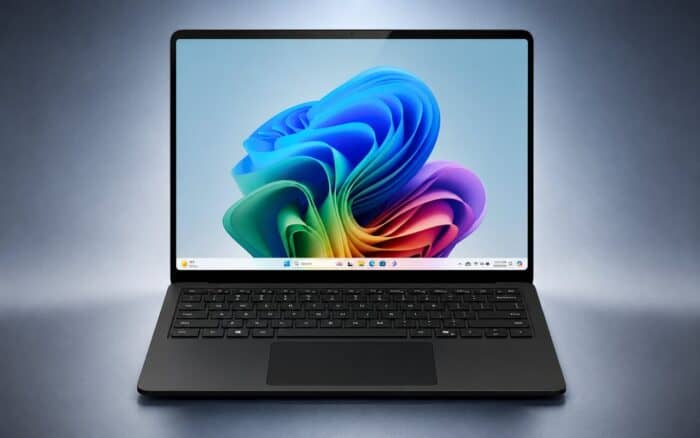
Microsoft is pushing a new message around Windows 11 and artificial intelligence. In a newly published 14-page e-book, the company describes Windows 11 as an “AI OS” designed to integrate AI directly into enterprise workflows instead of relying on separate standalone tools.
The document argues that businesses often create unnecessary complexity by adding more AI apps and services on top of existing workflows. Microsoft says the better approach involves embedding AI into the operating system itself so users can access intelligent features naturally while working.
Microsoft Wants AI Built Into Windows
According to Microsoft, simply deploying more AI tools does not always improve productivity. The company says additional AI software can increase training requirements, management overhead, and workflow fragmentation inside organizations.
Instead, Microsoft frames Windows 11 as an “intelligent canvas” where AI becomes part of familiar experiences already used daily by employees. The company believes this approach reduces friction and helps enterprises adopt AI more effectively.
Microsoft also argues that the operating system itself is evolving into a strategic enterprise asset rather than just a platform for launching applications.
Windows 11 Positioned as the Center of AI Work
The e-book repeatedly presents Windows 11 as the environment where AI-powered work should happen. Microsoft says AI integration inside the operating system allows users to access intelligent assistance without constantly switching between apps or services.
The company claims this makes AI feel more practical and less disruptive to existing workflows. While Microsoft has reduced some of the more aggressive Copilot integrations compared to earlier Windows 11 experiments, AI remains central to the company’s long-term Windows strategy.
Microsoft points to natural language interactions, voice-driven workflows, and AI agents as examples of how Windows 11 can support enterprise productivity.
Ask Copilot on the Taskbar Highlighted
One example highlighted in the e-book involves Ask Copilot directly from the Windows 11 taskbar. Microsoft says the feature can help Microsoft 365 Copilot users quickly surface relevant information without manually searching across apps.
According to the company, Ask Copilot can retrieve deep research, company policies, important documents, and meeting highlights directly through the taskbar interface.
Microsoft presents this as a way to reduce context switching and make AI assistance available inside the workflow rather than through a separate destination app.
AI Agents and Built-In Experiences
The company also highlights built-in Windows AI experiences and autonomous agents capable of helping users complete tasks across applications.
Microsoft suggests these AI-powered workflows could eventually handle repetitive actions, streamline navigation, and simplify enterprise processes without requiring users to learn entirely new tools.
The broader message throughout the e-book remains consistent: Microsoft wants enterprises to view Windows 11 as the foundation for AI adoption instead of treating AI as an additional software layer.
Microsoft’s Broader Windows 11 AI Push Continues
The new e-book arrives as Microsoft continues expanding Copilot and AI features across Windows 11. The company is currently testing a new Copilot docking mode that keeps the assistant pinned to the side of the desktop while automatically resizing app windows around it.
Microsoft is also preparing support for remapping the dedicated Copilot key found on newer Windows laptops, giving users more flexibility over how the AI shortcut behaves.
The latest messaging suggests Microsoft wants to shift the conversation away from AI being intrusive or experimental and toward AI being a practical part of everyday Windows usage.
Via Windows Latest

Read our disclosure page to find out how can you help Windows Report sustain the editorial team. Read more



Improve this guide


User forum
0 messages