
Following Chrome, Microsoft Edge could soon walk users through setting Edge as the default browser on Windows
The walkthrough appears to resize the Windows Settings dialog, showing users exactly where to click to make Edge the default browser on Windows.


 2 min. read
  Published on
Recently, we reported that Google Chrome is working on a visual walkthrough to make it easier for Windows users to set Chrome as their default browser. Now, Microsoft appears to be testing a similar experience for Edge.
We found a related change to Edge’s default browser experience in pre-release builds. Microsoft has prepared an edge://default-browser page, similar to Chrome’s approach, that works as a visual walkthrough.
Ideally, instead of opening the Windows Settings dialog as a separate window, the page resizes it to display alongside instructions, with Edge already selected and an arrow pointing to the Set default button users need to click.
The wording also closely mirrors Chrome’s version, with Microsoft’s own branding. The page reads “Use Microsoft recommended browser settings,” with the heading “Set Edge as your default,” followed by: “Get easy access to the features you know, love, and trust by setting Edge as your default browser.”
If the Windows Settings dialog doesn’t appear, Edge falls back to a page with a link that opens Windows Settings directly.
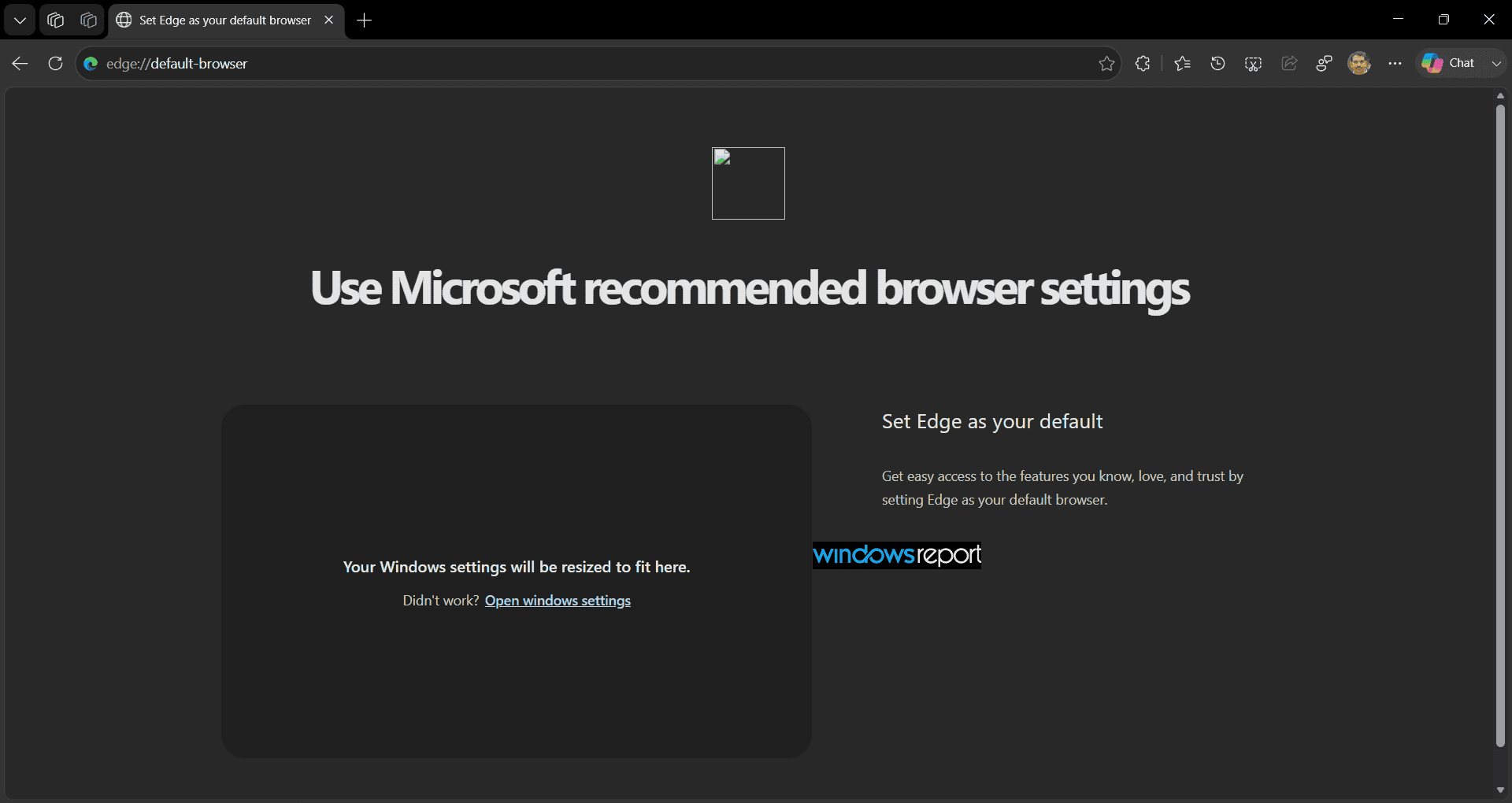
The overall experience is still unfinished. During our testing, the placeholder reading “Your Windows settings will be resized to fit here” remained visible in some cases instead of loading the Windows Settings dialog, suggesting the feature is still under active development.
Nothing here is confirmed or final. Microsoft is testing these changes in pre-release versions of Edge, and, as with other experiments, they may or may not roll out to users.
We noticed the experience and messaging closely resemble what we recently spotted in Chrome’s hidden default browser walkthrough. Edge is the second major Windows browser we’ve found testing this approach.


Read our disclosure page to find out how can you help Windows Report sustain the editorial team. Read more



Improve this guide




User forum
0 messages