
SharePoint is Getting a Major Sharing Upgrade With New 'Hero Link'


 2 min. read
  Published on
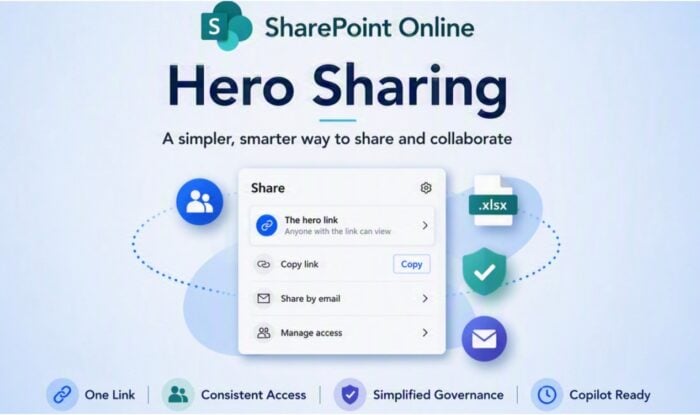
Microsoft is rolling out a fresh sharing experience for SharePoint Online and OneDrive. The biggest change is simple: each file or folder gets one reusable sharing link instead of a pile of different links.
SharePoint is getting a much cleaner sharing flow
The new system revolves around the hero link, which stays consistent across common sharing actions. Copying a link, sharing through email, or copying the browser URL now uses the same link.
That could finally tackle one of SharePoint’s messier problems: link sprawl. Microsoft says existing links and permissions will continue working, so admins do not need to recreate old shares.
The interface is changing too. Manage Access now combines people, groups, and links into one view instead of separating them across tabs. Advanced controls have also moved behind the gear icon. Creating an expiration link takes an extra step, requiring users to choose Create new sharing link from the settings menu.
Microsoft wants admins ready before rollout hits
The rollout started in June 2026 under Microsoft 365 roadmap ID 492622. Microsoft recommends that admins review the new interface and prepare support teams before users encounter it.
There is also a first-run tutorial for the new sharing dialog. Users can reportedly reopen it later through the ellipsis menu. One notable limitation remains on Mac. Word, Excel, and PowerPoint currently use the older Share dialog, with the newer experience expected shortly.
One link could also help Microsoft 365 Copilot
Microsoft says the change may improve visibility around access permissions. That matters because Copilot relies on content users can already access. With fewer parallel links, admins may have an easier time spotting excessive permissions. It could also make access cleanup less painful before organizations expand Copilot usage. That being said, the new system still changes familiar controls. Moreover, frequent sharers may need a little time to find everything again.

Read our disclosure page to find out how can you help Windows Report sustain the editorial team. Read more



Improve this guide




User forum
0 messages