
Microsoft Finally Lets You Turn Off AI Answers in Bing With New Extension and Search Trick


 2 min. read
 Published on
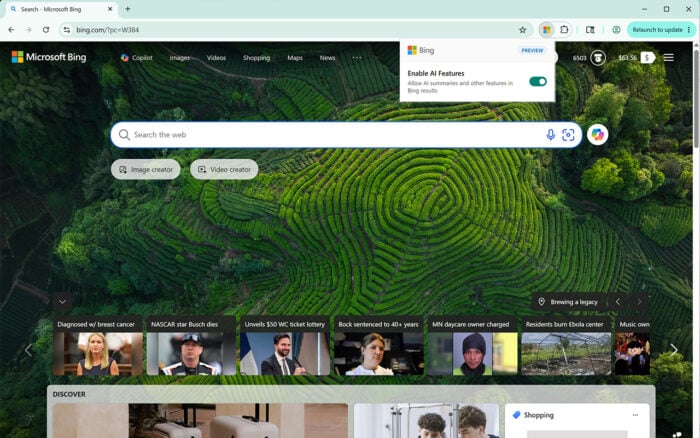
Ever wondered how to turn off AI in Bing? Well, Microsoft is finally giving Bing users more control over AI-powered search results. The company has introduced two new ways to search without AI-generated answers.
Bing finally gets an option to disable AI answers
In yesterday’s announcement, Microsoft launched the Microsoft Bing AI Search Choice browser extension. Available in preview for Google Chrome and Microsoft Edge, it adds a simple toggle for controlling AI features in Bing search results. Users can switch AI-generated answers on or off whenever they want. When disabled, Bing focuses on its traditional search experience, allowing users to browse links and compare sources themselves.
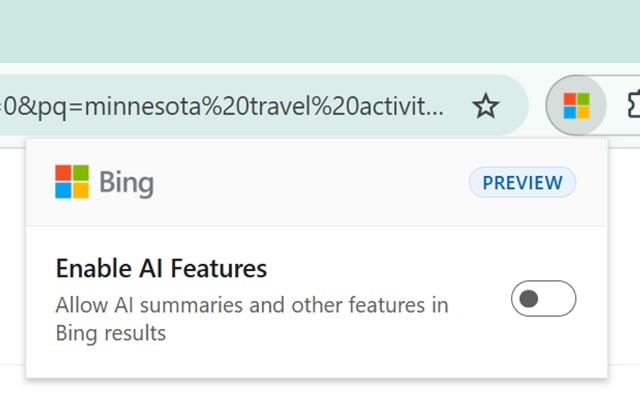
Interestingly, the extension applies your preference across all Bing searches. You won’t need to disable AI features every time you enter a new query. There is one catch, though. Installing the extension also sets Bing as your default search engine. The Chrome version additionally opens Bing whenever you launch a new tab. You can download the extension through the official stores.
No extension required, just add -ai to your searches
Don’t want another browser extension? Microsoft has another trick that doesn’t require installing anything. Simply add -ai at the end of your Bing search query. For example, searching for “why is the sky blue -ai” removes AI-generated answers from that specific search.
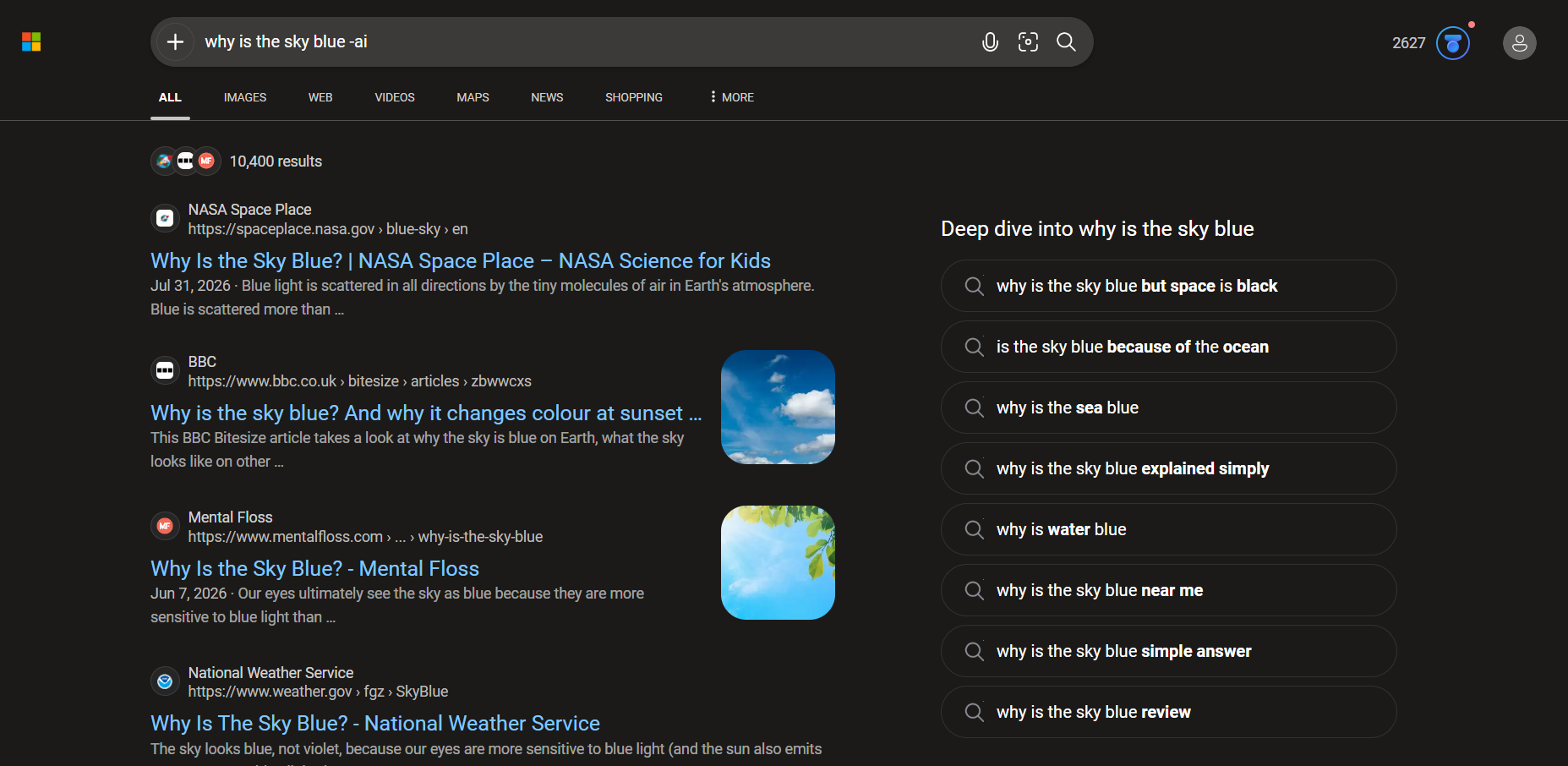
This is especially useful for people who occasionally want traditional search results without changing their browser settings. Microsoft says its research shows users want the freedom to choose when AI participates in their searches. That being said, Microsoft hasn’t introduced a permanent native toggle directly inside Bing’s settings as Mozilla did in Firefox.

Read our disclosure page to find out how can you help Windows Report sustain the editorial team. Read more


Improve this guide



User forum
0 messages