
Windows 11 Setup Fails on IPv6-Only Networks Despite Internet Access


 2 min. read
 Published on
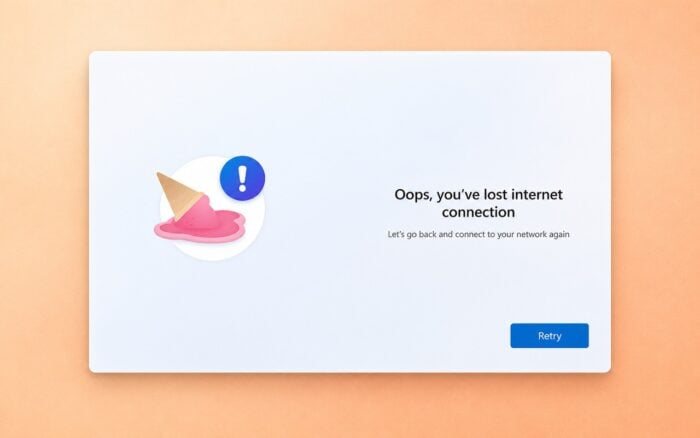
Windows 11 setup reportedly fails on IPv6-only networks, even when the device has an active internet connection. The issue affects the Out of Box Experience (OOBE), preventing users from completing the initial setup process.
X user Bob Pony highlighted the problem after reproducing it on Windows 11, including a recent Insider build.
Windows 11 setup appears to require IPv4 connectivity
According to the report, Windows 11 OOBE detects an active internet connection over IPv6 but fails to continue when IPv4 connectivity is unavailable.
Instead, the setup process displays an error claiming that the device has lost its internet connection, even though IPv6 access remains active.
Bob Pony also reproduced the behavior on a recent Windows 11 Insider build, suggesting the issue persists in newer development versions.
The findings raise questions about whether Windows 11’s initial setup process depends on IPv4 connectivity despite supporting IPv6 networking.
However, it remains unclear whether the behavior results from an unintended bug or a specific IPv4 requirement within OOBE. Microsoft has not publicly confirmed the issue or announced a fix.
For users connecting devices to IPv6-only networks, the problem could prevent them from completing Windows 11 setup until they obtain IPv4 connectivity or Microsoft addresses the underlying issue.
In other news, Microsoft released KB5132058 and KB5132060 to improve Windows 11 recovery and emergency updates to fix activation error 0x80041008. The company also confirmed printing failures caused by November 2026 updates.
Via Neowin

Read our disclosure page to find out how can you help Windows Report sustain the editorial team. Read more


Improve this guide

User forum
0 messages