
Microsoft Access Forms Are Finally Getting Rounded Corners to Make Them Look Less Dated


 2 min. read
 Published on

Microsoft Access is getting a small but welcome visual upgrade, which should give users more control over how forms look in Microsoft 365. The new Corner Radius setting lets users round form controls without custom code, potentially making older database interfaces feel more at home on modern Windows.
Microsoft Access forms can finally ditch sharp corners
The new property is available from a control’s Property Sheet in Design View. Users can enter a whole-number value to control how rounded the corners appear.
A value of 0 keeps the traditional square edges. Values such as 4 or 6 add a mild curve, while 8, 12, or 16 create more noticeable rounding. Larger values push the shape toward the maximum curvature allowed by the control.
The setting stays unchanged when resizing controls. Access adjusts the visible radius automatically, while preserving the rectangular content area. Users must also set Special Effect to Flat for rounded corners to appear.
A cleaner look without rebuilding existing forms
Corner Radius supports text boxes, combo boxes, list boxes, option groups, rectangles, labels, image controls, modern charts, attachment controls, and subform controls. Combo boxes also apply the chosen radius to their dropdown buttons.
Command buttons and toggle buttons already offer rounded corners through Shape Type. Microsoft plans to bring Corner Radius controls to those buttons in future builds. Lines, check boxes, option buttons, tab controls, and tab pages remain unsupported for now. Report controls are also excluded, although Microsoft says support will arrive in a future update.
Existing forms remain unchanged by default, since Corner Radius starts at 0. The setting is saved with forms and retained when controls are copied. Rounded borders also appear in Form View, Design View, Print Preview, and printed output.
VBA users can set the property through the control’s Properties collection using Properties(“CornerRadius”). Direct early-bound .CornerRadius syntax is not supported in this release.
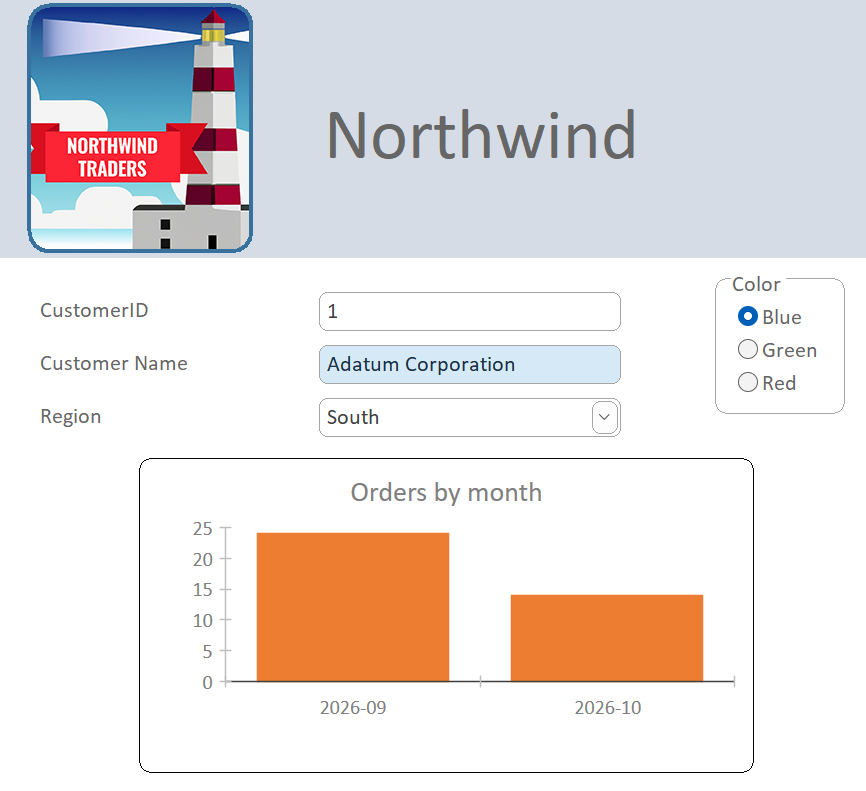
Preview builds are already getting the feature
Microsoft says Corner Radius is available in Access for Microsoft 365 Beta Channel Version 2612, Build 16.0.20715.20004, and Current Channel Preview Version 2611, Build 16.0.20625.20102. Users can try setting a radius of 8 across several controls for a more consistent appearance. As far as the company news is concerned, Microsoft has warned about more tech outages in upcoming days.

Read our disclosure page to find out how can you help Windows Report sustain the editorial team. Read more


Improve this guide



User forum
0 messages