
1Password for Windows: Download, Setup, and Pricing
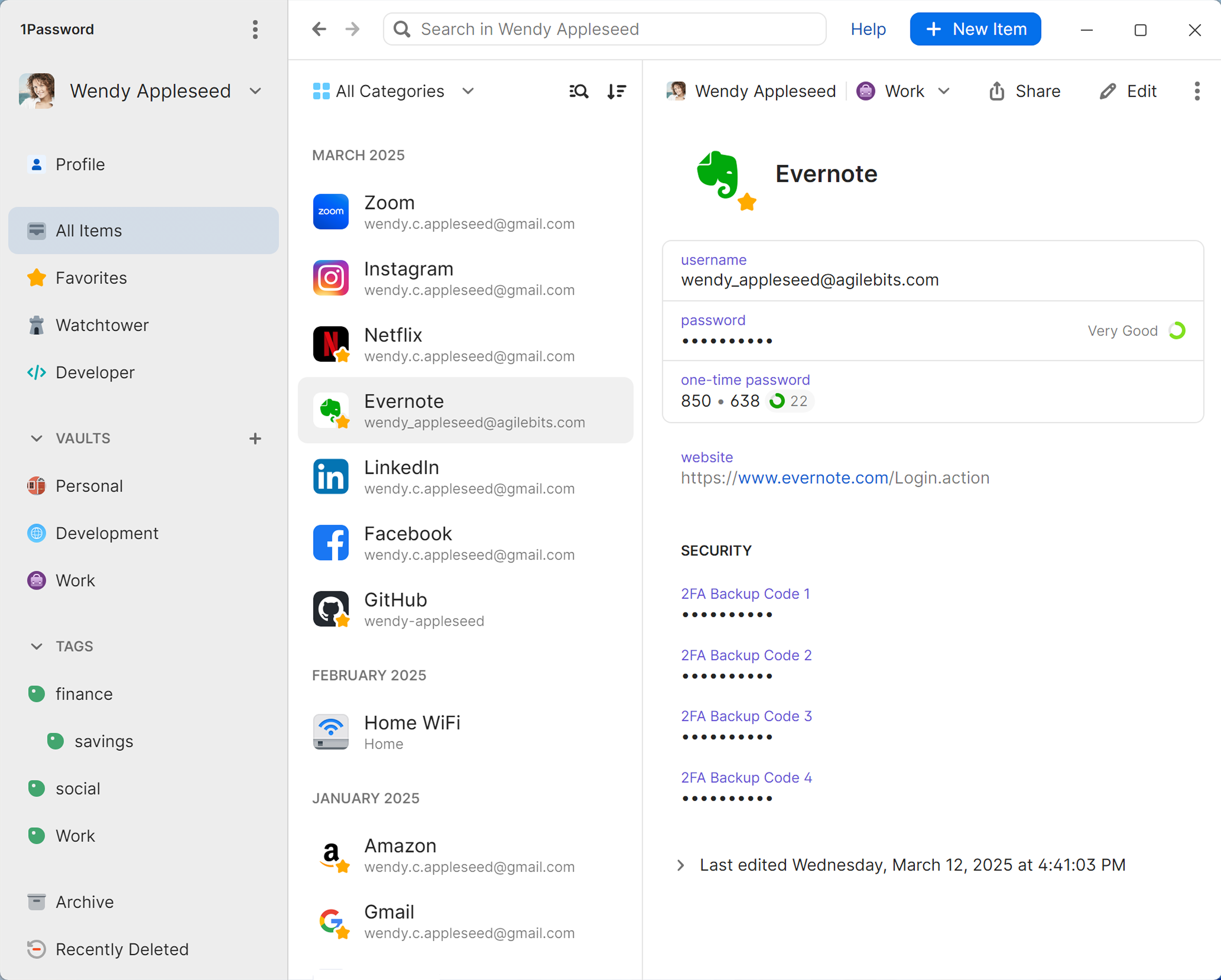
Subscription; 14-day free trial / Version 8.12.46


 2 min. read
 Published on

1Password for Windows stores passwords, passkeys, secure notes, and other items in vaults. The stable Windows release notes list version 8.12.46, dated November 17, 2026. Check the official release history for later updates.
Download 1Password for Windows from the publisher. Version 8 requires 64-bit Windows 10 or later. If you use the MSIX installer, 1Password requires Windows 10 version 20H1 or later; its support page lists the MSI installer as an option for earlier Windows 10 builds.
Set up 1Password on Windows
- Download the Windows app from 1Password and sign in to your account. Keep your account password and Emergency Kit private.
- To add a website login, select New Item, choose Login, enter the website address and credentials, and select the vault that should hold the item.
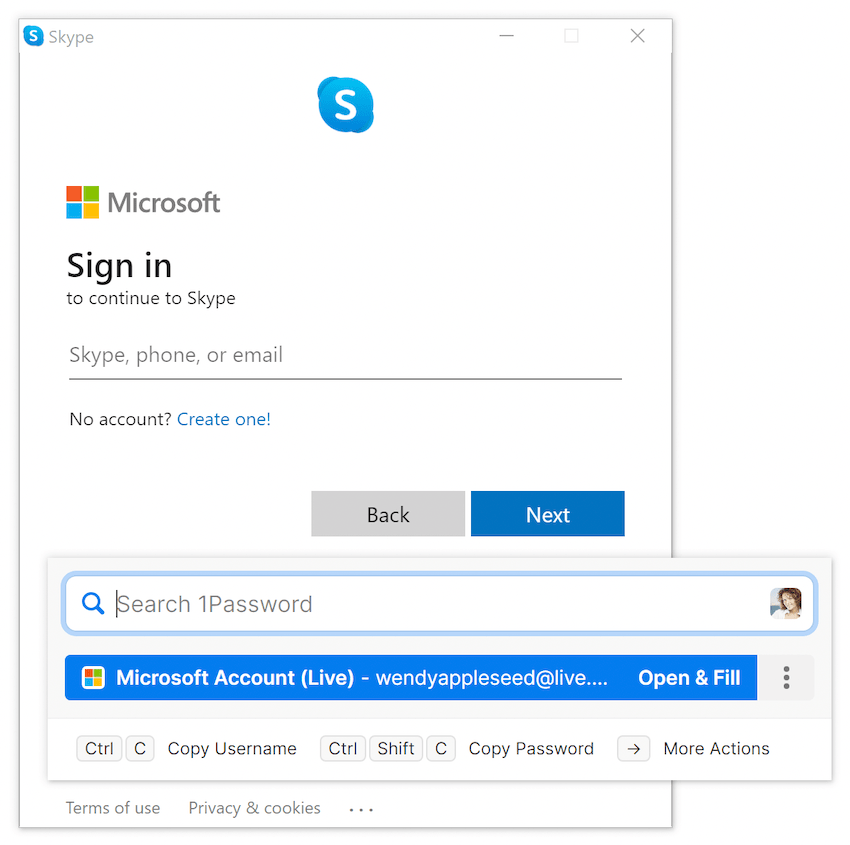
- For a desktop app, open Quick Access with Ctrl+Shift+Space and search for the saved login. For a website, use the 1Password browser extension to fill it in.
Use Quick Access with desktop apps
Quick Access can offer a saved login while you work in another Windows application. Review the selected item and destination before filling in credentials.
Trial and subscription
1Password is subscription software. The publisher currently offers a 14-day free trial for its individual and family plans; check current plan terms and pricing before signing up.
Version information checked against 1Password’s Windows release notes. System requirements and Quick Access instructions are on the publisher’s system requirements page and Windows guide.
Screenshots
Our Review
- Pros
- Stores logins and passkeys in separate vaults
- Separate vaults can organize logins, passkeys, and secure notes
- Quick Access works with desktop app logins
- Browser autofill is available through a separate extension
- No permanent free plan; subscription required after trial
- Cons
- Subscription required after the trial
- Most useful features require signing in to an account
1Password’s Windows app is built around vaults: users can keep website logins, passkeys, secure notes, and other items organized under their account. Quick Access is useful when signing in to desktop programs, while the browser extension handles website autofill. The app requires 64-bit Windows 10 or later.
This guide reflects the publisher’s current Windows release notes and support documentation. It does not claim independent performance testing. 1Password is a subscription service; compare current plan terms and trial details before creating an account. Keep your account password and Emergency Kit private.
Full Specifications
- Software Version
- 8.12.46
- License
- Subscription; 14-day free trial
- Keywords
- password, security
- Release Notes
- 1Password for Windows 8.12.46 — November 17, 2026. Review the publisher’s Windows stable release notes for subsequent updates.

Read our disclosure page to find out how can you help Windows Report sustain the editorial team. Read more


User forum
0 messages