
How to Exclude Folder in SyncToy & Stop it From Syncing
You can do that right from the pair options


 2 min. read
  Published on

Despite its discontinuation, SyncToy is still widely used. Speaking of which, in today’s guide we’re going to show how to exclude a folder in SyncToy, so without further ado, let’s get started.
How can I exclude the folder in SyncToy?
Change pair options
- Open SyncToy and select your folder pair.
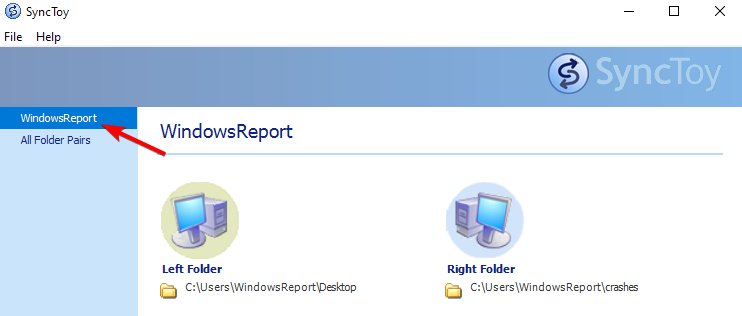
- Next, click on Change options.

- After that, click on Select subfolder.

- Uncheck folders that you wish to exclude.

- Save changes.
Can SyncToy run automatically?
The software doesn’t have the option to automatically sync files, so you’ll have to manually run the sync. You can create a task in Task Scheduler that will sync with SyncToy automatically as a workaround.
To achieve this, you first need to create a SyncToy batch script, and then create a reoccurring task in Task Scheduler.
Where are SyncToy settings stored?
You can find all your SyncToy settings in the SyncToyDirPairs.bin file in C:\Users\WindowsReport\AppData\Local\Microsoft\SyncToy\2.0
Just be sure to replace WindowsReport with your Windows username.
Where does SyncToy store folder pairs?
SyncToy stores its folder pairs in the same location where it stores its settings.
Is there a SyncToy for Windows 11?
No, SyncToy was never released for Windows 11, and the software was discontinued in early 2021. However, the application can run if you install an older .NET Framework, but it does have a few bugs.
What is the replacement for SyncToy?
Although the software is discontinued, there are many great SyncToy alternatives that you can use on Windows 11 with FreeFileSync being the most popular choice.
As you can see, it’s pretty simple to exclude a folder in SyncToy, and it only takes a few clicks. Due to its simplicity, it’s no wonder that many are using SyncToy for file backup.
Since the tool is discontinued, you might run into some issues, but we have a great guide that can help you if SyncToy is not working, so try it out.

Read our disclosure page to find out how can you help Windows Report sustain the editorial team. Read more



Improve this guide




User forum
0 messages