
Best Free Beat-Making Software for Windows: 5 Picks Compared


 5 min. read
 Published on
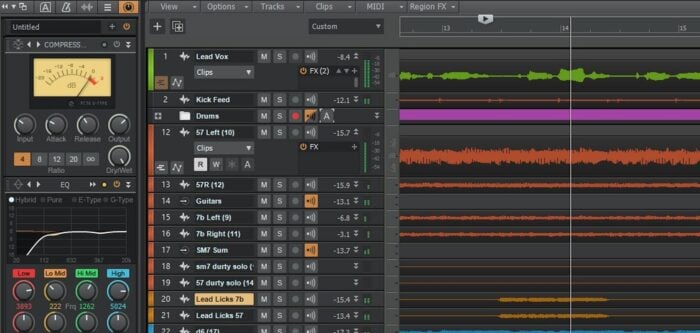
Looking for a free way to make beats on a Windows PC? The right digital audio workstation (DAW) depends on whether you want to record live instruments, build patterns from samples, or arrange a complete song. We reviewed the current official product information for five options below. This is a feature-based guide, not a hands-on performance test; free plans and downloads can change, so check the linked vendor page before installing.
At a glance
| App | Best fit | Windows | Main caveat |
|---|---|---|---|
| Cakewalk Sonar | Recording and full studio workflows | Yes | Some advanced features require a paid tier |
| Waveform Free | General-purpose recording and arranging | Yes | Check the current edition and system requirements |
| Akai MPC Beats | Sample-based, pad-style beat making | Yes | Older MPC Beats screenshots may differ from MPC 3 |
| LMMS | Pattern-based electronic music | Yes | Does not record live audio |
| MAGIX Music Maker Free | Loop-based beginner projects | Yes | Included content and limits depend on the free tier |
1. Cakewalk Sonar: best for recording and mixing
Cakewalk Sonar is the current continuation of the Cakewalk desktop DAW line for Windows. Its free core tier is available through a BandLab account, while some additional features are part of paid membership. This makes it the strongest fit here if you want a traditional recording and mixing environment for vocals, instruments, MIDI, and multitrack arrangements.
Choose Sonar if recording and mixing are central to your workflow. Before you start a project, check which features are included in the current free tier and whether your plug-ins and audio hardware are supported.
Check Cakewalk Sonar editions and download options.
2. Waveform Free: best all-round starting point
Waveform Free is Tracktion’s no-cost edition of its DAW. It is a practical place to start if you want one application for arranging, recording, MIDI work, and plug-ins without committing to a paid DAW. Tracktion’s current download page is the authority for the available version, supported systems, and installation details.
Its feature set can make it a flexible first choice, but the workflow may feel unfamiliar if you are used to another DAW. Check the official page for the current Windows requirements and edition details before downloading.
See the official Waveform Free page.
3. Akai MPC Beats: best for sample-based beats
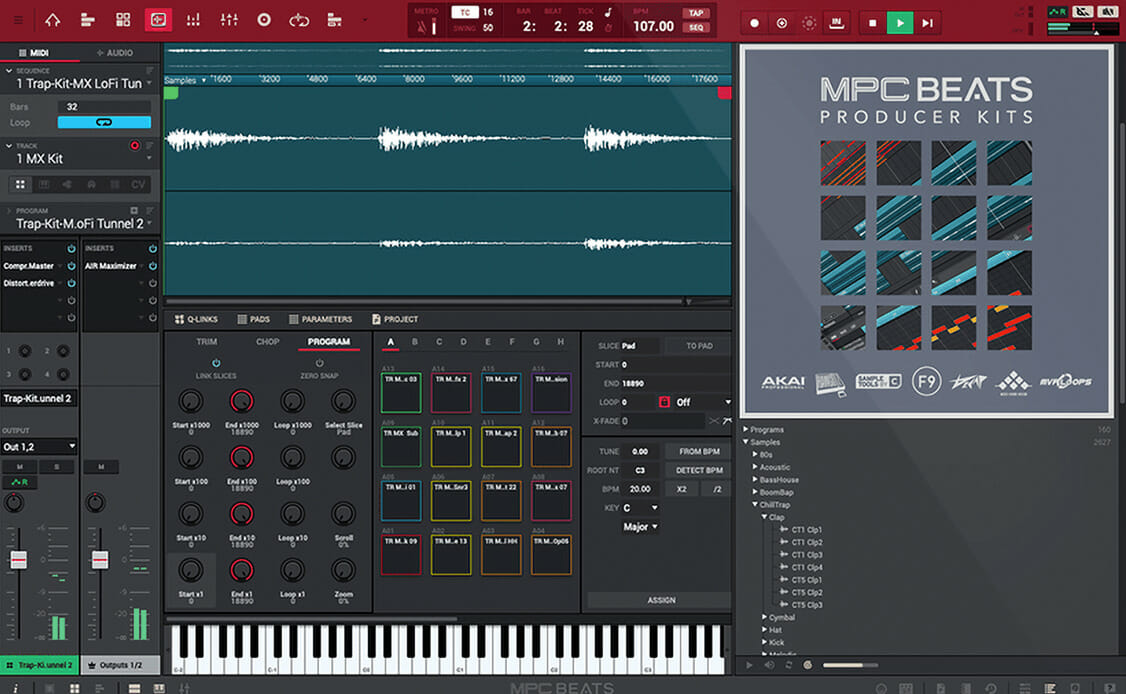
MPC Beats focuses on a pad-and-sequencer workflow associated with Akai’s MPC hardware. It suits producers who want to chop samples, program drum patterns, and build loop-based arrangements. Akai’s current MPC 3 software also includes the MPC Beats free tier, so check Akai’s product page for how the free and paid features are presented in the current release.
The image below is an older Windows Report screenshot of MPC software, uploaded in 2022. It illustrates the general sample-and-sequencer workflow; it is not a screenshot of the latest MPC 3 interface.
Check Akai’s current MPC software details and MPC Beats FAQ.
4. LMMS: best for patterns and electronic music
LMMS is a free, open-source music production application for Windows and other desktop platforms. Its pattern-based workflow, built-in instruments, and effects make it a natural fit for electronic music and MIDI-driven projects. One important limitation: LMMS does not record live audio, so vocal or instrument recording calls for a different application or a separate recording workflow.
The stable and pre-release downloads are listed separately by the project. For most users, start with the stable release unless you specifically want to test unfinished features.
See LMMS downloads and release status.
5. MAGIX Music Maker Free: best for loop-based beginners
Music Maker has a free edition aimed at getting started with loop-based song creation. The free tier has limits on included sound content and instruments; optional packs and features may cost extra. Because the exact bundle can change, use MAGIX’s current product page to verify what is included in the edition available in your region before installing.
This is a straightforward option if you would rather assemble a first track from included sounds than configure a full recording studio. If you plan to record several live instruments or need advanced routing, compare its current limits with Sonar or Waveform Free first.
Check the current MAGIX Music Maker editions.
Which free beat-making app should you choose?
- Choose Cakewalk Sonar if you want a Windows studio for recording, editing, and mixing.
- Choose Waveform Free if you want a flexible general-purpose DAW and are comfortable learning a different workflow.
- Choose MPC Beats if you mainly build tracks from samples, drum pads, and sequences.
- Choose LMMS if you make pattern-based electronic music and do not need to record live audio.
- Choose Music Maker Free if you want a loop-focused entry point and are comfortable with free-tier limits.
How to make your first beat
- Set a tempo and time signature that suit the style you want to make.
- Start with a drum pattern or loop, then keep the first idea simple.
- Add a bass line or melody using MIDI instruments or samples.
- Arrange the patterns into sections, such as an intro, main groove, and ending.
- Balance levels and listen on more than one set of speakers or headphones before exporting.
Start with the free application that matches your workflow, then confirm the vendor’s current system requirements, free-tier terms, and download source. We checked the official product information linked above on November 28, 2026; we did not independently install or benchmark these applications.

Read our disclosure page to find out how can you help Windows Report sustain the editorial team. Read more


Improve this guide



User forum
0 messages