
Windows 11 September update KB5065426 reportedly won't install for some users
The use of Media Creation Tool appears to be the only workaround for now


 2 min. read
  Published on
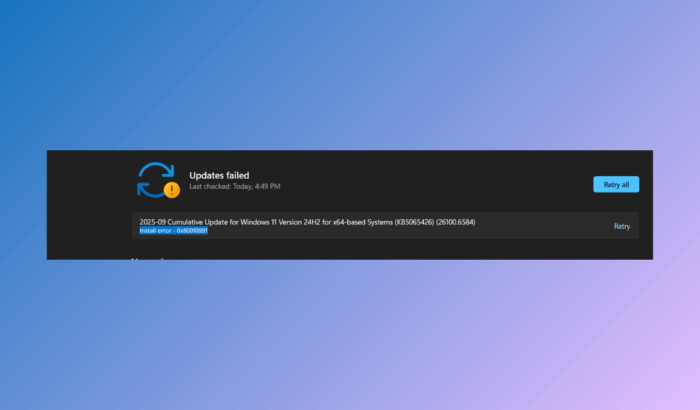
The September 2025 Patch Tuesday update, KB5065426, has been causing issues for many users. While the update has been reported for causing havoc around file and print sharing, some users have also reported that the KB5065426 update isn’t installing correctly on some Windows 11 24H2 systems.
According to posts from the Microsoft Community and Windows Latest’s report, the installation failure is accompanied by multiple error codes, including 0x800F0991, 0x800F0922, 0x80071A2D, 0x800F081F, 0x80070302, 0x80070306, and 0x8000FFFF.
In many cases, the update either loops with a “Retry” button or stops partway with messages like “The update was not installed”. Some admins even noted that manual installation through the Microsoft Update Catalog fails, often installing just above 50% before reporting an error.
One user even reported that even after trying to install the September update from Windows Update 9 times, they get 0x800f0805 error. While the common troubleshooting commands such as SFC and DISM work generally in these cases, this time, it isn’t even working.
A temporary workaround is to update using Microsoft’s Media Creation Tool. Running the tool with the “Upgrade this PC” option has allowed affected systems to install KB5065426 successfully, while preserving files. If that does not work, Microsoft’s Update Assistant Tool can be tried as an alternative.
Microsoft has not yet confirmed a server-side fix, but based on previous rollouts, we hope to see a patch released soon. Until then, the Media Creation Tool remains the most reliable option to bypass KB5065426 installation failures.

Read our disclosure page to find out how can you help Windows Report sustain the editorial team. Read more



Improve this guide


User forum
0 messages