
Best VPN for Windows 2026 [Premium and Free]


 11 min. read
  Published on

World-class 24/7 support with 82% for a 2 years plan and 2 months free
70% of our readers choose Private Internet Access
70% of our readers choose Private Internet Access

Amazing connection speed with 61% off and 4 months free for the 2-years plan.

Best security protocols with 83% off and 2 months free for a 2-year plan.
In 2026, it’s never been more important to encrypt your internet activity with a VPN. But where do the big names currently stand and are there any newcomers with better features?
We take a deep dive into the current market, so you can find the best VPN for Windows.
8 Best VPNs for Windows in 2026: Latest Features Tested
We narrowed down 8 leading VPN providers based on features, performance, and pricing. Here’s how each stands out:
1. X-VPN – Overall Best VPN for 2026
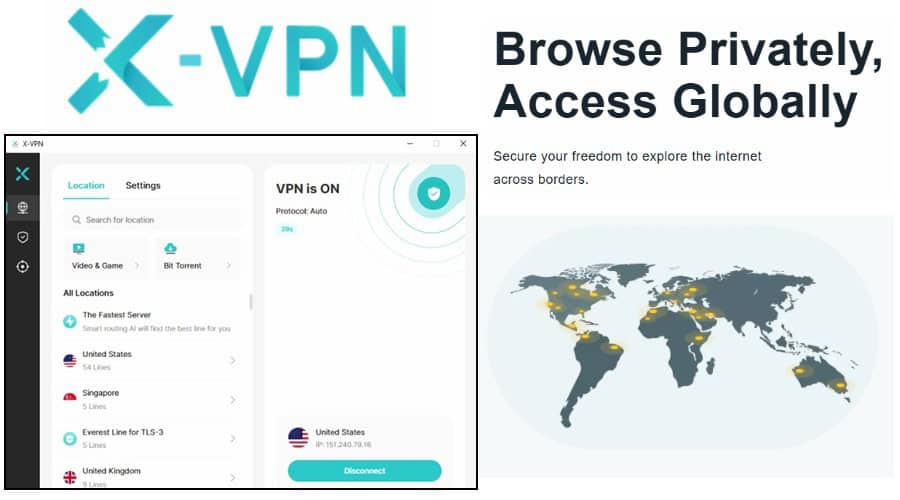
X-VPN rises to the top in 2026, offering a complete package that is tough to beat.
Its robust network is made up of more than 10,000 servers, covering 250+ locations, across 80+ countries. So, wherever you are in the world or wherever you want to appear, there’s a suitable server that can accommodate high-bandwidth tasks.
What’s more, you can choose servers that are fine-tuned for streaming, gaming, and torrenting. For example, selecting the US-Video option will provide optimal performance when watching a US-based streaming service.
By default, X-VPN connects using its proprietary Everest protocol. This is stable for all-round internet use and great for bypassing VPN restrictions. Alternatively, you get the freedom to choose from other open-source protocols like OpenVPN and WireGuard.
X-VPN has all the expected VPN features, including an automatic kill switch to pause internet activity if the VPN connection drops, as well as split tunneling, which lets you manually choose which apps on your PC to protect.
It also offers some advanced features for those that need a higher level of privacy and stability. The obfuscation setting under protocols allows you to manually enter a trusted URL that isn’t restricted by your ISP or network admin. Your traffic is then made to appear like it’s from the trusted site.
Stable Connection is a setting that prioritizes stability and performance by dynamically choosing the best server routes for your connection. Toggling this on can solve connection problems but may take a little longer for the initial connection to be made.
The Windows app couldn’t be easier to navigate. It launches on startup and most users can get connected with a single click, choosing either the fastest server using smart AI routing or browsing for a specific location and server type. Everything else is easily found under the settings tab.
In addition, there are some great extra security features. The powerful ad blocker removes intrusive ads from web pages, while browser protection blocks trackers, cookies, malicious sites, and dangerous downloads.
There is even a dark web monitor, which alerts if your email has been included in a data breach and leaked on the dark web.
You can get all this for up to 5 devices for $2.99/mo (24-month plan), while the generous free plan gives Windows users access to 1,000 servers across 50 locations with unlimited bandwidth.
2. NordVPN – Best Specialty Servers
NordVPN continues to be one of the best VPNs on Windows, offering a large server network and lots of features.
As of 2026, it now has over 7,400 servers, covering 118 countries. This ensures fast and stable speeds, no matter where you want to mask your location.
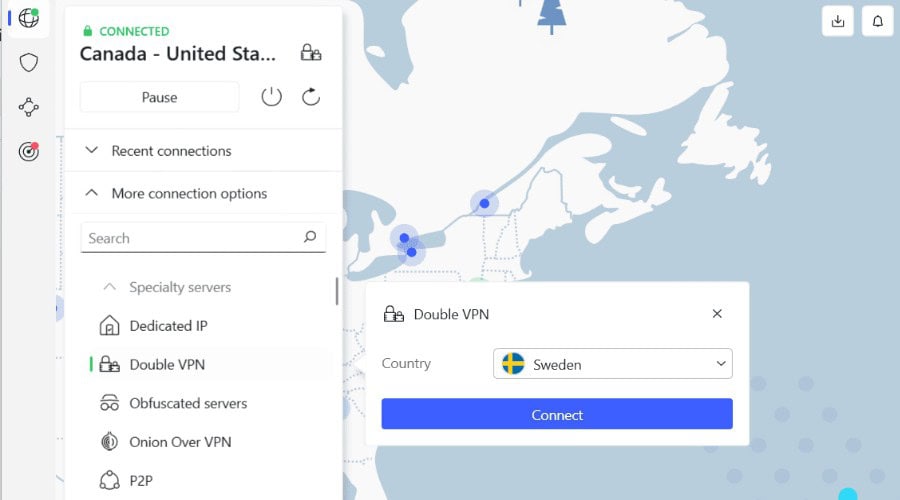
The ability to bypass restrictions is boosted by special obfuscated servers that disguise the type of traffic, not just the source. This can help bypass ISP throttling and VPN bans, because all activity looks like regular web browsing.
It also has servers optimized for P2P file sharing, Double VPN which offers two levels of encryption, and Onion Over VPN. The latter sends your encrypted VPN connection through the Tor network, combining to provide one of the most secure and untraceable connections possible.
A NordVPN plan protects up to 10 devices simultaneously across Windows, macOS, Android, iOS, Linux, and streaming devices.
On Windows it supports app-based split tunneling, uses an automatic kill switch to prevent leaks, and SmartPlay. This automatically combines VPN encryption and SmartDNS technology so streaming services can load smoothly while you’re connected to the VPN.
NordVPN has several premium tiers and pricing plans to suit all budgets, starting from $11.95/mo with no commitments.
From the Plus plan, you get browser protection, and ad blocker, and a password manager.
3. Surfshark – Best VPN for Unlimited Devices
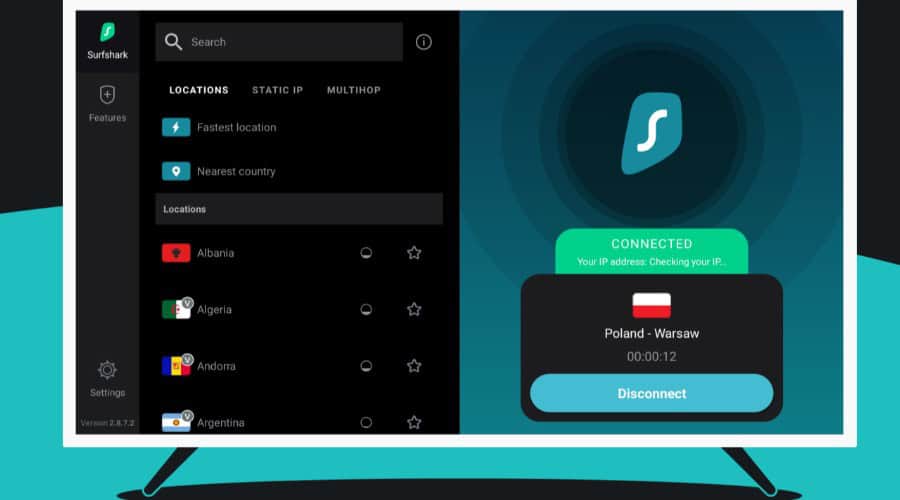
When it comes to VPN performance, it’s hard to beat Surfshark. Its network of 4,500+ servers offer consistent 400Mbps+ speeds, with locations in 100 countries.
What’s more, you can protect an unlimited number of PCs and other devices under a single account. Surfshark apps are available on Windows, macOS, iOS, Android, FireTV, Chromebook, gaming consoles, and other smart devices.
We were able to use multiple PCs to stream in 4K or game at the same time, with no buffering or lag.
On Windows you get an automatic kill switch to prevent IP leaks, multi-hop connections that route traffic through two VPN servers, and advanced split tunneling. Unlike many VPNs that only support app-based split tunneling, Surfshark lets you enter URLs too.
Protocols include WireGuard, IKEv2 for mobile devices, and OpenVPN which is useful for setting up on the router level.
Static IPs are also available if you are facing suspicious activity messages or need to access a streaming service like Netflix that doesn’t like constant IP changes.
Even with just the Starter plan ($15.45/mo) you get all these core VPN features, as well as an ad, tracker, and malware blocker. Higher tiers give you access to safe searching, full antivirus, data leak alerts, and identity theft protection.
4. Mullvad – Best Fully Anonymous Windows VPN
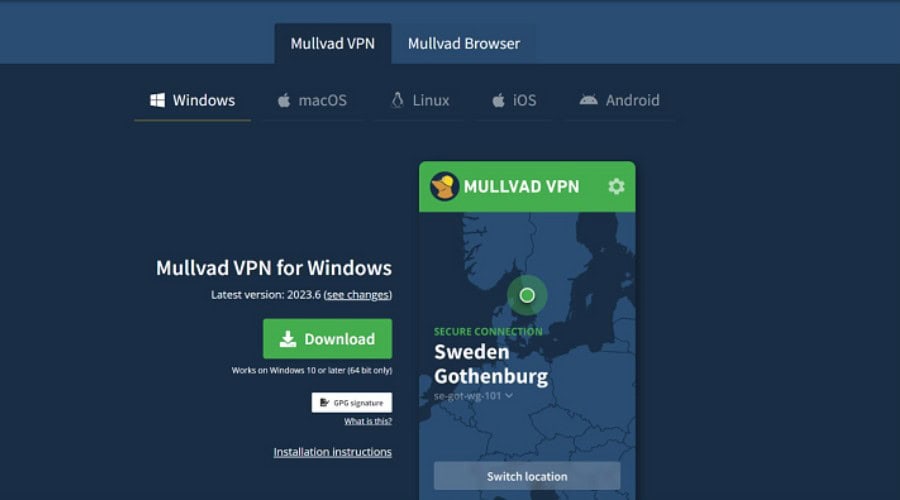
If you require a higher degree of privacy than your average VPN, Mullvad is designed for maximum anonymity, meaning it tries to avoid collecting any information that could identify you.
Its approach is different from most providers because it removes the usual account and payment links that connect a user to their identity. When you create an account, the system simply generates a random 16‑digit account number, which becomes your only identifier.
Because there’s no email or name, Mullvad cannot directly connect the account to a real person. Therefore, there is no data to breach or share.
Furthermore, you can purchase a plan with cryptocurrency, further hiding the fact that you purchased a VPN plan in the first place.
In terms of features, Mullvad is a good all-round VPN on Windows. Its network is made of 580+ servers, across 50 countries, with 90 selectable city locations. It uses its own form of obfuscation, that makes traffic analysis harder for ISPs and services that ban VPNs.
Moreover, its multihop option sends your traffic through two or more servers in different locations and jurisdictions. It also encrypts DNS requests and uses a kill switch to prevent leaks.
If you only want to protect certain apps, you can use its split tunneling feature to choose what to protect.
Mullvad is one of the more affordable VPNs, with a single $5.82/mo flat monthly plan.
5. ExpressVPN – Most User-Friendly VPN for Windows
As one of the biggest and longest running VPN providers, ExpressVPN has found the perfect balance between features and usability.
While it has advanced leak prevention, servers and protocols for different tasks, and obfuscation technology, none of this has to be configured manually. Instead, it automatically recognizes current device and network conditions and applies the best settings. Its Network Lock kill switch is also automatic.
All most users have to do is launch the app, browse for a location, and connect. The experience of streaming, torrenting, gaming, and bypassing restrictions is seamless.
Premium ExpressVPN users can protect up to 14 devices at once. This includes Windows, macOS, Linux, Android, iOS, and practically all other common devices.
Its network is supported by 3,000+ individual servers, spanning 105 countries. Many of these have multiple city locations to connect to. Speeds remain fast and stable regardless of activity, thanks to its proprietary Lightway protocol.
Windows users benefit from advanced split tunneling, which allows you to choose which apps, IPs, or URLs should be encrypted or excluded from the VPN connection.
It’s good to see that ExpressVPN now also offers ad blocker and tracker blocker to keep you safe while browsing.
Monthly plans start at $12.95 with deep savings for committing to longer terms upfront.
6. PIA VPN – Largest Server Network
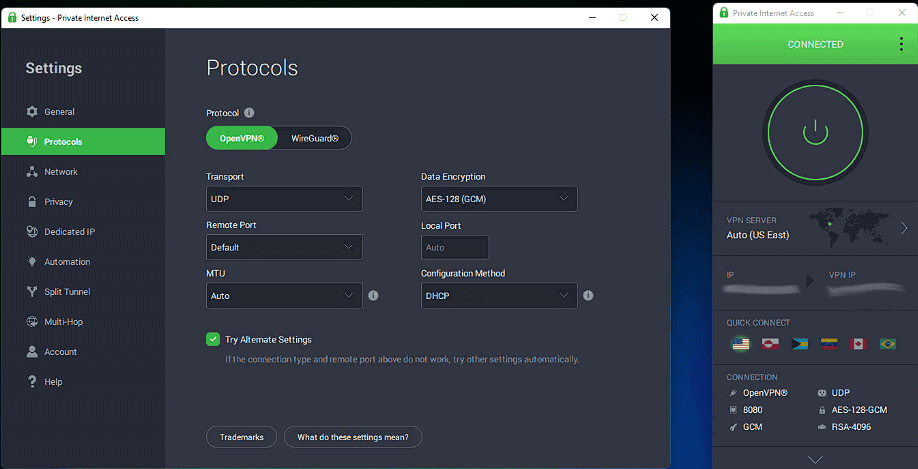
Private Internet Access (PIA) has always been dedicated to growing and strengthening its server network. So much so that it now boasts the largest pool of individual servers of any popular VPN provider (30,000+).
These are divided across locations in 90 countries and users can choose right down to the state and city in the United States.
You also get unlimited device connections, covering any Windows systems, as well as macOS, Linux, mobile, and other smart devices.
Suffice to say, if you are a heavy internet user and need to make it look like you are in certain regions, PIA gets the job done in a fast and stable manner.
Features include app-based split tunneling, automatic kill switch, and the ability to use obfuscation. In PIA’s case, this hides VPN usage from your ISP by making everything appear like regular web traffic. You can also use multi-hop to add an extra layer of encryption.
Another useful feature is PIA MACE. This blocks ads, trackers, and malware at the DNS level.
Standard monthly pricing is $11.95, with discounts for committing to longer plans. Add-ons include dedicated IPs, corporate VPN, and a full-blown antivirus.
7. CyberGhost – Best for Streaming and Torrenting
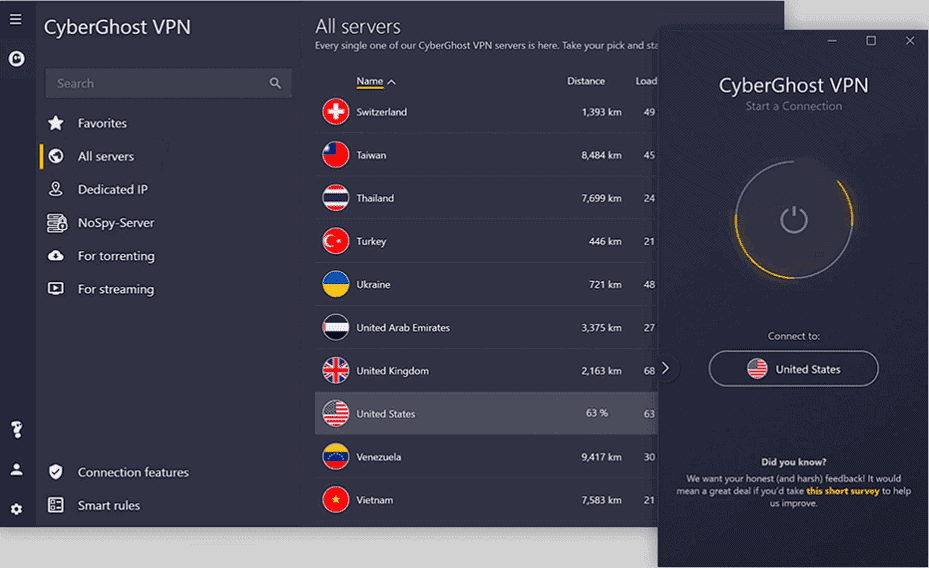
CyberGhost recognizes that there isn’t always a one-size-fits-all solution when it comes to VPNs. That’s why it divides its servers and optimizes them for different tasks.
For example, if you are downloading large files via a P2P platform like Bittorrent, click the “downloading” category and choose the location closest to you. This ensures both fast and stable speeds and anonymity from ISPs and entities snooping on the torrent tracker.
Likewise, the streaming section lists all the dedicated streaming options. I.e., you can choose Netflix France or BBC iPlayer to get the best experience using those streamers. If a specific service isn’t listed, you can still choose the appropriate location whilst applying the best settings for streaming.
Overall, CyberGhost houses thousands of servers across 125 locations, making it perfect for unblocking content and bypassing restrictions. It also offers unique dedicated IP addresses for your chosen location, so it doesn’t trigger suspicious activity warnings.
Its intuitive Windows app includes an automatic kill switch, protocol selection, app-based split tunneling, and an ad blocker.
Premium users can install the app on up to 7 devices from one account, covering all common desktop and mobile operating systems. Pricing starts at $12.99 per month, which discounts for 6-month, 12-month, and 24-month plans.
8. ProtonVPN – Best Free VPN for Windows
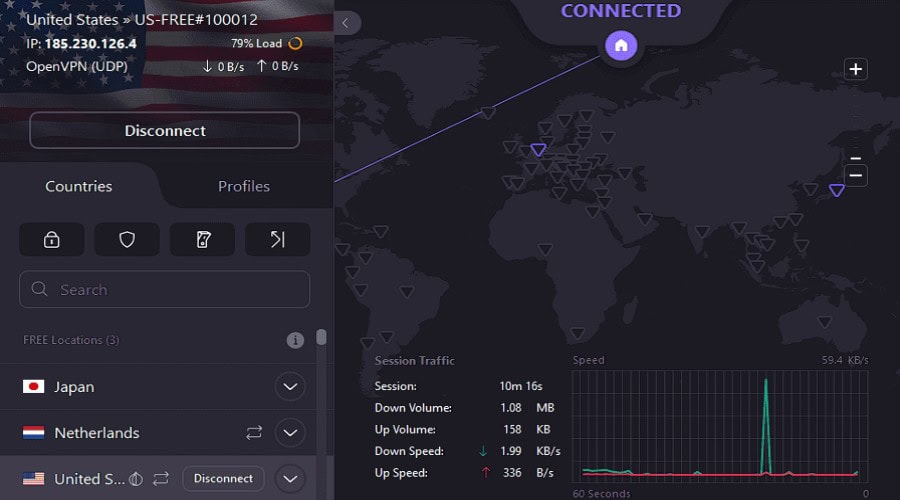
For those that cannot afford premium VPNs, ProtonVPN has a generous free plan with unlimited bandwidth and a 1 Gbps server network. This makes it a rare free VPN that’s fast enough to support stable 4K streaming and other high-bandwidth tasks.
The catch is you can only change your IP to locations in a limited number of countries. These include the Netherlands, Japan, United States, Canada, Poland, Romania, and Singapore.
ProtonVPN’s no-logs policy is backed by the fact its headquarters is in Switzerland, which puts it outside the user data sharing judications of the US and Europe. Moreover, it also offers a Tor over VPN protocol, which routes VPN encrypted traffic through more encrypted nodes.
If you upgrade to a premium plan, you get full access to 15,000+ servers in more than 120 countries. You can also protect up to 10 Windows or other devices at the same time.
The premium Windows app includes an ad blocker, traffic obfuscation, a kill switch, leak prevention, and split tunneling. Monthly pricing starts at $9.99.
Final Word on the Best VPN for Windows
X-VPN represents the best all-rounder right now, balancing a powerful free version and feature-rich premium version with a high level of account anonymity.
NordVPN is also a solid option, if you require certain specialty servers, while Surfshark is the better choice for unlimited devices.
Ultimately, the best VPN for Windows in 2026 will depend on your individual needs, but the above 8 picks have something for everyone.


Read our disclosure page to find out how can you help Windows Report sustain the editorial team. Read more



Improve this guide

User forum
0 messages