
Microsoft Warns Some Windows 11 24H2 and 25H2 PCs Can't Install Future Updates


 3 min. read
  Published on
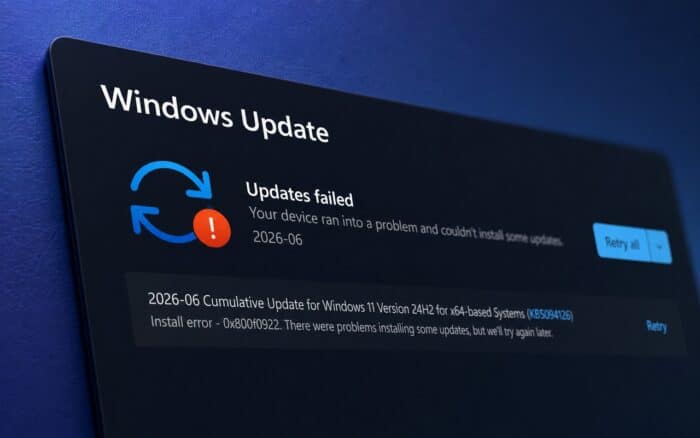
Microsoft has acknowledged a new issue affecting a small number of Windows devices that were upgraded to Windows 11 24H2 or Windows 11 25H2.
The problem can prevent affected systems from installing monthly cumulative updates, leaving users stuck with recurring Windows Update failures.
According to Microsoft, the issue primarily affects devices that originally ran Windows 10 21H2, Windows 10 22H2, or Windows 11 23H2 before upgrading to newer Windows 11 releases.
Error 0x80073712 and 0x800f0993 block Windows updates
Users experiencing the problem may see Windows Update fail with error codes 0x80073712 or 0x800f0993. Microsoft recommends checking Settings > Windows Update > Update history to see whether update installations are failing with either error.
The company says Windows Update logs may contain 0x800f0993, also known as PSFX_E_REBASE_HYDRATION_CANDIDATES_MISSING, or 0x80073712, also known as ERROR_SXS_COMPONENT_STORE_CORRUPT.
Once the issue appears, affected systems may no longer receive monthly Windows security and quality updates.
Microsoft has already deployed a fix for some devices
Microsoft says it has rolled out a service-side fix for unmanaged enterprise devices and Windows Home PCs. The resolution became effective on May 19, 2026, and should prevent newly affected systems from encountering the problem.
For devices that qualify for the automatic fix, restarting the PC may help apply the resolution sooner. Microsoft says no additional user action is required, and devices upgraded after the rollout should no longer be affected by the issue.
Microsoft notes that only a small percentage of upgraded systems experienced the issue.
June 2026 updates include protection against the bug
To prevent the problem during future upgrades, Microsoft included protections in the June 2026 Patch Tuesday updates.
| Operating system | Update |
|---|---|
| Windows 10 21H2 / 22H2 | KB5094127 |
| Windows 11 23H2 | KB5093998 |
| Windows 11 24H2 / 25H2 | KB5094126 |
These updates help prevent the issue from occurring during the upgrade process.
Already affected PCs require manual action
Microsoft says the automatic fix does not repair systems that have already been upgraded and are currently experiencing update failures.
For those devices, administrators can try removing the problematic package through an elevated Command Prompt using the following DISM command:
dism /online /remove-package /packagename:Package_for_RollupFix~31bf3856ad364e35~amd64~~26100.1742.1.10
If removing the package does not restore Windows Update functionality, Microsoft recommends performing an in-place upgrade of Windows 11 to repair the installation while preserving files and applications.
More update-related issues emerge
This is not the only problem reported after the June 2026 updates. Some users have also reported unexpected BitLocker recovery prompts following installation of KB5094127.
While Microsoft says only a small number of devices are affected by the update installation issue, administrators managing Windows 11 upgrade deployments may want to verify update status and monitor systems for error codes 0x80073712 and 0x800f0993 after upgrading to Windows 11 24H2 or 25H2.
Via BleepingComputer

Read our disclosure page to find out how can you help Windows Report sustain the editorial team. Read more



Improve this guide




User forum
0 messages