
Microsoft Quietly Rolls Out Low Latency Profile to Windows 11 Users


 3 min. read
  Published on
Microsoft continues to add new features to Windows 11, and one of the latest hidden upgrades could improve how responsive the operating system feels during everyday use.
A new feature called Low Latency Profile is now available to Windows 11 users through the KB5089573 update, according to a report from Neowin. The feature is designed to make Windows react faster when users open apps or interact with key interface elements.
While Microsoft has not officially highlighted Low Latency Profile by name in its release notes, the company says the update “accelerates app launch and core shell experiences such as Start menu, Search, and Action Center.”
How Low Latency Profile works
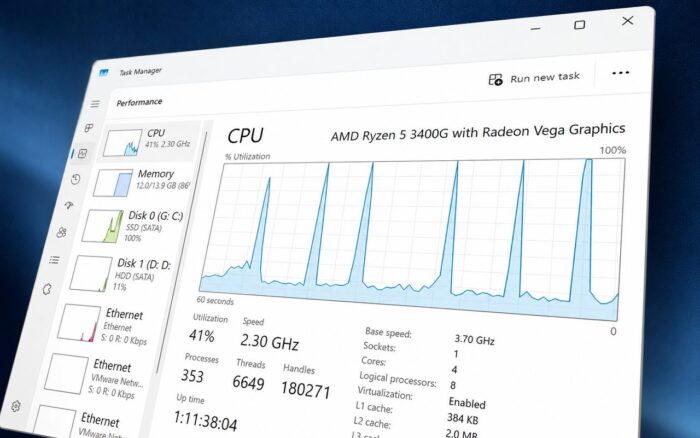
Low Latency Profile temporarily pushes the processor to its maximum clock speed when Windows needs to render interface elements or launch applications.
The idea is simple. Instead of waiting for the CPU to gradually ramp up performance, Windows briefly boosts clock speeds immediately when a user clicks the Start menu, opens Search, launches an application, or performs similar actions.
According to Microsoft, this behavior should reduce delays and make the operating system feel more responsive.
The performance boost only lasts for a short period. After completing the task, the processor returns to its normal operating state to avoid unnecessary power consumption.
Some users may need to enable it manually
Like many recent Windows 11 features, Low Latency Profile appears to be rolling out gradually. This means not every eligible device may have access to it immediately.
Users who want to try the feature before it becomes widely enabled can activate it manually using ViVeTool.
The process involves downloading ViVeTool, opening Command Prompt inside the application’s folder, and running the following command:
vivetool /enable /id:58989092After restarting the computer, users can monitor CPU behavior using Task Manager or third-party hardware monitoring tools.
When functioning correctly, the processor should briefly jump to its highest clock speed while opening the Start menu, Action Center, Search, or launching applications before quickly returning to lower frequencies.
Microsoft believes users will notice the difference
Not everyone is convinced that brief CPU frequency boosts will produce noticeable improvements during daily use, especially on modern systems that are already highly responsive.
However, Microsoft has defended the feature and included it as part of its ongoing effort to improve Windows 11 responsiveness. The company has spent the past year optimizing various parts of the operating system, including the Start menu, File Explorer, and search experience.
For users running older hardware or systems configured with aggressive power-saving settings, the Low Latency Profile could help make common Windows interactions feel smoother and more immediate.

Read our disclosure page to find out how can you help Windows Report sustain the editorial team. Read more



Improve this guide




User forum
0 messages