
Forza Horizon 6's Save Wipe/Loss Bug Officially Acknowledged


 3 min. read
  Published on
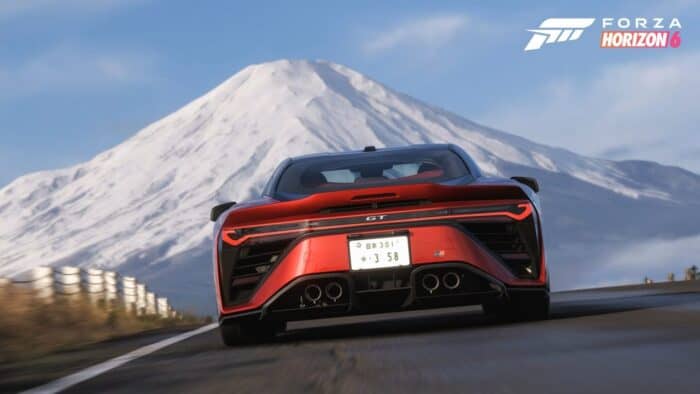
Well, not everyone is having a smooth ride across Japan. Over the past few days, reports have surfaced across social media, forums, and community channels claiming that Forza Horizon 6 progress had suddenly disappeared or been reset. In some cases, players reported losing hours of gameplay, while others claimed entire save profiles appeared to roll back unexpectedly.
Playground Games confirms save loss investigation
Following the growing concerns, Playground Games has now confirmed it is actively investigating the issue. According to the studio, some affected players may be able to recover their progress, but speed matters. The developer is urging impacted users to immediately submit a support ticket and avoid creating new saves until their case has been reviewed.
The studio said it can potentially restore accounts by reverting them to an earlier save state, though recovery is not guaranteed.
Playground Games also revealed it is working directly with the Xbox team on platform-side improvements for Xbox Series X|S and PC that could help reduce future progress-loss incidents.
Here’s how to reduce the risk of progress or save loss in Forza Horizon 6
For all Forza Horizon 6 players, Playground Games recommends the following:
- Ensure your Gaming Services app on PC or XBOX Series X|S console is fully up to date.
- On XBOX Series X|S consoles, disable Quick Resume for Forza Horizon 6.
- Ensure you are online when quitting the game.
- Give your save time to sync to the cloud before powering off or switching devices.
- Do not force quit the game during save screens.
- Do not power off the device during gameplay.
- If you receive an “Out of space” crash, check storage and restart your console.
The studio also issued additional guidance for players regularly switching between Xbox consoles, PCs, Steam, and Cloud Gaming. Users are advised to fully quit the game after each session and allow several minutes for cloud synchronization before shutting down their device.
That being said, Playground Games has not yet shared what is specifically causing the issue. A permanent fix also remains without a release date. Until then, players may want to double-check that cloud sync icon before ending their next Horizon adventure.

Read our disclosure page to find out how can you help Windows Report sustain the editorial team. Read more



Improve this guide


User forum
0 messages