
Here's What the Dedicated Recap App in Microsoft Teams Will Look Like


 2 min. read
  Published on

If you’ve ever spent several minutes digging through Teams to find that one meeting summary of the meeting that happened weeks ago, Microsoft may finally have you covered. Earlier this month, the new “Recap” app for Teams was spotted in the official Microsoft 365 roadmap portal. In case you missed, it’s a dedicated app for Microsoft Teams that brings all your recent meeting content together in one place.
Check out the first look of the Recap app in Microsoft Teams
Per the description, the standalone Recap app will provide a centralized location where users can browse meeting recordings, transcripts, AI-generated summaries, and other recap content from the previous 30 days without jumping between chats, calendars, or cloud storage. Well, in case you want to see what exactly the new Recap app looks like, folks over at Neowin shared the first look of the app last week. Here’re some screenshots for you to check:
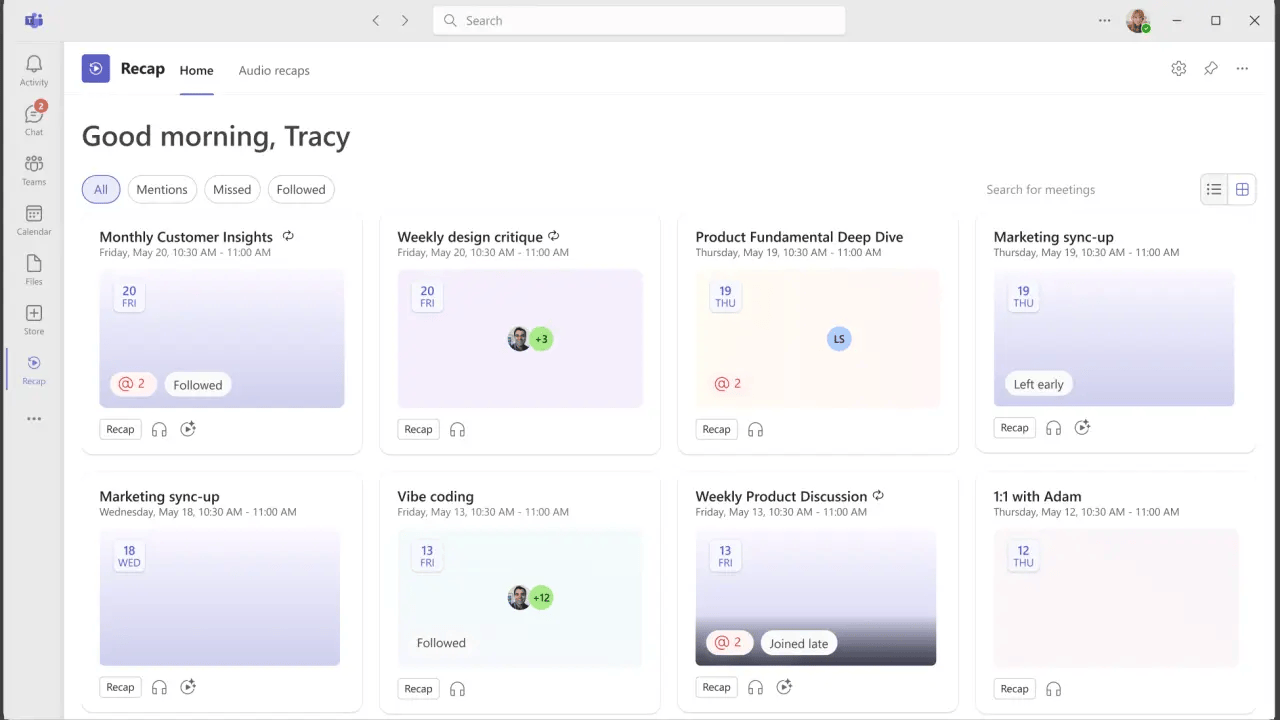
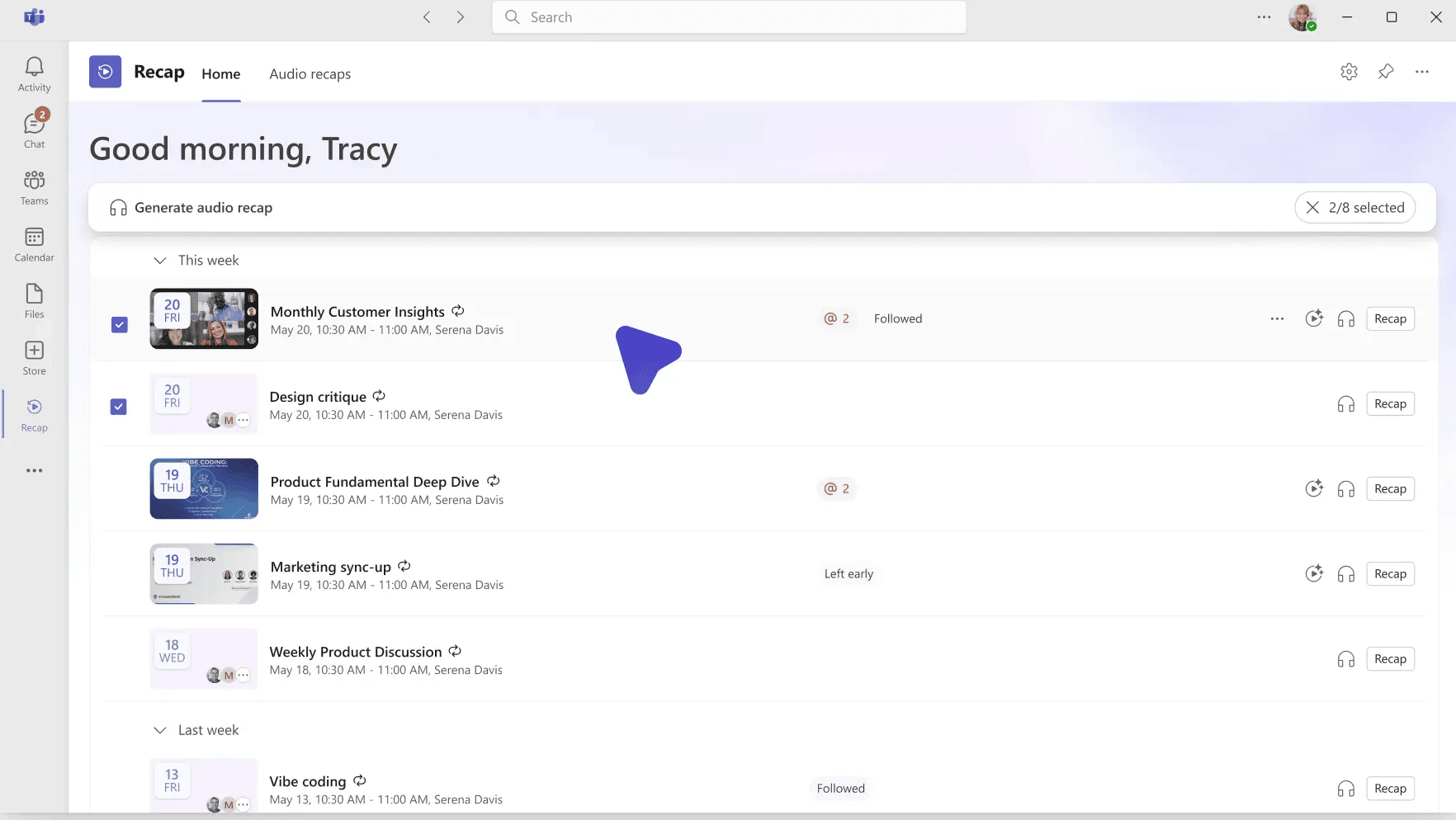
Image source: Microsoft | Via: Neowin
As seen in the images above, the Recap app will list all the meeting summaries in a chronological order, sorted by date and time. The duration of meeting and the date of it will give you an idea of which meeting recap is the one you want exactly.
The new app goes beyond simple playback as well. If you have a Microsoft 365 Copilot license, you will get AI-powered features, including intelligent meeting summaries, podcast-style audio recaps generated across multiple meetings, and other Copilot experiences already available within Teams. Meanwhile, standard recordings and transcripts will continue following existing access permissions, while the AI features will remain exclusive to eligible Copilot subscribers.
Microsoft plans to preinstall the Recap app inside Teams, although it won’t automatically appear in the left navigation rail. Rather, users will be able to pin it themselves from the Teams app store if they want quicker access. According to the current rollout plan, Windows, Mac, and web users should get the Recap app by the end of July, with mobile support expected to come later down the line.
What do you think about the dedicated Recap app? let us know in the comments below.

Read our disclosure page to find out how can you help Windows Report sustain the editorial team. Read more



Improve this guide


User forum
0 messages