
The Cost of Staying Safe Online: VPN + Antivirus + Ad Blocker + Dark Web Monitoring


 5 min. read
  Published on

World-class 24/7 support with 82% for a 2 years plan and 2 months free
70% of our readers choose Private Internet Access
70% of our readers choose Private Internet Access

Amazing connection speed with 61% off and 4 months free for the 2-years plan.

Best security protocols with 83% off and 2 months free for a 2-year plan.
FTC received almost 1.2 million reports of identity theft in the first three quarters of 2025 alone. You’ve probably also felt worried that your email address, passwords, or personal details might already be out there somewhere.
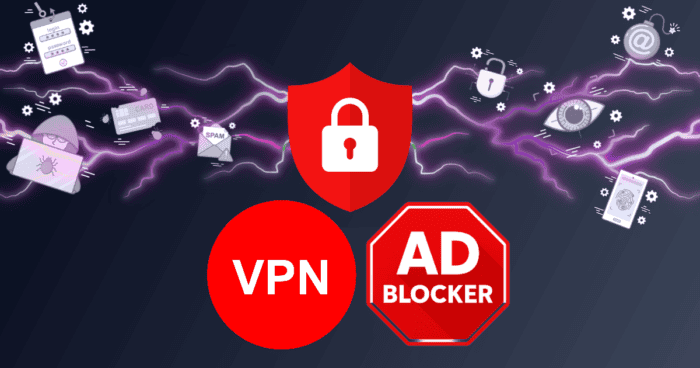
Protecting yourself online these days often means managing a growing stack of apps. You need VPNs, malware protection, tracker blocking, dark web alerts, identity monitoring, secure remote access, and protection across every device.
Overloaded With Single-Purpose Subscriptions
The growing risk of cybercrime has created hundreds of new security apps and tools. Some offer free versions, but for complete protection, you usually have to pay for a premium subscription. By the time you’ve paid for several of these, it can leave you seriously out of pocket.
The problem is, it isn’t always clear how to build an effective stack because there is overlap between some apps. Your browser may already block some trackers for free, and your antivirus may include limited malware protection. Some password managers offer breach alerts too.
However, none of the tools seem to fully replace the others, which leaves uncertainty about what you actually need and what you’re paying for unnecessarily. A useful starting point is to work out exactly what each tool protects you against and where coverage stops.
For example, an ad blocker may reduce tracking and malicious ads, but doesn’t replace malware protection. Antivirus software detects dangerous files, but won’t stop you from reusing weak passwords on sites that you visit.
In September 2025, Josh Junon, the open-source developer, received what looked like a routine security email from npm support. It asked him to update his two-factor authentication. He followed the link, entered his credentials, and handed over a live verification code to a fake login portal. Within 16 minutes, attackers had pushed malicious code into more than 20 of his packages. The attack worked because a single gap was enough. The problem with building security in pieces is that each tool covers only a part of the possible security issues.
How Much Does a Separate Online Safety Stack Cost?
The exact cost depends on which tools you choose, how many devices you protect, and whether you use free or paid versions. But once you start paying for several standalone tools, the total adds up faster than you might think.
| Tool type | What it covers | Typical monthly price | Annual estimate |
| VPN | Private browsing, safer public Wi-Fi, IP masking | $10–$20 | $120–$240 |
| Antivirus / malware protection | Malware, phishing, device security | $5–$10 | $60–$120 |
| Paid ad blocker | Ad blocking, tracker blocking, cleaner browsing | $5–$10 | $60–$120 |
| Identity theft protection | Credit alerts, identity monitoring, recovery help | $10–$60 | $120–$720 |
| Dark web monitoring | Alerts when emails/details appear in breach data | $10–$30 | $120–$360 |
| Dedicated/static IP | Stable IP for remote access, allowlists, fewer login flags | $4–$8 | $48–$96 |
| Password manager | Secure password storage, sharing, autofill | $1–$5 | $12–$60 |
Even if we take the lower estimated cost for each tool, it still adds up to $540. If you’re serious about cybersecurity and opt for high-level protection from each tool, you could be looking at an annual bill of more than $1,700.
It’s sensible to build a cybersecurity stack that works effectively, which usually means spending money on at least some of the subscriptions. Even a light user of these tools can still end up paying a few hundred dollars each year.
A bundled security stack offers an alternative.
The Benefits of a Bundled Cybersecurity Stack
Instead of paying separately for all the privacy tools, some services now combine several protections into a single subscription known as a bundle.
NordVPN is a prime example. NordVPN combines VPN protection with features such as next-gen antivirus, Dark Web Monitor, and dedicated IP options into a single subscription. For users who would use three or more privacy tools, NordVPN’s all-in-one approach means you don’t have to manage multiple subscriptions and app settings. At the bundled price, NordVPN provides similar coverage to several separate subscriptions for a lower combined cost.
In practical terms, one platform like NordVPN covers several separate concerns:
- Safer browsing on public Wi-Fi
- Ads and trackers blocking
- Reducing exposure to malicious websites
- Alerts if your email address appears in a known breach
- Optional dedicated IP access for more stable remote connections
- High-speed encrypted connections through NordLynx, NordVPN’s protocol built on WireGuard
The value of getting a NordVPN subscription becomes even more obvious when you scale it across devices and a household. For many people, online protection means managing security across an entire personal ecosystem of connected devices. NordVPN’s per-device cost across a full household works out to a few dollars per month per person — a fraction of the standalone equivalents. Also, bundled services often allow multiple simultaneous connections under one subscription. NordVPN, for example, supports up to 10 devices at once.
If you want to test whether a bundled setup fits your work and household devices, a VPN free trial can help you compare the experience before committing.
Get Clearer Value With Bundled Cybersecurity
Today, cybersecurity feels like managing an army of subscriptions, apps, browser extensions, alerts, and security settings across all your devices. Many of the individual tools work well, but it’s a fractured approach. One tool protects your connection. Another blocks trackers. Another monitors breaches. Another scans for malware. Another manages passwords.
Over time, the cost and complexity build up and can end up becoming difficult to manage. Most people simply want a sensible level of protection that feels manageable and fits the way they use the internet. Bundled security platforms allow you to manage several layers of online protection in one place for one monthly or annual subscription.


Read our disclosure page to find out how can you help Windows Report sustain the editorial team. Read more



Improve this guide

User forum
0 messages