
Valve Releases Windows 11 Drivers for Steam Machine, Ditches Dual-Boot Support


 2 min. read
  Published on
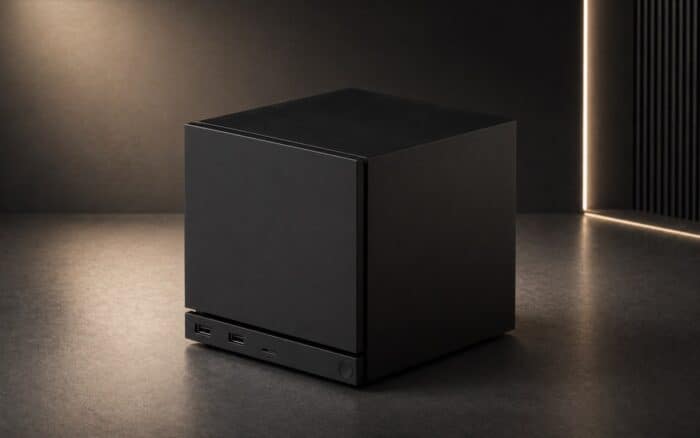
If SteamOS isn’t your preferred platform anymore, you can now officially replace it with Windows 10 or Windows 11 thanks to a newly released driver package from Valve. The move gives users another way to use the handheld, although it comes with one notable compromise.
Steam Machine officially welcomes Windows 11
Instead of relying on unofficial community drivers, Steam Machine users now have access to first-party Windows drivers released directly by Valve. The package includes everything needed to get Microsoft’s operating system running properly, including graphics, Wi-Fi, Bluetooth, and microSD card reader support.
That being said, the graphics driver isn’t based on AMD’s regular Radeon Software Adrenalin release. Steam Machine uses a semi-custom processor jointly developed by Valve and AMD rather than a retail Ryzen chip, meaning it requires a dedicated graphics driver built specifically for the handheld.
One important limitation is that Windows and SteamOS can’t coexist on the same device. Valve currently doesn’t support dual-booting, so installing Windows completely replaces SteamOS. If you later decide to return to Valve’s operating system, you’ll need to reinstall it from scratch.
Speaking of the Windows experience, the transition shouldn’t feel too unfamiliar for longtime Steam users. Once Windows is installed, players can simply download the Steam client and switch to Big Picture Mode, recreating an interface that’s very close to SteamOS while gaining access to Windows-exclusive launchers, applications, and services.
For users who mainly play titles with Windows-only anti-cheat support or rely on software unavailable on Linux, this could be the simplest official solution yet. As of now, Valve hasn’t mentioned whether dual-boot functionality is planned for a future update, but the release of official drivers significantly expands what Steam Machine owners can do with the hardware without depending on unofficial tools or modified drivers.

Read our disclosure page to find out how can you help Windows Report sustain the editorial team. Read more



Improve this guide



User forum
0 messages