
Chrome's floating "Explain" menu gets its own AI settings page
Chrome Canary adds dedicated AI controls for the Gemini-powered text selection feature, allowing users to customize when the floating Explain button appears and block it on individual websites.


 2 min. read
  Published on
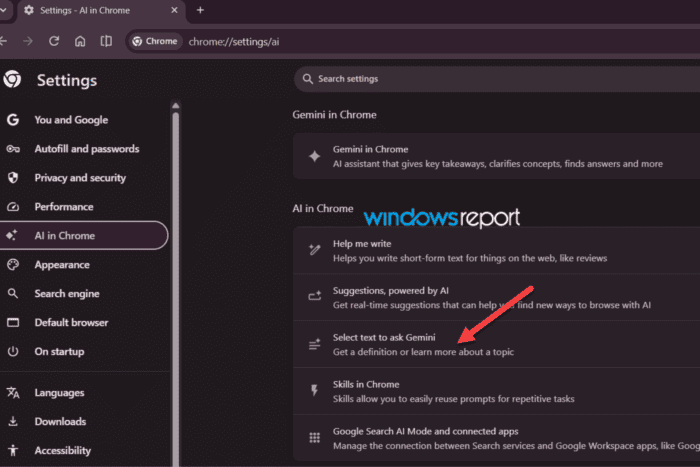
Back in June, we reported that Chrome was testing an Ask Gemini shortcut that appeared whenever you selected text on a webpage. A floating button let you send the selection straight to Gemini for an explanation. A few days after that, the button quietly became “Explain.” Now, the latest Chrome Canary build gives the feature a dedicated home in Chrome’s AI settings.
Chrome Canary now includes a new “Select text to ask Gemini” option under the AI in Chrome settings. Google describes it as a way to “Get a definition or learn more about a topic,” placing it alongside other AI-powered features such as Help me write and Suggestions, powered by AI.
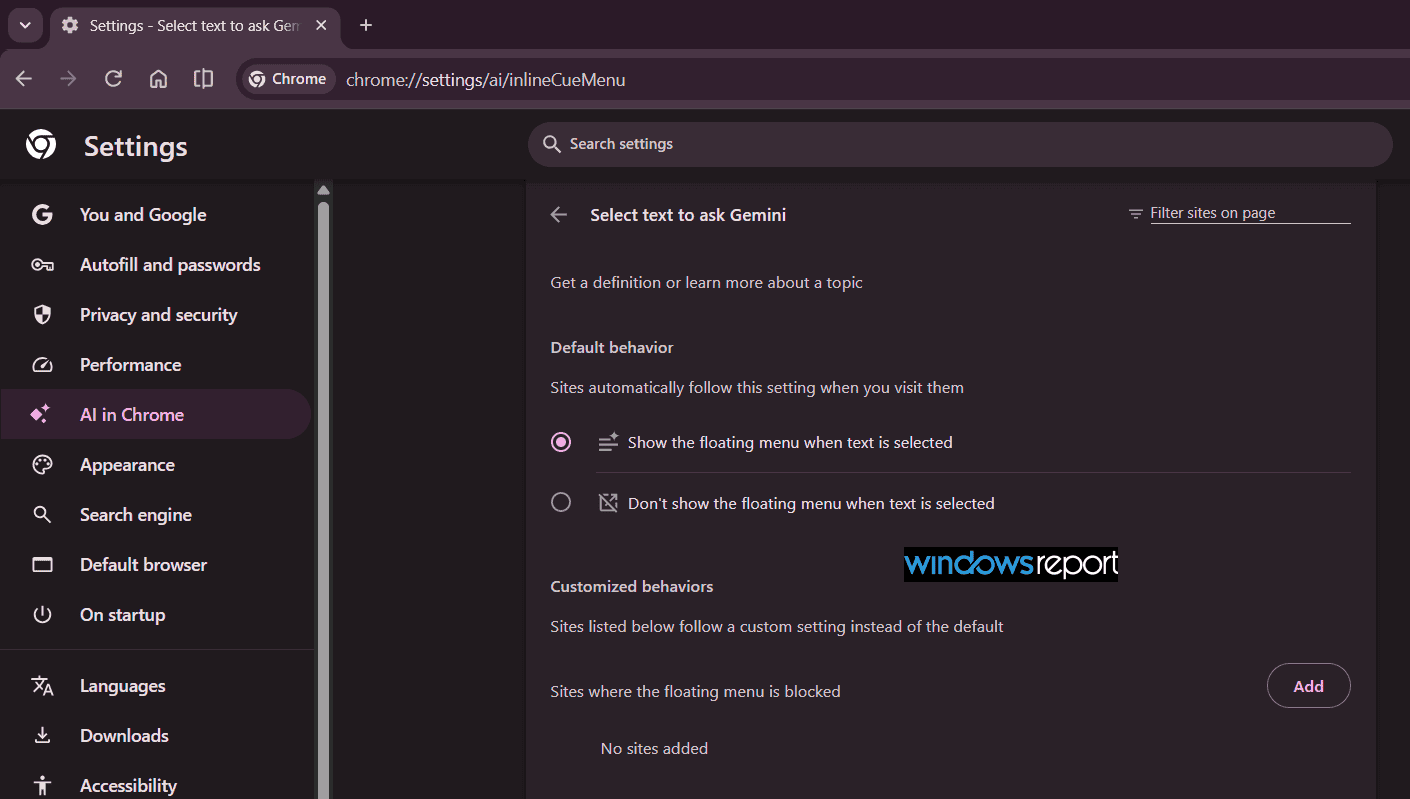
The new settings page lets users decide whether the floating menu appears after selecting text and customize its behavior for individual websites, including blocking it on selected sites.
The settings page URL also reveals Google’s internal name for the feature: Inline Cue Menu, a reference to the floating shortcut that appears when text is selected.
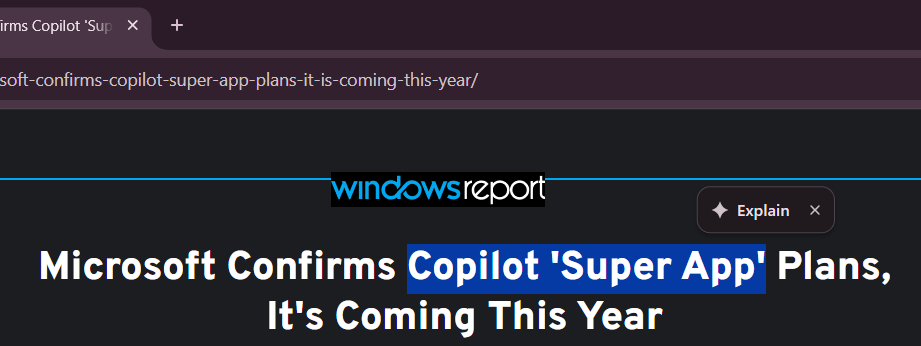
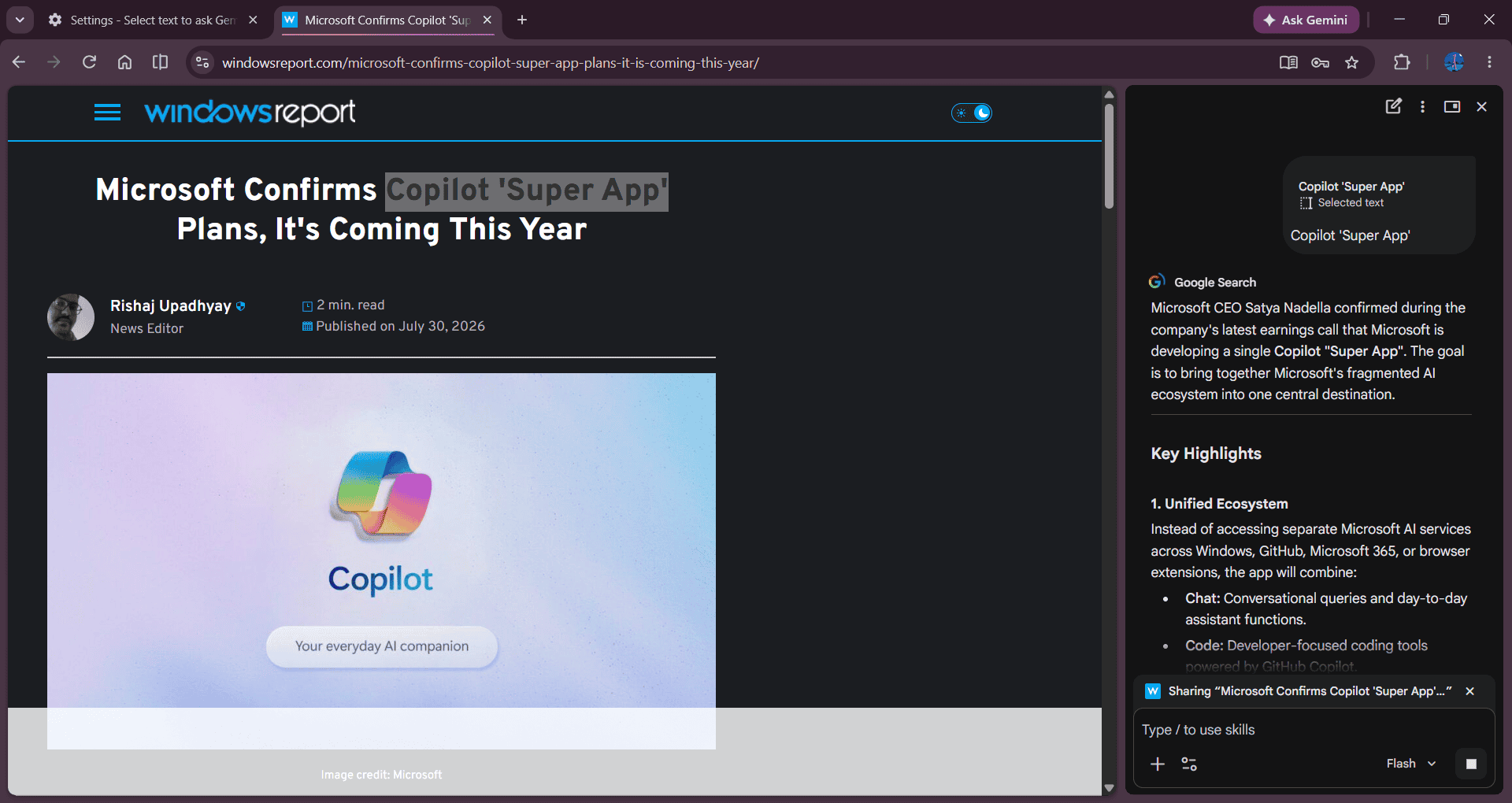
When text is selected on a webpage, Chrome displays a floating “Explain” shortcut that opens Gemini in the side panel to explain the selected content.
Displaying the controls in the AI in Chrome section shows that Google now treats text selection as part of Chrome’s AI experience rather than just another site setting. The new controls also give users more flexibility over when the floating menu appears.
None of this is available in the stable version of Chrome yet, and Google hasn’t announced a release date. The addition of dedicated AI settings and new controls suggests Google is preparing the feature for a wider rollout, even though there’s still no timeline for its release.


Read our disclosure page to find out how can you help Windows Report sustain the editorial team. Read more



Improve this guide




User forum
0 messages