
Chrome’s New AI Suggestions Use Your Tabs to Tell You What to Do Next
Google Chrome tests AI suggestions in Canary using your open tabs.


 2 min. read
  Published on
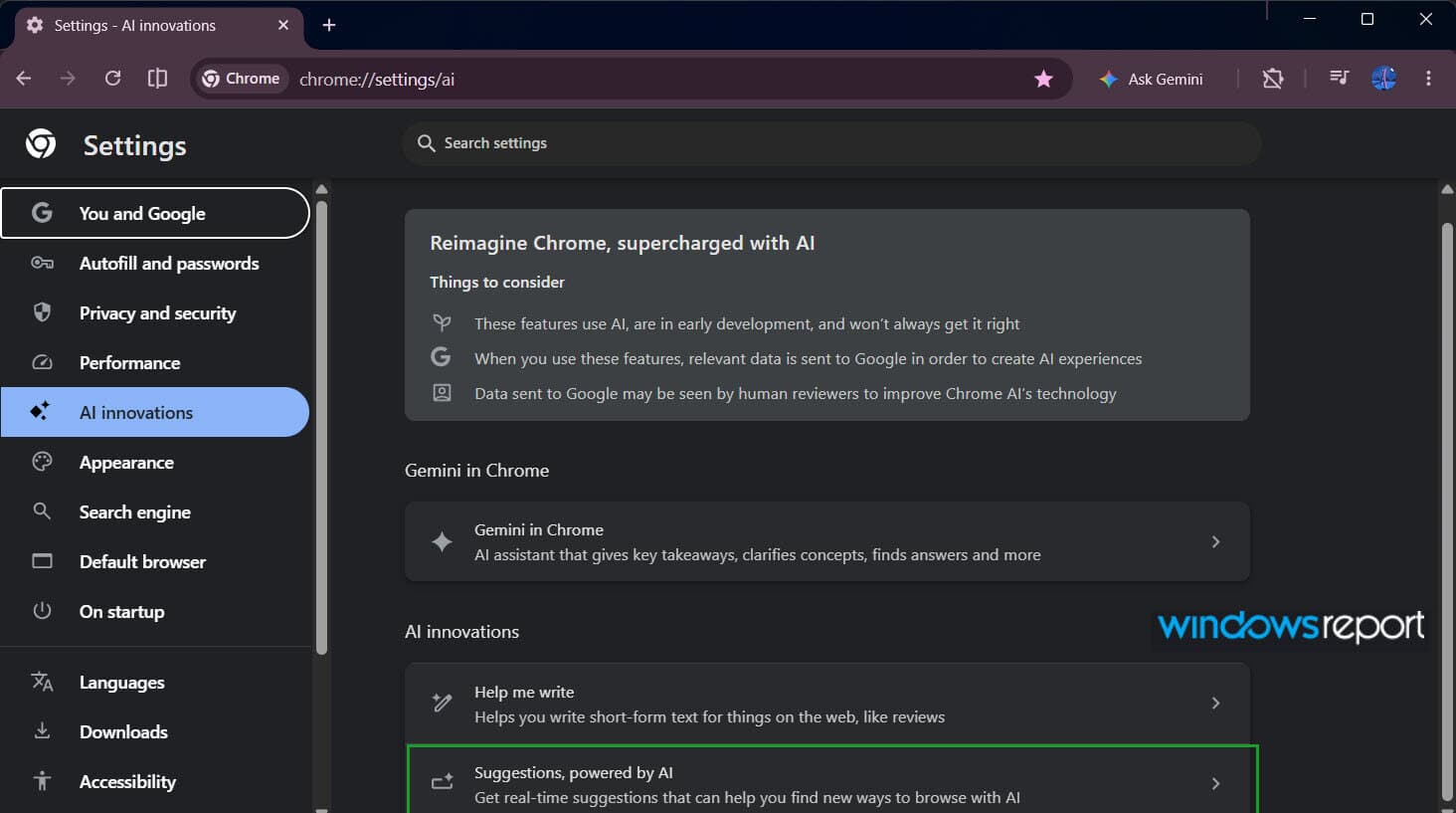
Google is testing a new AI-driven suggestions feature in Google Chrome, spotted in its Canary version. The option, called “Suggestions, powered by AI,” introduces a new way for Chrome to respond to what users have open in their tabs.
The feature appears as a separate card in the AI innovations section, next to Gemini in Chrome and Help me write. Google describes it as “get real-time suggestions that can help you find new ways to browse with AI.”
Opening the card leads to a settings page with a Show suggestions toggle. Users can choose to turn the feature on or off, rather than have it work quietly in the background.
How Chrome’s AI suggestions work
The description explains that Chrome uses the titles and URLs of open tabs to generate suggestions related to what is currently open. In simple terms, the browser uses tab context to decide what to show next.

Chrome also considers user interaction. Suggestions that are accepted or ignored can affect what shows up later, so the system changes over time based on usage.
Google provides more information on how it handles data. Chrome may process titles and URLs either on the device or in a “private space in the cloud.” Some processing may involve Google’s servers, with extra controls in place.
The settings page also mentions that titles and URLs can continue to support other Chrome features even when Suggestions is off. It includes links to sync controls for users who want to manage their data stored in the cloud.
Currently, there are no visible suggestions in the interface during normal browsing. The toggle remains stable in Canary, but Chrome does not yet show suggestions in the user interface.
Right now, the feature is limited to desktop Canary builds and has not appeared on Android or stable versions. Microsoft Edge already offers similar functionality through Copilot. It provides context-aware actions based on open pages. Chrome is now following a similar path, with a stronger focus on tab context, which may reduce the need to search again or switch tabs.
Like other AI features in Chrome’s AI innovations section, Suggestions is optional and can be turned on or off. Its description also states that tab data may be processed on-device or in the cloud, with some processing involving Google’s servers.


Read our disclosure page to find out how can you help Windows Report sustain the editorial team. Read more



Improve this guide




User forum
0 messages