
Dulo.tv Not Working? Try 7 Fixes Today


 4 min. read
  Published on
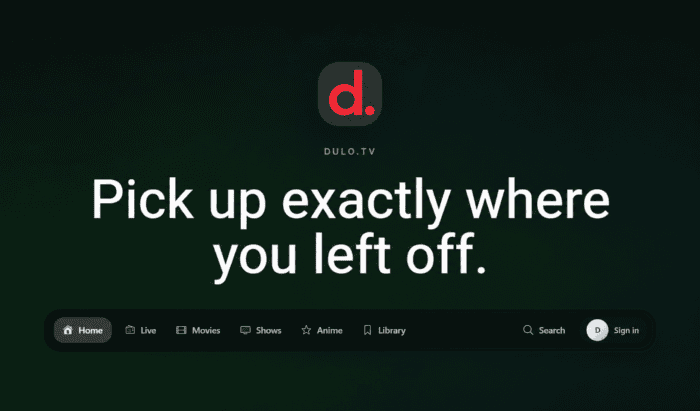
It can be frustrating when Dulo.tv isn’t working. Imagine having home-made popcorns ready, expecting to watch your favorite movie or TV show only to find that Dulo.tv website won’t load, videos keep buffering, or throws error page. If Dulo.tv not working has disrupted your streaming, you should know that it is frequently caused by temporary outages. The good news is that many of these problems are caused by browser settings, network issues, or temporary server downtime. Below are the most effective troubleshooting methods to try.
Here’s How to fix Dulo.tv when it’s working (Alternate domain included)
1. Check if Dulo.tv is down
First and foremost, make sure the problem isn’t on Dulo.tv’s end. Streaming websites occasionally experience server outages or maintenance, which can prevent everyone from accessing the site.
- Visit a website status checker such as StatusGator.
- Search Reddit or X (formerly Twitter) for recent reports about Dulo.tv.
- Wait 15 to 30 minutes and try again if many users report the same issue.
2. Refresh the page and restart your browser
Sometimes the issue is caused by a temporary browser glitch or an incomplete page load.
- Press Ctrl + F5 (Windows) or Cmd + Shift + R (Mac) to perform a hard refresh.
- Close all browser windows.
- Reopen your browser and visit Dulo.tv again.
3. Clear your browser cache and cookies
Corrupted cached files can prevent websites from loading correctly.
- Open your browser settings.
- Go to Privacy & Security.
- Select Clear browsing data.
- Choose Cached images and files and Cookies.
- Restart the browser and try Dulo.tv again.
4. Disable VPN, proxy, or ad blockers
Some streaming websites may not work properly when traffic is routed through a VPN or when content-blocking extensions interfere with scripts.
- Disable your VPN or proxy temporarily.
- Turn off ad blockers and privacy extensions for the site.
- Reload the page.
If it works afterward, enable extensions one by one to identify the culprit.
5. Try another browser or device
This helps determine whether the issue is specific to your browser.
- Open Dulo.tv in Chrome, Firefox, Edge, or Safari.
- Try Incognito/Private mode.
- Test the site on another phone, tablet, or computer.
6. Check your internet connection
A slow or unstable connection can cause endless buffering or pages that never finish loading.
- Restart your router.
- Switch between Wi-Fi and mobile data.
- Run a speed test to verify your connection.
7. Flush your DNS cache
If your device is using outdated DNS records, the website may fail to load.
On Windows:
- Open the Start Menu or taskbar search box.
- Type
cmdor Command Prompt. - Right-click the app and choose Run as administrator.
- Click Yes if a window asks to allow changes.
- Type:
ipconfig /flushdns
and press Enter
On macOS:
- Launch the Terminal. Press Command + Spacebar and searching for “Terminal”.
- In the Terminal window, type the following command:
sudo killall mDNSResponder
Restart your browser afterward.
Why is Dulo.tv not working?
Several factors can cause the Dulo.tv website to stop working. Here are some of the possible ones:
- Temporary server outages or maintenance.
- Browser cache or cookies becoming corrupted.
- DNS or ISP-related connectivity issues.
- VPNs, proxies, or browser extensions interfering with the site.
- Regional restrictions or blocking by your network provider.
- Website domain changes or migration to a different address.
That’s all we have for you in this guide. We hope the troubleshooting methods helped fix Dulo.tv website issues. Don’t forget to check our guides on other streaming apps and websites. We also have guides for times when Streamfire won’t work or when StreamX throws video playback issues.
FAQs related to Dulo.tv not working
1. Is Dulo.tv down or is it just me?
It could be either. If the site doesn’t work across multiple devices or networks and other users report problems, it’s likely a server-side outage.
2. Why does Dulo.tv keep buffering?
Buffering is usually caused by a slow internet connection, high server traffic, or browser-related issues such as cached data or conflicting extensions.
3. Will clearing my browser data to fix Dulo.tv issues delete my saved passwords?
Not if you only clear cached files and cookies. If you select saved passwords, those may also be removed, so review the options carefully before clearing data.
4. Why does Dulo.tv work on mobile data but not Wi-Fi?
Your ISP, router settings, or DNS configuration may be preventing access. Restarting your router or switching to a different DNS provider can sometimes resolve the issue.
5. What should I do if nothing works to fix Dulo.tv?
If none of these methods help, the issue may be with Dulo.tv itself. In that case, waiting for the service to recover is often the only option. If you rely on streaming content, consider using legitimate streaming platforms while the issue is resolved.

Read our disclosure page to find out how can you help Windows Report sustain the editorial team. Read more



Improve this guide


User forum
0 messages