
Microsoft Edge Could Make Tab Groups Easier to Access in Vertical Tabs, Like Chrome


 3 min. read
  Published on
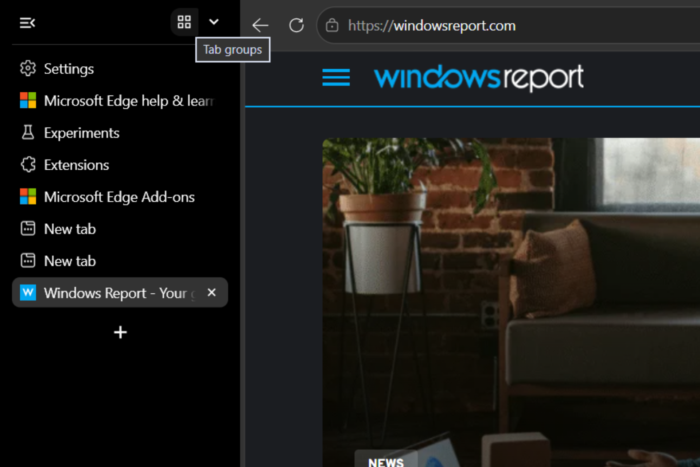
Microsoft Edge seems to be copying Chrome again, this time with a new Tab Groups button in its vertical tabs sidebar. The button gives users a central place to access their existing tab groups and create new ones.
The change is appearing in Edge Canary builds. With vertical tabs enabled, a new four-square icon appears at the top of the sidebar alongside Edge’s other tab-management controls. Clicking the button opens a menu showing the user’s existing tab groups, including their assigned colors and names, with a “Create new tab group” option at the top.
Edge’s new Tab Groups shortcut
Instead of looking through the sidebar for a tab that belongs to a particular group, users can click the new button to bring up their groups in one place. The menu can contain a large number of groups, making it useful for users who regularly organize tabs by project, topic or task.

This isn’t Edge’s first implementation of Tab Groups. The browser already supports the feature alongside vertical tabs. The change is that Microsoft is giving Tab Groups a more prominent entry point within the vertical-tabs sidebar.
Another Chrome-like change
The similarity to Chrome is hard to miss. Google Chrome also has a dedicated Tab Groups button at the top of its vertical-tabs sidebar. Clicking it opens a similar list of existing groups, with each group represented by a color and name, along with an option to create a new group.
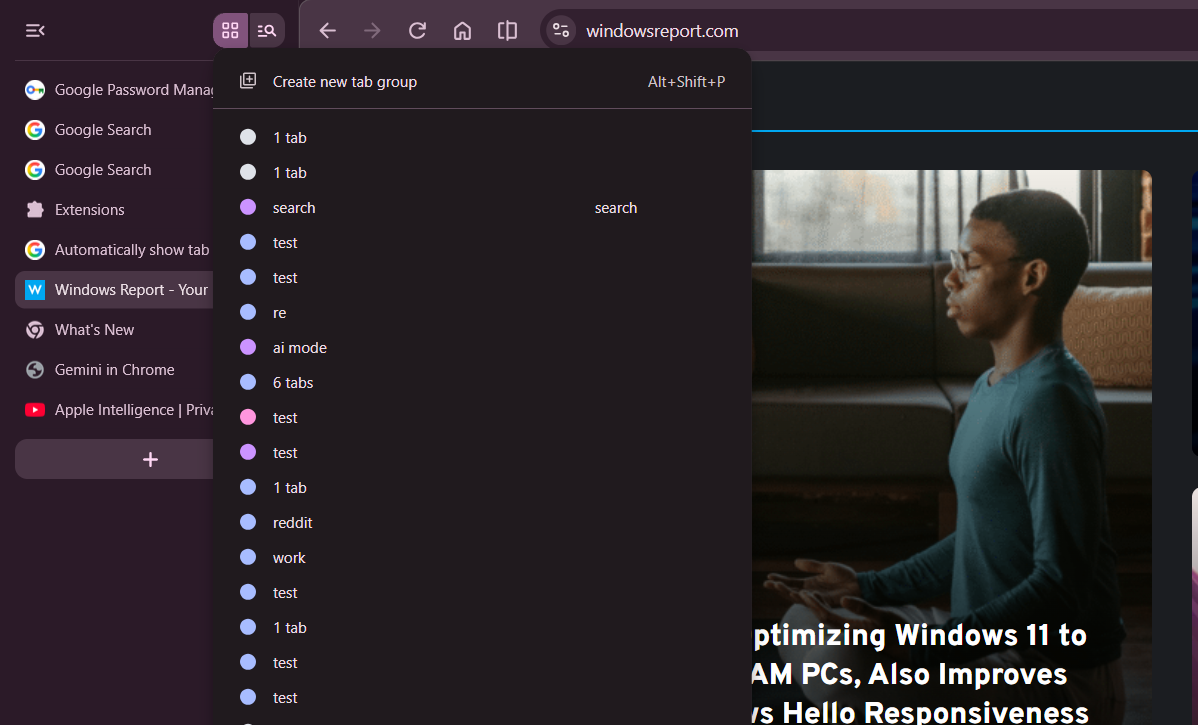
Edge’s implementation follows the same basic interaction: one button at the top of the vertical sidebar opens a centralized list of tab groups.
That makes this more than just a new icon. Microsoft is adopting a familiar way of exposing Tab Groups in a vertical-tabs layout, giving Chrome users who switch to Edge an interface that should feel immediately familiar.
Still a Canary experiment
For now, the new Tab Groups button is showing up in Edge Canary, Microsoft’s testing channel for upcoming browser changes. Its appearance there doesn’t guarantee that the feature will reach Edge Stable or remain exactly as it looks today.
Users who want to test the feature can enable vertical tabs by right-clicking the tab strip and selecting “Show tabs vertically.” The option is also available through Edge’s settings.
Edge isn’t introducing a new tab-grouping system here. Instead, Microsoft appears to be bringing a Chrome-like way of accessing Tab Groups directly into its vertical-tabs sidebar.


Read our disclosure page to find out how can you help Windows Report sustain the editorial team. Read more



Improve this guide



User forum
0 messages