
Windows 11 Insider Experimental Build Adds Phone Controls and Speed Test


 3 min. read
  Published on
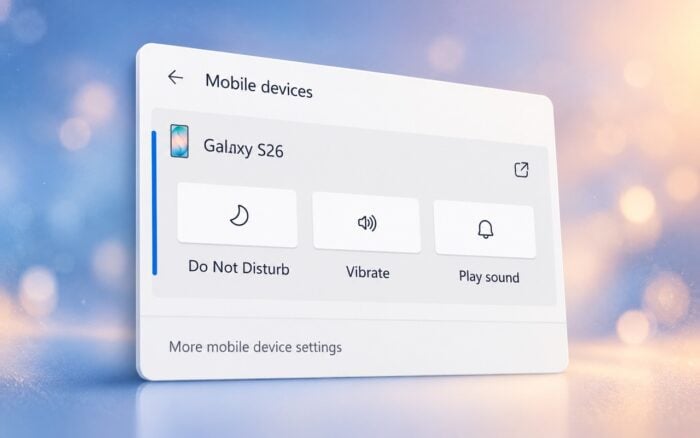
Microsoft is adding new phone controls and an integrated internet speed test to Windows 11 Quick Settings, making it easier to manage connected devices and check network performance.
The changes are part of Windows 11 Insider Experimental Preview Build 26340.9767, which also includes several accessibility improvements and bug fixes.
The update arrives alongside a Windows 11 Beta build that introduces a customizable File Explorer context menu.
Windows 11 Quick Settings gets new phone controls
Microsoft is introducing a Mobile devices section in Quick Settings, allowing users to manage connected smartphones directly from the taskbar.
For supported Android phones, the new section provides controls to check battery status, enable or disable Do Not Disturb, switch ringer modes, and play a sound to locate a nearby device.
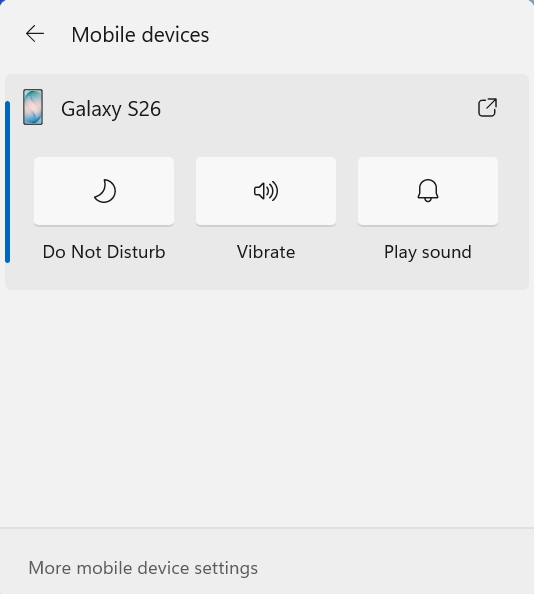
Users can access these options by opening Quick Settings from the taskbar and selecting Mobile devices.
Android devices offer the most functionality, while iPhone support initially focuses on displaying device information. Available controls will also depend on the phone model and configuration.
Windows 11 gets a built-in internet speed test
Microsoft is also integrating an internet speed test directly into Quick Settings, allowing users to check their connection without opening a browser.
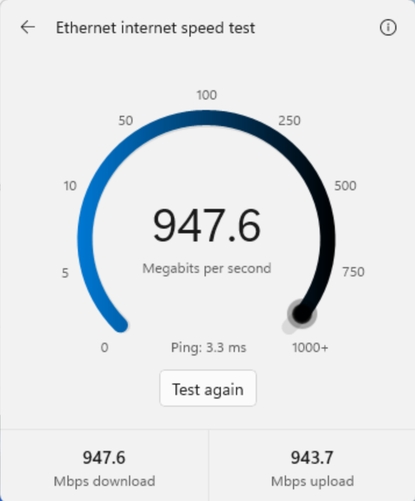
Users can start a test from the new Speed test Quick Setting, the Wi-Fi or Cellular flyout, or by right-clicking the network icon in the system tray and selecting Test internet speed.
The results appear in Quick Settings and include download speed, upload speed, and ping.
This builds on Microsoft’s earlier Windows 11 internet speed testing feature powered by Ookla, which redirected users to a browser instead of displaying results within Windows.
More Windows 11 improvements
The experimental build introduces several smaller changes across Windows 11:
- Microsoft 365: Subscribers can enable recurring billing directly through Windows Settings or the Start menu without visiting a website.
- Magnifier: A new option under Settings > Accessibility > Magnifier lets users disable the Windows + Plus (+) keyboard shortcut.
- File Explorer: Improved loading indicators provide clearer feedback when opening slower locations, including network drives.
- Windows Insider Program: Users can filter feature flags based on whether they are enabled or disabled.
- Narrator: Expanded math reading support adds Greek, Hungarian, Indonesian, Norwegian (Bokmål), Polish, Russian, Swedish, and Vietnamese.
- Widgets: The widget picker now uses a standard Windows dialog frame with title bars that support light and dark modes.
Microsoft fixes taskbar and login problems
Microsoft has also addressed an issue that prevented explorer.exe from loading after users signed in, leaving the taskbar and other Windows interface elements unavailable.
Another fix resolves a login bug that incorrectly displayed a wrong-password message for some Windows Insiders, even when they entered the correct credentials.
The new features and fixes are rolling out gradually to Windows Insiders, so not everyone running the experimental build will receive them immediately.
Separately, Microsoft has also expanded Advanced Shader Delivery support to all major GPU manufacturers, continuing its efforts to improve gaming performance on Windows.

Read our disclosure page to find out how can you help Windows Report sustain the editorial team. Read more



Improve this guide

User forum
0 messages