
How AI Is Changing the Way Educators Create Story-Based Learning Videos on Windows


 5 min. read
  Published on

Walk into any classroom today and you’re competing with YouTube, TikTok, and a dozen other places students go for entertainment. They’ve grown up learning through video, through narrative and pacing and visuals, not through slides and paragraphs. That leaves teachers with a real dilemma. Story-based videos work well for holding attention and explaining ideas, but making one has always demanded time, equipment and editing skills that most classrooms simply don’t have.
For teachers working on school-issued Windows laptops or desktops, the good news is that AI tools like Wondershare Media.io are starting to close that gap, without requiring any specialized software installation or powerful hardware.
Why Storytelling Sticks
There’s a reason storytelling has always been part of good teaching. Wrap a concept in a narrative, give it characters and a sense of sequence, and students respond to it differently than they would to a list of facts. A history lesson lands better when students can watch events unfold as a sequence of scenes instead of memorizing a timeline. The water cycle makes more sense as a journey than as a labeled diagram.
None of this is new. What’s always gotten in the way is production time. Writing a script, planning scenes, finding or building visuals, recording narration, then stitching it all together, that’s easily a multi-day project on a standard classroom PC without dedicated editing software. Plenty of strong lesson ideas never get made simply because there aren’t enough hours in the week and the ones that do often get shelved after one use because updating them is just as much work as making them in the first place.
Where AI Comes In
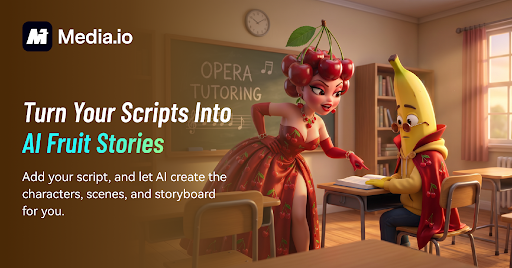
AI video tools are chipping away at that bottleneck, and most of the useful ones now run entirely in a browser, which matters for schools running standard Windows machines without the budget for dedicated video-editing workstations. Rather than building everything from scratch, a teacher can take material they already have, lesson notes, an article, a lecture outline, open a browser on their Windows PC, and let the software turn it into a structured story, complete with characters and scenes.
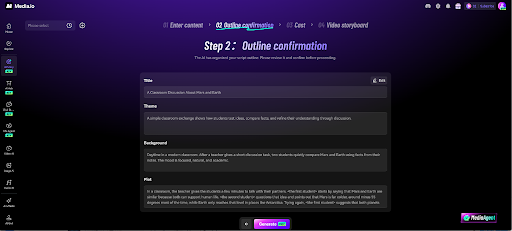
Wondershare Media.io’s AI Story Studio is one example of this newer generation of tools aimed at people who aren’t video editors, and it works well on typical Windows hardware since there’s nothing to install locally. The useful part isn’t that it does everything automatically; it’s that teachers stay in the loop the whole time, reviewing and adjusting the output before it ever reaches students. That matters more in education than almost anywhere else. A marketing video that’s slightly off tone is forgivable. A lesson with a factual error or an age-inappropriate example isn’t. Any tool that speeds things up still needs a person checking the work.
Who Actually Uses This
A few groups stand to gain the most:
- Classroom teachers, who can turn lesson plans into visual stories from the same Windows laptop they already use for grading and lesson planning.
- Online tutors, who can put together better-looking material for remote students without buying production gear or upgrading their PC.
- Education content creators, producing Shorts or explainers on a more consistent schedule from a standard Windows setup.
- Corporate trainers, turning dry policy documents into training videos employees actually remember, often on the same company-managed Windows machines used for everyday work.
What connects these groups isn’t the specific software they use. It’s that video production is no longer locked behind a skill barrier, or a hardware barrier, most of them didn’t have time or budget to clear.
Where It Works Best in the Classroom
The strongest results show up in subjects where sequence or abstraction makes explanation harder than it needs to be. History benefits from scenes over lists. Science topics like ecosystems or the solar system become easier to grasp visually than as static diagrams. Language classes get more mileage out of dialogue scenarios that mimic real conversation. And younger students, in particular, tend to stay engaged longer with characters and a story than with straightforward instruction.
There’s also a use for this before exams. A short story-style recap of key material gives students another way to review, beyond rereading the same notes again.
A Few Ground Rules
As with any AI tool used around students, some caution is warranted. Teachers shouldn’t feed personal student information into these platforms, and should only use materials they actually have rights to. Anything AI generates, script, visuals, examples, needs a human check for accuracy, age-appropriateness and fit with the actual lesson before it goes anywhere near a classroom. AI can save time on production. It can’t take over judgment, and it shouldn’t be treated as a substitute for a teacher’s own read on what their specific students need.
Where This Leaves Teaching
This isn’t about AI replacing teachers or good pedagogy. It’s about lowering the cost of doing something that already worked, using tools that run comfortably on the Windows devices schools already have. Story-based learning was never in question, it’s effective. What’s changed is that producing it no longer requires a film degree or a high-end machine, just a browser, a Windows PC, and a willingness to review and tweak what a tool like AI Story Studio hands back.
As more educators try these tools out, story-based video will probably become a normal part of how lessons get built on the hardware schools already run, not because it makes teaching effortless, but because it removes one genuinely time-consuming obstacle from a method that already had value. The teachers who get the most out of it will likely be the ones who treat the AI output as a first draft, not a finished product, and put their own expertise into shaping it from there.


Read our disclosure page to find out how can you help Windows Report sustain the editorial team. Read more



Improve this guide



User forum
0 messages