
Best Residential VPN: These VPNs Use Home-User IP Addresses


 6 min. read
  Published on


World-class 24/7 support with 82% for a 2 years plan and 2 months free
70% of our readers choose Private Internet Access
70% of our readers choose Private Internet Access

Amazing connection speed with 61% off and 4 months free for the 2-years plan.

Best security protocols with 83% off and 2 months free for a 2-year plan.
As streaming services and other sites become more advanced at blocking VPN usage, providers are turning to different methods for maintaining privacy. Offering residential VPN connections is one such solution.
This is when your traffic is routed through IP addresses assigned by consumer ISPs to real home residential locations. This makes your connection look like a regular home user browsing from a local neighbourhood, rather than someone connecting from a commercial data center.
Today, we explore the providers offering this feature, so you can find the best residential VPN for you.
6 Best Residential VPN Providers
The following 6 VPNs all offer residential connections, but they each stand out in their own way. Let’s take a closer look:
1. CometVPN – Best Residential VPN

When it comes to obfuscating your VPN usage and bypassing detection, CometVPN combines all of the right features.
It offers residential IP addresses across 50+ locations, while its large IP pool means you’re less likely to repeatedly use the same address. This can help with geoblocking, CAPTCHAs, and services that routinely flag data-center VPN addresses.
What’s more, you can choose a dedicated IP address, which helps with streaming services like Netflix that don’t like constant location changes.
CometVPN also uses obfuscation technology, making it even less likely that your VPN usage will be detected.
Its broader VPN features tick all the right boxes too. You can use its simple app across mobile and desktop, and one account supports unlimited devices. The app lets you easily choose from over 200 countries, so if you’re looking to unblock content from a certain region, it’s sure to be here.
For further protection, it uses an automatic kill switch, which pauses all internet activity if connection to the encrypted server drops. Android users can also choose the precise apps to protect via the split tunnelling feature.
CometVPN is competitively priced, offering a monthly $9.99 plan or as low as $1.89/mo when you commit to 24 months upfront. Residential VPN access starts from an additional $1.74/mo.
There is also a 3-day free trial plus 1GB of Native Residential VPN traffic free.
2. Mysterium VPN – Over 7,500 Residential IPs

Mysterium VPN stands out for the sheer size of its residential network. It offers 7,500+ residential IP addresses across 100+ countries, giving you plenty of choice when selecting where your connection appears to originate. City-level and state-level location choices are also available where supported.
The service also uses a decentralized network, with residential connections supplied by independent operators rather than a central server infrastructure. Alongside its residential IPs, you get useful VPN features including WireGuard, a kill switch, DNS leak protection, and a no-logs policy.
Mysterium supports up to 15 simultaneous devices, with apps for Windows, Mac, Android, iOS, and browsers.
Pricing starts at $2.59/mo for the Basic plan, which is limited to 57 countries and 6 devices.
For users prioritizing residential IP coverage and geographic choice, Mysterium is one of the strongest options in our lineup.
3. StarVPN – Best Mobile IP Addresses
StarVPN takes an unusually broad approach to residential VPNs, offering static residential, rotating residential, and mobile IP addresses alongside conventional datacenter connections. Its residential network includes more than 3 million home Cable/DSL IPs, while its mobile pool contains around 50,000 4G IPs.
The mobile IP option is the real standout. These connections use mobile carriers and dedicated SIMs, providing another way to appear like a genuine mobile user rather than traffic coming from a datacenter. StarVPN supports carrier, country, and region targeting, giving you considerable control over where your connection appears to originate.
You can choose rotating or sticky residential IPs, target specific ISPs and regions, and switch between IP types through the StarVPN dashboard. It supports OpenVPN, WireGuard, and Amnezia protocols, plus features including VPN obfuscation, a kill switch, split tunneling, and IPv6 leak protection.
With millions of residential IPs and dedicated mobile connectivity, StarVPN is particularly appealing if standard residential connections aren’t enough for your needs.
4. Surflare – Best for Businesses

Surflare is particularly well suited to businesses that need consistent residential IP addresses. Its Dedicated Residential IPs are assigned by real ISPs and provide an exclusive, fixed address. This makes them useful for e-commerce, social media management, and other services where changing IPs can trigger security checks. You can choose dedicated residential IPs across 40 countries, alongside datacenter options.
The business focus goes further with Surflare for Teams, which provides a central workspace for managing users, devices, billing, and shared resources. Teams can share dedicated IPs and routers, while administrators can add or remove members as their needs change.
Other features include Multi-IP Browsing, which lets you run isolated browser windows through different IP addresses simultaneously. Smart Routing can also direct specific apps through the VPN while leaving other traffic on your normal connection.
With support for 90+ countries, multiple platforms, router deployment, and 24/7 support, Surflare is a strong choice for businesses.
5. Windscribe – Best Residential VPN with Ad Blocker
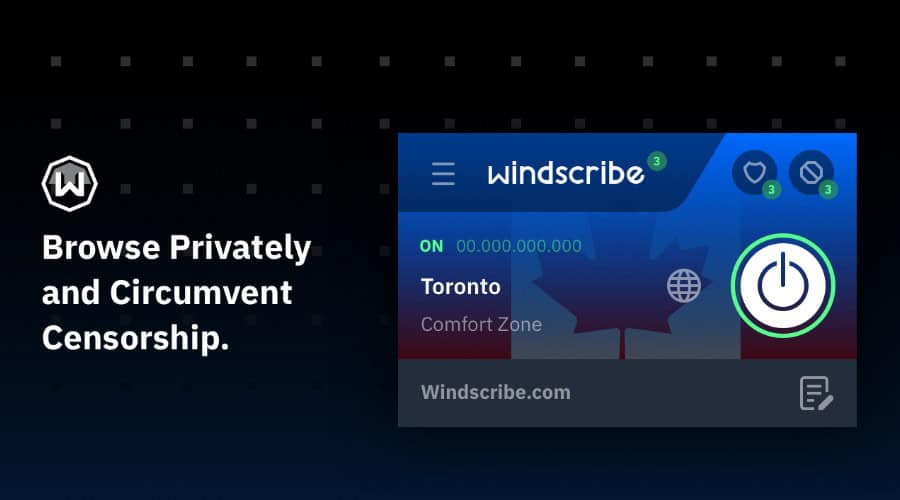
Windscribe has been around since 2016, giving it considerably more history than many of the newer residential VPN providers. Its reputation is built around privacy, but the apps pack in plenty of useful features too.
It offers standard and static residential IPs that appear to websites as though they’re assigned to a home connection by an ISP. This helps reduce CAPTCHAs, repeated security checks, and potential blacklisting. Currently, residential static IPs are available in three US and Canadian locations.
The apps are where Windscribe really shines. Its R.O.B.E.R.T. feature blocks ads, trackers, malware, and other unwanted domains at the DNS level. It’s also highly customizable, allowing you to create your own block and allow lists.
There’s plenty more besides, including split tunneling, a kill-switch-style Firewall, multiple VPN protocols, and unlimited device connections.
Windscribe isn’t the best choice if you need a huge residential network, but it’s a well-established VPN with excellent apps and unusually strong privacy features.
6. TuxlerVPN – Best Browser Extensions

TuxlerVPN is an interesting choice if you want residential VPN access without installing a full desktop application. Its Chrome and Firefox extensions let you connect directly from your browser, making them particularly convenient for quickly changing your apparent location while browsing.
The extensions connect through Tuxler’s residential network, with locations available across supported countries worldwide. You can also switch between residential and data-center locations, depending on your needs. The network is continuously updated with fresh IP addresses, while unlimited bandwidth is available on both free and Premium plans.
The free Standard tier is a particularly appealing way to try the service. It requires no subscription or credit card and provides secure connections with 10 location changes. Premium costs $7.99 per month, increasing this to 100 location changes and providing access to all locations, while also offering speeds up to four times faster.
Final Word on the Best Residential VPN
The best residential VPN for you will depend on your individual needs. However, CometVPN has the broadest all-round package.
If you need a larger pool of IPs, Mysterium is worth considering. StarVPN has the advantage of mobile IPs, while Surflare has the better packages for business users.
Have you made the switch to residential VPNs? Let us know in the comments below!


Read our disclosure page to find out how can you help Windows Report sustain the editorial team. Read more



Improve this guide


User forum
0 messages