
Chrome for Android is about to make its new bottom navigation toolbar the default, but you can switch back
Chrome for Android is moving its new bottom navigation toolbar closer to a default release, with a new Appearance setting letting users switch back.


 2 min. read
 Published on
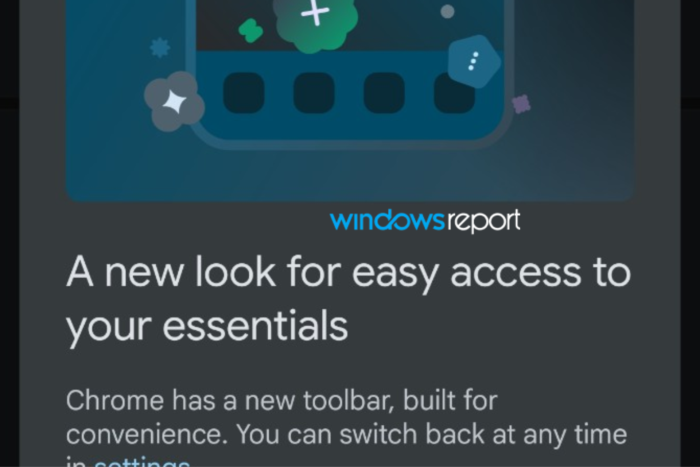
Back in May, we reported that Google was testing a new bottom navigation toolbar for Chrome on Android. The feature first appeared in Canary, and Google is now preparing to make it the default, as we’ve spotted in Chrome Beta.
The redesigned layout moves frequently used browser controls to the bottom of the screen, where they are easier to reach. Users who prefer the traditional layout can still switch back.
When Chrome Beta introduced the new toolbar, it displayed a popup saying, “A new look for easy access to your essentials.” It explained that Chrome has a new toolbar and that users can switch back at any time through Settings.

The new toolbar brings the Home button, Gemini shortcut, New Tab button, tab switcher, and three-dot menu together at the bottom of the screen. It remains separate from the address bar, which users can independently position at the top or bottom.
Chrome also walks users through the new controls, highlighting the Gemini shortcut and tab switcher and explaining how to access them.
Chrome lets you switch back to the traditional navigation layout
The browser includes a dedicated toggle under Settings > Appearance that lets users enable or disable the new toolbar.
The setting is called “Toolbar” and has the following description:
“Display navigation and tools in a bottom toolbar for easy access.”
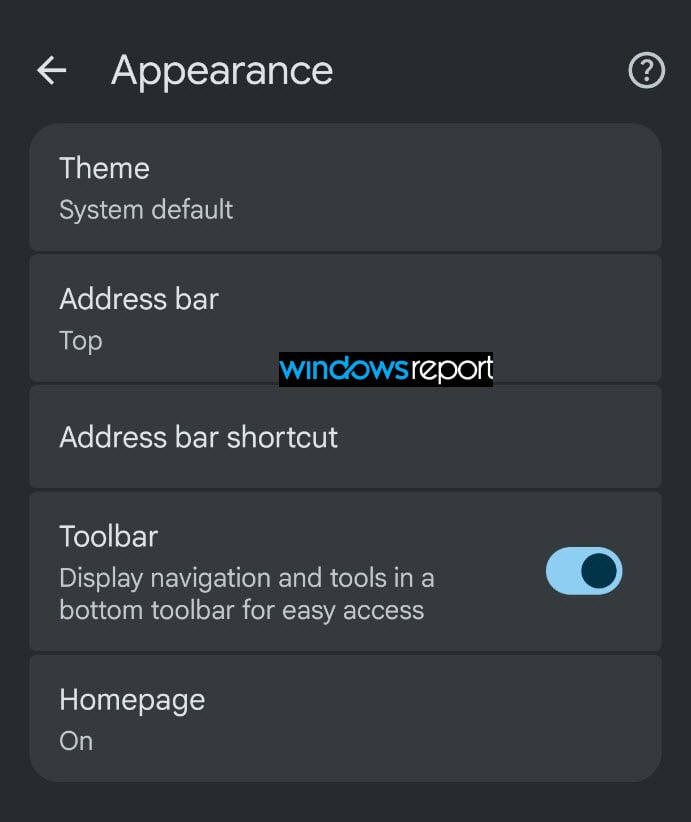
Turning the switch off removes the bottom navigation toolbar and restores the previous layout, with Home, the address bar, Gemini, the tab switcher, and the menu arranged along the top of the screen. Enabling it brings back the new toolbar.
These changes suggest Google could move the bottom toolbar out of its experimental phase and make it part of Chrome’s default navigation. Users who prefer the old layout can opt out through the new Appearance setting.
Google hasn’t announced when the new toolbar will reach everyone on the Stable channel, so its wider rollout timeline remains unclear.
Chrome already lets users move the address bar to the bottom of the screen, and the new navigation toolbar takes that approach further by bringing more browser controls within easy reach.
What do you think? Would you prefer to keep Chrome’s navigation controls at the bottom or stick with the traditional layout? Let us know in the comments below.


Read our disclosure page to find out how can you help Windows Report sustain the editorial team. Read more


Improve this guide

User forum
0 messages