
Chrome Gets a Global Privacy Control Setting to Opt Out of Data Sharing and Sales
Chrome Canary is testing a new user-facing Global Privacy Control setting on Android that lets users send opt-out requests to websites about the use, sharing, and sale of their data.


 3 min. read
  Published on
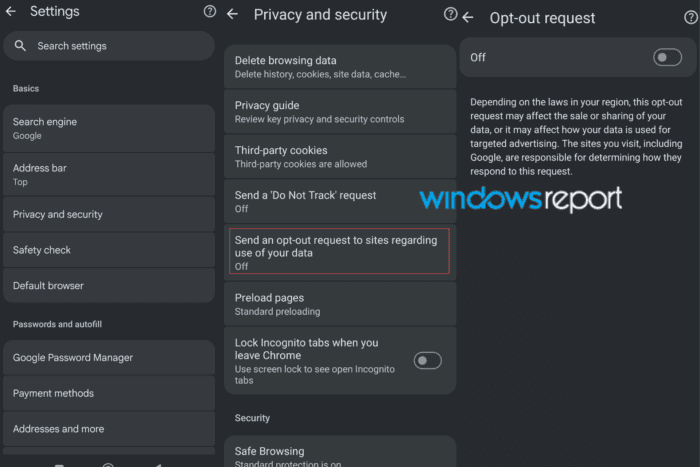
Google is testing a user-facing Global Privacy Control (GPC) setting in Chrome Canary that lets users send an opt-out request to websites about the use of their data.
The setting appears under Chrome’s Privacy and security section. Chrome says the request may affect the sale or sharing of a user’s data, or how that data is used for targeted advertising, depending on the laws in the user’s region.
What is Global Privacy Control?
Global Privacy Control is a browser signal that tells websites a user wants to opt out of certain uses of their personal data. When active, Chrome can send the Sec-GPC: 1 signal with web requests and expose the preference through navigator.globalPrivacyControl.
The GPC specification is designed to communicate privacy requests such as “Do Not Sell or Share” under laws including the California Consumer Privacy Act.
Chrome has supported GPC-related testing through experimental flags. Google is now testing a visible setting that gives users a direct way to control the preference.
Two different GPC-related flags
Chrome has two separate flags related to the feature:
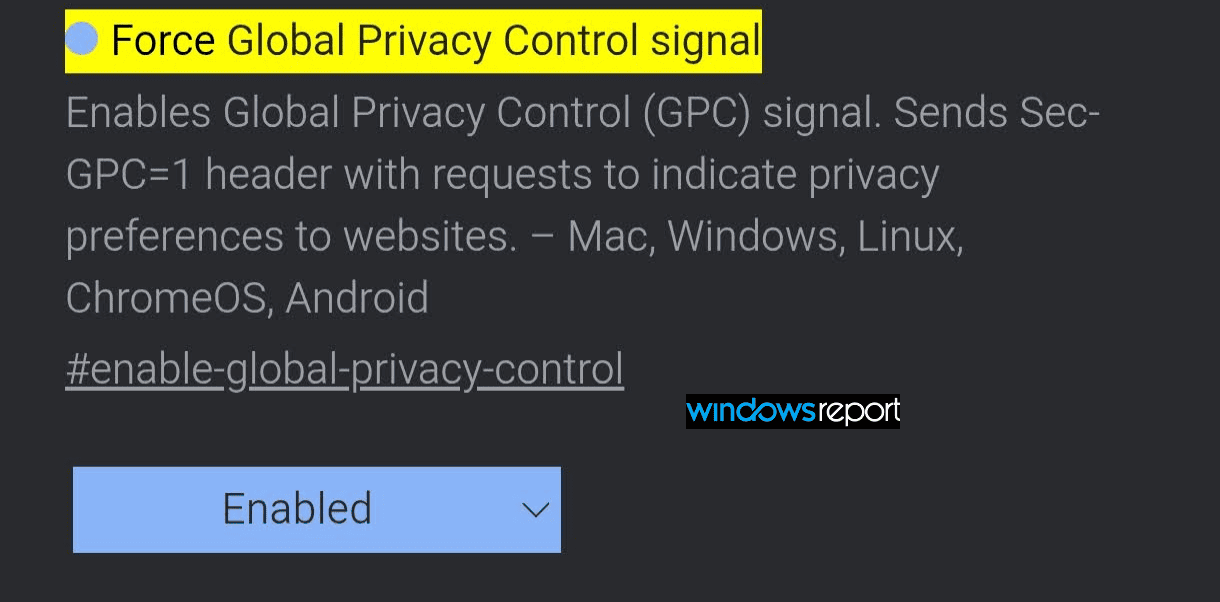
Force Global Privacy Control Signal: Enables the underlying GPC signal and is mainly intended for testing.
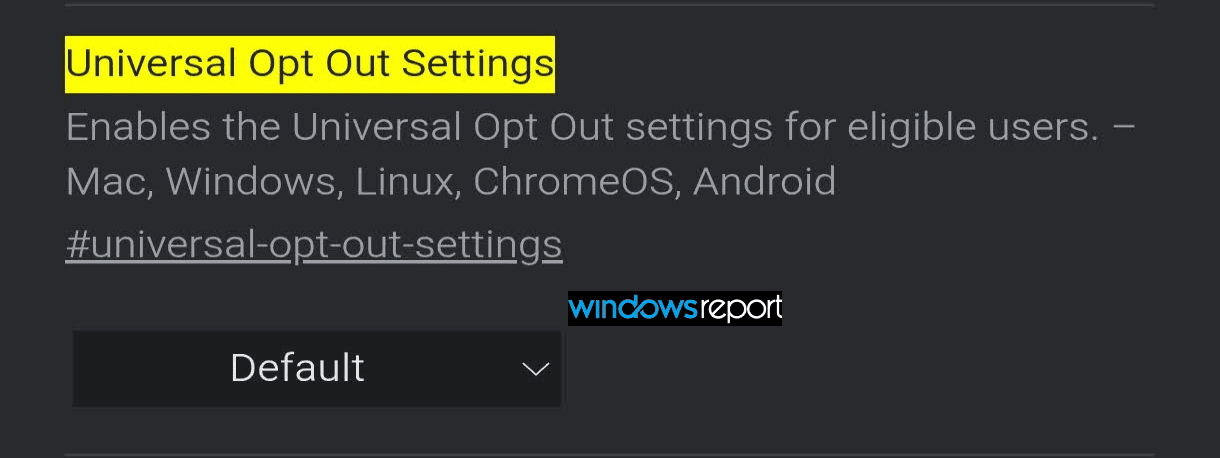
Universal Opt Out Settings: Adds the user-facing setting to Chrome’s Privacy and security section.
In the current Canary implementation, enabling Universal Opt Out Settings shows the user-facing toggle, but the toggle is not yet fully wired to the underlying GPC signal; in our testing, the Force Global Privacy Control signal flag was still required for Chrome to actually send Sec-GPC: 1.
Chrome’s new opt-out setting
The setting includes an On/Off switch and the following explanation:
“Depending on the laws in your region, this opt-out request may affect the sale or sharing of your data, or it may affect how your data is used for targeted advertising.”
Chrome also says that websites, including Google, are responsible for determining how they respond to the request.
The setting does not automatically block all tracking or guarantee that every website will honor the preference. Its effect depends on the website’s support for GPC and the privacy laws that apply to the user.
Android gets the setting first
The Universal Opt-Out Settings flag is visible in recent Chrome Canary builds on Android, Windows, macOS, Linux, and ChromeOS. However, current testing shows that the new Settings UI is appearing first on Android.
The user-facing setting is still experimental. On desktop, Chrome has the underlying GPC work, but the new toggle is not yet exposed in the same way.
Enabling Universal Opt Out Settings makes the new toggle appear, but the toggle alone did not cause a GPC test site to detect the signal in our testing. After we also enabled the Force Global Privacy Control signal, the test site detected both Sec-GPC: 1 and navigator.globalPrivacyControl.

This indicates that Google is still connecting the user-facing setting to Chrome’s underlying GPC implementation.
How to enable it
- Open Chrome Canary on Android.
- Visit chrome://flags.
- Enable Universal Opt Out Settings.
- Relaunch Chrome.
- Open Settings and visit Privacy and security.
- Turn on Send an opt-out request to sites regarding use of your data.
To test the signal in the current build, also enable the Force Global Privacy Control signal flag.
Google has not yet made the feature available in stable Chrome. Since it remains behind an experimental flag and the signal is still being wired to the new setting, its behavior may change before a wider rollout.


Read our disclosure page to find out how can you help Windows Report sustain the editorial team. Read more



Improve this guide




User forum
0 messages