
Copilot Studio Extension for Visual Studio Code Is Now Generally Available


 2 min. read
  Published on
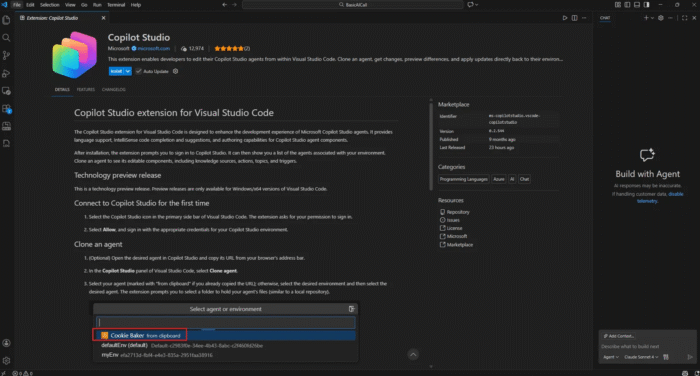
Microsoft has officially announced the general availability of the Copilot Studio extension for Visual Studio Code. As a result, developers now have a more structured way to build and manage Copilot Studio agents directly from their IDE.
For those unaware, the extension is designed for teams that are involved in building complex agents who want to treat them like traditional software. That means version control, pull requests, change reviews, and controlled deployments across environments.
With the VS Code extension, developers can clone a Copilot Studio agent into a local workspace and work on the full agent definition offline, including topics, tools, triggers, settings, and knowledge references. Microsoft says that it wants to standardize software development hygiene for agent creation as projects scale.
Teams can edit agents locally in VS Code with syntax highlighting and IntelliSense-style completion, review changes before syncing, and compare local and cloud versions to avoid conflicts. Once ready, updates can be applied back to Copilot Studio for testing and evaluation.
Microsoft also highlights deployment as a key benefit. Agent definitions can be stored in Git repositories and moved through environments using existing DevOps pipelines, which makes agent releases more predictable and auditable.
The extension is designed specifically for development teams, with built-in Git integration, pull request–based reviews, and a clear change history. It is particularly useful for teams managing large agents, collaborating across roles, or maintaining strict governance requirements.
The Copilot Studio extension is available now on the Visual Studio Marketplace and works alongside AI coding assistants. Developers can use GitHub Copilot or other VS Code AI tools to draft topics, refine tools, and fix issues faster, then sync changes back to Copilot Studio without switching contexts. Also, don’t forget to check out how Microsoft internally handles Visual Studio-related user feedback.

Read our disclosure page to find out how can you help Windows Report sustain the editorial team. Read more



Improve this guide




User forum
0 messages