
Design.com AI Logo Generator Review: Can You Really Create a Unique Logo in Minutes?


 7 min. read
  Updated on
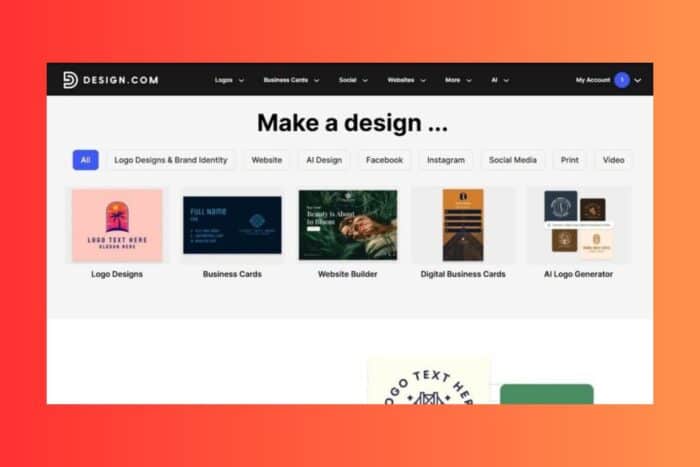
Creating a logo can be an intimidating task, especially for small businesses, startups, and freelancers who are just getting started. You may want something that looks professional, unique, and fitting for your brand. But what if you don’t have the budget for a custom design, or the expertise to use complex design tools? That’s where Design.com comes in.
In this review, I’ll dive into whether Design.com’s AI logo generator can truly help you create a unique logo in minutes. From initial concept generation to customization and final exports, I’ll walk through every aspect of the tool to determine if it lives up to its claim of delivering high-quality, unique logos quickly.
1. Introduction to Design.com’s AI Logo Generator
Design.com is one of the leading AI-powered logo makers, combining speed, ease of use, and professional-grade output. The platform is ideal for Windows users or anyone looking for a simple yet powerful solution to create a brand identity without the need for specialized design knowledge.

By using an AI logo generator, Design.com promises to make logo creation both fast and highly customizable. But with so many tools available today, what makes Design.com’s AI Logo Generator stand out? Let’s break it down.
2. The Process: How Fast Can You Really Generate a Logo?
Quick, Efficient, and Straightforward
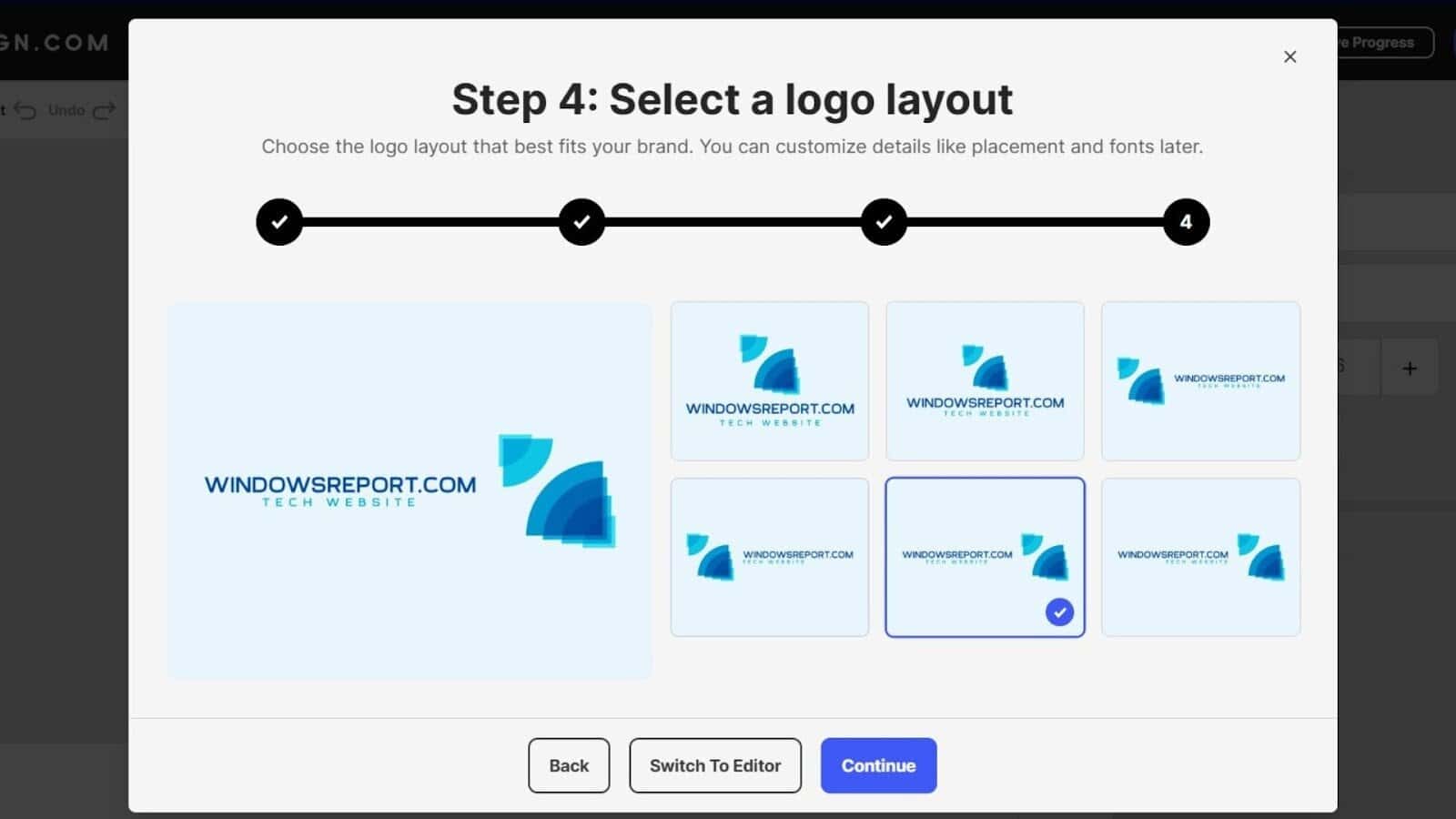
The first thing I noticed about Design.com’s logo creation process was just how quick it was. In a matter of seconds, I was presented with multiple logo ideas. All I needed to do was provide a business name and choose the industry.
Speed vs. Quality
The AI logo generator didn’t just produce quick results — it also provided logos that were usable right away. Instead of generic, stock-looking templates, I received designs that felt customized for my brand. Whether you’re looking for bold typography, a simple wordmark, or a creative emblem, the platform offers a wide variety of styles immediately.
Within a few clicks, the logo generation process was complete, and I had multiple distinct options to work with. For anyone on a Windows machine needing a fast turnaround, this speed is essential.
3. Customization: Can You Really Make It Unique?
Easy Adjustments for Personalization
While the initial designs were strong, I wanted to make sure I could take them further — could I make them stand out more, or was the AI output too generic? The answer is: yes, Design.com gives you ample control over the final design.
Here’s what you can adjust:
- Font selection: Choose from 750+ fonts, including exclusive fonts that aren’t available elsewhere.
- Icon adjustments: Easily swap out icons and adjust their positioning.
- Color themes: Change color schemes to better align with your brand’s identity.
- Text placement: Reposition text and icons to ensure your logo looks perfectly balanced.

What stood out during customization was the range of flexibility offered. While the AI engine provides great starting points, the editing tools are intuitive enough for Windows users who are beginners, yet flexible enough for those who want more control.
4. AI Logo Generator: A Broad Library of Styles and Templates
One of the key strengths of Design.com’s AI Logo Generator is the extensive library it draws from. It offers a massive selection of logos, each customizable to your needs. Here’s what makes it stand out:
- 360,000+ logo templates
- 1 million+ design templates covering all branding materials
- Variety of styles: abstract, emblem, corporate, classic, modern, wordmark, vintage, and more
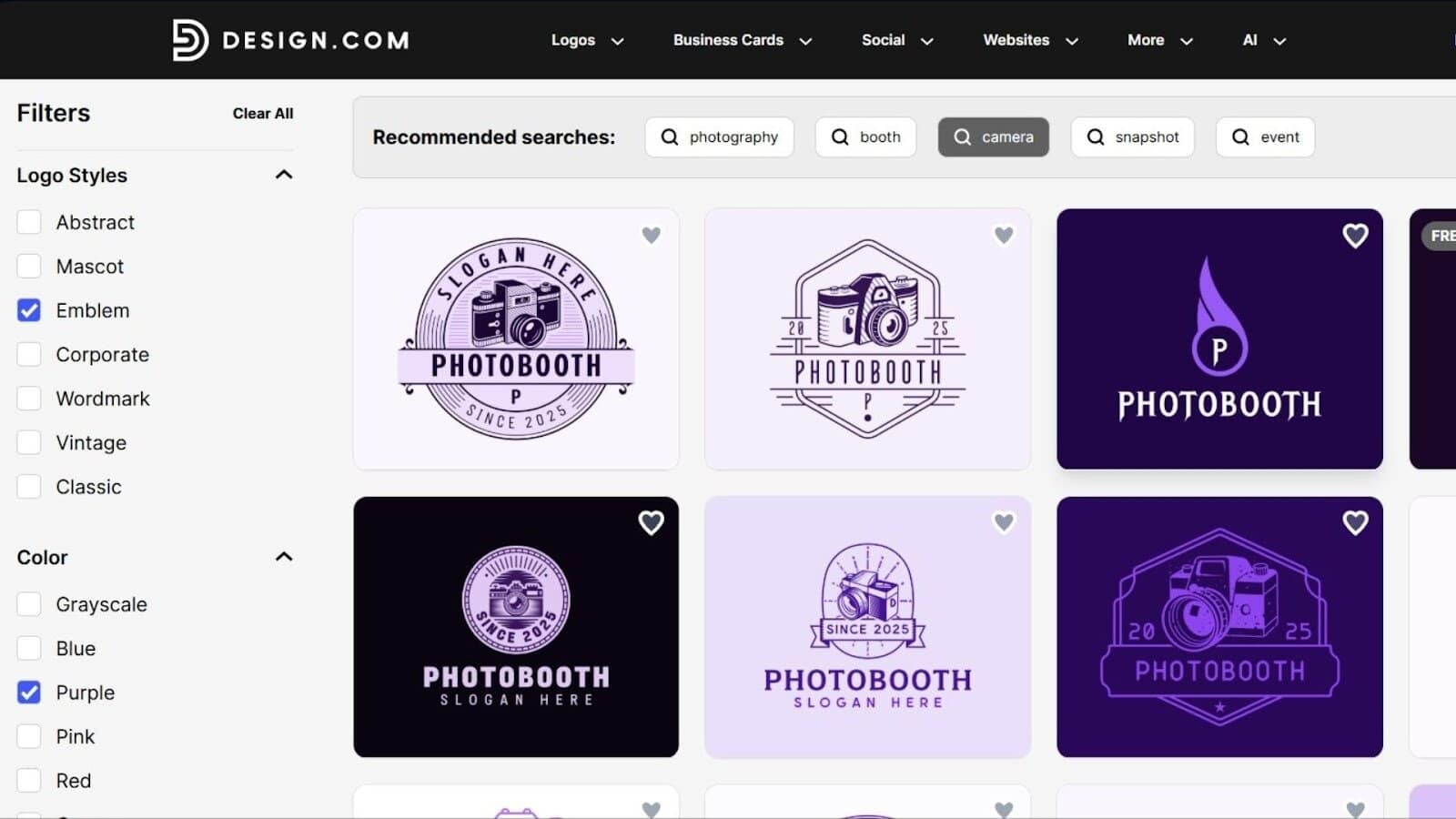
With this extensive library, you can feel confident knowing that you won’t be stuck with a one-size-fits-all design. Even with minimal customization, I was able to select designs that felt professionally done and tailored to the industry I was working in.
5. Real-World Application: Exporting Your Logo
Once the design process was finished, I moved to the next step: downloading the logo in the necessary formats. This is another area where Design.com delivers. Unlike many logo-making tools, Design.com provides high-quality export options that are perfect for both print and digital use.

File Formats Available:
- Vector files: SVG, EPS, PDF
- Raster files: PNG, JPG
- Animated files: GIF, MP4
- Transparent backgrounds
- Icon-only versions
For Windows users who plan to use their logo for website headers, social media, print materials, or merchandise, the ability to export in multiple file types ensures you can use the logo anywhere, without losing quality.
6. How Unique Are These Logos?
A common concern with any AI logo generator is whether the logos will feel too generic or overused. After testing several designs, I found that Design.com offers high-quality, unique logos, especially once you begin customizing the initial designs.
Why the AI Logos Feel Unique:
- Extensive library of designs and icons: With over 360,000 templates and millions of combinations, the AI offers far more diversity than many competitors.
- Customization flexibility: The ability to swap fonts, change colors, adjust layouts, and fine-tune design elements ensures that no two logos need to look alike.
- Professional templates: The system draws from professionally designed templates, meaning the logos you create have a more polished, “studio-quality” feel compared to other AI generators.
While it’s always possible that some designs could be similar to other users’ logos, Design.com does its best to offer variety and originality in its results. For most users, the logos generated here will be unique enough to stand out and serve as the foundation for a strong brand.
7. Who Is Design.com Best For?
The AI logo generator from Design.com is perfect for:
- Small business owners who need a logo quickly and affordably
- Freelancers and creators looking to launch a personal brand
- Startups on a tight budget or timeline
- Windows users who don’t have access to expensive design software or professional help
- Entrepreneurs who need to generate a logo fast without compromising on quality
For Windows users, the platform’s ease of use and speed make it a top choice, especially if you need to get a brand identity up and running without spending weeks on design work.
8. Pricing and Value
Design.com offers a range of pricing plans to suit different needs. Here’s a quick look at the options:
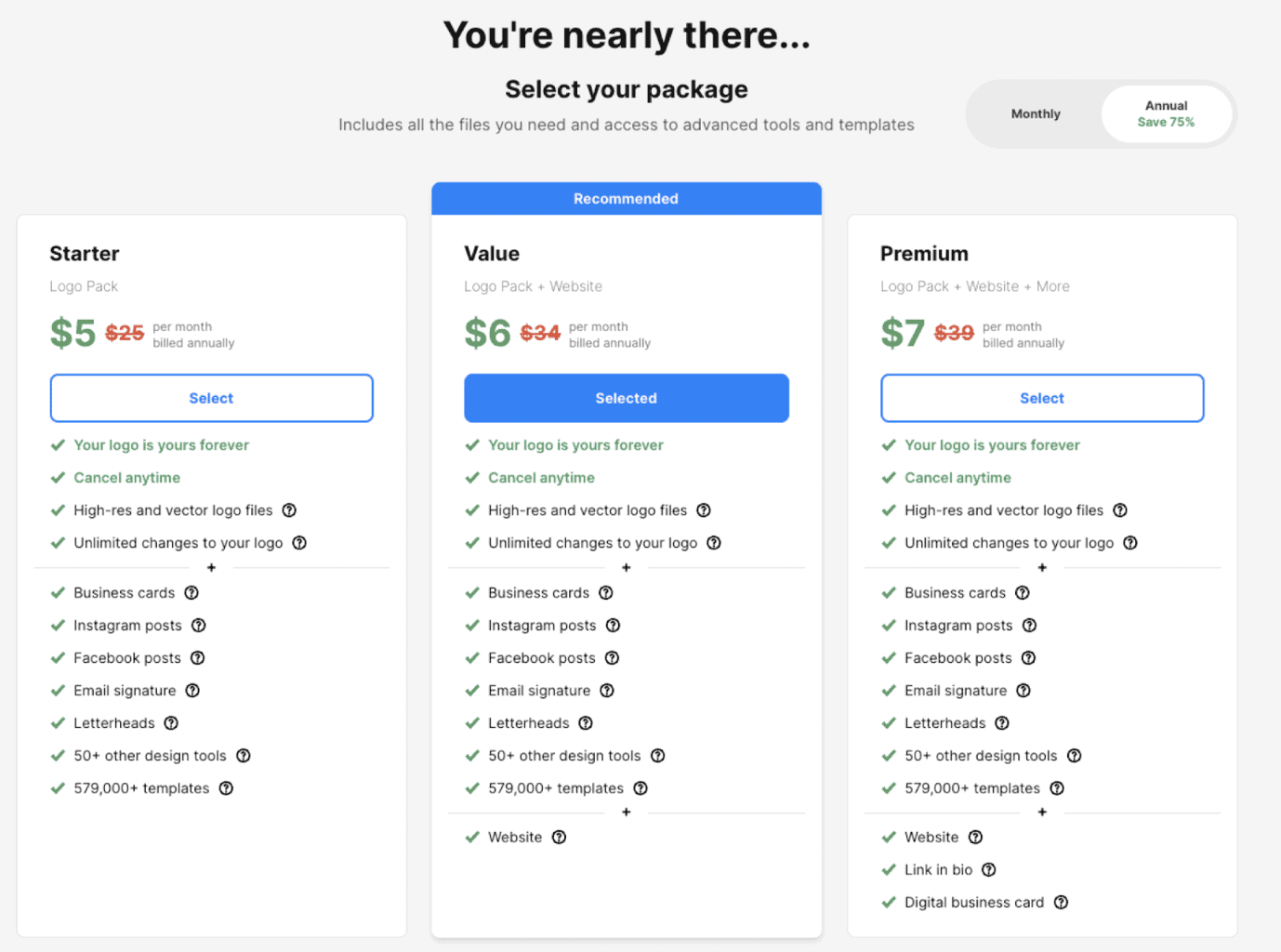
- Starter — $5/month (billed annually): Includes unlimited edits, high-resolution logo downloads, business cards, email signatures, letterheads, and access to 1 million+ design templates.
- Value — $6/month (billed annually): Everything in the Starter plan, plus access to the AI website builder and more branding tools.
- Premium — $7/month (billed annually): Everything in the Value plan, plus digital business cards, link-in-bio pages, and additional branding tools.
The free plan gives users access to basic features, including a free website builder, free link-in-bio, and free digital business card tools — though these come with Design.com branding in the footer and some limited features.
For Windows users seeking high-quality results at an affordable price, Design.com offers great value, especially when compared to other logo-making tools that charge high fees for limited features.
Final Verdict: Is Design.com’s AI Logo Generator Worth It?
In short: yes, Design.com delivers exactly what it promises — the ability to create a unique, professional logo in minutes. The AI logo generator is fast, highly customizable, and offers a broad library of design templates, making it easy for anyone — including Windows users — to create a polished logo without design experience.
The added benefit of an entire branding suite (business cards, social media posts, website templates) makes this a complete solution for new businesses or anyone looking to establish a brand quickly.
Whether you need a logo for a startup, a freelancer project, or a small business, Design.com offers an efficient, affordable, and user-friendly way to create a logo and launch your brand.
With fast logo generation, easy customization tools, and a complete export system, Design.com is an excellent choice for anyone needing a unique logo quickly and affordably.


Read our disclosure page to find out how can you help Windows Report sustain the editorial team. Read more



Improve this guide



User forum
0 messages