
Fix: Silksong Controller not Working


 3 min. read
 Published on
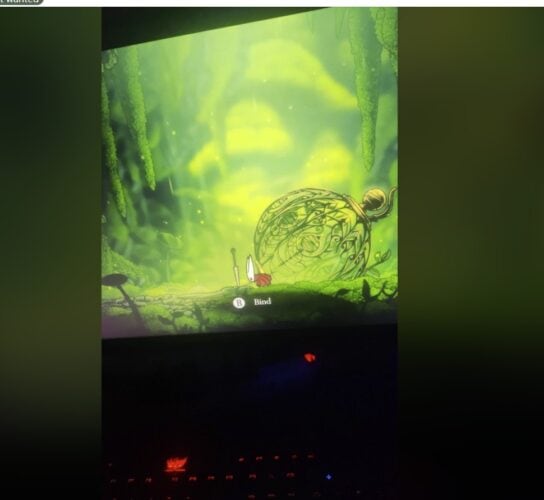
If the Silksong controller is not working on PC, it’s almost always a Steam Input profile, driver, or layout mismatch. These steps fix Xbox, DualShock, and Switch Pro pads.
Table of contents
- Before you start
- 1. Set per-game Steam Input to Gamepad
- 2. Pick the right layout
- 3. Disable duplicate mappers
- 4. Fix Xbox controller on Bluetooth
- 5. Enable PlayStation support in Steam
- 6. Switch Pro controller setup
- 7. Remove ghost HID devices
- 8. Force XInput mode where possible
- 9. Verify exclusive access
- 10. Check refresh rate/foreground window
- Tips
- FAQs
- Summary (ordered steps)
- Conclusion
Before you start
- Update Windows, GPU drivers, and the controller firmware
- Use a wired USB test first; then try Bluetooth
- Close other gamepad tools (DS4Windows, reWASD) while testing
1. Set per-game Steam Input to Gamepad
In Steam: right-click the game → Properties → Controller → Override → Enable Steam Input or Gamepad Only. Relaunch the game.
2. Pick the right layout
Open Steam Big Picture → Manage Game → Controller Layout → choose “Gamepad” (XInput). Avoid keyboard/mouse templates unless needed for mods.
3. Disable duplicate mappers
If using DS4Windows/reWASD, enable “Hide DS4 controller” or close the tool so Windows doesn’t expose two devices to the game.
4. Fix Xbox controller on Bluetooth
Remove and re-pair in Windows Settings → Bluetooth. Prefer USB-C cable for initial pairing tests.
5. Enable PlayStation support in Steam
Steam Settings → Controller → enable PlayStation Configuration Support. For DualSense, also enable “Use Steam Input for PlayStation controllers.”
6. Switch Pro controller setup
Enable Nintendo Support and “Use Nintendo Button Layout” if preferred. Calibrate the stick drift in Windows/Steam.
7. Remove ghost HID devices
Device Manager → View hidden devices → Human Interface Devices → uninstall grayed-out gamepads. Reboot and reconnect the controller.
8. Force XInput mode where possible
Some pads toggle between DInput/XInput. Use the XInput switch or companion software to present as Xbox 360/One controller.
9. Verify exclusive access
Close overlay apps (Discord, GeForce Experience, RGB suites) that can hook inputs. Disable Steam overlay temporarily if inputs drop.
10. Check refresh rate/foreground window
Alt-tab behavior or high-HZ displays can cause missed input in some engines. Run in borderless window and cap to a common refresh as a test.
Tips
- Keep only one controller connected during setup
- Test with the Windows Game Controllers panel to confirm inputs register
FAQs
Why does my DualSense work via USB but not Bluetooth?
Old BT stacks or power saving. Re-pair, update drivers, and disable controller power management.
The pad works in menus but not in game.
Wrong layout profile. Apply a standard Gamepad layout per-game and restart.
Summary (ordered steps)
- Set Steam Input to Gamepad
- Choose standard layout
- Remove duplicate mappers
- Re-pair or use USB
- Enable vendor support in Steam
- Clean HID devices; prefer XInput
- Close overlays; use borderless
Conclusion
Standardizing on Steam Input with a clean XInput path fixes most Silksong controller issues across Xbox, DualShock, and Switch Pro.

Read our disclosure page to find out how can you help Windows Report sustain the editorial team. Read more


Improve this guide



User forum
0 messages