
Google Wants You to “Search in Chrome” With a Floating Search Bar on Windows
Chrome Canary adds Search in Chrome settings for its floating search bar, with an Alt + Space shortcut and planned system tray access on Windows.


 3 min. read
  Published on
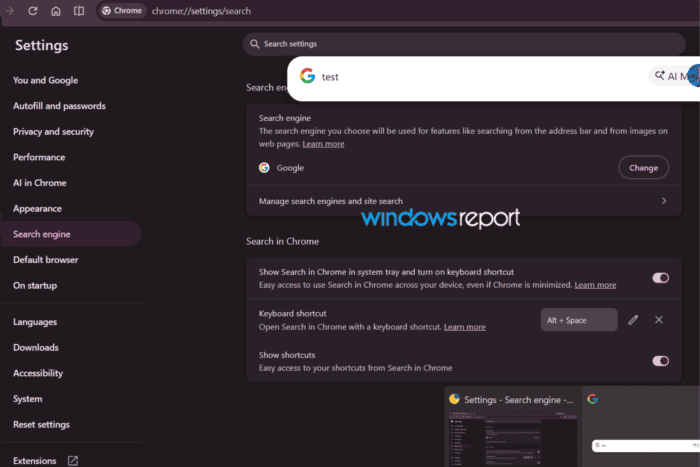
Google is adding user-facing settings for the desktop floating search bar it has been testing in Chrome with AI Mode. A new “Search in Chrome” section now appears under Search engine settings in Chrome Canary, letting users enable the feature and choose how they want to access it.
The floating search bar is part of Google’s earlier “Omnibox Everywhere” work, which Chrome has been testing to bring search and AI Mode outside the browser’s regular address bar. The new settings give users a direct way to turn it on from Chrome.
How to enable and use “Search in Chrome” on Windows
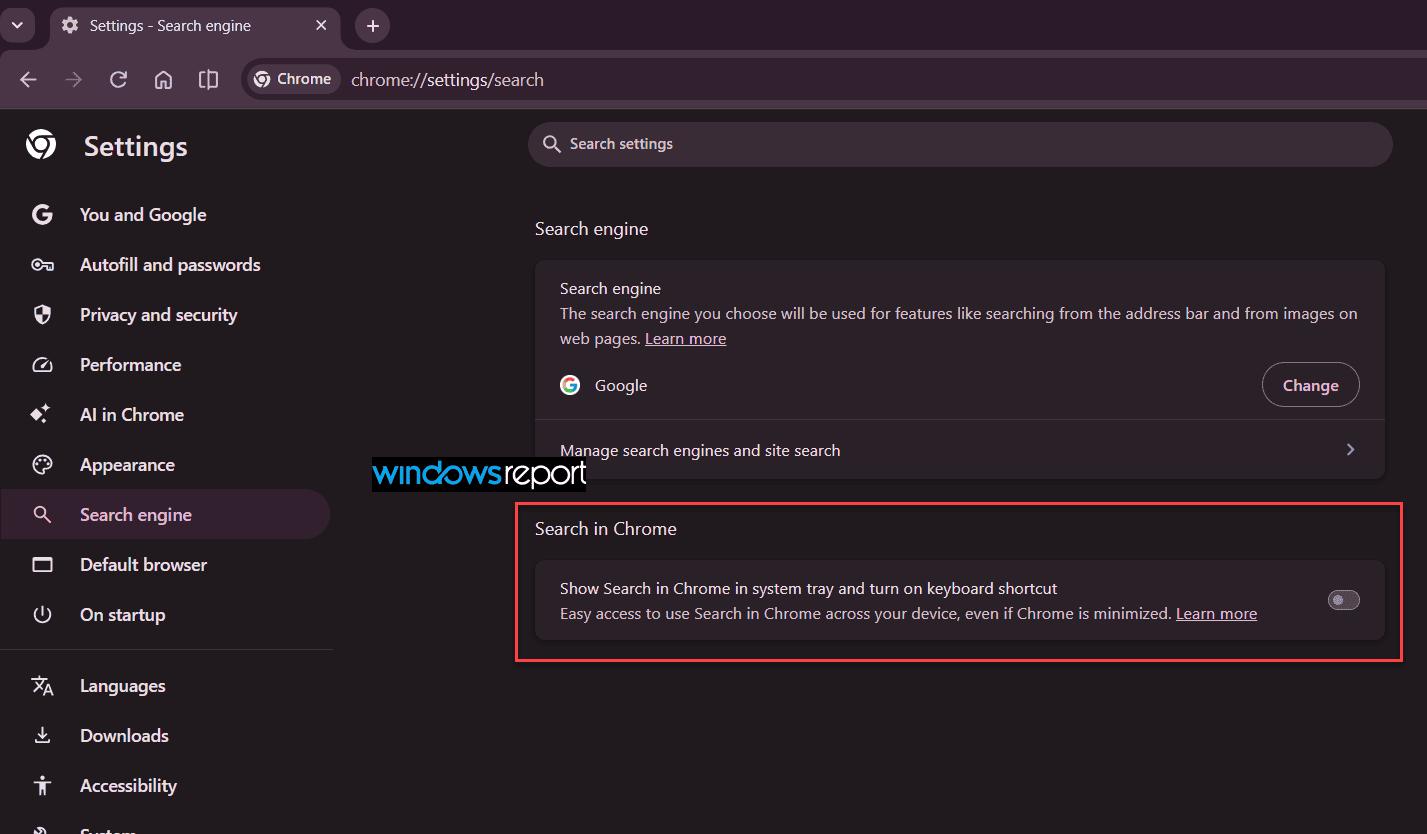
In Chrome Canary, go to Settings → Search engine, locate the “Search in Chrome” section, and enable “Show Search in Chrome in system tray and turn on keyboard shortcut.”
Google says this provides easy access to Search in Chrome across the device, even when Chrome is minimized.
A separate “Keyboard shortcut” setting lets users open the interface with a keyboard shortcut. In the latest Chrome Canary build, the shortcut is Alt + Space, replacing the earlier Ctrl + Shift + Space used in tests.
Once enabled, pressing Alt + Space opens the floating search bar above the current window. It includes a standard search field and an AI Mode entry point.

The interface also appears in Chrome’s Windows taskbar preview, so you can use the thumbnail previews to switch between open Chrome windows while the search bar is available.
Not just a shortcut to AI Mode
“Search in Chrome” is not limited to AI Mode. Users can enter a regular Google search or choose AI Mode from the same interface. In our testing, regular searches still open results in a new Chrome tab.
Google is also preparing a system tray entry for “Search in Chrome.” The setting indicates that users will be able to launch the interface from the Windows system tray. The tray icon did not appear in our testing, although the setting is already available.
The “Show shortcuts” option also lets users access their available shortcuts from “Search in Chrome.”
From “Omnibox Everywhere” to “Search in Chrome”
The new settings make the earlier Omnibox Everywhere experiment easier to access. Until now, the floating search bar was mainly something users could try through Chrome’s experimental features and a keyboard shortcut. Chrome Canary now has a dedicated “Search in Chrome” section under Search engine settings.
The feature is still experimental and is not enabled by default. Chromium commit messages also suggest that Google is working to restrict the experience to Windows and macOS.


Read our disclosure page to find out how can you help Windows Report sustain the editorial team. Read more



Improve this guide




User forum
0 messages