
How to Design a Brand Kit Using Design.com’s Logo Maker & Templates


 6 min. read
  Published on
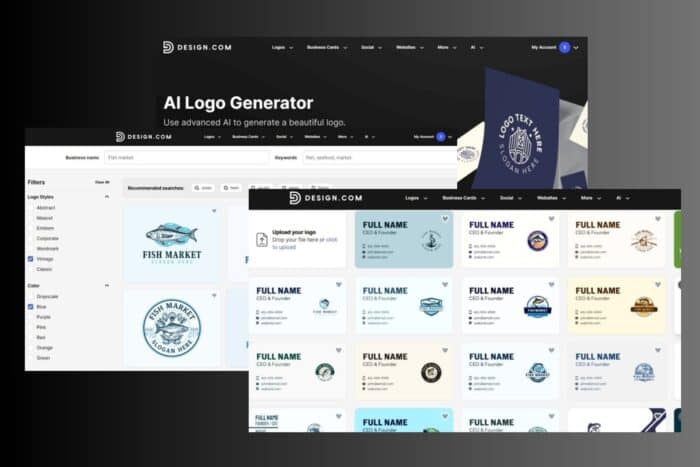
A great brand is not just a logo. It is a full visual system. Colors, fonts, templates, and consistent layouts are what make a brand feel cohesive across every touchpoint. Design.com streamlines this entire process by combining an AI powered Logo Maker with the industry’s largest library of ready to use branding templates. With over 360,000+ logo templates and 1M+ design templates, anyone can build a polished brand kit in minutes.
This guide walks you through the exact steps to create a complete brand kit using Design.com’s Logo Maker, templates, and automated brand identity tools.
1. Start With Your Logo: The Foundation of Your Brand Kit
Your logo sets the tone for all other visuals, so it is the first step in building a consistent brand kit. Design.com makes this simple and efficient by letting you generate dozens of tailored logo concepts in seconds.
Step 1: Generate Your Logo
Visit Design.com and access the AI Logo Generator
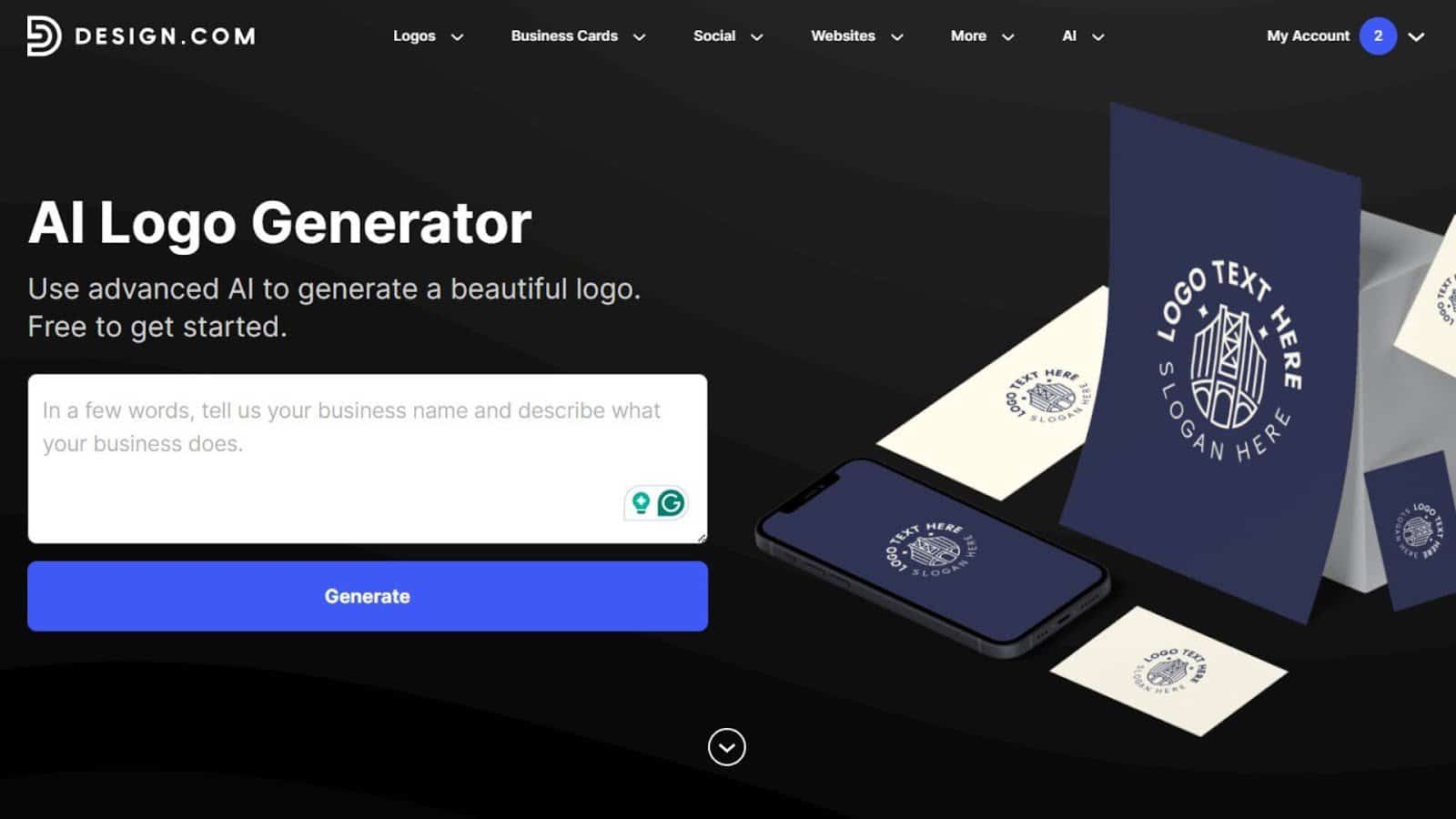
Enter your brand name, choose your industry, and let the AI instantly create a large variety of concepts. This quick process saves you time and provides multiple strong directions to explore.
Step 2: Select Your Style

Use Design.com’s filters to narrow down by style:
- Abstract
- Mascot
- Emblem
- Corporate
- Wordmark
- Classic
- Vintage
These style filters help you quickly identify a visual language that suits your brand’s personality. Choosing a strong style direction early creates a more cohesive brand kit later.
Step 3: Customize for Uniqueness
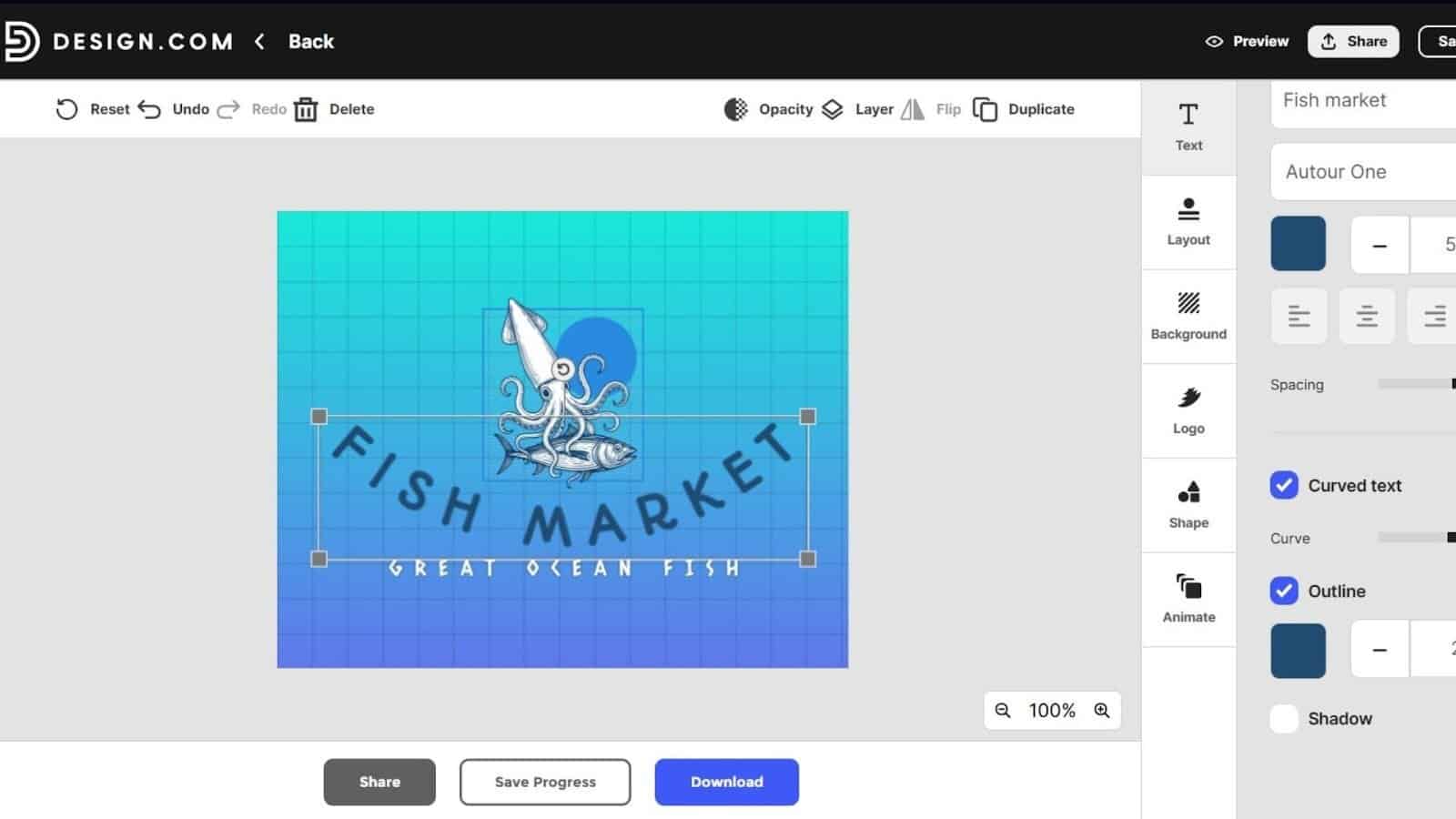
Refine your logo using:
- 525+ exclusive fonts
- 62,000+ custom shapes and icons
- Color adjustments
- Slogan options
- Layout presets
These customization tools allow you to make your logo feel distinct and aligned with your brand identity. Even beginners can easily fine tune spacing, balance, and visual hierarchy.
2. Establish Your Color Palette
Your color palette forms the emotional and visual backbone of your brand. Design.com automatically extracts colors from your logo, giving you an instant set of coordinated brand tones.
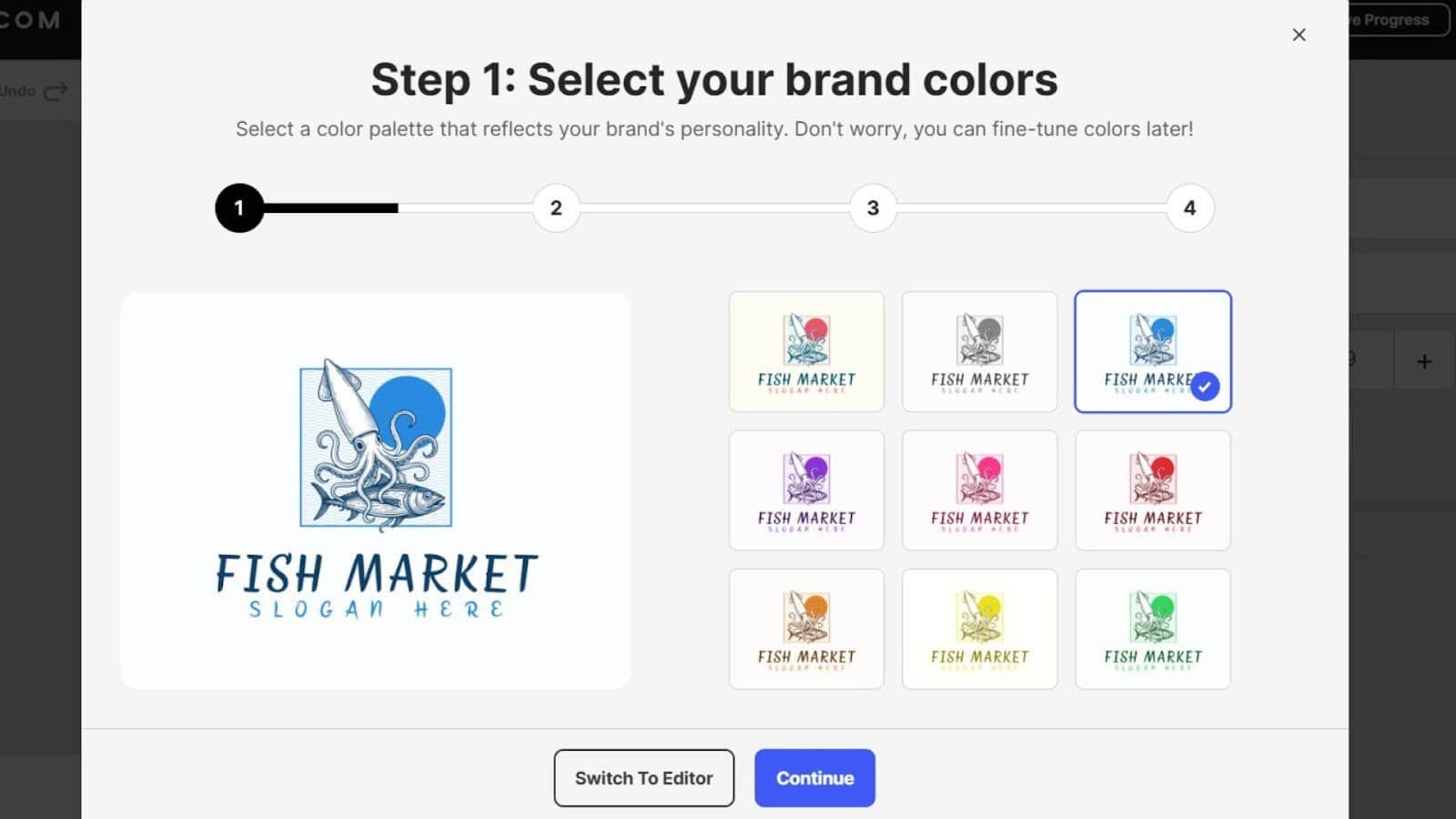
Why this matters:
A strong brand kit always includes:
- 1 to 2 primary colors
- 2 to 3 secondary colors
- A supporting neutral (black, white, gray)
This structure ensures your brand feels intentional and versatile across print, digital, and social media designs.
How Design.com helps:
Your color palette automatically syncs across:
- Social templates
- Business cards
- Flyers
- Posters
- Websites
- Email signatures
- Presentations
This automatic inheritance ensures consistency without requiring manual color setup, saving time and reducing design mistakes.
3. Choose Your Brand Fonts
Fonts communicate your brand’s tone, personality, and level of professionalism. With 750+ fonts including 525+ exclusives Design.com gives you unmatched flexibility in shaping your brand’s voice.
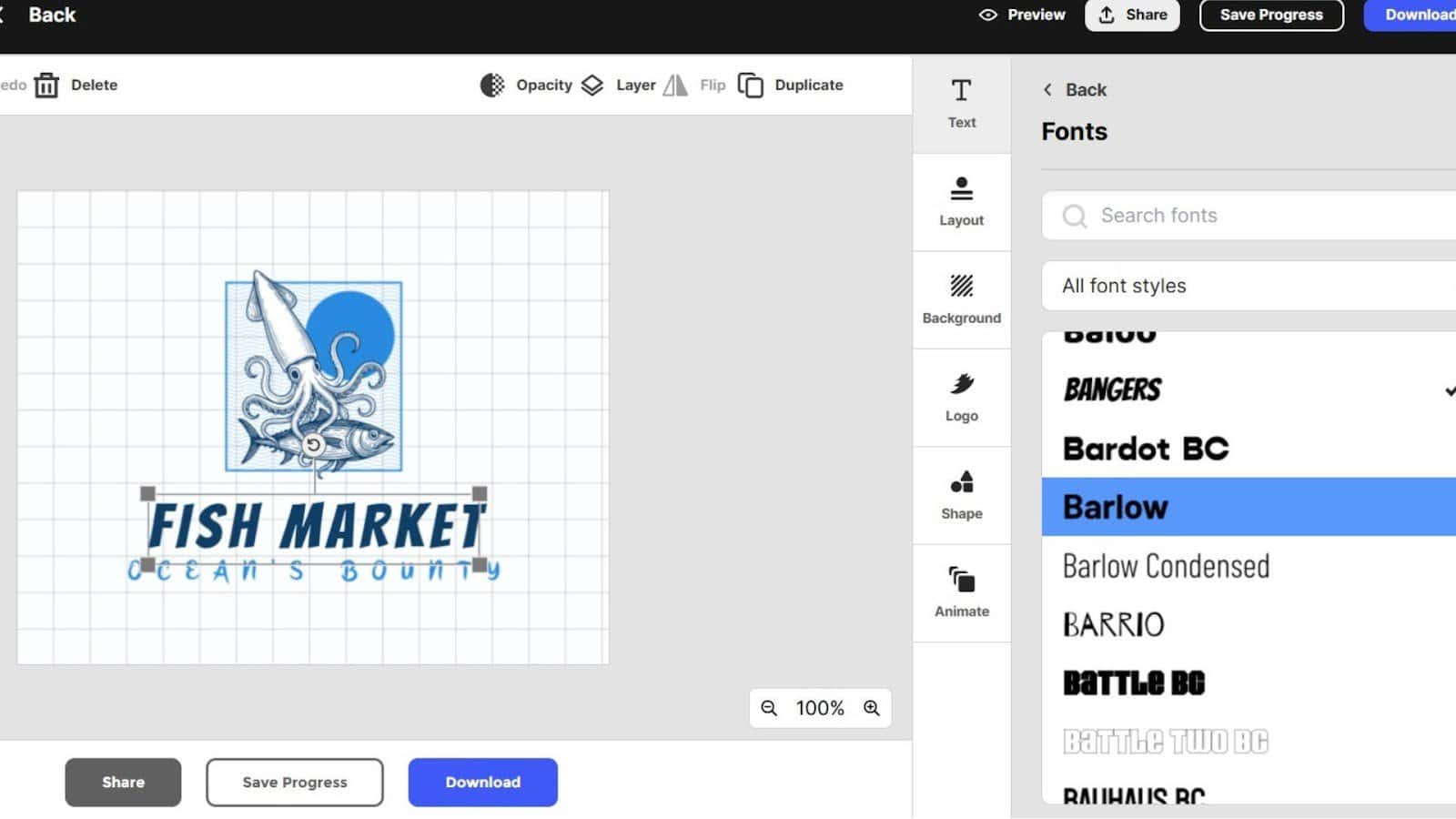
How to pick your brand fonts using Design.com:
- Open your logo in the editor.
- Experiment with the built in font library.
- Select a headline font (bold, expressive, or modern).
- Select a body font (readable and clean).
This process ensures your typography works well across digital and print materials. Once selected, your fonts automatically apply to all branded templates.
4. Build Your Core Brand Kit Materials
Now that your logo, fonts, and colors are set, it is time to build the main components of your brand kit. Design.com automatically adapts your styles into branded templates that stay visually consistent across every format.
Your brand kit should include the following core assets:
A. Business Cards
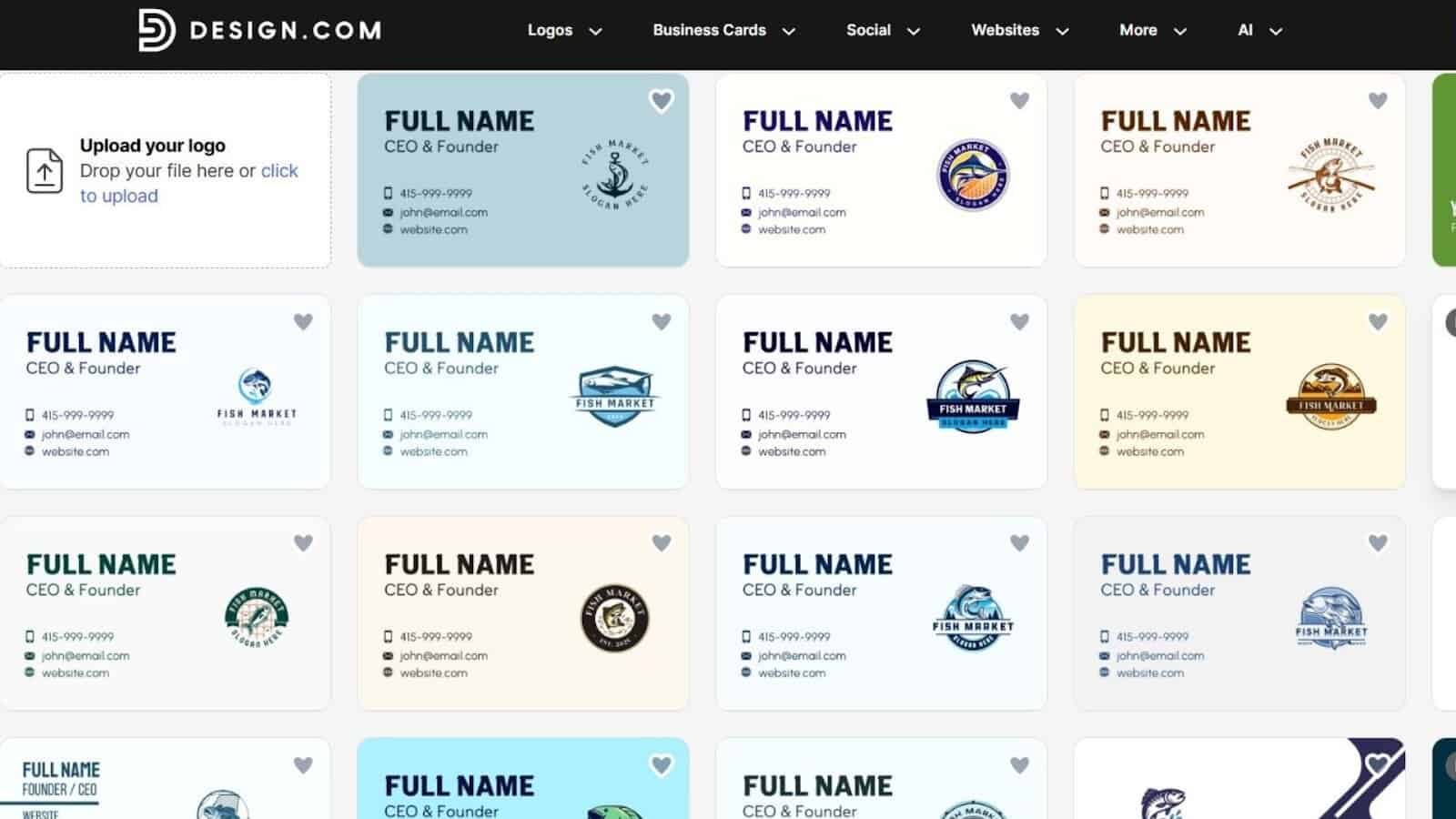
Design.com instantly generates business card layouts using your logo, colors, and typography. This ensures your brand’s identity is clear and professional from the first point of contact.
B. Social Media Templates
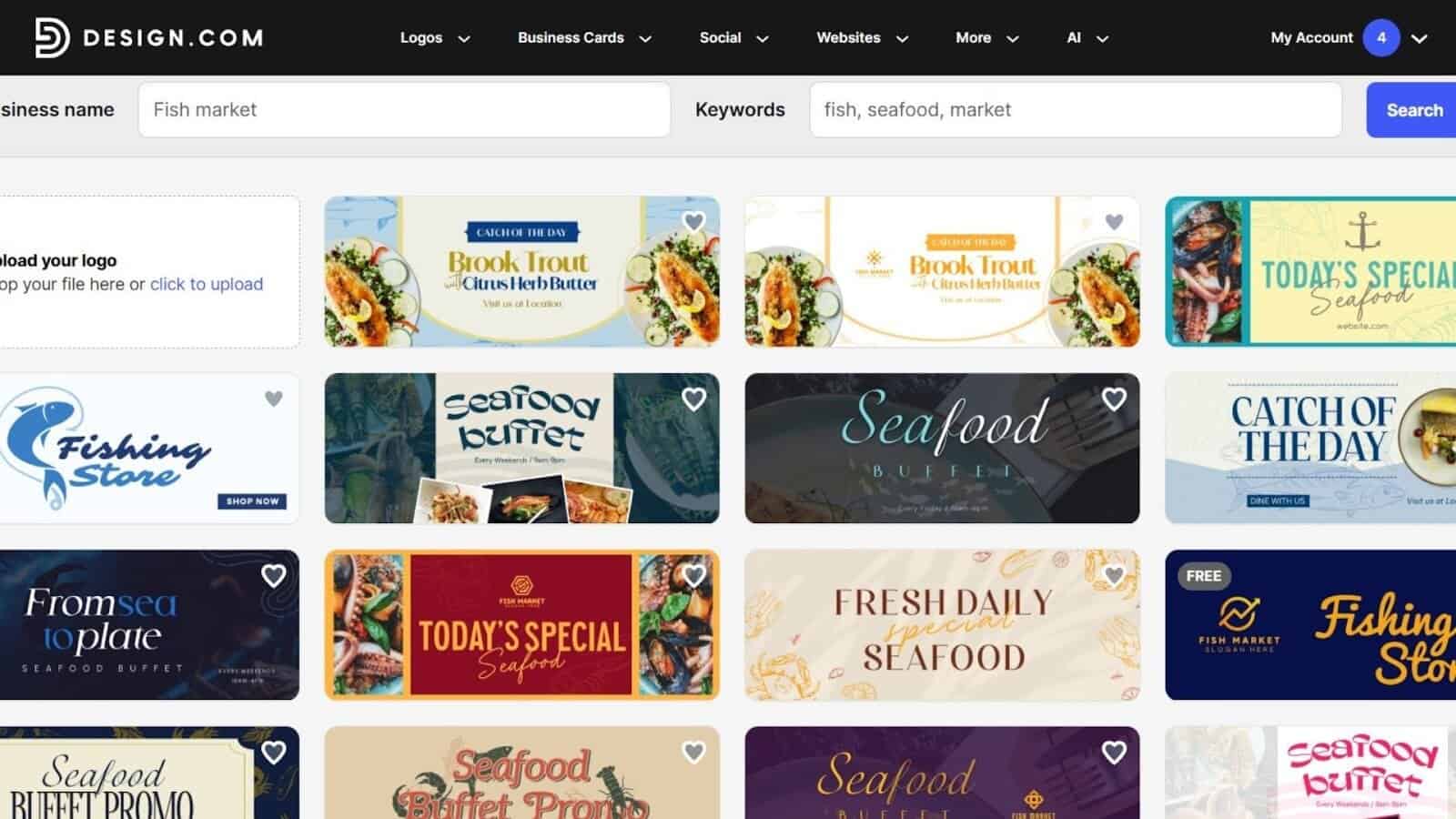
With over 1 million templates, you can quickly build:
- Facebook covers
- Instagram posts
- Instagram Stories
- YouTube thumbnails
- LinkedIn banners
These templates automatically match your brand colors and fonts, giving your social presence a cohesive and polished look with minimal effort.
C. Flyers and Posters
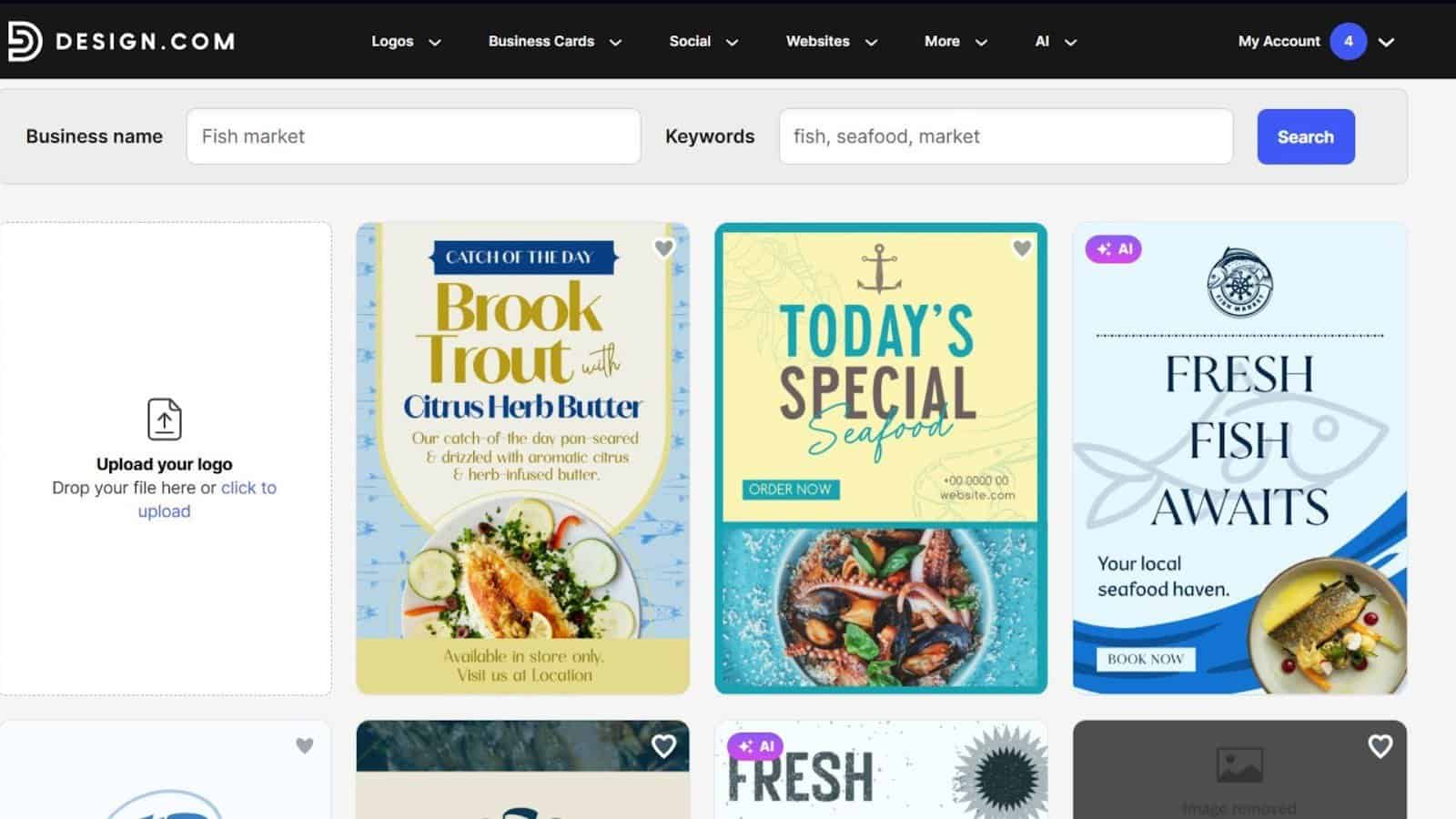
Perfect for:
- Promotions
- Events
- Campaigns
- Product launches
Design.com’s layout engine seamlessly applies your brand identity across print materials. This consistency helps reinforce brand recognition across all marketing channels.
D. Company Documents
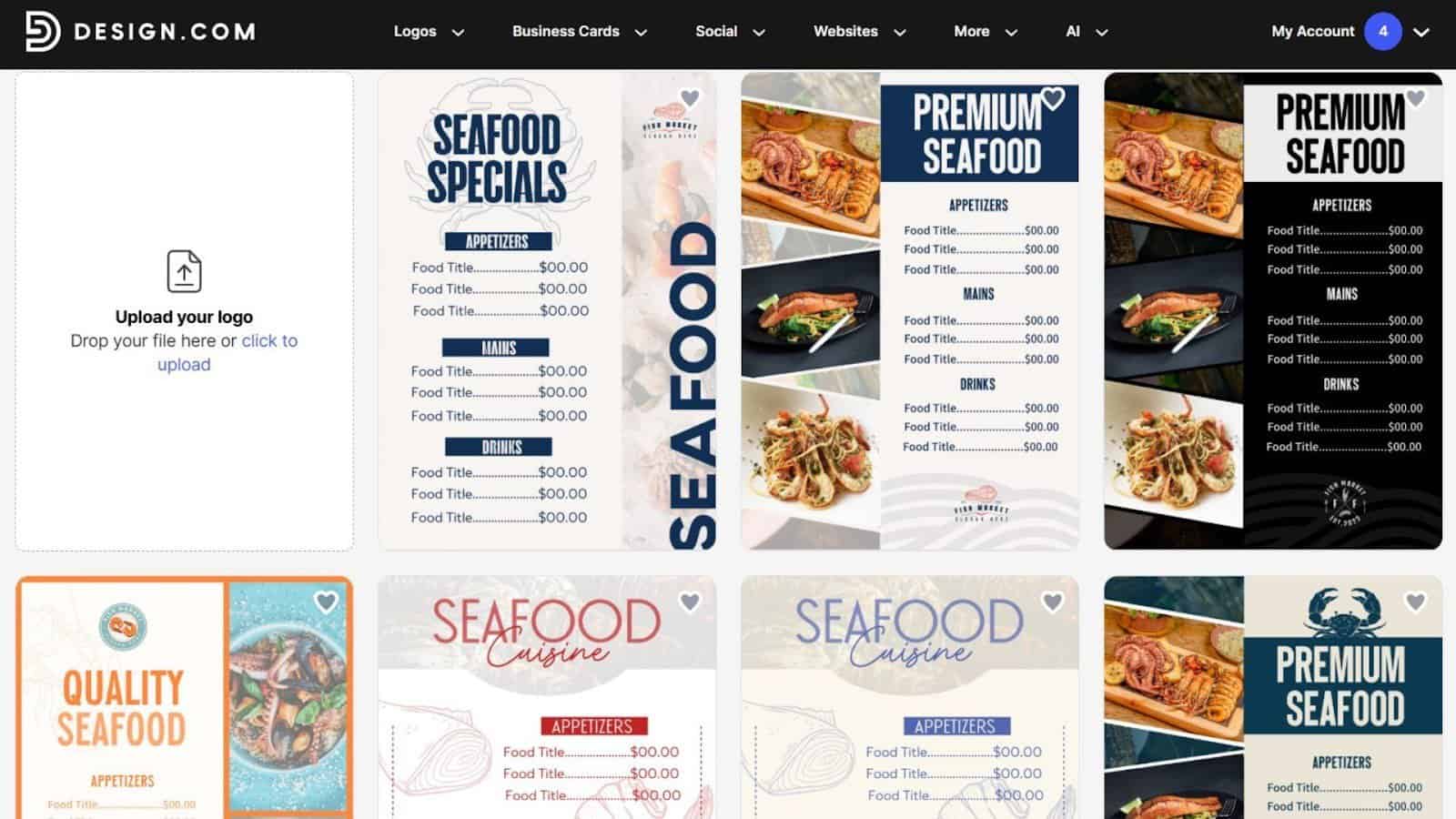
Your brand kit can include:
- Letterheads
- Presentations
- Email signatures
- Menus
- Brochures
- QR codes
These documents inherit your brand’s visual system instantly, making it easy to create internal and external materials that always look professional.
5. Extend Your Brand to a Website
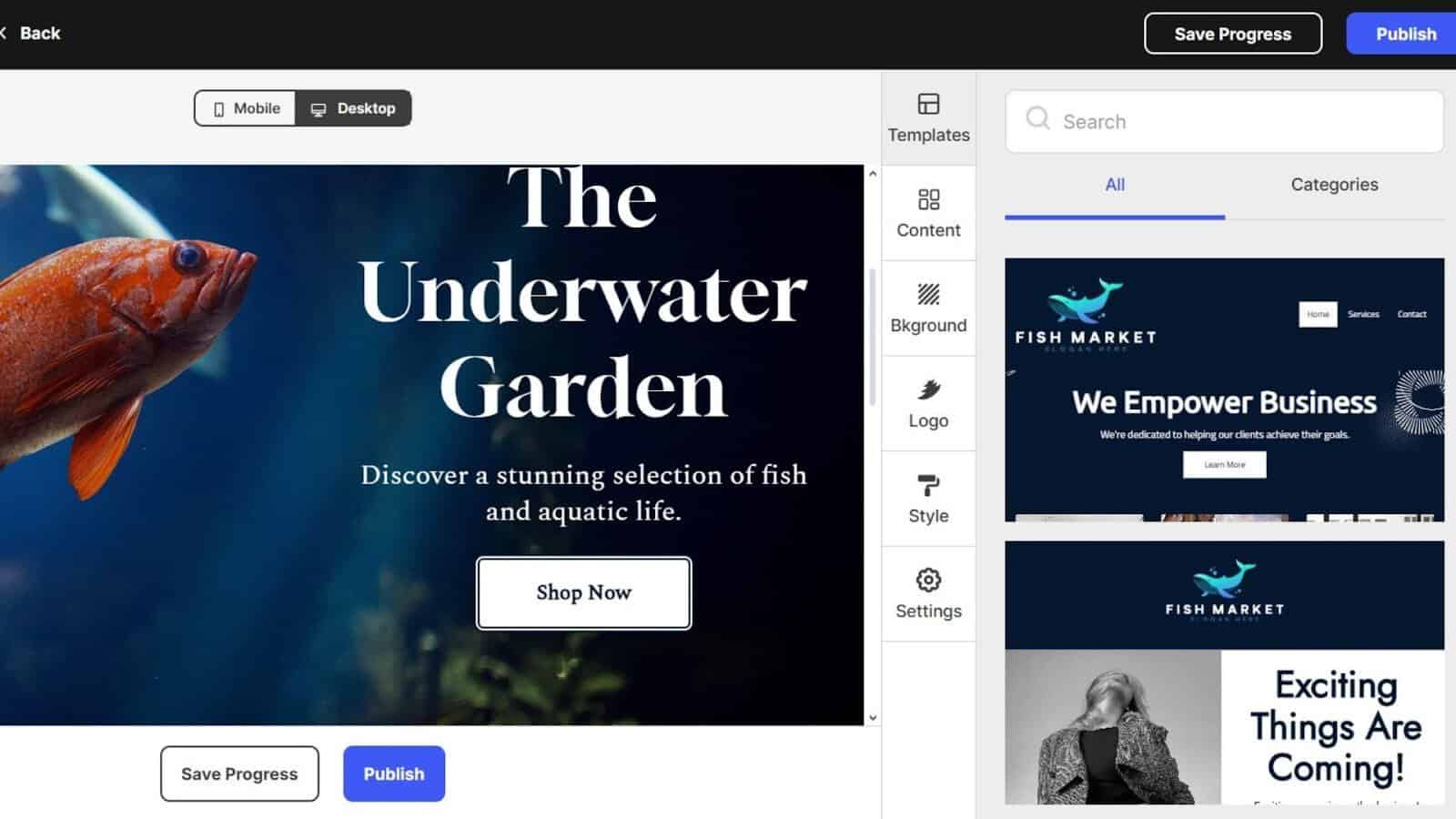
Your brand kit is not complete without an online presence, and Design.com makes this step accessible to everyone. Every plan including free logos includes website building tools that automatically apply your brand identity.
How to apply your brand to your website:
- Open the website builder.
- Choose a layout that fits your business.
- Your logo, custom fonts, and color palette automatically appear across the site.
- Replace the placeholder content with your own.
- Publish instantly.
These free tools include a website builder, link in bio page, and digital business card (freemium with Design.com footer branding). They offer a fast way to launch your brand online without needing technical skills.
6. Download Your Brand Kit Assets
With your brand kit complete, you can export your assets in multiple professional formats. These files are ready for use in marketing materials, websites, merchandise, and print.
Logo file formats available:
- Vector: SVG, EPS, PDF
- Raster: PNG, JPG
- Animated: GIF, MP4
- Transparent background
- Icon only versions
These formats ensure you can use your brand visuals at any scale, from business cards to large signage.
Brand materials include:
- Social templates
- Posters and flyers
- Business cards
- Presentations
- Email signatures
- Letterheads
- Website assets
- Digital business cards
Everything created is commercially safe, original, and ready for professional use.
7. Keep Your Brand Organized on Design.com
Design.com includes built in tools that help you maintain and manage your brand kit over time. These features make ongoing brand management simple and efficient.
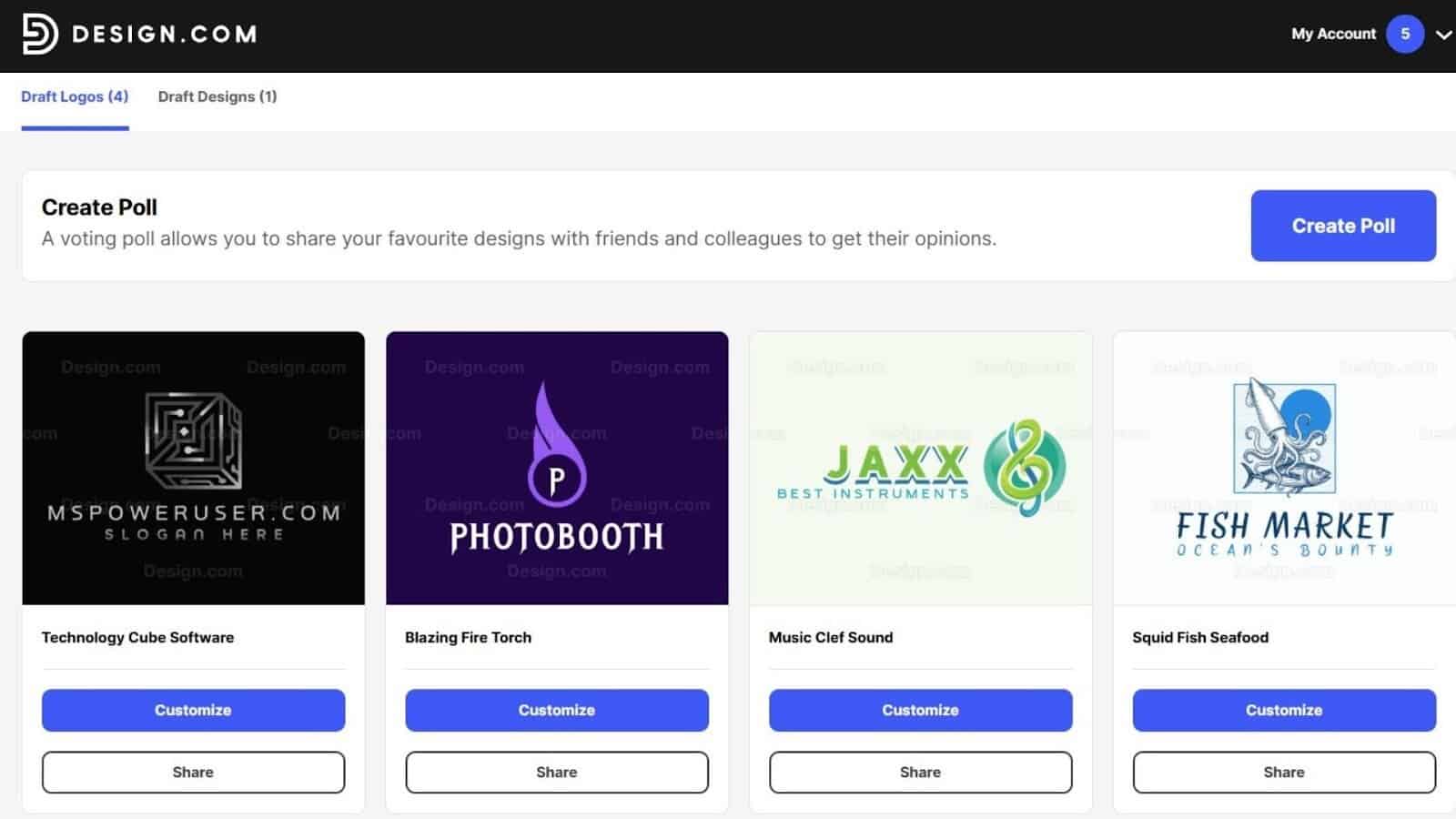
- Favorites list: Save your preferred logo concepts.
- Voting polls: Share branding options with teammates or friends.
- Brand consistency engine: Ensures all templates inherit your styles.
- 24/7 support: Access email and live chat anytime.
- Multi language support: English, Spanish, French, German, Portuguese, Canadian French, and Brazilian Portuguese.
These tools help you refine your brand whenever needed without losing visual consistency.
Final Thoughts: A Complete Brand Kit in Minutes
Design.com makes it remarkably easy to build a complete and cohesive brand kit even with no design experience. Its powerful AI, extensive template library, and automatic style syncing create a streamlined workflow that saves hours of manual design work.
With the largest logo library, exclusive fonts, AI driven branding, and 1M+ templates, Design.com stands out as a complete branding platform rather than just a logo maker. Whether you are launching a new business or refreshing an existing identity, Design.com gives you everything you need to create a polished and professional brand kit in minutes.


Read our disclosure page to find out how can you help Windows Report sustain the editorial team. Read more



Improve this guide



User forum
0 messages