
Here's How to Test Microsoft Edge's "Lockdown Mode"


 2 min. read
 Published on

Microsoft Edge is getting an extreme new security feature that could make targeted browser attacks significantly harder. Called Edge Lockdown Mode, the feature blocks access to certain graphics technologies that attackers could exploit to compromise a device. The catch? Some websites, including games and interactive maps, may stop working properly. Microsoft is now asking security researchers and advanced users to test the feature before a wider release.
How to test Microsoft Edge’s Lockdown Mode
The first version is available in Edge Canary behind an experimental flag. Users can enable it by following these steps.
- Update Edge Canary through
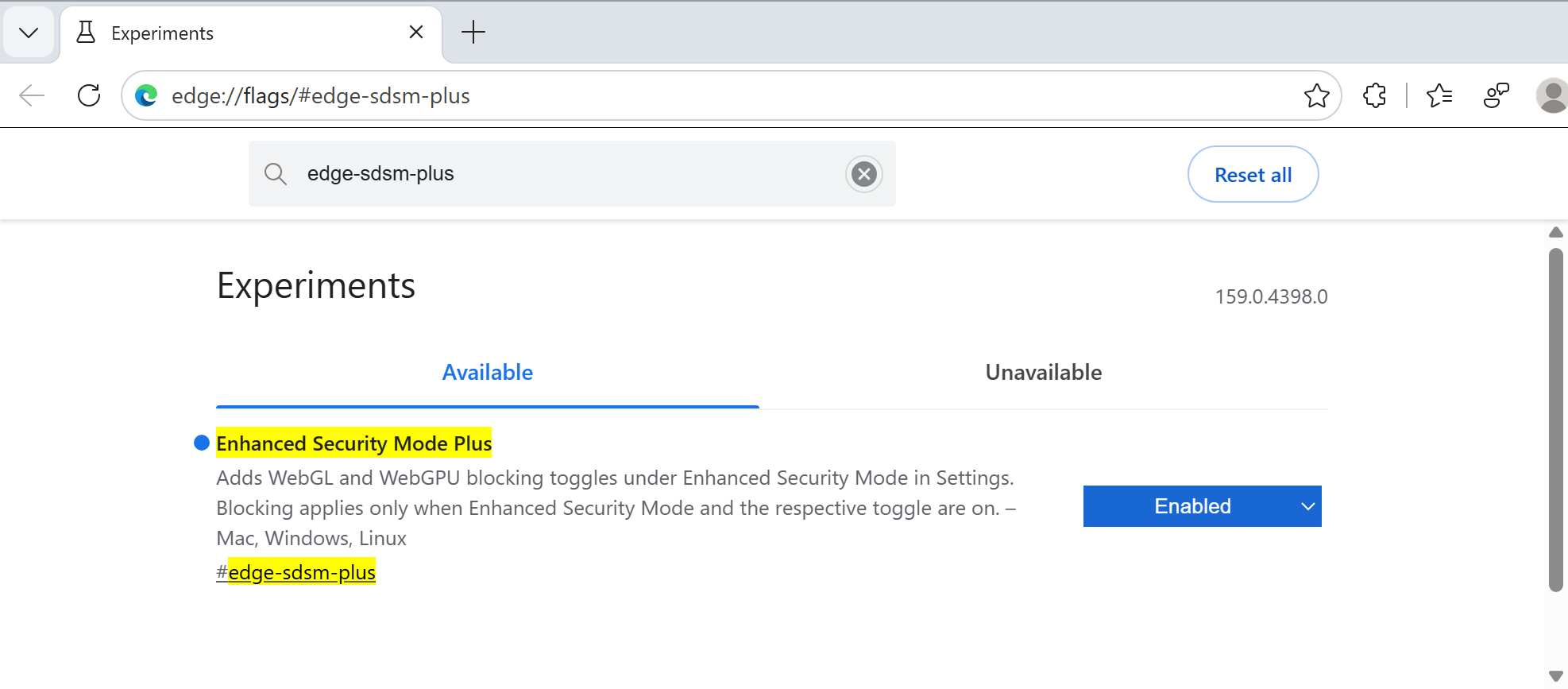
edge://settings/help - Visit
edge://flags/#edge-sdsm-plus - Enable the flag and restart the browser.
- Open
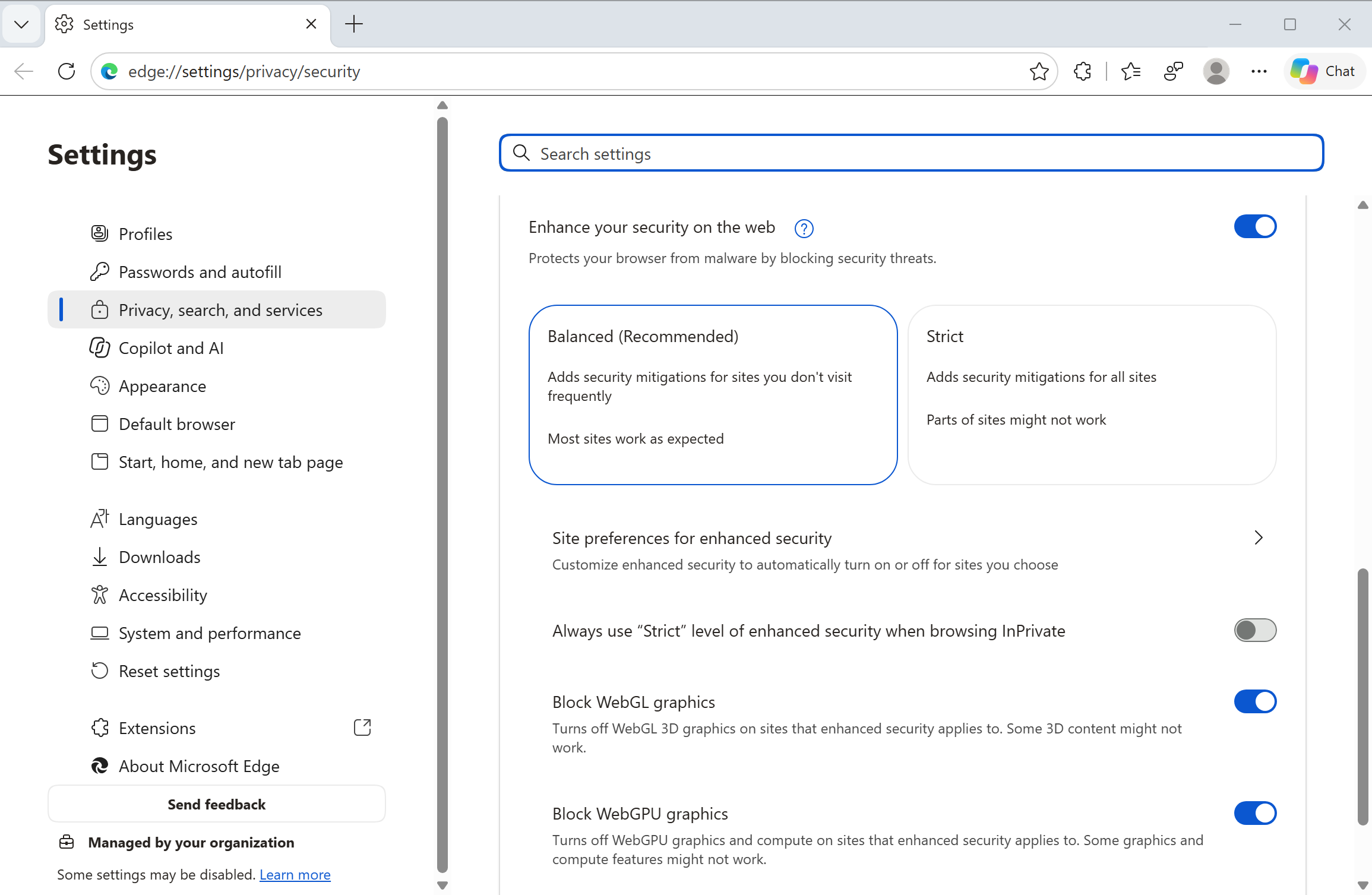
edge://settings/privacy/security - Enable Enhance your security on the web and select Strict.
- Turn on Block WebGL graphics and Block WebGPU graphics.
A Lockdown Enabled indicator appears in the address bar whenever either technology is blocked on a website. Users can also inspect blocked requests through Developer Tools.

Microsoft Edge Lockdown Mode blocks WebGL and WebGPU
Edge Lockdown builds on Enhanced Security Mode, which already disables V8’s just-in-time JavaScript compiler to reduce exposure to memory-related vulnerabilities. The new protection goes further by restricting WebGL, WebGL2, and WebGPU. These technologies allow websites to access hardware-accelerated graphics and computing capabilities. They also expose complex browser components, libraries, and graphics drivers to web content.
Microsoft says attackers can exploit vulnerabilities in these components as part of multi-stage attacks. They may first compromise a browser process before exploiting another vulnerability to escape its sandbox. That could eventually expose sensitive data or allow malware deployment. Microsoft claims the existing Enhanced Security Mode protected users against 55% of known exploited Chromium vulnerabilities since February 2022. Its current Lockdown Mode implementation could have mitigated roughly 60% of privilege escalation exploits observed in the wild. These are Microsoft’s own assessments, not independent test results.
Microsoft specifically warns that games, design tools, maps, and visualisation websites may lose functionality. The company plans to introduce more restrictions over several releases. It also wants to develop site-level exceptions, allowing trusted websites to regain restricted capabilities. That being said, this feature isn’t intended for everyone. Microsoft is targeting journalists, executives, security researchers, administrators, and people facing sophisticated cyberattacks.
For now, Edge Lockdown Mode remains experimental, with no confirmed stable release date. Speaking of Edge, Microsoft has also introduced version 158 with new protection against scam and malicious website notifications.

Read our disclosure page to find out how can you help Windows Report sustain the editorial team. Read more


Improve this guide


User forum
0 messages