
Microsoft Brings Age-Aware App and AI Controls to Windows 11


 3 min. read
  Published on
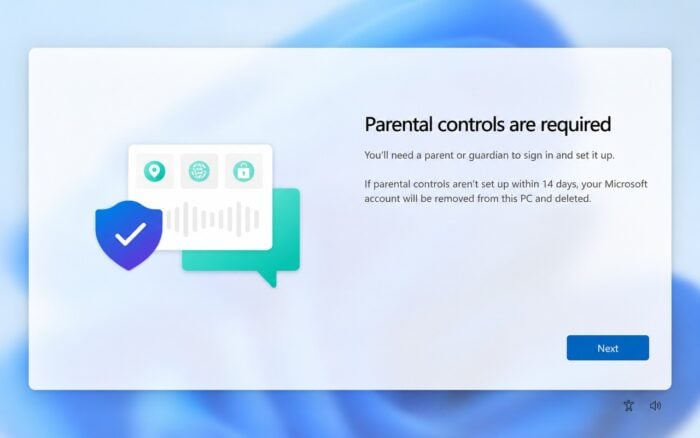
Windows 11 age-awareness APIs will soon let apps determine whether a user is a child, teenager, or adult without revealing their exact date of birth.
Microsoft is expanding its age-awareness system so developers can tailor apps, safeguards, and AI experiences based on a user’s age range.
Windows 11 apps can detect your age range
A recently spotted API already showed that Windows 11 could let apps determine your age range, and Microsoft has now detailed how the system will work.
The company is adding new age-awareness APIs to Windows 11 that let apps identify which age group a user belongs to.
Apps will not receive an exact birthday. Instead, the Windows Age API can return one of five age ranges:
- Under 10
- 10–12
- 13–15
- 16–17
- 18+
Microsoft says Windows will provide apps only with the age-related information they need for a particular experience instead of sharing more sensitive personal data.
Developers can check whether an age was verified
Developers can use GetUserAgeRangeAsync to retrieve a user’s age range.
Microsoft is also introducing GetAgeVerificationStatusAsync, which lets an app determine whether Windows has formally verified the user’s age or whether the user only provided it themselves.
Apps could use these APIs to automatically enable age-appropriate features, restrictions, or safeguards.
This approach could also reduce the need for parents to configure similar age-related controls separately inside multiple apps.
Microsoft wants age protections to cover AI
Microsoft specifically points to AI experiences as an area where age-awareness could play a role.
Developers could use a person’s age range to change how AI features behave for younger users or apply additional protections where necessary.
The APIs give developers a standardized way to determine when those safeguards should apply without requiring access to the user’s exact birthday.
Microsoft Age Verification could stop repeated age checks
Windows will also integrate with Microsoft Age Verification, or MAV.
MAV stores a user’s verified age status with their Microsoft account. Apps can then query that status through Windows rather than asking users to verify their age repeatedly across different services.
Microsoft wants users to complete age verification once and reuse that verified status wherever supported.
Age verification is already available in several regions
Microsoft Age Verification is already available through Microsoft storefronts in Singapore, Brazil, and Australia.
Microsoft plans to expand the system into additional regions as governments introduce more age-assurance and online safety requirements.
The company is also making parental controls more visible during Windows setup in certain countries, including France.
Windows Age APIs are coming to all users
Microsoft says the Windows Age APIs are now broadly available to Windows Insiders.
The company plans to roll them out to all Windows users soon, giving more developers access to age ranges and verification status directly through Windows 11.
In other news, Microsoft has released Windows 11 KB5124012, KB5124008, and KB5122880 alongside Windows 10 KB5122878 and fixed 966 security flaws in its September 2026 Patch Tuesday release.

Read our disclosure page to find out how can you help Windows Report sustain the editorial team. Read more



Improve this guide




User forum
0 messages