
Microsoft Edge Gets New AI Shopping Tools to Compare Products and Find Coupon Codes


 2 min. read
 Published on
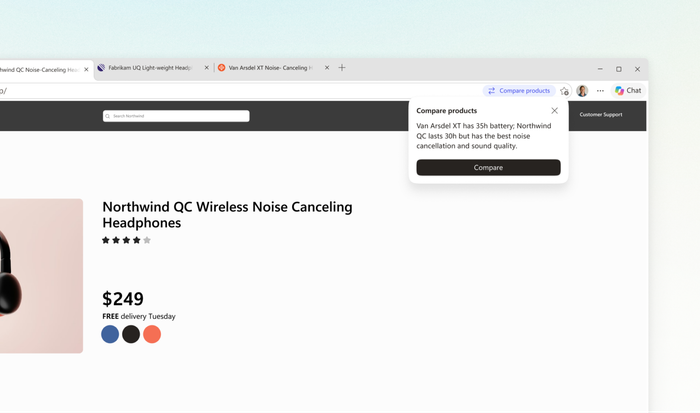
Microsoft Edge is getting a useful upgrade just in time for the holiday shopping season. Microsoft is adding new AI-powered shopping features that can compare products across tabs and automatically find working coupon codes at checkout.
Edge can now compare products and find coupons automatically
The new product comparison feature is one of the highlights. Edge can now recognize when users are browsing similar products across multiple tabs. It then offers to compare them through a Copilot-generated summary alongside the current webpage.
The comparison includes product specifications, prices, and other relevant information. It also highlights the differences between products, helping shoppers decide without constantly switching between tabs. Users can ask Copilot additional questions while browsing, as it already has the compared tabs for context.
Interestingly, Microsoft is also introducing Checkout Savings. The feature searches for available coupon codes in the background when users reach checkout. If it finds a working offer, Edge can surface it without requiring users to visit separate coupon websites.
Microsoft says both features are built directly into Edge. However, shopping experiences may vary depending on the retailer. Checkout Savings is currently limited to English-language users in the US.
Microsoft Edge already has several shopping tricks
These additions join Edge’s existing shopping features, including Price Comparison, Price History, and Price Tracking. The browser can show cheaper offers at other retailers and track price movements over time. Users can also receive alerts when an item’s price drops.
Edge also offers Cashback at participating retailers. Shoppers must activate an eligible offer before purchasing to qualify. Microsoft says Edge has helped shoppers save nearly $30 million in total this year.
There are also security and convenience features worth mentioning. Autofill handles saved checkout details, while Password Generator and Passkeys simplify account sign-ins. Microsoft Defender SmartScreen, Website Typo Protection, and Scareware blocker help protect shoppers from suspicious websites and deceptive pop-ups.
Microsoft says the new shopping experiences are available in Edge for Windows and Mac. Users can manage these features through Edge Settings. They also control whether Copilot can access browsing activity and webpage content.
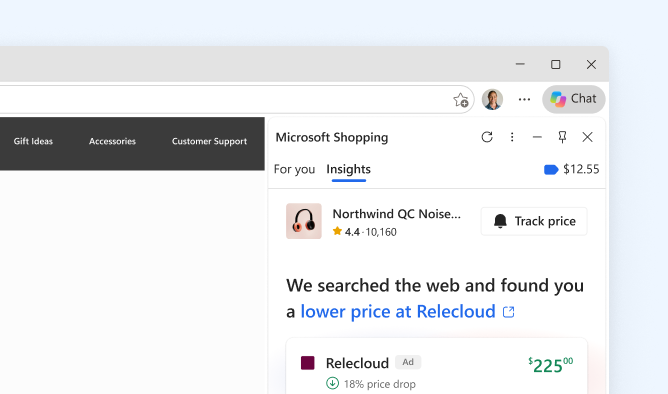
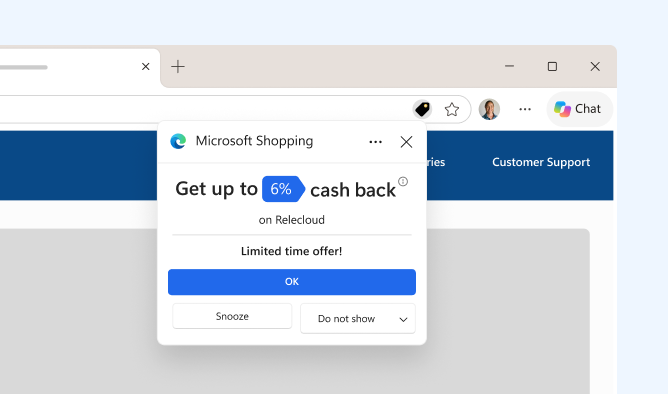
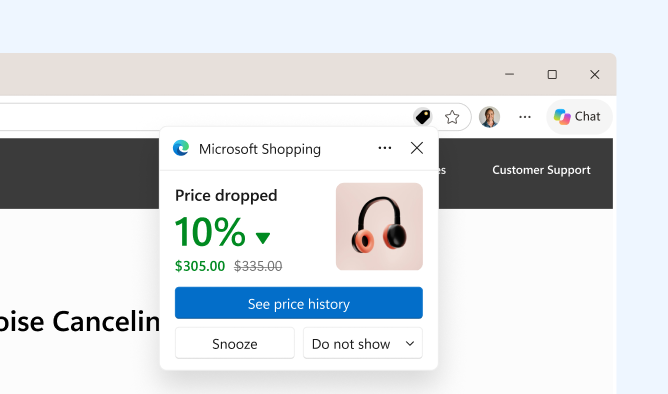
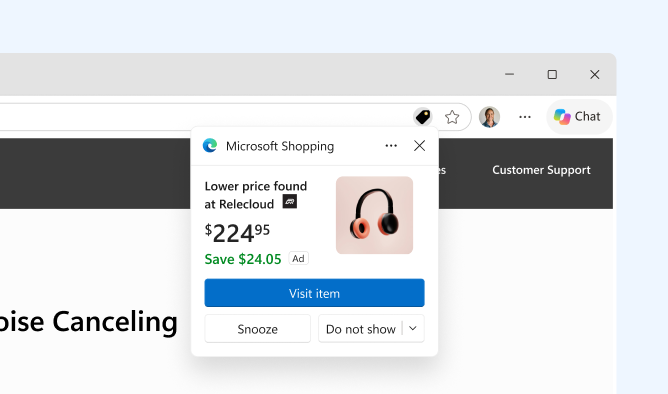
Image: Microsoft

Read our disclosure page to find out how can you help Windows Report sustain the editorial team. Read more


Improve this guide



User forum
0 messages