
Microsoft PowerPoint Live Gets Dark Mode, Better Slide Controls, and a Resizable Notes Pane


 2 min. read
  Published on
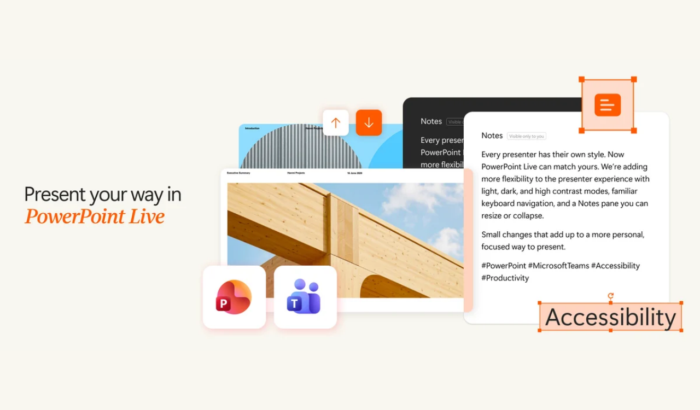
Microsoft PowerPoint Live is getting a useful upgrade that should make presenting in Teams feel less restrictive. The latest improvements bring customizable themes, easier keyboard navigation, and better control over presentation notes. These changes give presenters more room to personalize their setup and focus on delivering their slides.
PowerPoint Live gets dark mode and better slide controls
One of the biggest changes is support for light, dark, classic, and high contrast themes. Your selected Teams appearance now carries over when you start presenting through PowerPoint Live. This gives users more flexibility across different lighting conditions and accessibility needs.
Microsoft is also making slide navigation more convenient. Presenters can use the up and down arrow keys or Page Up and Page Down keys to move between slides. Compatible presentation clickers that send these keyboard commands also work with the updated controls. This means presenters can use familiar shortcuts instead of relying entirely on on-screen navigation. The changes should make it easier to move through slides without interrupting the presentation flow.
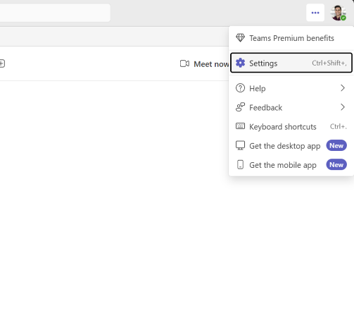
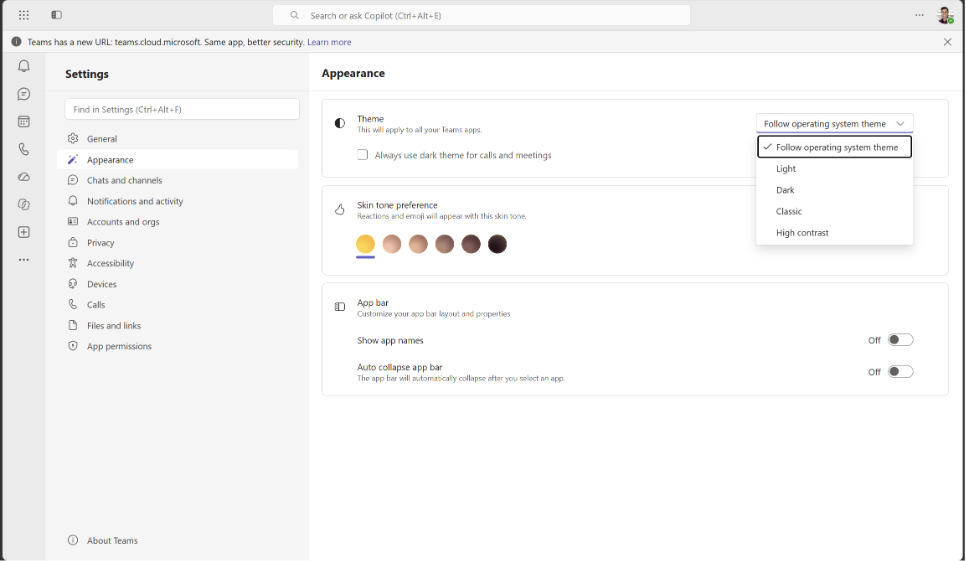
Image credit: Microsoft
The Notes pane finally gets more flexible
PowerPoint Live is also getting a resizable Notes pane, addressing a limitation that could waste valuable screen space. Previously, the pane occupied a fixed amount of room, even when presenters needed more space for their slides.
Now, presenters can drag the divider between the slide and Notes pane to adjust its size. They can expand it for easier reading, shrink it to prioritize the slides, or collapse it completely when notes are unnecessary.
To change your theme, open Teams settings through the three-dot menu beside your profile picture. Select Settings > Appearance, then choose your preferred theme. The selection will appear when you start presenting through PowerPoint Live. For keyboard navigation, simply start your presentation and use the arrow or Page Up and Page Down keys. To adjust notes, hover over the divider and drag it into your preferred position.
Microsoft says the features are rolling out gradually to monitor quality and performance. As a result, some users may need to wait before seeing every improvement. The company has not provided a specific date for completing the rollout.

Read our disclosure page to find out how can you help Windows Report sustain the editorial team. Read more



Improve this guide


User forum
0 messages