Dell Venue 8 Pro 5000 could be the sub 10-inch Windows 10 device consumers want

Unfortunately, for some, Microsoft saw fit to axe its highly rumored Surface Mini tablet, but the updated Dell Venue 8 Pro may be the sub 10-inch Windows 10 device users want. The updated Venue 8 Pro 5000 series tablet is packing more ‘pro’ features to users who are looking for a compact Windows 10 experience without compromising performance.

tablet-venue-8-pdp-love-module-2

Up front, the Venue 8 Pro 5000 comes in with the hefty price tag of $641.00 (US). Fortunately, the device is on sale for $449 (US), and the price can bottom out as low as $399 (US) depending on which version of Windows 10 is selected. While the price is much steeper than sub $200 (US) the previous iterations of Venue 8 devices enjoyed, the Venue 8 Pro 5000 does pack a feature set worthy of the increase.

On top of adding NFC, a Micros SIM slot, 64GB of internal storage and bumping up the screen resolution from 1280×800 to 1920×1200, the Dell Venue 8 Pro 5000 also packs twice as much memory as its predecessors at 4GB. Other additions to the Venue 8 Pro 5000 include a transition from micro USB to a Thunderbolt Type-C connector that is more in line with Dell’s new crop of PCs and tablets.

The full spec list and configurations of the Dell Venue 8 Pro 5000 include:

  • 8.0-inch Display with FHD (WUXGA 1920 x 1200) with touch
  • 4GB DDR3L-RS
  • Intel HD Graphics
  • 64GB eMMC Hard Drive
  • Wi-Fi 2×2 802.11 AC with Miracast, BT 4.0
  • 2MP front/5MP rear cameras
  • 19.5WHr Lithium Ion battery
  • 1 Micro SD card slot (up to 128GB)
  • 1 Micro SIM card slot
  • 1 USB Type C
  • 1 headset/microphone combo jack

TheDell Venue 8 Pro 5000 can be ordered from Dell.com and we assume it will eventually make its way to the Microsoft Store in the coming months. Interested customers should also note, the Venue 8 Pro 5000 can be used as a notepad or drawing canvas with the Dell Active Pen, but Dell sells the pen for $40 separately.

Even though Microsoft canceled the Surface Mini, the Dell Venue 8 Pro 5000 appears to be its spiritual successor in almost every way.

Let us know if you plan to pick up an updated Dell Venue 8 Pro 5000, and what how you plan to use it.
PS4 exclusive ‘The Witness’ might be coming over to the Xbox One

No self-respecting Xbox One fan likes to think that those PS4 fanboys have access to exclusive content. Of course, they do, just as Xbox One owners can take pride in their own exclusive titles. However, one PS4 title that was thought to be an exclusive, The Witness, might very well be making it to the Xbox One.

As Venturbeat.com reports, recent Entertainment Software Rating board info lists an “E (for Everyone)” rating that would indicate an Xbox One release at some point. It’s also entirely possible that The Witness is simply a timed beta, and will naturally migrate to the Xbox One when its time arrives.

The Witness is a 3D puzzle game and you can check out the game trailer below:

So, there you have it. Xbox One fans won’t need to feel envious for too long of their PS4 buddies, at least as far as The Witness goes. And they still have Rise of the Tomb Raider to feel good about.

Next Xbox One update arriving soon, maybe this week

If you’re an Xbox One owner, you’re likely itching for a new update to fix any random bugs you’re experiencing. With the New Xbox One Experience update in November being the last major update to Microsoft’s console, you’re about due. According to Xbox’s Mike Ybarra (via GameSpot), you shouldn’t have too long to wait.

Answering that very question in Twitter, here’s Ybarra’s response:

Not a great deal of detail there, and “next week” depends on how precise you want to be. Next week from last Saturday is this week, of course, and so that’s what we’re expecting. Next month’s update might be bringing the much-requested party feature, so there’s always that to look forward to as well.

Let us know if and when your Xbox One is updated, and if you see anything interesting. We’ll be keeping our eyes open as well.

Microsoft’s Office 365 boosts collaboration and productivity for Kraft Heinz Company

The numbers for Microsoft’s Office 365 continue to impress, as the adoption rate seeks new heights. However, more impressive than the adoption numbers for the cloud-based Office suite are the real-world stories of how effective and productive the services are helping customers to become.

During the Kraft Foods Group and H.J. Heinz company merger resulting in the newly established Kraft Heinz Company, both organizations relied on the services of Microsoft Office 365. At the time, the two companies used the communicative and collaborative capabilities of Office 365 to make sure their employees were up to date with information and remain productive during the transition.

North American CIO of The Kraft Heinz company, Leandro Balbinot speaks to how Microsoft Office 365 helped streamline the merger as well as continues to empower employees.

One of the first steps was to unite the underlying technology that supported both enterprises. Both companies are already used Office 365, so we could give every employee a common Kraft Heinz email address on Day One of the merger, establishing one culture and one identity right away. Speed of decision-making is key for IT, and we were lucky that Office 365 was already in use on both sides. It was helpful to leverage that strong usage and flexibility to make the whole workforce immediately feel comfortable.

The company quickly began using Skype for Business Online to streamline communication and decision-making. During the merger process, we didn’t have the luxury of emailing documents and waiting for everyone’s edits. The ability to check calendar availability, send instant messages, open a video call, share documents, and collaborate on the fly was priceless. Without Office 365, it would have taken months to create a single operating environment, instead of just a few weeks.”

Specifically, Office 365 has enabled the Kraft Heinz company employees to simplify processes, while also observing emerging trends that have allowed the business to engage with its customers and consumers more efficiently. Tools such as Microsoft Power BI help underlie the importance of big data, collecting vast amounts of info and quickly turning it insights and predictive measures for Kraft Heinz.

Perhaps, most importantly, the use of Office 365 during the company transition plays into an ambitious cost-reduction target of $1.5 billion US by 2017. Using Office 365 is enabling Kraft Heinz to run a much leaner business while continue to increase the company’s collaborative efforts on site or in remote locations.

Beyond the activation, subscription and install base numbers, it’s stories such the Kraft Heinz company merger relying on Office 365, that are helping investors see the merit of Microsoft’s transition to the cloud. As big data analysis and employee mobility continue to be a merging intersection in business, Microsoft’s Office 365 appears to be the best single-packaged solution for heavy-hitters in the industry.

This Universal Windows 10 app keeps track of upcoming space launches and events

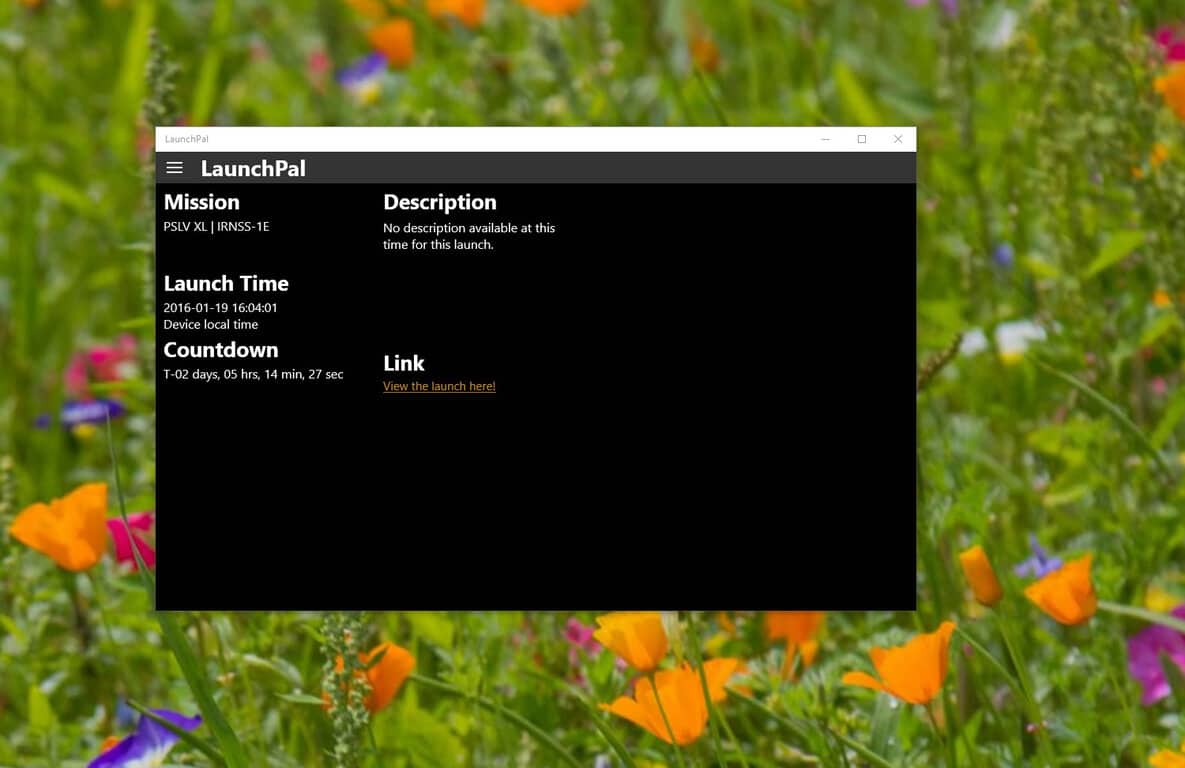
For those of you who enjoy watching space launches or special events, you really need to snag this Universal Windows 10 app.  The app is called LaunchPal, and it has one simple mission: keep you notified whenever there is an upcoming space launch or event. Here’s the official app description:

“LaunchPal is a perfect companion for keeping you up to date with upcoming space launches and events. It keep tracks of the next planed launch and displays the launch time and a countdown timer for easy planing.”

The app has a super simple layout and is compatible on both Windows 10 desktop and Windows 10 Mobile. Opening the app displays the relevant information, such as the next mission planned, when the next launch time is scheduled, how long you have to wait, a short description, and a link to view the launch (if a live stream is provided).

It’s a super simple app and definitely worth grabbing if you are into SpaceX or any other space organization. In a future update, i’d like to see a live stream of a space launch within the app as opposed to a link that just opens up the browser. The app is free and you can download it below.

LaunchPal
LaunchPal
Developer:
Digitalzoolutions
Price:
Free

Microsoft has filed for a new game software trademark called ‘Roboraid’

Microsoft has filed a new trademark for something called “Roboraid.” The trademark is filed under Class 09, which means it’s specifically designated as some sort of game software. Due to the nature of trademark leaks – being that they give us a name and a type of trademark and not much else – we know absolutely squat about what Roboraid is meant to be, apart from a game of some sort. That said, any more first party titles to beef up Microsoft’s 2016 in gaming could come as a welcomed fortification to an already strong lineup.

Xbox has been doing a mind-boggling job so far this year. On top of bringing AAA titles like Gears of War 4 and Quantum Break to us later this year, the company has also managed to snag DC Universe Online for the Xbox One, a game that was previously owned by Sony Online Entertainment before they sold their IPs (like H1Z1 and Planetside 2) to Daybreak games. If this new Roboraid game can do anything interesting, then it’s going to be welcomed by audiences on Xbox One and/or Windows 10.

The current lineup is somewhat lacking in truly unique ideas, and Microsoft’s first party titles currently are somewhat lacking in the sort of color and bright tone that many people are growing more accustomed to lately. Roboraid, something that has a relatively campy name, might end up being the sort of lighthearted and unique IP that Microsoft needs to put some variety into its portfolio in 2016.  While all we can do right now is speculate, it’s exciting to think that there may be some new life being breathed into Microsoft’s first party lineup.

Outlook Calendar app for Windows 10 gets new ‘year’ view option

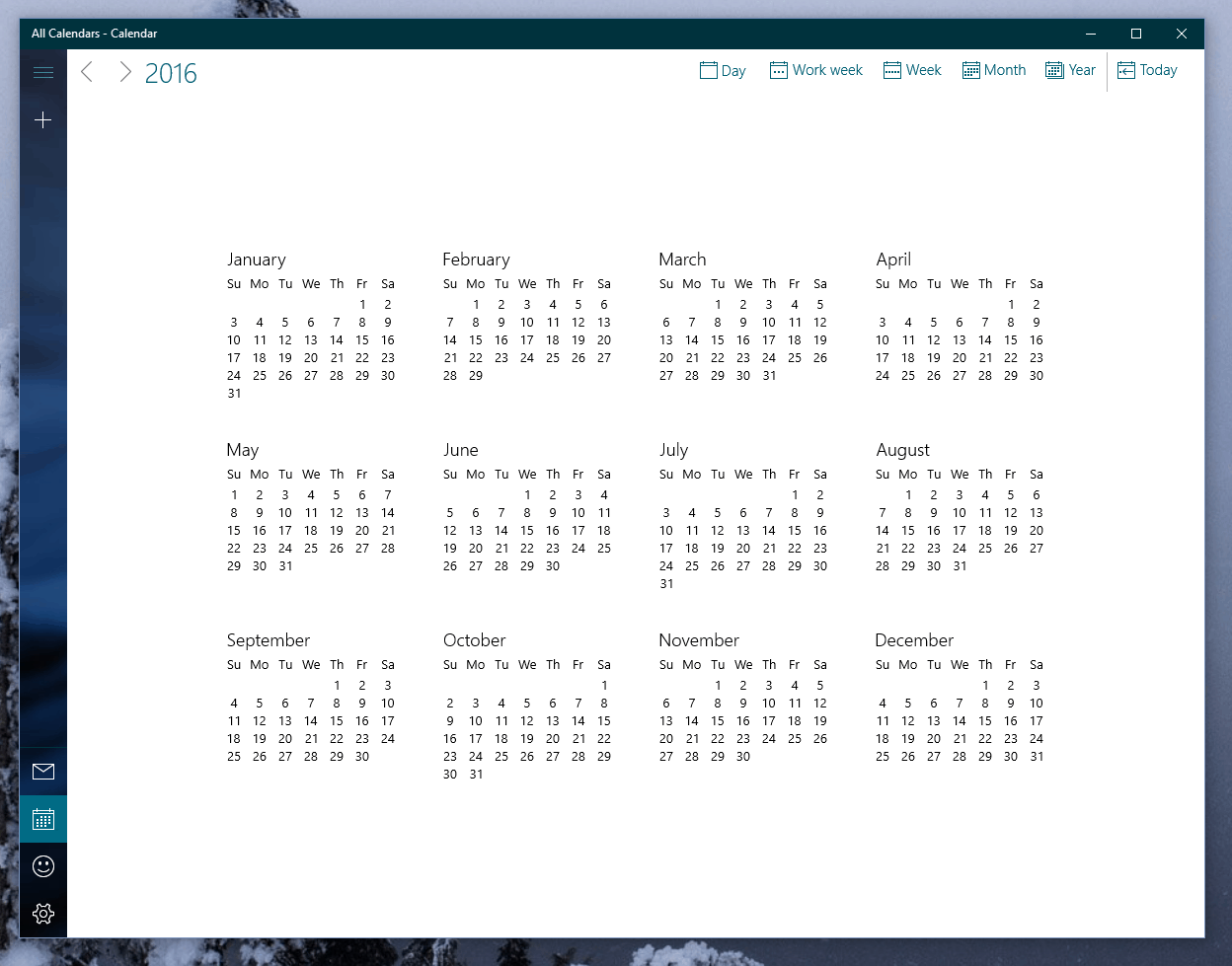
For those who wanted the Calendar app to have a bit more of a “New Year” feel this January, the newest addition to the Calendar app in Windows Insider build 11099 is offering a new “year view.” The new year view lets users of the Calendar app see the entirety of their year in just one screen – a perspective that’s relatively new, and certainly welcomed among those who tend to rely on the Calendar app to plan out their day-to-day lives.

The update is currently only available on the new Insider build (for those who have it, your version number for the Calendar app is going to be 17.6568.116421.0. Otherwise, your version number will be 17.6525.42271.0). Since this isn’t necessarily a massive change to the app, it’s likely that the update should be coming to non-Insiders relatively quickly. It isn’t much, but the new addition to calendar certainly has its place in the app.

Thanks for the tip, Patrick!

Microsoft gives developers hints on creating more visible Windows 10 apps

Any app developer knows that it’s an intense struggle to try and be noticed in today’s climate of mobile applications. With thousands of new apps being brought into the app store on any given day – even on the Microsoft Windows Store, which has a selection currently paling in comparison to its competitors – it’s becoming increasingly difficult to try and be heard among the sea of apps that vie for the attention of users. In a blog post, Microsoft gives us a rundown of 6 ways an app developer can give their apps more visibility when trying to stand out.

#1: Create an original app. Make sure you own the name, brand, icon and content

This is one of the big pitfalls several budding developers fall into. Whether they’re using assets on the internet to try and cut corners in development, or if they’re purposefully using the name of a more popular app to try and get cheap attention, things never turn out well for developers who rely on others’ work.

#2: Make sure your app stands out and has compelling capabilities

This is pretty much common sense for developers, but still, it needs to be said. There are such an overwhelming amount of apps out there that just plain aren’t ambitious – as a result, they’ll never succeed. If you have an idea for an app, bring it to the drawing board and start expanding it before you begin production. Think about what other apps are doing with that idea and try to combine all of those ideas into one package. Once you have one dedicated app that can tackle multiple issues, you’ve got a good app on your hands.

#3: Build one great app instead of several related apps

It’s a simple, all-encompassing concept: quality over quantity. When users look through your history, they don’t care how many apps you’ve made. They care about how polished your products are. If a developer makes their name pumping out shovelware, they’ll never get anywhere.

#4: Make a good first impression with metadata that’s compelling and accurate

When users are deciding whether or not an app is worth their time, all they really have to go on is the metadata. Your app’s name, description, and especially its screenshots have to be chosen very carefully. It may have taken you months of hard work to put together your app, but if your metadata isn’t interesting, it only takes a user a second to close the page. Microsoft put up this post not too long ago to help polish this data.

#5: Know and follow the Windows Store certification process and policies

It’s beyond important that you check the Windows Store policies and the common certification failures before you try and submit your app to the Microsoft store. Microsoft checks every app that’s given to them for malware and compliance to their rules, so if you aren’t absolutely sure that you’re playing by the rules, you risk having your app rejected. For your own sake, double check and make sure your app checks out before you submit it.
#6: Keep a clean record

If you put something up on the app store, you’d better believe in its quality. Your reputation as a developer matters when you put apps out there, and that reputation is easily tarnished if you have a history of sub-par products. Just make sure that you’re proud of everything that you work on, and your time as an app developer is guaranteed to be more fulfilling.

Microsoft takes Xbox 360 class action appeal to the U.S. Supreme Court

Last year, a class action suit against Microsoft over issues with the Xbox 360 was allowed to proceed by the 9th U.S. Circuit Court of Appeals in Seattle. The suit alleges that Microsoft must address a design flaw that causes game disks to be damaged while Microsoft counters that only a small percentage of users (0.4%, to be precise) are affected and thus the issue must be due to user error.

It seems that Microsoft disagrees with the lower court, however, that a class action lawsuit is appropriate, and is appealing to the highest court in the land. That would be the U.S. Supreme Court, of course, which has agreed to consider the case and put the question on the docket, according to Reuters.

Previously, the case was dismissed by U.S. District Judge Ricardo Martinez due to a dearth of complaints (hence the significance of the 0.4%). Previous case law suggested that class action suits like the one against Microsoft need to reach a certain threshold of complaints to reach class action status.

The U.S. Supreme Court will be addressing the case titled Microsoft Corp v. Baker, No. 15-457. Xbox 360 users with ruined disks will no doubt be paying close attention to the case (or just checking back with WinBeta to learn about the Court’s decision).

Plants vs. Zombies Garden Warfare 2 Multiplayer Beta now available on Xbox One

Plants vs. Zombies Garden Warfare 2 Multiplayer Beta is now available for Xbox One. The Garden Warfare 2 Multiplayer Beta started yesterday, but if you are still interested, the multiplayer beta runs until Tuesday, January 18. Xbox Live Gold members can play the Garden Warfare 2 Multiplayer Beta with up to 24 friends simultaneously!

Garden Warfare 2 takes the battle for suburbia to new heights with six new characters and two new game modes. On the plant side, there’s Kernel Corn, Rose, and Citron. On the zombie side, there’s Imp, Super Brainz, and  Captain Deadbeard. The two new game modes sound interesting too; Herbal Assault and Gardens and Graveyards.

The battle for suburbia grows to crazy new heights in Plants vs. Zombies Garden Warfare 2 Multiplayer Beta. Whether you play as a plant or a zombie, it will be interesting to see how crazy the Xbox One gameplay will get with 24 simultaneous players. So far, Garden Warfare 2 is shaping up to be a good sequel so far. Try it yourself and you’ll see. Remember: you have until January 18 to play Garden Warfare 2 Multiplayer Beta. After that, you’ll have to wait for the full release of Plants vs. Zombies Garden Warfare 2 on February 23. Give it a try (it’s free).

Download Plants vs. Zombies Garden Warfare 2 Multiplayer Beta for Xbox One (free).

How to follow eSports on Windows 10

With the Halo World Championship almost on our doorstep, offering its teams millions of dollars in prizes, some of you might be thinking to yourself: “What’s with this whole eSports thing, anyways?” It’s a common question being asked by no small portion of people as eSports become a bigger and bigger deal with each passing day. Tournaments like The International, for DotA 2, and Worlds, for League of Legends, garner the undivided attention of millions of people, and make mind-boggling amounts of money – in no small part due to the fact that just about anybody can be a spectator to nearly every eSports event without spending a penny.

Twitch.tv
Twitch.tv

Being an eSports fan is just like being a fan of traditional sports, except there’s more to watch, and you don’t have to spend obscene amounts of money on cable. As a budding eSports fan, the first thing you need to be familiar with is Twitch.tv. Twitch, for the uninitiated, is a website built around two things – the first of which being charismatic people who run entertaining shows playing video games (you can equate these people to radio hosts, though the professionals among them tend to do daily streams that can run as long as 8 to 10 hours, instead of just 1 or 2.)  The second, and most profitable, is the hosting of eSports tournaments. These tourneys can be as large as multi-million dollar affairs like Worlds, or as small as a non-profit affair run by some college students – there’s almost always something that you can look forward to watching.

As a Windows 10 user, you’ll be able to go down several different avenues to observe some of these events on Twitch.tv. Apart from just going to the website, you can choose one of the few Windows 10 third party apps that plug into Twitch.tv. Apps like 8Stream, Unstream, and MyTwitch are all perfectly functional applications – just pick your personal favorite, and start looking for tournaments for your favorite games.

League of Legends
League of Legends

On that note, once you’ve picked your favorite streaming service, you should pick the game you want to start following. Some eSports fanatics tend to follow the goings-on in every major eSport, but the majority of fans tend to just pick one game and stick with it. If you’re familiar with – or looking to get familiar with -MOBA’s (That’s Multiplayer Online Battle Arenas) you may want to check out League of Legends, as it’s by far the most popular and well-supported eSport that’s out there. DotA 2 and Heroes of the Storm are both excellent, and incredibly fun to watch. If you’re worried you won’t know what’s going on, don’t be. eSports often have a color commentator and play-by-play commentator, just like in traditional sports.

Judging by the fact that you’re reading this, it’s a fair assumption to make that you’re a Microsoft fan. As such, you may be curious as to how everyone’s favorite tech company is making its way into this new industry of entertainment. You’ll be pleased to know that Microsoft has been, slowly but surely, making its mark on eSports throughout last year, and is about to start kicking that into high gear with the upcoming release of Rocket League and Gigantic for Xbox One. If you don’t want to wait for these two games to bring eSports competition to Microsoft, then look in the direction of the Halo World Championship. The qualifiers for ESL (Europe’s eSports league) and MLG (North America’s eSports league)  are going to be having tons of placement matches tomorrow, January 16th.
If you don’t feel like spectating, or for some reason you can’t quite devote the time to doing so, you can check out websites like theScore eSports. The name may sound familiar to some traditional sports fans, as theScore has been one of the leading online sports news outlets for a while, and has gotten on the eSports bandwagon fairly quickly. They cover a large variety of different eSports, reporting on tournament standings, upcoming events, roster changes, and anything else that you’d want to know as an eSports fan.

Whether you’ve never heard of eSports, or if you’ve heard of it and didn’t approve of the concept, keeping an open mind about it could help you find a new interest. Following the eSports scene is fun and satisfying, offering all of the healthy competition and perks of traditional sports (things like following roster changes, tournament standings, and even creating Fantasy leagues) while cutting out plenty of the issues (cost barrier to spectating, only one season to watch all year.)

8Stream
8Stream
Developer:
Infinite Loop CH
Price:
Free


Unstream
Unstream
Developer:
Travis Liew
Price:
Free


MyTwitch
MyTwitch
Developer:
AngryCat
Price:
Free

Microsoft to reportedly buy global ad platform InMobi

Microsoft isn’t as much of an advertising company as, say, Google and Yahoo, both of which rely on advertising dollars for the majority of their revenues and profits. That doesn’t mean, however, that Microsoft doesn’t care about ad revenues. A new rumor has it that Microsoft might purchase mobile ad platform InMobil, if true, makes the company’s interest all the more obvious.

As investment site Seeking Alpha reports, Microsoft is allegedly beating out both Google and Yahoo in the acquisition, with a target price of close to $2 billion. Certainly, Microsoft has the cash for such acquisitions, and with Microsoft smartphone platform suffering in terms of gaining market share, Microsoft needs to increase its presence in advertising via the other, vastly more successful mobile platforms. Think of it as Microsoft’s cross-platform strategy for ads.

Seeking Alpha points out that Microsoft is InMobi’s largest customer, which means the acquisition would make for a good fit and likely bring built-in financial benefits to Microsoft. Rather than paying InMobi a cut, all advertising dollars would show up on Microsoft’s balance sheet. That’s a win-win for everyone.

Microsoft continues to make some bold moves in this space, in both directions. The company made some noise when it handed over its display advertising business to AOL, while in other deals Bing has become the search engine for the likes of Apple’s Siri and the AOL search traffic that powers the display ads that Microsoft no longer manages itself. Advertising and search are complicated businesses, clearly, with all sorts of permutations and combinations–the process of sorting through tactics to accomplish strategic goals must give Microsoft executives massive headaches.

Nevertheless, with the InMobil purchase, Microsoft gains another foothold into iOS and Android, and one might argue that Windows 10 Mobile thus becomes a little less important. There’s no doubt about it–2016 is going to be a very, very interesting year in determining the future of Microsoft’s smartphone strategy.

Survey shows Windows 10 usage among consumers is high, and so is satisfaction

According to a survey conducted by the research firm IDC, about a third of US Windows users are running the latest Windows 10 operating system (via Computerworld). The survey was conducted in September and polled 1,000 users who owned a computer about their view regarding Microsoft’s latest operating system.

According to the results, almost 30 percent of the people polled were running Windows 10 on their computers with 27 percent respondents running Windows 8. Still, 28 percent of the users reported they are running Windows 7 as the operating system on their devices.

The survey respondents also rates the satisfaction rate for the new operating system high. Almost 60 percent of the people running Windows 10 rated it as “favorable” or “very favorable” when asked. There were a few people who were not completely satisfied, but that’s bound to happen, not every user is happy with new operating systems, whether it’s Microsoft or any other firm. According to the survey, one out of 10 people picked “unfavorable” when asked.

Some other research firms who conducted a similar survey for September pegged the market share for Windows 10 to be quite lower. StatCounter results showed a 9 percent market share out of all operating systems, while Digital Analytics program put the market share on 9.2 percent for September. The differences can arise, as IDC’s Tom Mainelli said that 30 percent of the correspondents of the survey they took were Windows 10. “As with any consumer survey, it’s not possible to verify what they’re claiming,” Mainelli said.

Furthermore, the survey also said that 45 percent of the people who are running the new operating system upgraded after clicking Microsoft’s notification app which came up. On the other hand, 37 percent of the people said they were a part of the Windows Insiders program started last year and upgraded as soon as Microsoft released the new operating system in July 2015. Five percent of the people surveyed said they bought a retail copy while a similar percentage of people said they received the new operating system with their new computers. Not many are interested in picking up a new system just for the sake of Windows 10, which brings us to another important point, that is, it’s not a major factor that can boost PC sales at the moment.

“The poll shows that people using Windows 10 like it, which is a positive,” Mainelli said. “And this survey shows that while many consumers have embraced Windows 10, they’re not necessarily buying new systems to get it.”

PC shipments are declining year-on-year, and the recent report from Gartner estimated the decline at over 8 percent for the fourth quarter with the shipments expected to become slightly better in late 2016. As for IDC, they estimated a global industry decline at 10 percent, but it’s a little better in the United States for 2015 — the decline was slightly less compared to the global market.

It remains to be seen Windows 10 can really help kick off PC sales for this year as there are a number of other devices making rounds in the market, especially tablets.

Windows 10 ARM64 support coming with Redstone later this year

Microsoft is looking to have Windows across all device categories, including 64-bit computing on ARM, according to a new job listing on the Microsoft Careers website. The listing also mentions that Windows 10 ARM64 support is “aligned” with the upcoming Redstone release, the next big update to Windows 10 slated for later this year. Here’s a snippet from the job listing:

Are you passionate about creating the operating system foundation to enable breathtaking experiences? The silicon ecosystem is always evolving.   Windows across all device categories is readying for the introduction of 64 bit computing with the ARM instruction set (ISA).   Bringing a new ISA to market involves working both broadly and deeply across Microsoft from devdiv to WDG to Server to Office and others depending on the scope of product target.

So what are the benefits of Windows 10 with ARM64 support? As Windows Central points out, imagine a phone that could utilize between 4 to 8GB of memory and the potential of running x86 apps with the rumored x86-to-ARM emulator. It would make an awesome Surface Phone, wouldn’t it?

https://twitter.com/h0x0d/status/687852255580585985

Here are the responsibilities for the job:

  • Building the plan for ARM64 aligned with the Redstone wave
  • Identify the “big rocks” we need to move, solve, make it happen
  • Build the all-up view of where we are, drive the schedule
  • Work to ensure the necessary hardware is planned for and delivered on time

The interesting takeaway from this is that Microsoft is looking to add ARM64 support to Windows 10 with the upcoming Redstone update. Rumors have been circulating about a Microsoft Surface Phone being in the works, and chances are this news may be related to that device.

There aren’t many details on the topic and saying anything more would just be pure speculation. We’ll keep you posted if we hear more on Windows 10 ARM64 and the Surface Phone.

Microsoft reveals the secret origins of Continuum

One of the most-hyped features available in new Windows phones running Windows 10 Mobile is Continuum, the ability to connect a mobile device to a larger monitor for a fuller Windows 10 experience.

Microsoft has decided to reveal a little bit more about how the feature came to be and claims that the initial inspiration for Continuum came from countries where mobile devices are the primary device of many users. “We knew this was especially true in emerging markets where people rely only on their mobile phones to get online,” Microsoft’s Principal Program Manager Lead, Keri Moran says. “So — with these thoughts top of mind — we set out on our mission to help people get real work done with just their phone.”

In their research, which was conducted around the world in numerous regions, Microsoft discovered that what mobile users really wanted was a phone that did more and took the tech to the next level. “We realized that people embraced the idea of having a phone that could work like a PC.”

There were two main hurdles encountered while designing Continuum. One was making sure users could use a keyboard and mouse with their mobile device, the other was more complex. “We needed to create a new design paradigm with two independent experiences – one on the phone and a separate one on the second screen,” Moran says of the challenge. “This was important because customers wanted to continue to use their phone as a phone, even while having a PC-like experience on the second screen. We spent months iterating with paper and software prototypes to arrive at an experience that was easy to understand and use.”

Continuum is now available in newer phone models running Windows 10 Mobile such as the Lumia 950 and Lumia 950XL with the assistance of either a small dock or wireless dongle. Is Continuum something that you use or have an interest in using? Let us know in the comments below.

Xbox One gamers granted free access to all EA Access titles

Xbox One owners with Xbox Gold Live are in for a treat next week as subscribers are being given free access to all of the Xbox One titles in EA Access.

EA Access is a secondary program on Xbox One that usually requires its own paid subscription. Members are given access to EA Xbox One games ahead of public launch dates and a variety of games are playable for free. Between the 19th and 24th of January, Xbox Gold Live members can download the EA Access app on their console and enjoy all of the games in its “vault”. These titles include Battlefield Hardline, EA Sports UFC, Battlefield 4, FIFA 15, Madden 25, Dragon Age: Inquisition, NHL 15, Titanfall, Plants Vs. Zombies Garden Warfare, Need for Speed Rivals, NBA LIVE 15, Peggle 2, FIFA 14, and Madden 14. Both paying EA Access subscribers and those sampling the program next week will be given a 10% discount on all EA games purchases on Xbox One which could make this a good incentive for anyone thinking about buying one of EA’s games sometime in the near future.

Due to players being given access to the full games, any progress made and content unlocked will be saved to the cloud for further play in the future should they either buy the full game or choose to become an EA Access subscriber after the 24th. EA Access typically costs around US$4.99 a month or US$29.99 a year. Recently, EA confirmed that the company is considering providing backwards compatibility to Xbox 360 EA games through the EA Access program however the release of specific titles is said to depend heavily on if they can get them working on the Xbox One in the first place.

Are you an EA Access subscriber? Would you recommend it to someone else? Let us know in the comments below.

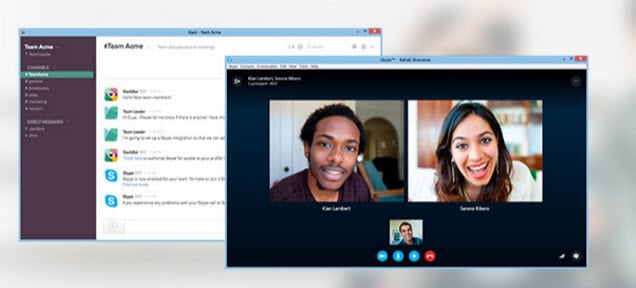
Microsoft and Slack work together on Skype integration preview

Slack is a popular tool for team communications, used by organizations like NASA to create communications channels around projects, teams, topics, or just about anything. Microsoft’s Skype is a popular video and voice communication tool, of course, which has been in the news quite a bit lately with a steady flow of improvements. Now, Microsoft wants us to know that a preview of Skype-Slack integration is now available.

Slack Skype Integration Preview

Here’s what you can do:

Move your work discussions into a free group call with our Preview of Skype integration for Slack.

The process of creating a group call in Skype from a Slack conversation is relatively straightforward:

Step 1: Click the “Add to Slack” button above to start the setup.
Step 2: Confirm the team you want to integrate with. Select “Authorize” if it’s the team you’re looking for, or “Change teams” to switch.
Step 3: Great, you can now use Skype with Slack. Simply type /Skype in any channel to start a free group call.

You can initiate a call with a team or an individual within Slack by typing /Skype into a channel. Skype accounts aren’t necessary to join a call from within Skype, although for now users will need to use the Web version of Skype (mobile guest calling coming soon). Finally, Slack notifications are available whenever there’s a Skype call to join.

So, there you have it, Slack users. You can now check out Skype as an easy-to-access voice and video call solution for your teams. Check it out, and let us know how it’s working for you in the comments below.

Microsoft’s Peggy Johnson warns of missing an emerging female market

At an event titled Hack for Her Summit, Microsoft’s recent acquisition all-star Peggy Johnson took the stage to cement a relatively unspoken cultural phenomenon. Microsoft’s executive vice president of business development spoke to a crowd gathered at the Impact Hub in Seattle about the buying power of women in established as well as emerging markets.

We all have to think about the emerging markets. And you probably have given a lot of thought to the largest emerging markets, China and India,” Johnson said. “But I think what gets lost is that a bigger emerging market is, surprisingly, women. Women themselves are an emerging market. There are more and more women entering into the workforce themselves. More and more of them are making more money.”

The notion of women as a purchasing populist is not a new revelation. Johnson concedes that women make up 75 percent of household buying decisions, at least in the US. The percentage of purchases decided by women translates into a staggering $18 trillion in earnings worldwide for businesses. More to the point, Johnson isn’t speaking about making more ‘women-friendly’ products to catch dollars, as much as she is pleading that companies need to start specifically designing for women or with women in mind from the start.

According to a report from GeekWire, during her talk at the diversity promoting summit, Johnson pointed to several instances in which production of the Surface line took input from female engineers and developers to make a product that could be handled by both men and women comfortably.

As passé as it may sound in this new climate of female-led diversity initiatives, having women with just as much say in the design, marketing, manufacturing, promotion of products as others will help to mitigate products designed for men but ‘sparkled’ or ‘pink’d’ up for women. Johnson’s points are that a company’s culture has to embrace female input, positioning and leadership. Johnson warns that businesses that are slow or fail to understand the ‘emerging’ presence of women buyers could lose out a significant amount of money that women are willing to spend.

The former Qualcomm executive-turned-Microsoft acquisition hitwoman has anecdotally flexed her own purchasing power, helping the company gather a collection of app suites and developers to help promote the company’s cross-platform push. Johnson’s credits go even further than large-scale acquisitions, into seemingly long-term beneficial collaborations with companies such as Android developer and now handset-maker Cyanogen and competing cloud storage solution Dropbox.

As the bell for diversity continues to ring, and change, albeit slowly, also proliferates throughout the halls of industry, the hope is that both male and female buyers will benefit from more thoughtfully designed products in the future. We’re all for it, and hope that Johnson can make some impact in that arena as well.

Xbox One background music coming in the summer, at the earliest

Xbox head Phil Spencer announced that the Xbox One won’t be seeing background music until sometime in Summer 2016, at the earliest. Disappointing news to say the least. You can technically play music while playing a game on Xbox One, but only when you use the “snap” feature to snap an app, like Groove Music. The problem with snapping Groove Music while playing an Xbox One game is that it takes up a good portion of the screen and can be a distraction.

Playstation 4 is already able to play background music and the situation is especially frustrating for Xbox One owners, as the Xbox 360 can easily play background music already. You would assume that background music functionality would be a feature that Microsoft would bring from Xbox 360 to its next-generation console, the Xbox One, wouldn’t you? Apparently that’s not a safe assumption.

On the Xbox feedback site, more than 22,000 people have requested “Play Music From Apps Without Snap (Background Music),” since the post was created in June 2014. No clues as to how this basic and much requested feature slipped past Xbox executives, but they should make adding in background music playing a priority for sometime well before the summer.

Microsoft dabbles in football with Liverpool FC – Skype partnership

Microsoft Skype has been in the news quite a bit lately, with Skype Translator coming to all Windows desktop users, Skype scheduling added to Outlook for iOS and Android, and Microsoft is investing in Skype for Business technology. The other day, Microsoft’s Skype blog let us know that they’re looking to have a little fun, as well, via a partnership with the UK football team Liverpool FC.

Skype’s sister service Bing has kept up with American football with Bing Predicts picking NFL games and predicting the upcoming playoffs. Now, Microsoft is getting in on the global football sensation by working with Liverpool FC.

Liverpool FC Skype

First up is a Liverpool FC Skype ID, LFCofficial, where fans can share in the excitement, win merchandise, chat with players, and more. You can find out more at liverpoolfc.com/skype.

Next up are new Skype emoticons, with Jürgen Klopp, Daniel Sturridge, Philippe Coutinho, and Jordan Henderson on board and some secrets waiting to be found.

Liverpool FC Skype Emoticons

Here’s more from Microsoft:

To celebrate the launch of our partnership, we’re giving away a pair of tickets to a massive Barclay’s Premier League match at Anfield against Manchester United.* To enter, simply send your match day ritual to LFCofficial on Skype by following the three easy steps below:

1. Open Skype. If you don’t already have Skype, download it here
2. Add LFCofficial as a contact.
3. Start a new Skype conversation with LFCofficial and tell us your match day ritual. We’ll let the winner know via Skype

Follow the #LFCTogether to keep up to date, and as always there are terms and conditions to keep in mind. Don’t let the legal details get in the way, though–if you’re a football fan and even more specifically a Liverpool FC fan, then Skype really wants to keep you involved in all of the action.

Xbox One, Microsoft, and Bill Gates feel Snoop Dogg’s wrath over Xbox Live outages

Due to yesterday’s Xbox Live outages, Snoop Dogg lashed out at Bill Gates for his inability to play his friends online with his Xbox One. Snoop let his frustration be known on Instagram and threatened to defect to Playstation 4 over the Xbox Live outages. Xbox Live was only down for a few hours, but that didn’t matter much to Snoop.

Here’s Snoop’s Instagram video, and if note that it’s definitely NSFW. Mind your volume for sure.

Usually, Snoop is laid back about most things, but apparently not when it comes to his Xbox Live. Snoop can rest assured that when compared to Playstation Network, Xbox Live has fewer outage problems and is less likely to be hacked. In response to Snoop’s Instagram post, many Playstation 4 owners were quick to point out that the Playstation Network is not nearly as reliable as Xbox Live.

With Microsoft being the giant company that it is, it isn’t fair for Snoop to blame everything on Bill Gates. Gates spends more time overseeing the activities of the Gates Foundation than he does at Microsoft. But, you can’t blame Snoop either for wanting a reliable Xbox Live service, especially when you’re a paying customer. Either way, Microsoft should be doing their best to make sure Xbox Live is always online to make sure Snoop doesn’t drop the hammer down on Xbox One, Microsoft, or Bill Gates ever again.

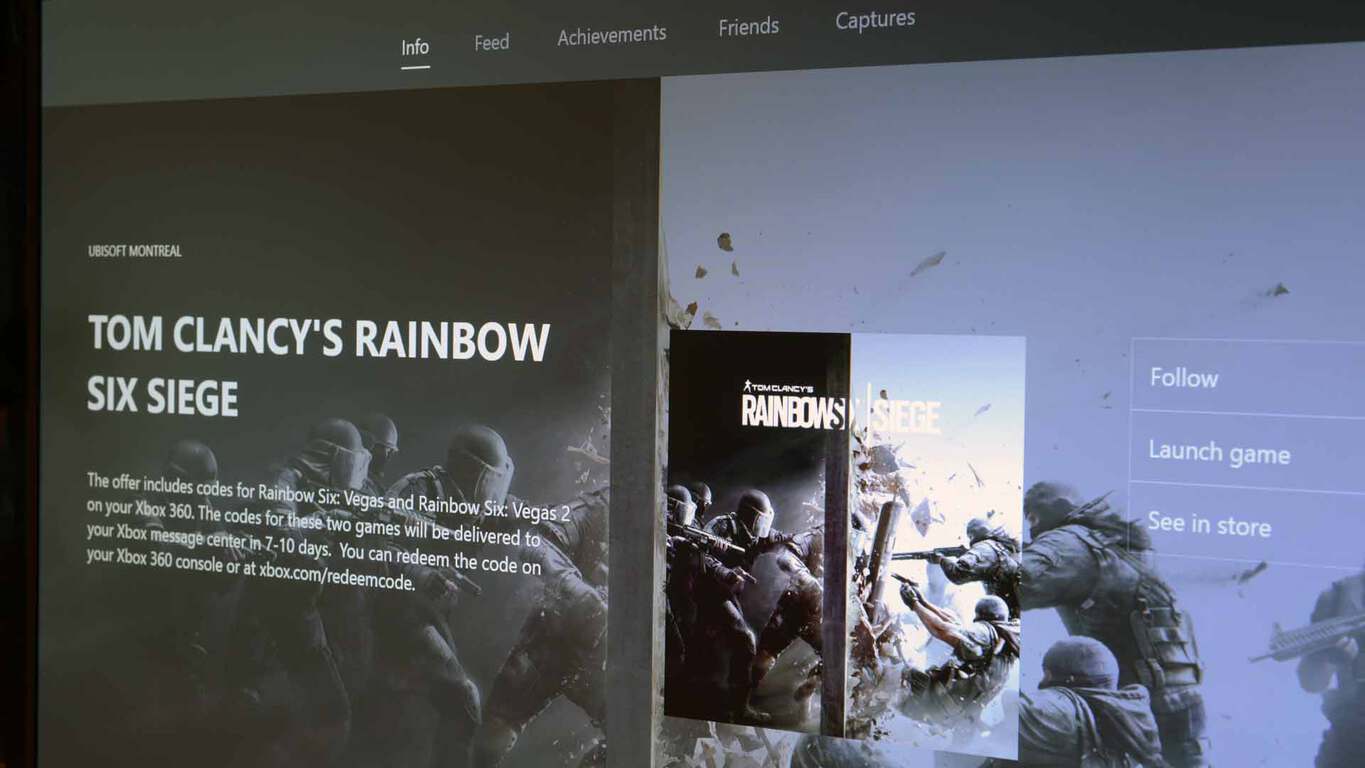
Rainbow Six Siege for Xbox One updated to version 1.2, improves connectivity and gameplay

Ubisoft released an update for the console version of Tom Clancy’s Rainbow Six Siege which brings the game to version 1.2 for Xbox One players. The fixes in this patch have already been available for the PC version of the game for the past week, but now the console editions are receiving the same treatment for fixing connectivity and gameplay issues.

rainbow six siege

The fixes include an update to the server tick rate, refined matchmaking with added criteria, improved connectivity, and fixes for gameplay issues ranging from tweaks in the Heads Up Display, level design, UI, and audio fixes. One of the more important updates are changes to the banning policy: from now on, all detected cheaters will be permanently banned from the system.

The full list includes (via Ubi here and here):

Hit Registration Improvements

Updated the server tick rate for all PC users, coming soon to consoles

  • With the goal of improving positioning and shooting replication, we had deployed a first update on PC in which the player position update rate is set to 60 times per second (vs. the previous 30). This change however has been done in an intermittent fashion and in certain regions only, as we were testing various configurations. We are now satisfied with its state so we are now deploying this update to all PC users. As soon as this feature has been validated with this more massive test on PC, we will be deploying this update on consoles as soon as possible.
  • Data center selection is now possible (PC users only, for now)
    PC users can change their default data centers in the Rainbow Six game settings file (gamesettings.ini), which is usually located in the ‘My Documents\My Games\your Uplay ID’ folder. Change the DataCenterHint value from ‘default’ to the region’s short name that you wish to have as your default data center. The available region short names can be found just above the DataCenterHint line.

 Matchmaking Improvements

  • Refining the quality of PVP matches with more evenly matched opponents.
  • Added a criteria that increases the odds of pre-made parties being matched against a squad with an equal number of pre-made parties within them.
  • Skill criterion originating from the player’s region is now more precise.

 Improved connectivity to PVP and PVE matches

  • Increased match quality by ensuring players using the same data center get matched together, leading to better ping.
  • Improved accuracy of the estimated waiting time while in lobby.

 Top Community-Raised Bug Fixes

  • Please be aware that this is not an exhaustive list and that we are only highlighting fixes that were done about the most commonly raised community bugs.

 Gameplay Fixes

  • Ranked matches HUD synch with Casual update has been applied (read: playlist changes from this post).
  • Did some fixes on an issue in which players would get stuck when walking, running or at the end of a rappel. The player could do other actions and rotate but couldn’t move.
  • Some situations still cause this bug. It is a work in progress.

 Level Design Fixes

  • Kanal: fixed a bug in which the red blocker wall was not present on a window in the holding room for Defenders and allowed them to exit their zone during the preparation phase.
  • Some lighting issues on maps have been fixed.
  • Some minor collision issues have been fixed on House, Clubhouse, Kanal and Russian Café

 Online Flow Fixes

  • Fixed Error [3-0x0001000B].
  • Partial fix of Error [2-0x00000041]. Refer to Top Issues in the Known Issues post for full information.
  • Partial fix of the loading screen freeze (smoke background). Refer to Top Issues in the Known Issues post for full information.

 UI Fixes

  • Player skill rank display has been re-activated.
  • Authentication pop-up title had inconsistent spacing.

 Audio Fixes

  • XB1: Fixed a bug in which if a player constrained the game, snapped an app, then unconstrained the game, he or she would lose the voice chat.
  • XB1: Fixed a bug in which the game did not exhibit any audio whilst the player had any app snapped.

 Other Fixes

  • The Season Passes temporary activation for everyone for issue identification purposes has now ended, see this post for more details.
  • Fixed a bug in which the Tier 5 faded skin for the FBI’s 5.7 USG pistol didn’t unlock even after purchasing it.

Some of the patch notes say the fixes are PC-only, with console support coming soon, but that is because the changes were listed last week when the PC update went live. The “coming soon” date was actually yesterday, and the changes have gone live for Xbox One players as well.

rainbow six siege

Ubisoft also released version 1.3 for the PC edition of the game today, which is expected to be released for Xbox One next Wednesday January 20th. Version 1.3 continues to improve the server tick rate, improve anti-cheating efforts, and close off some exploits that give players an advantage. Some of the fixes in 1.3, specifically the ones dealing with cheating and exploits, are going live immediately for the console editions, while other bug fixes will come to consoles next week.

Here are the patch notes for 1.3 which PC players will notice right now:

HIT REGISTRATION IMPROVEMENTS

  • Updated the server tick rate for console users
  • With the goal of improving positioning and shooting replication, we had deployed a first update on PC in which the player position update rate is set to 60 times per second (vs. the previous 30). After testing, we are satisfied with its state so we are now deploying this update to all consoles as well.

 ANTI-CHEATING IMPROVEMENTS

  • Cheating countermeasures have been improved further.
  • Banning policy update: all cheaters detected by the system will be banned permanently. No more three day ban for first offense.

 EXPLOIT FIX: DEFENDERS EXITING THE PREPARATION PHASE

  • Added a configuration that allows us to turn ON an insta-kill configuration for Defenders that go outside their zone during the preparation phase (this behavior should not be possible, but if exploits are found, the guilty shall be punished by a swift death!)
  • We will be able to activate this functionality at any time. We will first be testing it on XB1 during the afternoon of January 13th (Montreal time). If it proves effective, we will be deploying this on all platforms later that day.

 TOP COMMUNITY-RAISED BUG FIXES

  • (Live for PC on Jan. 13th, live for consoles on Jan. 20th)
    Please be aware that this is not an exhaustive list and that we are only highlighting fixes that were done about the most commonly raised community bugs.

 LEVEL DESIGN FIXES

  • Fixed a bug that allowed players to exit their zone during the preparation phase (red wall). When transitioning from proning to standing position combined with putting up a barricade, players were able to go through walls. We believe this exploit is now solved. Please share your experience in this forum thread if you still encounter it after the patch (information we are looking for listed in opening post).

 ONLINE FIXES

  • Partial fix of Error [2-0x00000041]. Refer to the High Priority Issues in the Known Issues post for more information.
  • Potential full fix of the loading screen freeze (smoke background). Refer to the High Priority Issues in the Known Issues post for full information.
  • Potential full fix of the failed data synchronization issue. Refer to the High Priority Issues in the Known Issues post for full information.
  • Session authentication operation requests are now using the per data center proxy instead of the Dev one.
  • Improved error tracking, for easier issue identification from our side.
  • Ranked match reconnection fixes for PC.
  • If game was closed by pressing [x] or ALT+F4, the players will not be leaving all sessions anymore.
  • Players leaving a Ranked match by pressing F10 will now be receiving reconnect & abandon messages.
  • Players leaving a Ranked match by quitting with ALT+F4 will now be receiving reconnect & abandon messages.
  • Various smaller connectivity and crash fixes.

With weekly updates that are tackling the top community known issues, Ubisoft seems determined to improving the gameplay as much as possible. What do you think of Tom Clancy’s Rainbow Six Siege so far? Are you satisfied with the rate of bug fixes and patches? Are they tackling the right issues first? Let us know in the comments section below.

Microsoft celebrates inclusive design with microsite and video

Inclusive design, or universal design, is an important part of the design world. The concept isn’t often enough given focus compared to other disciplines, despite the importance of its application in everyday life to making products accessible to anyone. Microsoft, whose products are used by billions around the world, are of course familiar with the principles of inclusive design, and the company’s Design department has recently made a microsite, along with a short documentary to celebrate this design discipline.

Inclusive design is all about breaking down the barriers to products and experiences, and the film demonstrates it well in the first few minutes by introducing us to a project in Greece for old sewing workers. Using modern technology, the sounds of different sewing machines as they operate are synced to miniature models, that can be set on a desk and listened to during working sessions. For the old lady who tested it, the sound creates a long-lost sense of community, bringing her back to the days of sewing among friends. Technology has broken down the distance barrier.

The viewers are then led to design projects in Toronto, Canada that includes opinions of the disabled, or as they put it, the “edge cases,” in the design process in order to make a product that’s accessible to all individuals. A medical company in Boston is incorporating inclusive design in its services, which helps patients with regulating their drugs usage.

The overarching philosophy shines through: if it’s easy to use for even individuals with difficulties, it should be great to use for everyone; in other words, embracing diversity makes for good design in general. Not just for products, inclusive design can also enhance environments, of which Golden Gate Park in Canada is a prime example: the park provides recreational means for all children, with disabilities or not.

Microsoft itself of course gets a mention with perhaps their most universal product to date: Skype Translator, which is universal because it breaks down the biggest barrier between human interactions across different nations and culture, language. The sci-fi-like feature was shown to enable students in Seattle in the U.S. to converse normally with their Chinese counterparts half the world over, each in their natural tongue.

Going further than just bridging the language gap, Skype Translator is also shown to help students with hearing disabilities integrating into a normal classroom environment by translating speeches into text for reading. And with the feature’s rollout to all desktop Skype users now completed, anyone in the world with a computer and the internet can now enjoy the benefit and possibilities it brings, at no cost whatsoever.

Beside Skype Translator, Microsoft is also embracing inclusive design in many other ways in its product, which you can check out at the microsite. As technology becomes more and more prevalent in our everyday life, inclusive efforts like those from Microsoft are commendable in making its benefits accessible to a wide range of individuals. We look forward to similar works from other companies and organizations in the future.

Microsoft celebrates Bing’s continued growth with brand new logo

Microsoft’s Bing business has made some impressive strides in the past year, finally becoming a profitable business for the company. Nevertheless, a new year means a fresh start and more opportunities, and Microsoft seems to be embracing this fact with a new Bing logo, reports Adage.

The new logo forsook the bright yellow color commonly associated with Bing – which has been present since the first logo version before permeating the entirety of the next one – for a more subdued shade of green. The reason for the change of color is reportedly because green “is easier to see over yellow,” to quote a Microsoft’s spokewoman. Other more subtle changes include a capitalized “B” in the word “Bing”, and a thinner, more solid abstract “b” symbol. According to Microsoft, the new logo displays well “across Windows devices and services.”

Can you see a bird in the white space of the old logo's "B" symbol? Now it's lacking a tail. Courtesy of Microsoft.

Can you see a bird in the white space of the old logo’s “b” symbol? The new one’s lacking a tail, courtesy of Microsoft. The new logo may also symbolize a renewed vigor in Microsoft’s search business.

Microsoft’s Corporate VP of advertiser and publisher solutions Rik van der Kooi  seems confident in Bing’s growth rate over the years, and how Microsoft is going to develop search, including expanding its multi-platform presence spearheaded by Windows 10 and Microsoft’s new default browser, Edge. With 29% growth in 2015 to 21% market share, $1 billion in revenue last year, and deals that will see Bing powers Apple’s Siri, Amazon’s Alexa, as well as all of AOL’s search engine properties from this year, van der Kooi certainly has grounds to be positive.

“We expect Bing to continue to grow and are thrilled with our trajectory. We are the only search engine that is experiencing steady, consistent growth and have increased our share for 26 consecutive quarters. And we’re not slowing down.”

– Rik van der Kooi, Microsoft’s corporate VP of advertiser and publisher solutions.

However, it will take a while before Bing can catch up to Google, whose daunting 64% search marketshare makes it the first choice for most marketers, and even the Microsoft exec admits as such. Nevertheless, as van der Kooi puts it, “search is not tied to a search box anymore.” Given the speed of technological advancement, the possibilities are endless for Microsoft and Bing, and Microsoft is in it for the long fight.

Here’s how Microsoft’s products are used by National Geographic

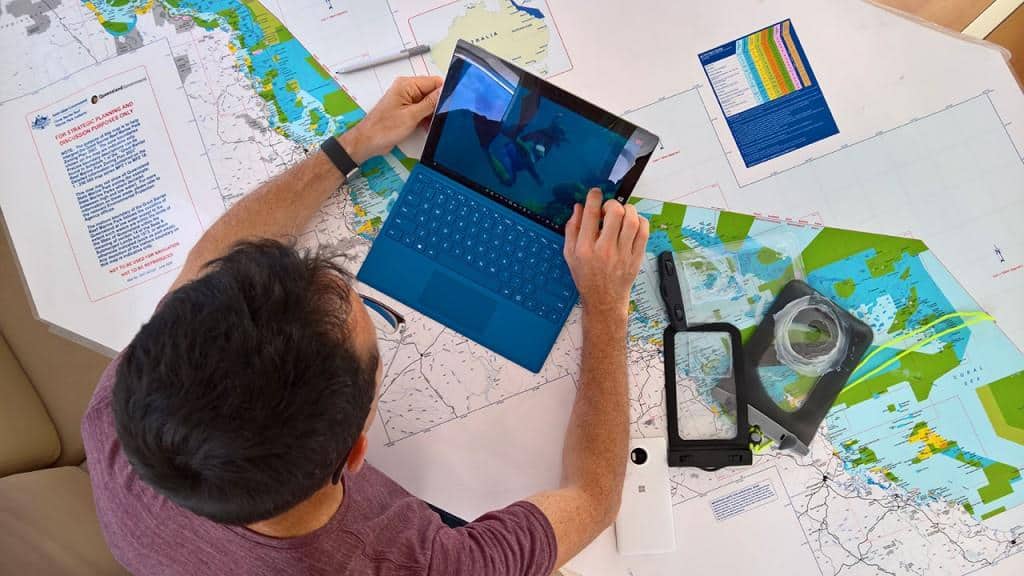
National Geographic photographers are quite fond of what the Lumia devices have to offer, especially when it comes to the photographic capabilities. Last month, National Geographic photographer and Microsoft Devices Ambassador Stephen Alvarez took the Lumia 950 and Lumia 950 XL for dive to photograph the Great Barrier Reef in Australia. Alvarez used a whole bunch of Microsoft devices, including the Surface Pro 3, Microsoft Band, Lumia 950, Lumia 950 XL and some other Microsoft products to help him on his adventure. “The preparation for any assignment is huge, and this prep was gargantuan,” Alvarez said.

The research about the Great Barrier Reef was mostly done on Microsoft Edge and Bing on his Surface Pro 3. Bing Image search was used to research for the localities he wants to visit, and annotations were added to images using OneNote, and described himself as a OneNote addict writing about his experiences every day using his Surface Pro 3 and Surface Pen.

“I journal constantly in OneNote,” Stephen told us. “I use it like I used to use a Moleskin notebook. What I’ll do is post a photo in OneNote and then write about it.”

The Surface Pro 3 was also used to schedule what he’s going to do throughout the day, the locations he’ll be shooting and more. Then, he would travel to the locations either by car, boat or helicopter.

Although, majority of photographers carry around heavy equipment and cases to take stunning images, but the case with Alvarez was different. He was only carrying the Lumia 950 and Lumia 950 for this task, and would end up capturing 1000 photos by the end of the day — that’s 10,000 photos for his entire 10-day trip.

At the end of the day, Alvarez transfers the images from 64GB SD card to his Surface Pro 3 for processing. Out of those 10,000 photos, he’ll select around 35 best photos for the task. He also shared some tips last month on how to use these two devices to capture stunning images.

“The Lumia 950 is one of the best cameras Microsoft has ever produced. The algorithms are so sophisticated they create fantastic images. And the camera interface is one of the best I’ve ever seen—not just for a phone, but for any camera.”

Last but not the least, the Microsoft Band was used to wake him up and track several health-related metrics such as steps taken during his hiking trips.

Microsoft Authenticator Beta app appears in the Windows Store

A universal Microsoft Authenticator (Beta) app has made its way on to the Microsoft Store. The app appears to be in beta stages, and is currently for internal testing purposes, as per the description of the app.

With the new Microsoft Authenticator app, users will be able to unlock their Windows 10 PCs using their smartphones. To get things started, all you have to do is pair your smartphone with your PC using Bluetooth, and once it’s done, you’ll be able to log in to your PC using the app.

Future versions of the app will will include support for Microsoft account, a sign in solution for browsers and VPN. one-time passcode generation, and MFA approval through notifications.

As we said before, it’s currently for internal testing purposes only, but we’re pretty sure it won’t take too much time to officially launch for the general public.

“Get Windows 10” app will soon be available for small businesses

Windows 10 has received its fair share of success after launching in July last year, and is running on over 200 million devices across the globe. The company is offering the new operating system free of cost for the a year for existing Windows 7 and 8.1 users, and even makes it easier for home users to upgrade it through the Get Windows 10 app.

The company has now announced that it will make it a little easier for small businesses and organizations to make a jump to Windows 10 through the “Get Windows 10” app which will hit their devices soon. The app give users the ability to check if their PC is compatible with the new operating system, and if it is, it later notifies when the upgrade is ready to install.

The company said the “Get Windows 10” app will soon hit the devices of small businesses and organizations, offering them an easy way with step-by-step instructions on how to get the latest operating system up and running. The roll out will start with the United States later this month followed by other global markets later on.

However, it’s worth mentioning that there are a few conditions before you can get the new operating system on your devices. Microsoft says:

  • Running and licensed for Windows 7 Pro or Windows 8.1 Pro
  • Configured to receive updates directly from the Windows Update service (i.e. updates are not managed by WSUS or System Center Configuration Manager on those devices)
  • Joined to an Active Directory domain

As for organizations who want to opt out of the Get Windows 10 app, and install the new operating system manually, they are covered as well. The company has posted details on how to prevent the “Get Windows 10” app on employees PCs on their support site, which you should check out if you’re an IT administrator and want to manage everything yourself.

The company also confirmed that large organizations won’t have access to Get Windows 10 app on their employees PCs running the Enterprise edition, or those who want to manage their own updates with their own tools.

Xbox Fitness has added a new Mossa workout

Microsoft has just added a new Mossa workout to Xbox Fitness, Mossa Fight 3. The Mossa series of workouts on the fitness/health Xbox One app are exclusively produced by Microsoft for the Xbox Fitness service. The Mossa Fight programs are based on mixed martial arts training and kickboxing for an intense cardio workout. This third entry in the series really kicks things up a notch and incorporates high jumps and kicks with a much faster pace than the previous Mossa Fight 1 and 2.

Other Mossa exercise programs on Xbox Fitness include Mossa Groove (a dance cardio class), Mossa Abs 1 and 2 (for abdominal workouts), and Mossa Power 1 and 2 (weight training). All of the Mossa workouts are completely free for Xbox Live Gold subscribers and can be used with or without Kinect thanks to the recent update that added the ability for Xbox One owners to use Xbox Fitness as more of an exercise video player without the body tracking and pulse detecting interactivity of the usual Kinect mode.

To promote the launch of Mossa Fight 3 on Xbox Fitness, a special Xbox Achievement has been created which will award those who use the program three times during the month of January with in-game FitPoints which will help level them up. Several other special Xbox Achievements are also running this month to encourage Xbox Fitness users to use the Athlete Fit and special Xbox Fitness version of Insanity programs as well. Insanity for Xbox Fitness was sold for a discounted, though still quite expensive, price a few weeks ago as part of a special Xbox game sale that discounted numerous titles and add-ons.

Would you like to see a specific new workout added to Xbox Fitness? Let us know in the comments below. Personally I’d love for Microsoft to produce another Mossa Groove class or another Yoga program.

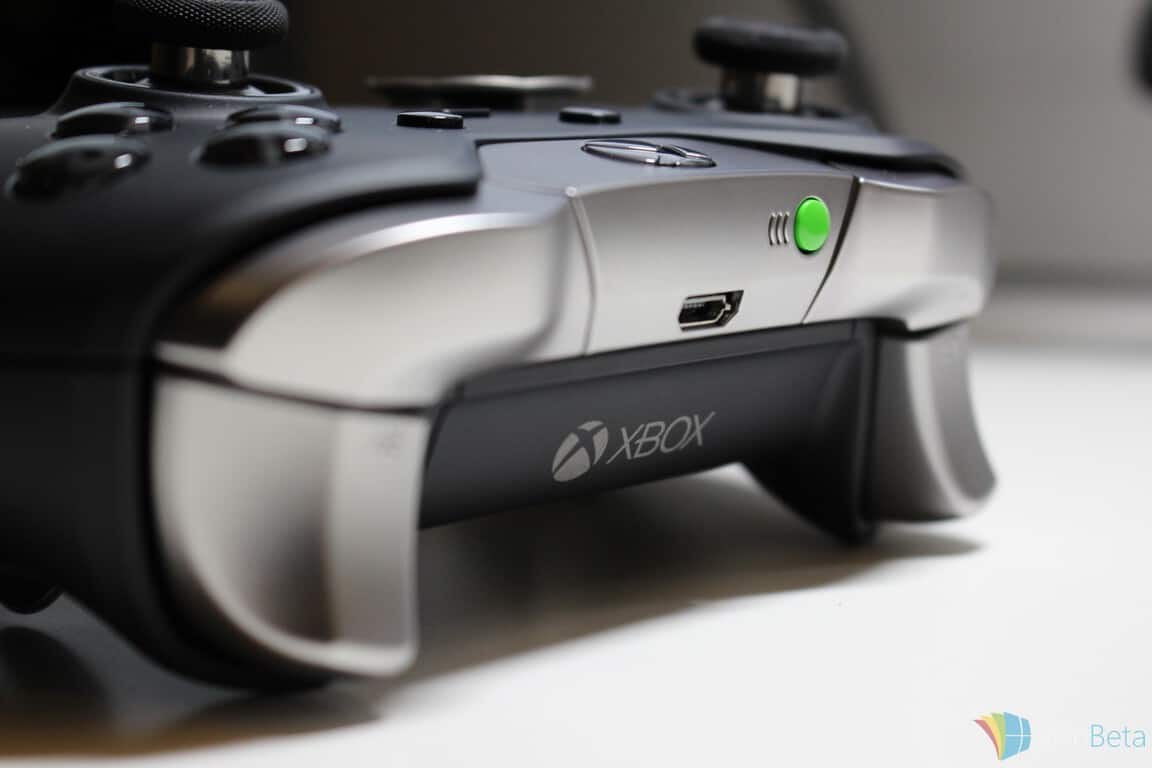
Xbox One Elite Wireless Controller in stock right now at GameStop

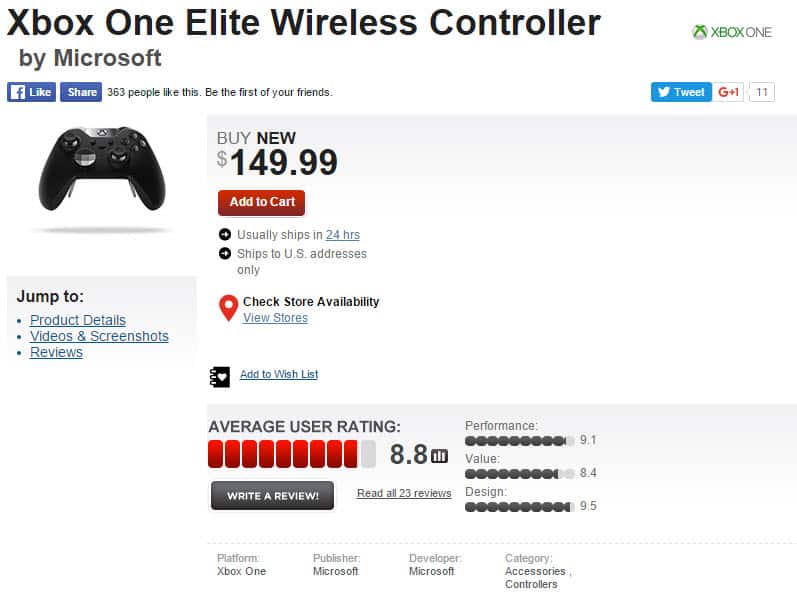
Microsoft’s ever-popular Xbox Elite Wireless Controller remains elusive, with the Microsoft Store showing it as out of stock and most retailers following suit. Sources say that the highly-rated Xbox One controller will remain hard to find through March, and so we like to keep our eyes peeled for any retailer tricky enough to score some inventory. For the second time in a week or so, GameStop is just such a purveyor of Xbox goodness.

Available for the standard price of $149.99, GameStop promises to ship your shiny new Xbox Elite Wireless Controller within 24 hours:

GameStop Xbox Elite Wireless Controller 1_13_2016

The controller is popular for a number of good reasons. As we reported back in June 2015:

The main appeal for hardcore gamers though is the hair trigger locks which restrict the movement of the triggers, the variety of thumb sticks and D-pads that can now be swapped out to match the user’s play style and the four completely new slots on the rear for interchangeable paddles whose functions can be completely customized in a new app that’s due to launch on Xbox One and Windows 10.

This app will give gamers the option to adjust the triggers’ min/max values, thumb stick sensitivities and completely change the button assignments. Up to 14 inputs can be assigned to the ABXY buttons, paddles, D-pad, triggers, and thumb stick clicks and an unlimited number of controller profiles can be saved to the app and automatically backed up in the cloud while two can be stored locally on the controller itself. The two local profiles can be manually changed on the fly via a new profile switch on the controller.

Sounds good, eh? If so, then head on over to GameStop before this shipment of runs out.

Australian streaming service Stan launches on Xbox One

The strangely named Australian streaming service, Stan, has finally announced an official app for Xbox One and it’s available now for free on all Australian Xbox One consoles.

While the Stan app is completely free, users must sign in with a Stan account to access the media library. Like Netflix, which is also available in Australia, Stan charges a monthly membership fee for all members however they do provide a 30 day free trial of the service for interested parties to sample the service before committing to the paid subscription model.

Stan offers several classic series unavailable on Australian Netflix such as Will & Grace, Breaking Bad, and Masters of Sex in addition to a variety of newer series like Ash vs Evil Dead, iZombie, and Better Call Saul which can make it worth investing in for those after certain shows as part of a subscription model.

Recently, the ABC also launched their ABCiView app on Xbox One, providing yet another way for media to be consumed in the region. Do you have a favorite streaming app on your Xbox One? Give us your recommendations in the comments below.

Thanks to WinBeta reader Rashim K. for the tip!

These four new Xbox One titles could be fun

This week has already seen the release of new titles such as Assassin’s Creed Chronicles: India, Unepic, The Banner Saga, Cubot: The Complexity of Simplicity, and AIPD on Xbox One and now, not even halfway through the week, several more titles have arrived on the popular gaming console.

The first game to launch today on Xbox One is Gone Home: Console Edition, which finally brings the popular 2013 PC game to console. Gone Home has garnered a lot of attention for its detailed story and nuanced characters and makes a compelling argument for videogames as art.

Here’s the game’s official description:

Gone Home, the genre-defining Story Exploration Video Game, is now available in the comfort of your living room! You arrive home after a year abroad. You expect your family to greet you, but the house is empty. Something’s not right. Where is everyone? And what’s happened here? Find out for yourself as you explore the house on Arbor Hill.

Buy Going Home on Xbox One

Rebel Galaxy on the other hand is an action-heavy adventure and strategy game that takes players to a Sci-Fi world full of aliens and soldiers. Players get to choose their own class of character and explore the impressive world that the game developers have created.

Official description:

Rebel Galaxy is a swashbuckling space adventure, with action-packed combat, exploration, discovery, trade, and “negotiation” with the outlandish denizens at the edge of the known universe. As the commander of an immensely powerful star destroyer, you’ll battle pirates, explore anomalies, befriend aliens, scavenge battle wreckage, mine asteroids, and discover artifacts. Choose your path as a roguish do-gooder, crafty space-trader or power-hungry privateer – or maybe a little of each! Buy larger and more powerful craft with your hard-earned credits, and outfit them with a variety of wicked weapons and defenses. Set in a galaxy of fantastic sights, and secrets to be found, Rebel Galaxy is above all a space epic of adventure, exploration, and combat. The edge of the universe is a pretty dangerous place, so watch your back.

Buy Rebel Galaxy on Xbox One

Gamers after a new racer should be pleased to see Hyperdrive Masacre, a new racing game by 34BigThings, which takes the genre to outerspace for some entertaining multiplayer action. The game features a diverse cast of characters to unlock and a funky art style that that seems partially inspired by Japanese animation and 90s American comic books.

Here’s the official description:

Throw down the gauntlet in Deathmatch and Team Deathmatch, buckle up and get your space tires screeching in DeathRace, be the toughest defender in LastManStanding, show off your tricks in Space Soccer, or put your retrogaming skills to good use in Space Pong.

Submachine guns, sniper rifles, frag grenades, homing missiles and bullet-deflecting shields are just a subset of the tools at your disposal to create havoc in this couch multiplayer neon fragfest!

Buy on Hyperdrive Masacre Xbox One

Finally, gamers who can’t wait for the latest entry in the Naruto Shippuden: Ultimate Ninja Storm franchise can download a special demo on Xbox One for Naruto Shippuden: Ultimate Ninja Storm 4, which is due out later in 2016. Naturally, the demo isn’t as full-featured as the final game will be but should give fans an idea of what to expect in a few months.

Download the demo on Xbox One

Are you excited for these new Xbox One games or are you holding out for LEGO: Marvel’s Avengers (which comes out later this month) like I am? Let us know what you’re playing on Xbox One in the comments below.

The Microsoft Edge ChakraCore is now available via GitHub repository

Back in December of 2015, we reported on Microsoft’s move to open source parts of its Chakra JavaScript engine for the Edge browser. At the time, Microsoft’s bombshell announcement had those attending the JSConf Last Call a bit shocked at a future where the company’s ChakraCore would be hosted on GitHub.

Well, it looks like Microsoft is making good on its promise. The sources of ChakraCore have now been made available under the MIT License at the ChakraCore GitHub repository. Not only are sources free to developers, but the Microsoft Edge development team also claim that going forward they will continue to develop the critical components of Chakra out in the open.

As for the details, the Edge development team states:

The ChakraCore repository provides a fully supported and open-source standalone JavaScript engine, with the same characteristics as the Microsoft Edge’s Chakra engine, to embed in projects, innovate on top of and contribute back to. We will be accepting community contributions and input to ChakraCore. Once the changes from any pull request have been vetted, our goal is to ensure that all changes find their way to be shipped as a part of the JavaScript engine powering Microsoft Edge and the Universal Windows Platform on Windows 10.”

The Edge development team will also be publishing a roadmap for the ChakraCore that will be hosted on their GitHub repository for those interested in upcoming features. The devs plan to keep the roadmap current with details and status updates as the development cycles progress.

For those interested in helping the Edge development team, they are kindly taking feedback via Twitter at @ChakraCore and the ChakaraCore GitHub repo. The devs are encouraging fans and enthusiast to leave notes by opening issues in the repository.

On the surface, hosting the ChakaraCore on GitHub is, perhaps, something Microsoft should have done a long time ago. However, the mere fact that the discussion was being held indicates that the company is arguably getting serious about its relationships with the open sources community.

Better late than never, we say.

Microsoft invites business leaders to their new Microsoft Envision event

Microsoft has a number of important events throughout the year, including the upcoming Build 2016 in San Francisco, CA on March 30-April 1, Worldwide Partner Conference in Toronto, Canada on July 10-14, and Ignite on September 26-30 in Atlanta, GA. Today, the company announced yet another event, Microsoft Envision, which is aimed squarely at business leaders.

Microsoft Envision is designed for CxOs and their senior department and functional leaders who are driven to shape their own future and position their organizations and business for success in a mobile first, cloud first world.

Attendees of Microsoft Envision can expect to gain insights, uncover solutions and build connections to help them achieve more. The event will include:

– Keynotes and interactive sessions with a broad slate of visionaries, experts and innovators
– Functional and industry-specific content to provide relevant insights and solutions
– Opportunities to build valuable connections that last beyond the event

Microsoft Envision is scheduled for April 4-6, 2016 in New Orleans, LA. Registration is open now, and you can get your name on the list right here. If you’re a business leader who’s tasked with keeping up with important technology trends in a “cloud-first, mobile-first” world, then this is likely the event for you.

Bing Predicts lands on the NFL on Xbox and Windows apps for the playoffs

Bing Predicts closed its NFL season at 9-7 in week 17 and 161-95 for the overall regular season. Fortunately, for gamblers and enthusiasts, the NFL playoffs offer a clean slate and each week erases the mistakes of the previous.

As the stakes increase per picks during the NFL post-season, Microsoft and Bing Predicts are stepping up their game and allowing die-hard fans a chance access the analytical predictions via a new Cortana! Powered by Bing Predicts feature found in the NFL on Xbox and Windows 10 apps. Now fans can access visually rich stats, scores, and analytics tailored specifically for PCs and big screens.

Look for Cortana’s symbol in every matchup, as Cortana shares the picks of Bing Predicts.

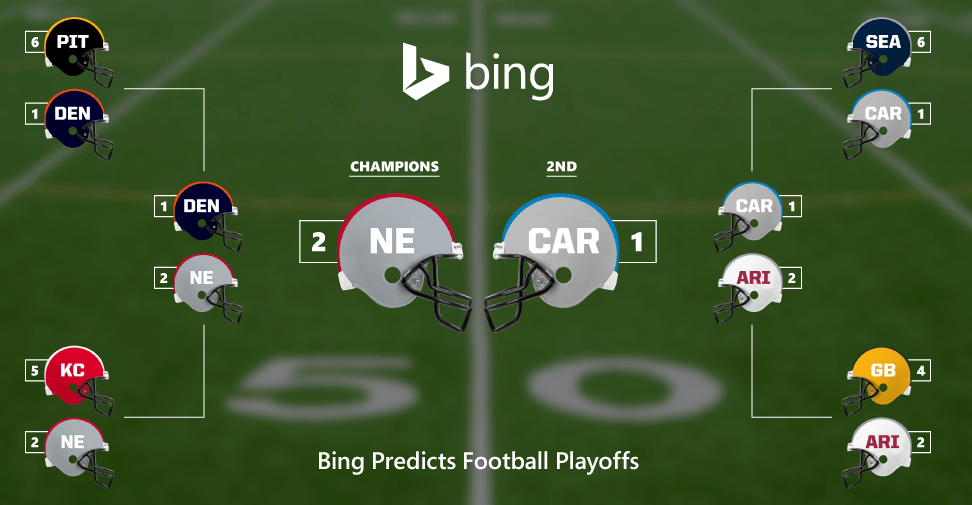
Searching the apps, fans will now see picks for this week’s divisional round of NFL games that include the New England Patriots beating an exhausted Kansas City Chiefs team.

CortanaSharingProjectedWinner

On Saturday, Kansas City again starts the weekend’s games on the road, but this time, they play a much more experienced opponent in New England. Under their current leadership, they are 12-4 coming off of regular season bye weeks and 8-1 when they have a bye into the divisional rounds. The extra week of preparation and healing should help strategically and physically to allow New England the opportunity to end Kansas City’s 11 game win streak.”

Next up, Bing Predicts that the Green Bay Packers on a short rest week will come up short against an Arizona Cardinal team who previously beat the “Pack” with similar conditions last year.

Arizona, which was 2nd in the league in points scored, will continue its strong offensive output to beat Green Bay.”

Perhaps, the biggest games of the weekend are the Seattle Seahawks vs. an almost undefeated Carolina Panthers team and the injury wrought Pittsburgh Steelers taking on the arguably offensively inept Denver Broncos. Following Bing Predicts lead, bets are on the Panthers getting the best of Seattle team coming off a shaky win last week, while a nod goes to the Broncos conquering an injury-riddled Steeler team with their sound defense.

NFLScores-Playoffs

Visit the app or Bing Blogs for predictions on the college national title and picks for subsequent playoff rounds. The NFL games are only beginning to heat up, and Microsoft’s production value on its Bing Predicts tools are seemingly set up to match that intensity.

NFL on Windows
NFL on Windows
Developer:
Microsoft Studios
Price:
Free

“Hack Productivity” with Office 365 and Microsoft might give you a prize or two

For some time now, Microsoft has been building out Office 365 to make a user’s central productivity platform for whatever device they are on, wherever they are. Microsoft has gone about this by implementing new sets of API’s for Office 365 and support for Add-in tools to empower developer’s third party apps to work seamlessly and deeply with Microsoft’s key productivity services. This has led to new add-ins coming to Office 365 with Uber, Boomerang, and PayPal being among the first.

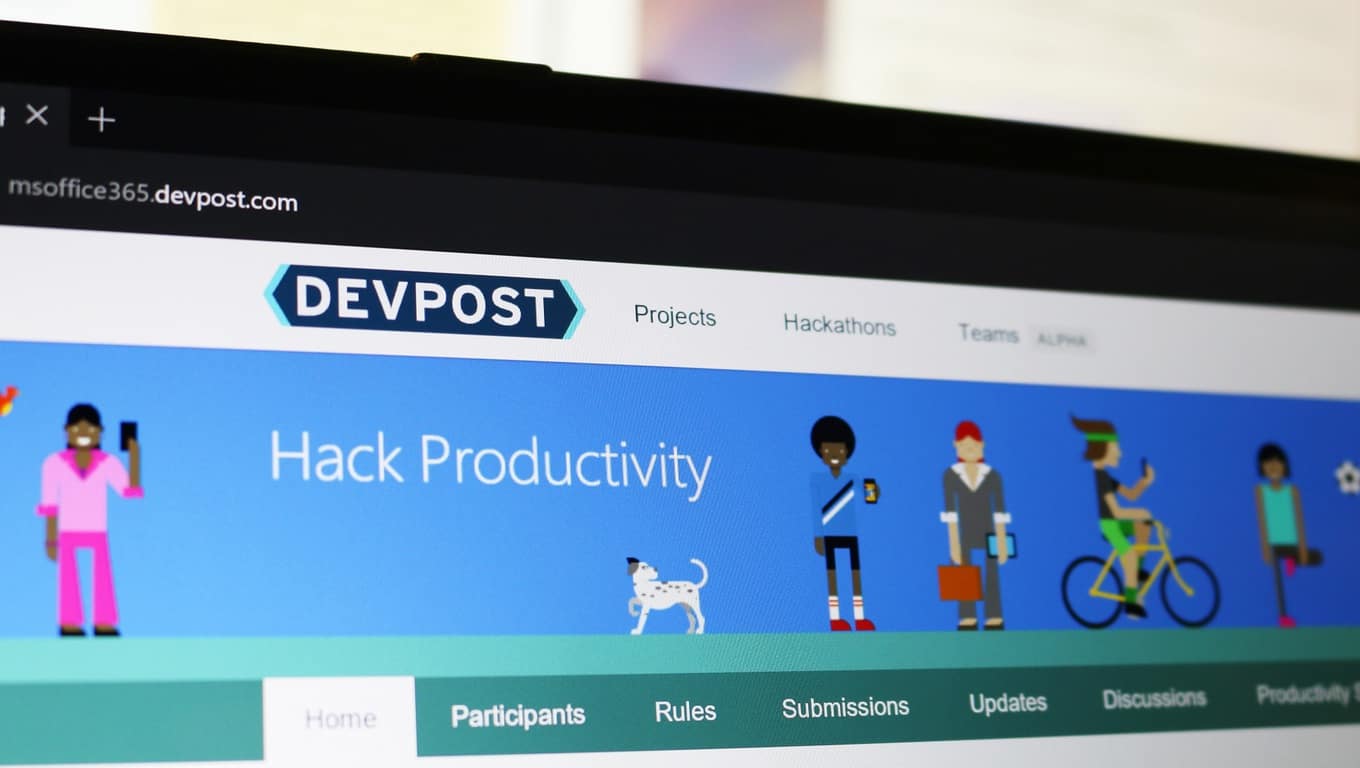
Now, to help spur innovation in the use of these API’s, Microsoft is turning to the general public with a hackathon for the next great idea on how to “hack productivity” with Office 365. The technology company is looking for your idea to work smarter and not harder with new tools for being productive in any area of life. And your new idea does not have to be limited to something that helps people get stuff done at work or school, but can be anything that aids people get things done in the life; for their passions, hobbies, or for their families.

Office Competition 2015

The hackathon is runs until March 1st and anyone, except Microsoft employees or large organizations (defined as having 50 employees or more), is eligible. Microsoft employees are not eligible at all, and larger organizations can submit an idea for a recognition award but not for any of the cash prizes. In total, Microsoft is giving away $32,500 in prizes to the winners. Here is a look at what your next big idea for being more productive with Office 365 can win:

  • Grand Prize
    – $10,000 cash
    – Ticket(s) to a Microsoft conference (including travel and lodging reimbursement up to $1,500 each) for no more than two team members
    – 30-minute meeting with a Microsoft product representative (may be in-person or virtual depending on location)
    – 30-minute meeting with a leader from the Microsoft Incubation Group (may be in-person or virtual depending on location)
    – Allowance on a premium Microsoft Office 365 service for one year (for up to five team members)
    – Surface product (1)
  • Second Prize
    – $5,000 cash
    – 30-minute meeting with a Microsoft product representative (may be in-person or virtual depending on location)
    – Allowance on a premium Microsoft Office 365 service for one year (for up to five team members)
    – Surface product (1)
  • Third Prize
    – $2,500 cash
    – Allowance on a premium Microsoft Office 365 service for one year (for up to five team members)
    – Surface product (1)
  • Category Award: Best Personal Productivity Application
    – $1,500 cash
  • Category Award: Best Professional Productivity Application
    – $1,500 cash
  • Category Award: Best Family/Household Productivity Application
    – $1,500 cash
  • Best Student Application Award
    – $1,500 cash
    – Awarded to the best application created by a student or team of students (Full details in rules. Must be taking at least half-time credits or have graduated post-secondary school in the last six months)
  • Best Pre-Coded App Idea
    – $1,500 cash
    – Awarded at the discretion of the judges to the most creative and interesting “pre-coded” application idea for increasing productivity using either a Microsoft Office 365 Add-in or Microsoft Office 365 API
    – To be eligible for this award a submission must not include a functioning application. All other elements of the submission are required, including: a demo video to explain your idea, a text description, and all other form fields.
  • Popular Choice Award
    – $1,500 cash
  • Large Organization Recognition Award
    Non-cash, recognition only for entrants with more than 50 employees. Awards include a feature of your organization’s Microsoft Office 365 implementation along with a link to your organization’s jobs page on Devpost and in a Microsoft blog post.

Office_Desktop-7

The requirements of the hackathon are fairly straightforward. Submit any application that helps users increase their productivity. The application must include a Microsoft Office 365 Add-in and integrate at least one of the Microsoft Office 365 APIs (Mail, Calendar, Files, Photos/Video, Contacts, or Microsoft Graph). Once you have your application, you have to submit the following three assets:

  1. A demo video (hosted on YouTube, Vimeo, or Youku). Your video should include a demo of your working application via a step-by-step visual demo.
  2. Please submit at least one image/screenshot of your application.
  3. A way to access your working application for judging and testing. (Here’s How)

So if you or you and some of your colleagues have the next great idea for being more productive with Office 365, follow these steps to enter your submission to the hackathon:

  1. “Register” to access the submission form, receive important communications, and form teams.
  2. Sign up for your free Microsoft Developer Account.
  3. Visit the Resources page for links to Microsoft Office 365 API and Add-in documentation, requirements, and app ideas.
  4. Find a teammate (optional). Do you have the UX chops, but need someone who can code? Are you a genius coder, but need some design flair? Join our Hack Productivity-only Slack channel.
  5. Shoot your demo video and take screenshots of your functioning app.
  6. Provide a way for us to access your app.
  7. Submit early! (You can edit your submission as many times as you want before the deadline.)

Office_Cloud-2

Submissions are due March 1st 2016 at the latest, but the Microsoft Devpost team encourages developers to submit early. Submissions will be judged by a panel of five, which comprises two CEOs and a Managing Director from other tech companies, a yet to be named guest speaker, and JD Marymee, Enterprise Architect at Microsoft. Submissions will be judged on three criteria:

  • Quality of Idea
    Includes creativity and originality of the idea or use case.
  • Implementation of Idea
    Includes how well the idea was executed by the developer and the extent to which the application utilizes the Microsoft Office 365 APIs or Add-ins in a way that increases productivity.
  • Potential Impact
    Includes the extent to which the application could impact the user’s productivity.

If you have any questions about the contest, want to talk to other participants, or are looking for a potential teammate, the Devpost team also setup a Slack channel exclusively for the Hack Productivity contest. You can access the Slack channel here.

So if you have the next great idea for how to get things done using Office 365, sign up now and win some cash and recognition for your productivity hack that could go on to become the next big App.

Microsoft Office 365 is “one-stop shop for email compliance,” study shows

Just a few years ago, “cloud” was still a buzzword that instilled both fear and wonder about an inter-connected world powered by the internet. Fast forward to today, and it has become prevalent in consumer technology and integrated deeply into everyday services. A big example is e-mails: multiple service providers are now competing to hosts users’ digital exchanges, offering gigabytes of storage accessible from any device.

Things are not quite so smooth for the enterprise sector. Unlike the normal consumers who can start utilizing the benefits of having an always available, constantly updated remote repository for email, big companies have years worth of business-sensitive data scattered across multiple technologies to worry about.

“Data governance is more than the marketing term that is often linked to promotional hype or fearmongering. It’s a primary responsibility that any business that has sensitive legacy data within an archive should be aware of. Companies need to see preparedness for eDiscovery as a priority and that the safeguarding of all data is the only preemptive defense,” – Barney Haye, founder and CEO of TransVault.

The effect is even more pronounced in heavily-regulated sector like health and energy, where data compromise is a threat not only to the organization but to the government. A cloud service provider for these enterprises must be able to support the migration of legacy data in compliance with regulations in place, in addition to already adhering to regulations for email storage. According to a recent study from TransVault, a leading developer of archive migration solutions, Microsoft Office 365 fully satisfies that requirement, earning the title “One-stop Shop for Email Records Compliance”.

“Microsoft Exchange (in its online form, part of the Office 365 SaaS platform) has an interesting relationship with compliance features, and over the course of its history has evolved significantly -from lacking any significant features to providing the full complement of features most organizations need in a modern business environment”- Steve Goodman, a Microsoft honored, most valued professional (MVP).

Office 365 across devices

The report is the result of research over several years and experience from over 1,100 data migration projects. It found that Office 365 provides the full capabilities to protect corporate messaging data including mailbox storage, archive storage, journaling, search/eDiscovery, and more. Exchange Online, part of Office 365, recently meets SEC rule 17a-4, which is vital for financial institutions to even consider moving to the cloud.

“Our research team have worked diligently to produce this helpful manifesto on compliance and we hope it provides an important framework around how Microsoft Office 365 meets email compliance and good data governance requirements. Armed with this resource, those tasked with investigating Cloud propositions should have all the ammunition they need to convince business decision makers of Microsoft’s virtues,” Barney Haye, founder and CEO of TransVault

The European Union’s “Safe Harbour” ruling about customer data protection is only one example of how regulation compliance is important in case of legal action. In another blog post, TransVault CEO Barney Haye reveals that “any US firm worth greater than $1 billion has around 150 concurrent litigations at play”. Safeguarding emails, even during migration of legacy data, will make these legal affairs much less troublesome and costly for corporate legal departments. Microsoft is also serious about email threats, evident by its acquisition of analytics company Equivio last year.

Of course, there are also many hurdles and risks to overcome before corporate institutions can make a complete move to the cloud, or even adopt it in great number. Nevertheless, research like this shows that when they do, Microsoft with their ever-evolving services would be in a great position to welcome them into their embrace.