
PowerPoint Gets Copilot-Powered "Explainer" to Break Down Complex Slides
Now available to PowerPoint users with a Microsoft 365 Copilot license


 2 min. read
  Published on
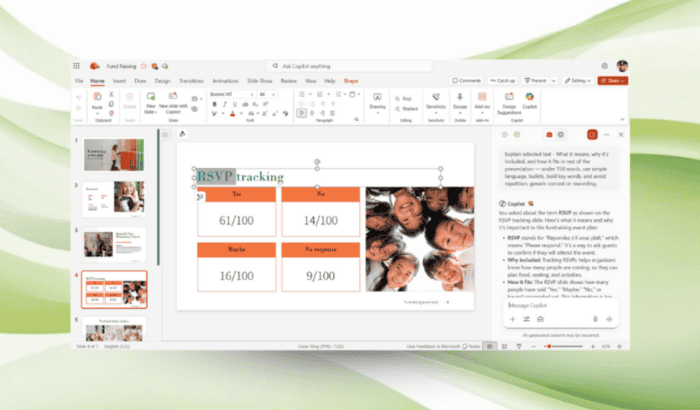
A new Copilot feature is now rolling out to PowerPoint, and it’s designed to make complex and confusing presentations easier to understand. Dubbbed “Explainer,” the new tool breaks down complex concepts directly within slides. This helps users get an understanding of content without leaving their workflow.
The Explainer feature is great for presentations that feel overloaded with acronyms, technical jargon, or are overly text-heavy. Rather than searching online or rereading slides, you can now get instant explanations curated to the content in front of them.
How Explainer Works in PowerPoint
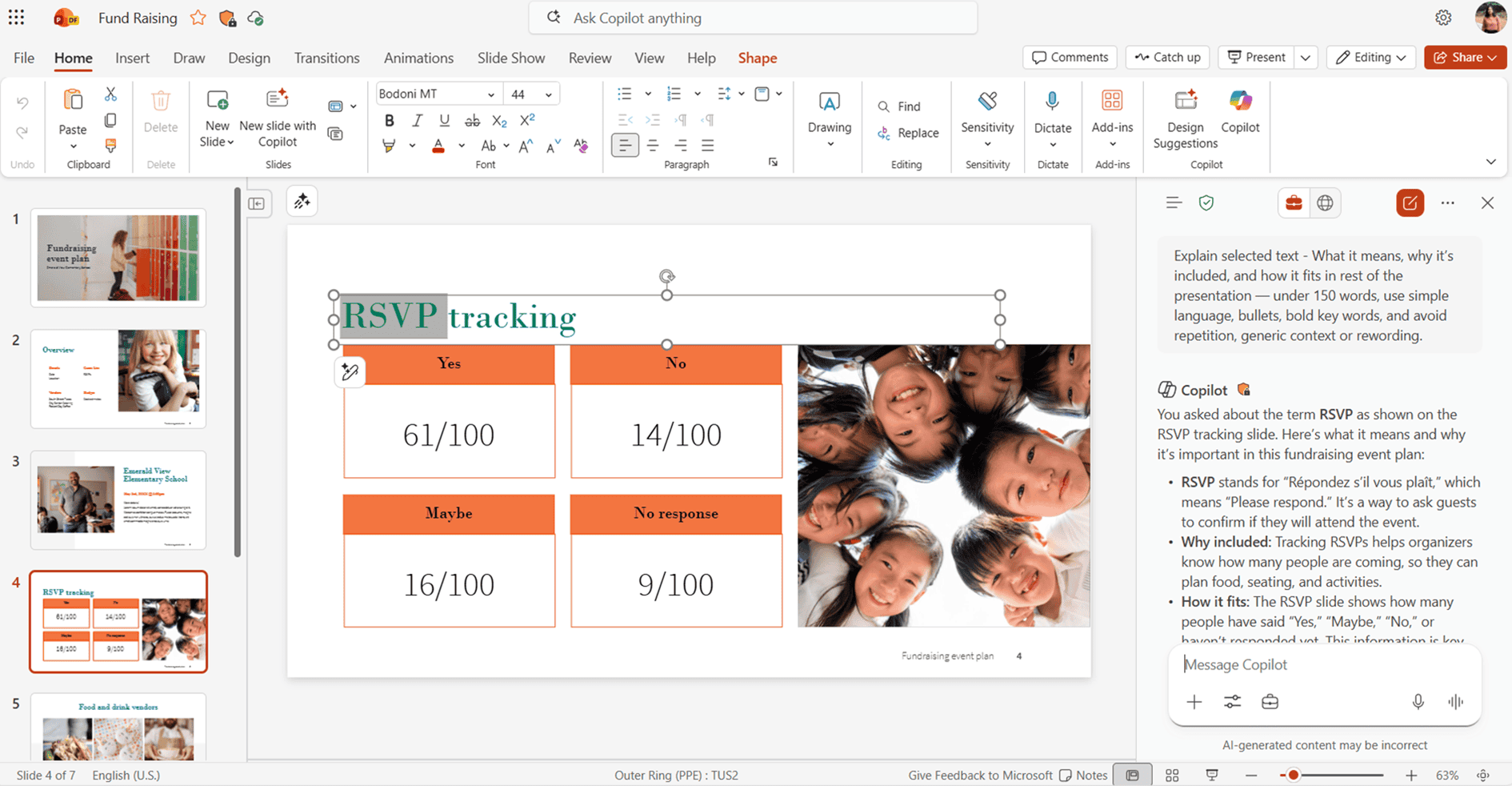
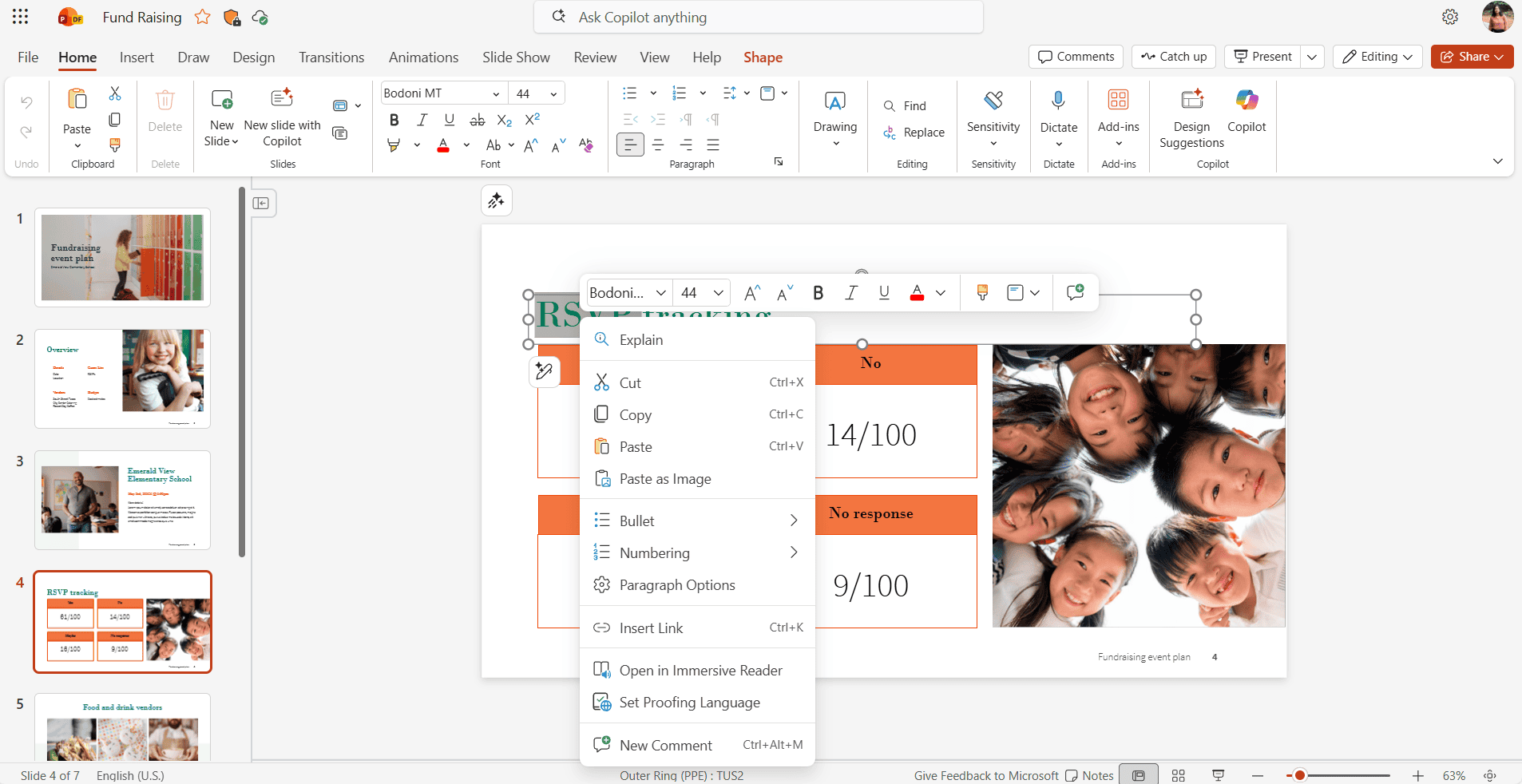
You can open a presentation on Windows or Mac, then right-click on a slide, text box, table, or selected text. From there, choose the option “Explain.” Next, you’ll see Copilot do its magic. It analyzes the selected content and provides a concise explanation in the Copilot side pane. This keeps the slide canvas clean while offering helpful context exactly where it’s needed.
Microsoft says Explainer focuses on slide-specific insights rather than generic summaries. This eventually makes explanations more relevant and easier to follow. The company further adds that this feature helps improve comprehension while keeping users focused on the presentation itself.
Availability and Requirements
The Explainer feature is now available to PowerPoint users with a Microsoft 365 Copilot license. On Windows, it requires Version 2510 (Build 19328.20072) or later. On Mac, users need Version 16.103 (Build 25110343) or later. Not to mention, Microsoft, as always, asks for feedback from you.

Read our disclosure page to find out how can you help Windows Report sustain the editorial team. Read more



Improve this guide




User forum
0 messages