
O&O ShutUp10 review and where to download | Is it good?
Freeware / Version 1.8.1415


 1 min. read
  Updated on
O&O ShutUp10 is a free anti-spy tool for the Windows 10 OS that cleverly integrates your PC‘s functions in a way that allow the control exactly which functions are active at any given time, essentially limiting the amount of data that is leaked by as much as possible.
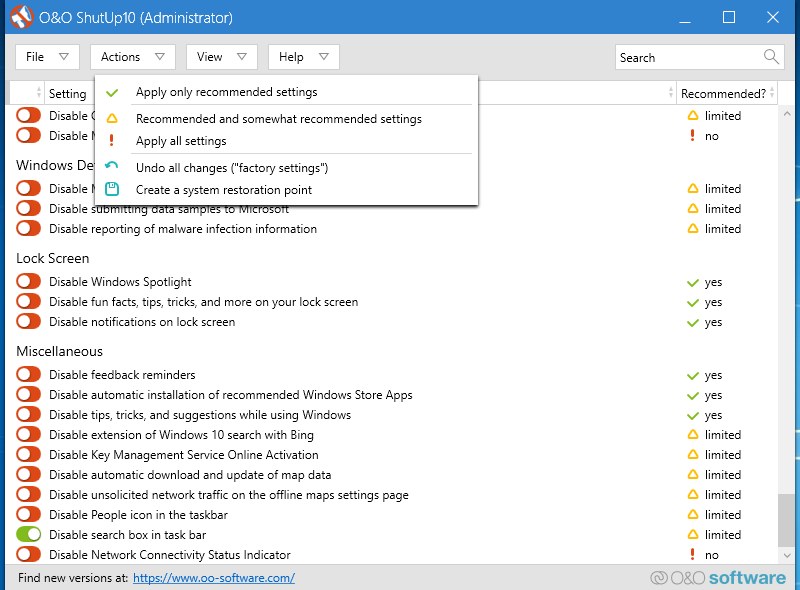
It boasts an incredibly simple User Interface, allowing users of all levels to control and get used to the app almost immediately.
By using the tool, you decide how Windows 10 should respect your privacy by deciding which unwanted functions should be deactivated.
Screenshots
Our Review
- Pros
- Limits access to your PC's information
- Completely free
- Lightweight
- Intuitive UI
- Cons
- You need to remember where you downloaded it
In general, we usually tread carefully when it comes to freeware, since history has proven that there are always hidden costs that need to be accounted for, such as having your information sold.
Well, O&O ShutUp10 is a software tool that falls under the Freeware category, but it seems that when it advertises itself as being free, the developers actually meant it.
Portable and easy-to-use
One great thing about O&O ShutUp10 is that besides the fact that it fulfills the role of an anti-spyware tool, using it is done without modifying your system’s registries at all.
For example, the program is completely portable, meaning that all you need to do is download it and then launch it, without going through a tedious setup process.
Besides that, it won’t install any secondary apps of hidden tools either, which is something quite common among freeware software.
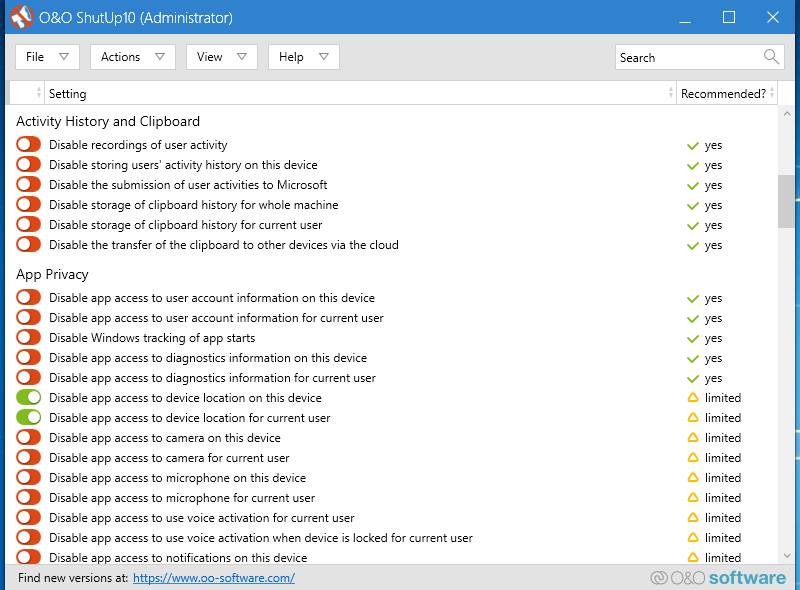
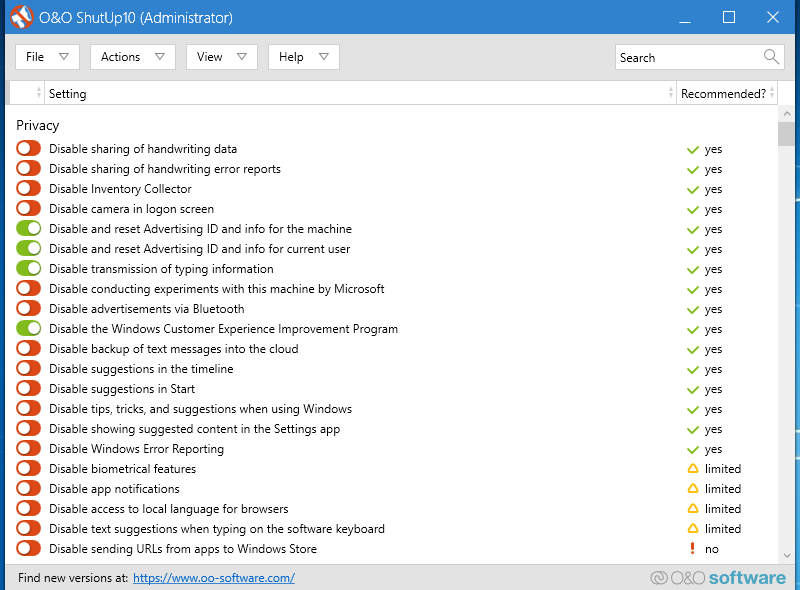
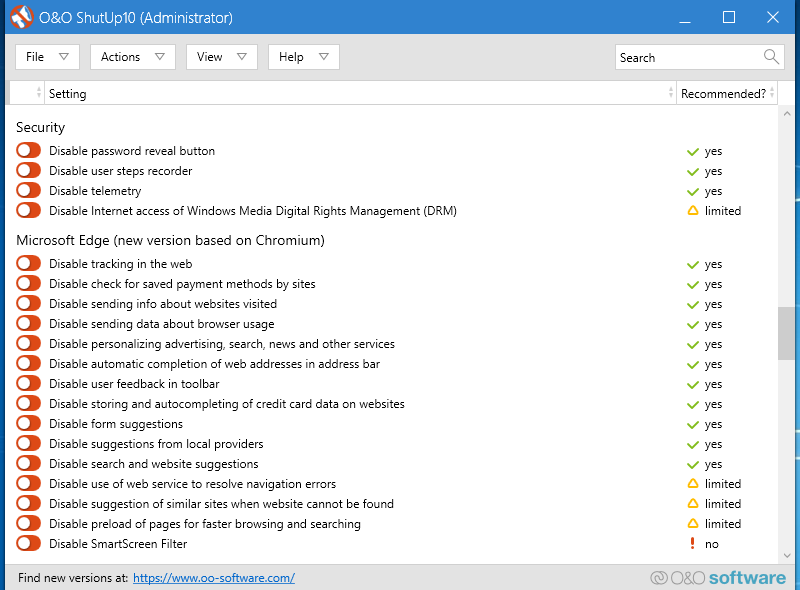
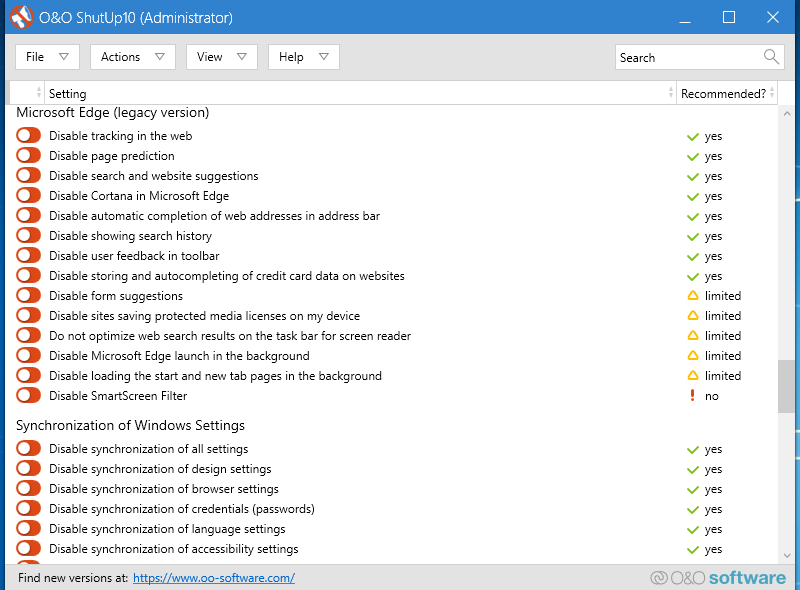
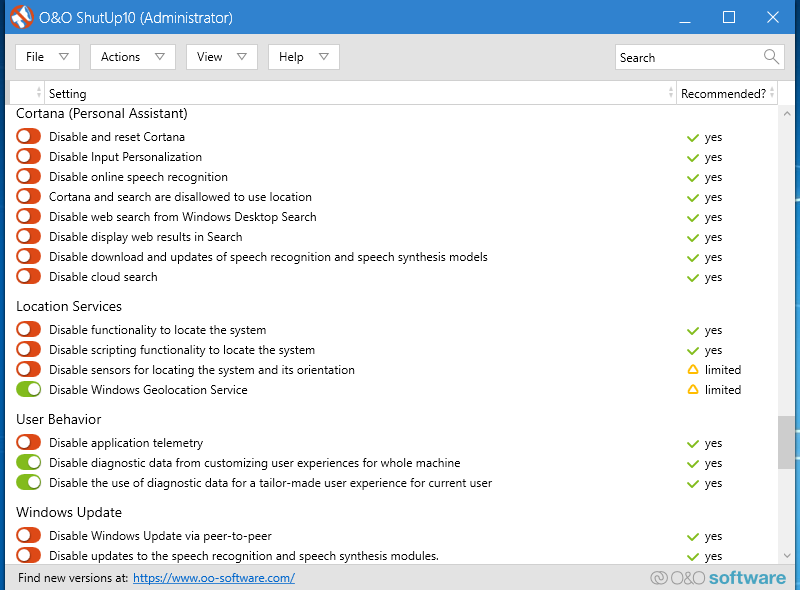
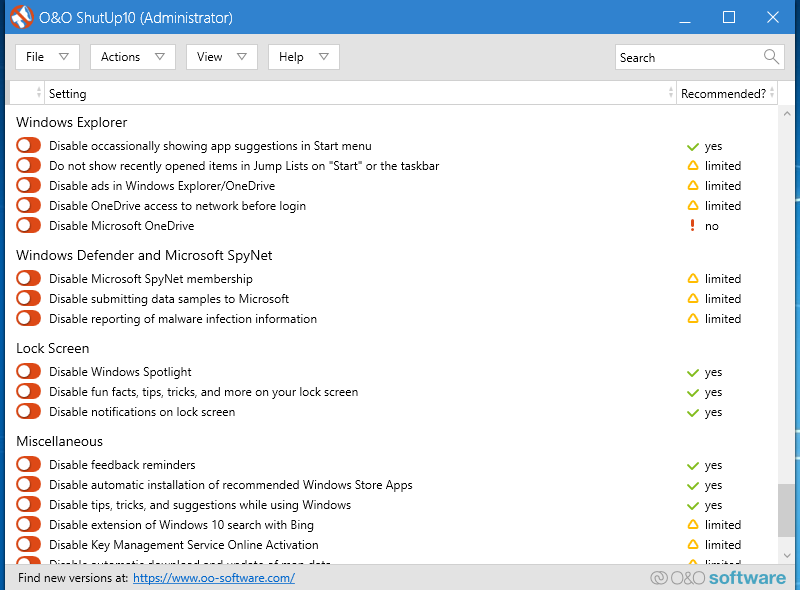
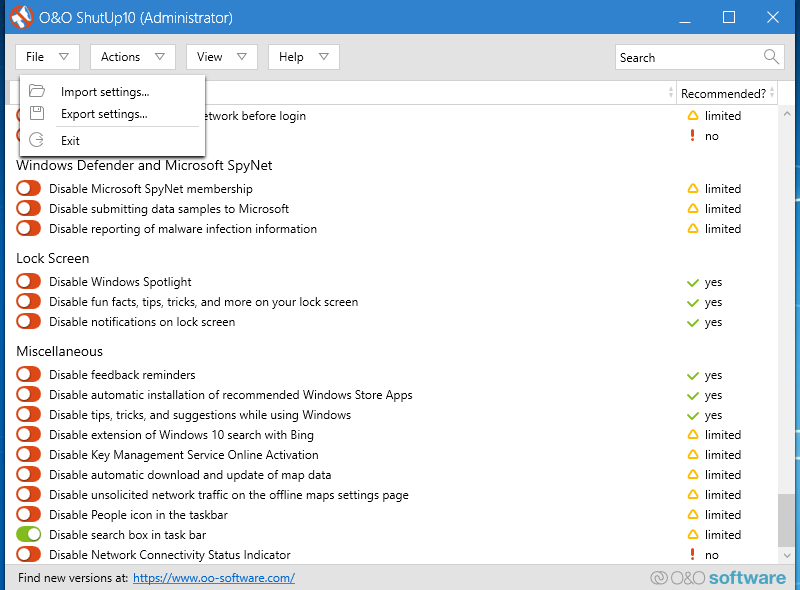
Once you’ve downloaded it, using it is as simple as it can get, since the main interface is basically a list of all the features and functions in on your PC that have the potential to leak data or end up being exploited.
It is then only a matter of moving the corresponding slider left and right, and that feature will cease to function immediately.
This includes common telemetry leakages made by Microsoft itself, so if you value your privacy, this tool is the next best thing besides a VPN.
Full Specifications
- Software Version
- 1.8.1415
- License
- Freeware
- Release Notes
- NEW: Support for Windows 10 2009 (20H2)
FIX: It is no longer possible to deactivate Windows Defender using the registry setting, so this setting is no longer supported
Available in German, English, French, Italian, Spanish, Russian and Chinese (simplified)

Read our disclosure page to find out how can you help Windows Report sustain the editorial team. Read more





User forum
0 messages