
VS Code 1.138 Releases with Dev Container Agent Sessions, Expanded Codex support & More


 2 min. read
  Published on

Visual Studio Code has received a useful update that changes how developers can run and manage coding sessions. The VS Code version 1.138 released yesterday adds local Dev Container support for agent sessions, expands Codex across VS Code and the ChatGPT app, and introduces new ways to keep completed work organized.
VS Code 1.138 update brings Codex and Dev Containers closer to the development workflow
One of the biggest additions in the VS Code 1.138 is the ability to run agent sessions inside a project’s local Dev Container. When enabled, VS Code can use the tools and dependencies configured for that project rather than relying on the developer’s normal local environment. Docker is required, and Microsoft says the feature is rolling out gradually.
The VS Code 1.138 update also expands Codex support inside the Agent Host. Developers signed into both GitHub Copilot and ChatGPT can choose between the available subscriptions from the model picker without losing the existing conversation. Codex sessions can also move between the ChatGPT app and VS Code, while the VS Code version can use built-in, extension and MCP tools.
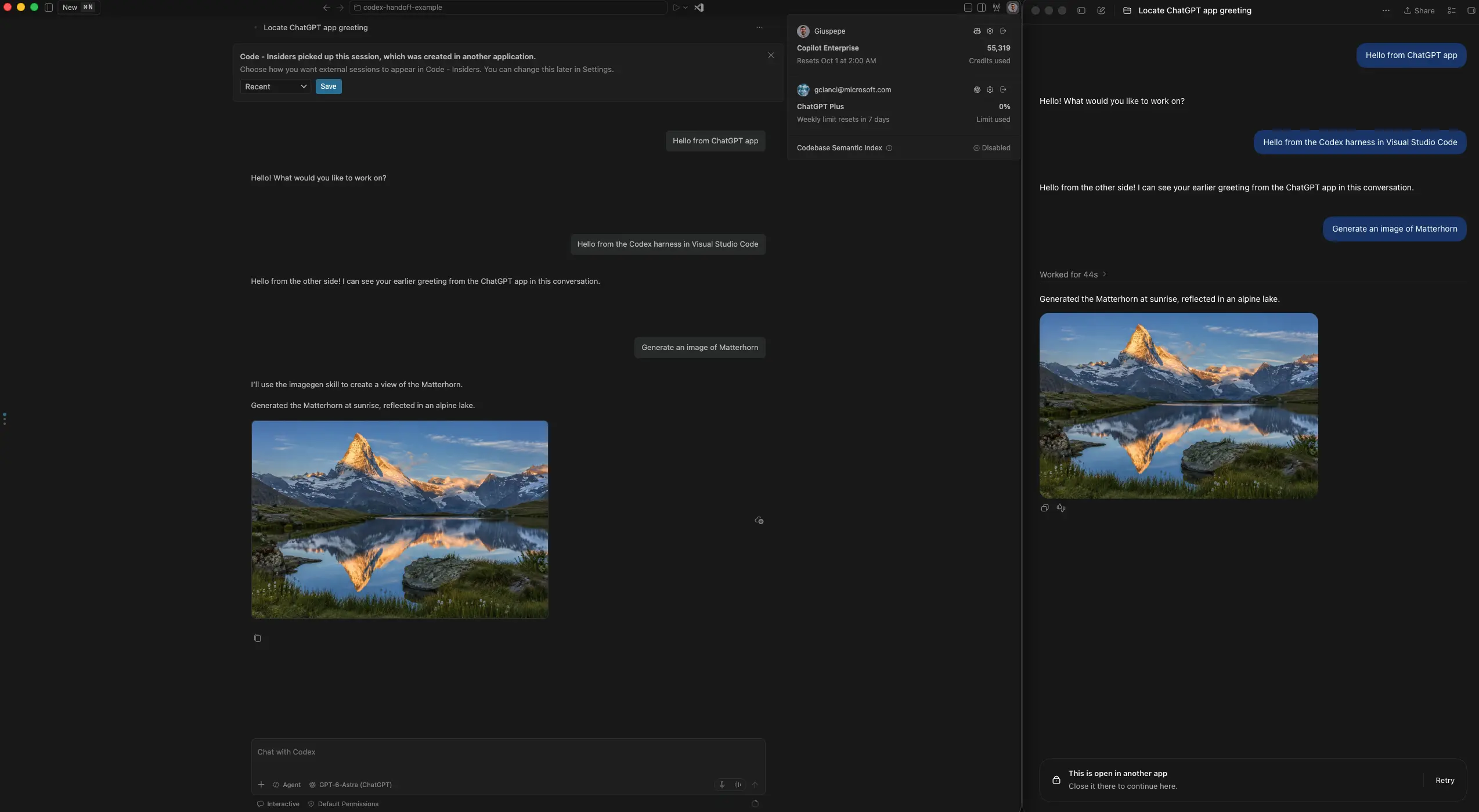
There is another useful change for developers who start work in a quick Codex chat. A workspace-less conversation can now be attached to a local folder or isolated work tree without throwing away the existing conversation. The session keeps its title, history, request, selected model and permission mode before continuing with access to the project files.
Automations and completed sessions get a cleanup option
VS Code is also enabling Automations by default. Developers can export and import automations, making it possible to share them across environments or with a team.
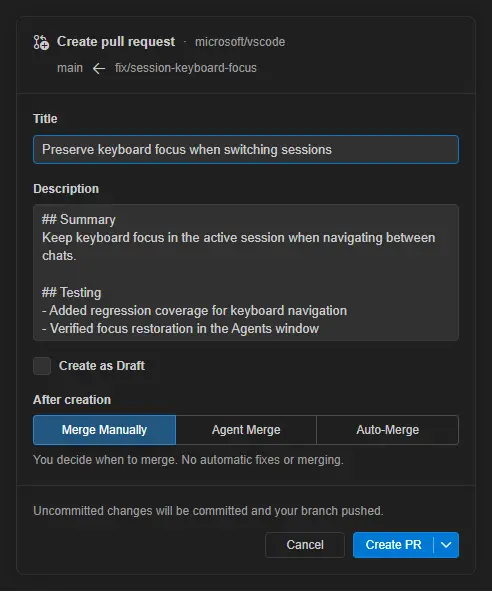
For completed work, VS Code can suggest marking sessions as done once their pull requests have merged. Users can also configure automatic cleanup and optionally delete archived merged sessions after a separate grace period.
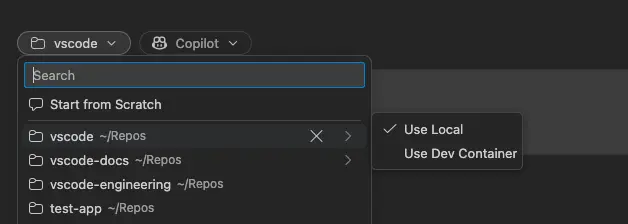
The release also adds a unified workspace and repository picker, improved Voice Mode session awareness, and an option to show badges when agent sessions need attention. The unified picker can bring local folders, GitHub repositories, cloud repositories and remote targets into one searchable list.
VS Code 1.138 is rolling out gradually. Developers who want the update immediately can use Check for Updates, while the Insiders build provides access to newer features before they reach the stable release. You can download the Official VS Code 1.138 here.

Read our disclosure page to find out how can you help Windows Report sustain the editorial team. Read more



Improve this guide



User forum
0 messages