
What's New in Microsoft 365 Copilot (August 2026)


 3 min. read
  Published on

Microsoft dropped a bunch of new updates for 365 Copilot in August 2025. Here’s a roundup of everything you should know about it.
Copilot Control System upgrades
Microsoft has expanded the Copilot management resources inside the Microsoft 365 admin center. SharePoint agents will soon appear in the centralized agent inventory, giving IT admins a single dashboard to manage, govern, and even block or unblock agents. Usage reports for Copilot Search are now live too, letting organizations track adoption trends and engagement levels.

The admin center also integrates a Frontier approval workflow, allowing admins to test new model innovations in a secure, auditable way before general release. Billing has been streamlined with message pack integration, helping enterprises manage Copilot Chat consumption on a predictable, pay-as-you-go basis.
Finally, admins can now block or reassign ownerless agents, improving compliance and minimizing operational risks across Microsoft 365.
Risk detection with Microsoft Purview

Microsoft Purview has stepped up security with Insider Risk Management that flags risky AI usage. The system scans Copilot prompts and responses for sensitive data and automatically adjusts protection levels through Adaptive Protection. For instance, high-risk users attempting to access sensitive SharePoint files can now be blocked in real time.
Easier access to SharePoint agents
For end users, SharePoint agents are now easier to access directly within the Microsoft 365 Copilot app. They’ll also appear in the Teams app store for quick workspace integration. Soon, SharePoint agents will open directly in Copilot instead of redirecting to individual SharePoint sites, creating a smoother and faster workflow.
Smarter Copilot Chat with GPT-5
Copilot Chat also got smarter with a new model selection system powered by GPT-5. Users will see a “Try GPT-5” button, enabling Copilot to switch between high-throughput or deep reasoning models depending on the complexity of the task.

A new Tools menu is also rolling out, consolidating features like Designer, Pages, and pinned agents directly inside the chat interface. Copilot can now also reference email attachments, from Word and Excel files to PDFs and JSON, delivering richer, context-aware responses.
On top of that, Copilot Chat can generate complete PowerPoint decks from scratch, helping users move from rough ideas to polished presentations in minutes.
Image reasoning and editing
Visual capabilities are taking a leap forward. Users can now ask questions about images inside files like PDFs or Word documents, and Copilot will surface insights directly.
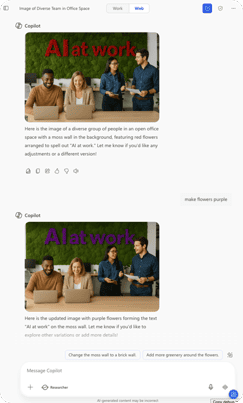
The chat interface also supports AI-powered image generation and editing, letting users refine visuals with natural language prompts. A new side-by-side visual editor is rolling out in September, blending canvas tools with prompt guidance for faster iteration.
Image generation in Microsoft 365 Copilot app
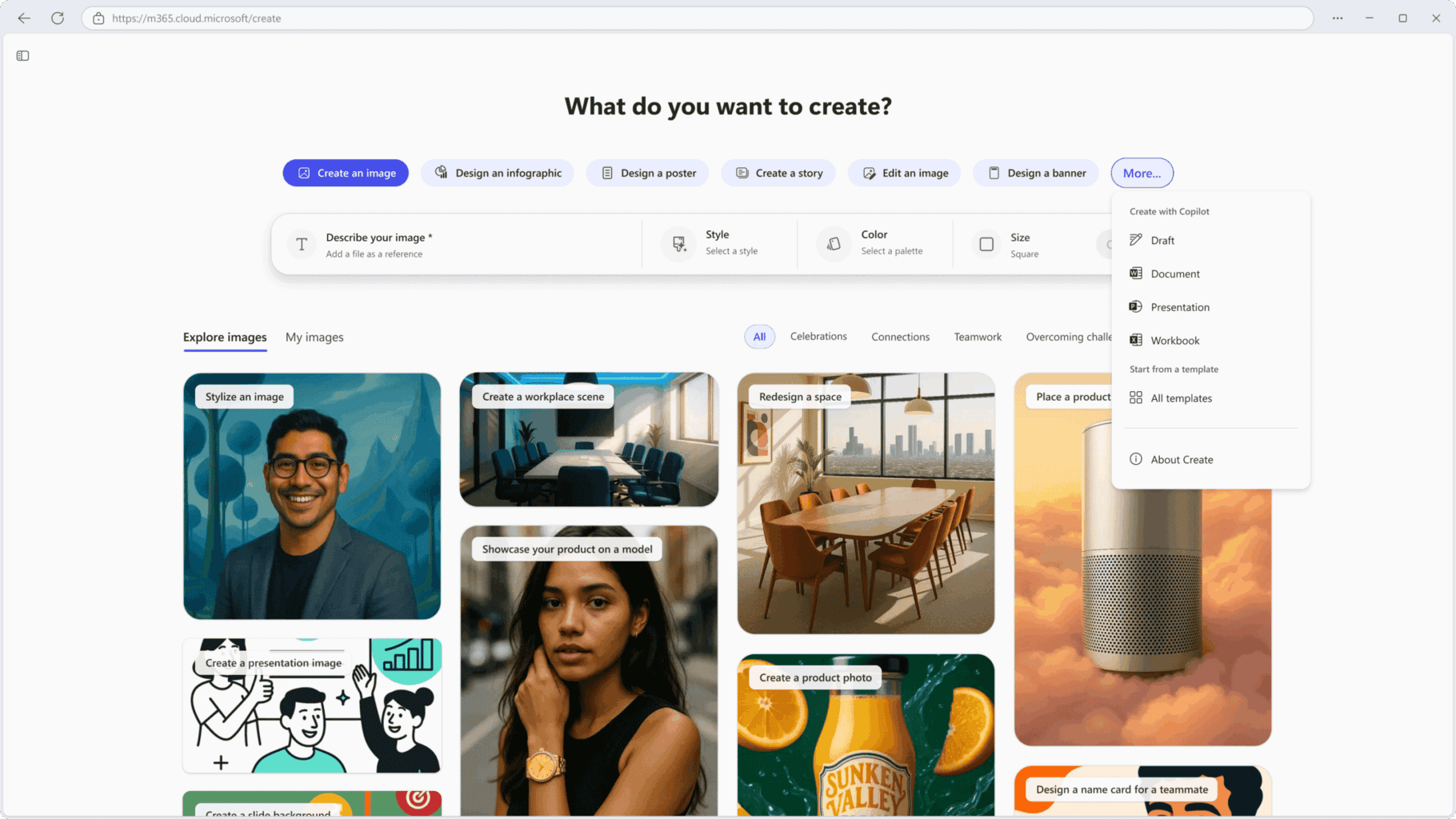
The Create experience inside Copilot is expanding to users without a Copilot license. This means everyone can now generate and edit posters, infographics, banners, and other visuals using Copilot’s generative AI features. The rollout is live on web, Windows, and macOS, with mobile support arriving in October.
Summarization in Edge for Business
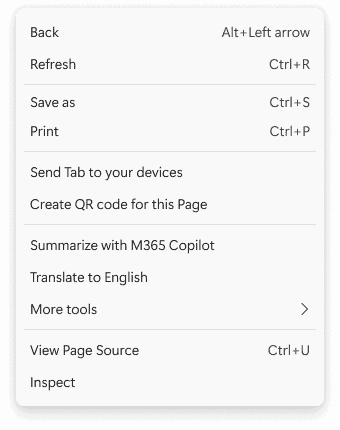
Microsoft Edge for Business now integrates Copilot Chat directly. Right-click on any webpage to instantly summarize articles or documents, making research or reviews more seamless without switching tabs.
Custom dictionaries in Teams
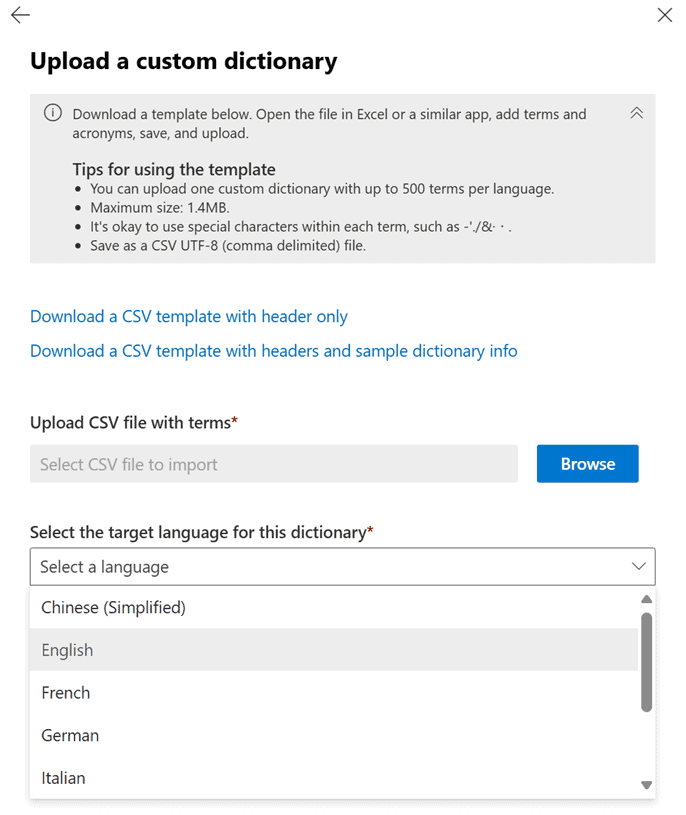
Lastly, Copilot in Teams now supports custom dictionaries across eight major languages. Admins can upload organization-specific terminology, ensuring more accurate transcripts, smarter meeting recaps, and fewer misunderstandings in multilingual environments.
All in all, the August 2025 365 Copilot updates strike a balance between tighter admin control and smarter end-user experiences. From GPT-5 powered chat to richer image editing and risk detection, Microsoft is making Copilot more versatile, secure, and accessible than ever.

Read our disclosure page to find out how can you help Windows Report sustain the editorial team. Read more



Improve this guide




User forum
0 messages