
WhatsApp Ditches Six-Digit PIN for Two-Step Verification in Favor of Alphanumeric Password


 2 min. read
  Published on

In addition to adding a bunch of new features lately, WhatsApp has now announced that it is bolstering account security with multiple changes. The biggest of them is the replacement of the familiar six-digit two-step PIN with a stronger password system. The update also adds more information about unknown callers on Android.
WhatsApp is replacing the six-digit PIN
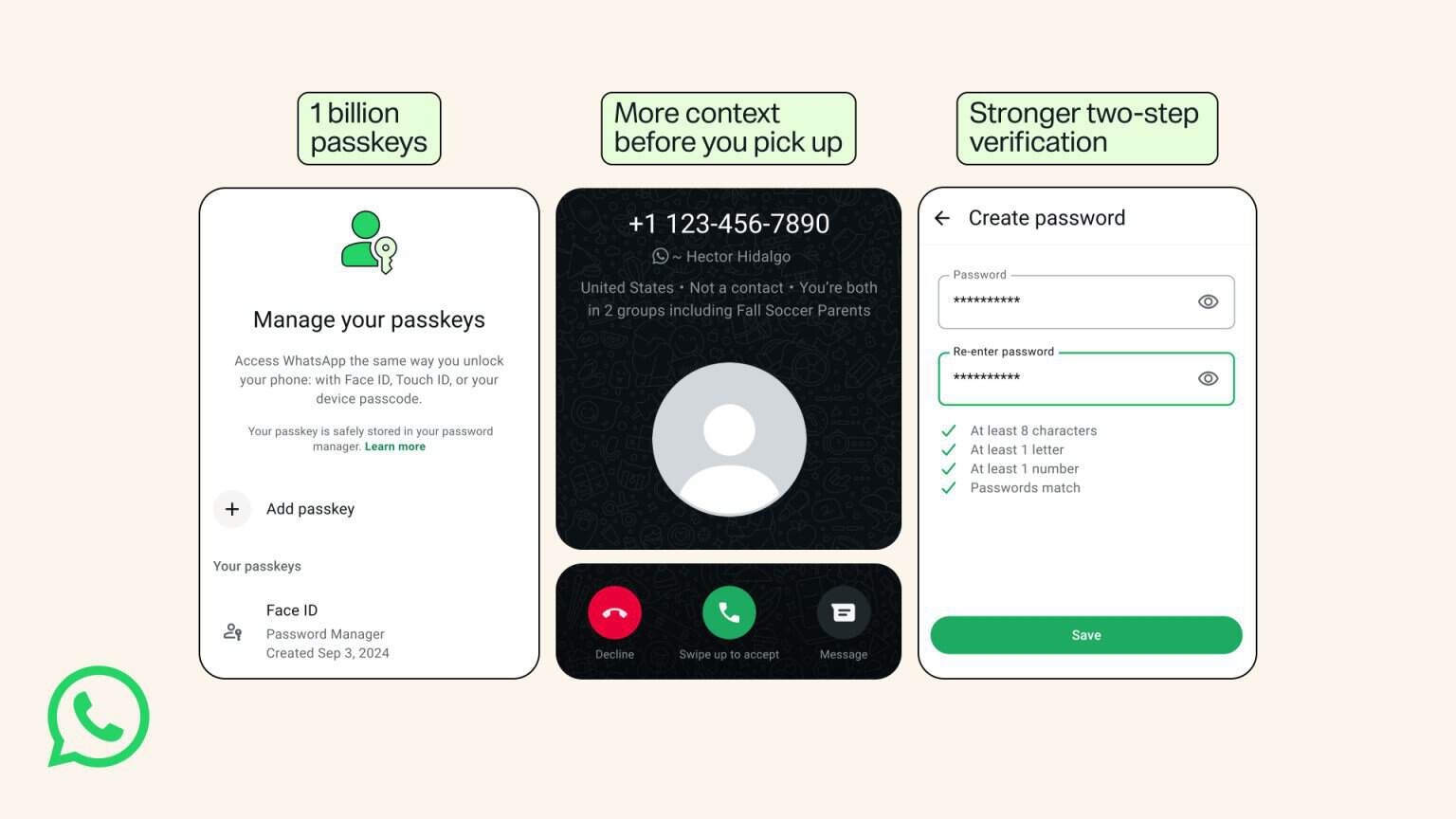
Two-step verification now supports a longer alphanumeric password with special characters. The change gives accounts another protection layer if someone obtains their one-time verification code.
That makes the new password considerably more flexible than the previous six-digit PIN. Users can create a harder-to-guess credential for protecting account access.
WhatsApp is also giving Android users more information before answering calls from unknown numbers. The caller screen can show whether the number comes from another country.
It can also show whether you share any WhatsApp groups with that caller. The added context is designed to give users more information before answering unexpected calls.
Passkeys are becoming a bigger part of WhatsApp
WhatsApp says more than one billion people have already configured a passkey. Passkeys let users verify their identity through a fingerprint, Face ID, or device screen-lock code.
The company is also expanding passkey flexibility for people using multiple devices. Users can now add more than one passkey when using both Android and iOS devices.
You can set it up by going to Settings > Account > Passkeys. Unlike traditional verification codes, passkeys use the device’s existing authentication method.
WhatsApp says these changes are part of its broader effort to keep accounts under users’ control. The company continues to use end-to-end encryption by default for conversations.

Read our disclosure page to find out how can you help Windows Report sustain the editorial team. Read more



Improve this guide




User forum
0 messages