
Windows 11 Beta (26H1) Gets Independent Screen Zoom, New Search Actions, and PDF Previews With the New Build


 2 min. read
 Published on
In addition to the Beta channel build 26320.987, Microsoft has rolled out Windows 11 Insider Preview Build 28020.3445 for Beta Channel testers running version 26H1. This update brings a major accessibility upgrade to Magnifier, alongside a redesigned Windows Search experience. File Explorer is also getting a useful change that makes downloaded documents easier to preview.
Windows Search gets inline actions, while Magnifier receives major upgrades
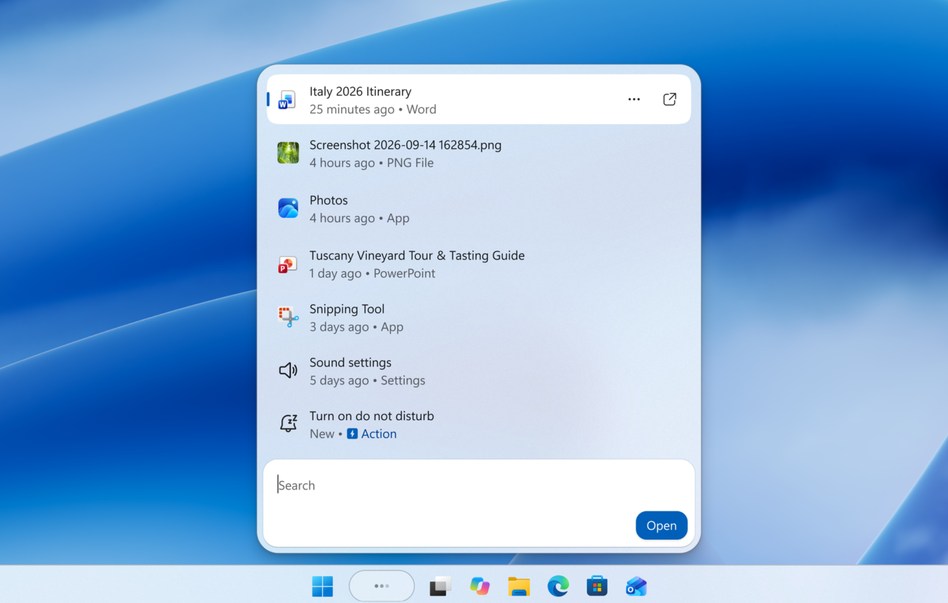
The new Windows Search experience is also rolling out to this build. Built on WinUI 3, it promises faster performance and a cleaner interface. Users can perform quick actions directly from search results. These include enabling Bluetooth or dark mode, adjusting screen brightness, muting audio, and arranging windows. Search is also improving its ability to understand typos and synonyms. However, English remains the only supported language during this initial rollout.
Magnifier is arguably the biggest highlight of this release. Microsoft is introducing independent zoom levels for individual displays. This means users can keep one monitor at 300% magnification while another stays at 150%.
Previously, Magnifier applied one magnified view across connected displays. The new approach respects individual monitor boundaries. Users must enable Extend mode instead of Duplicate to use this functionality.
There is also a new viewport locking feature. Pressing Ctrl + Windows + K locks the magnified view on the selected display. This lets users reference content on another monitor without losing their current view. Microsoft is adding a contrast theme toggle as well. It reduces glare without changing the original colors of photos, videos, and charts. Users can customize the theme through Accessibility settings.

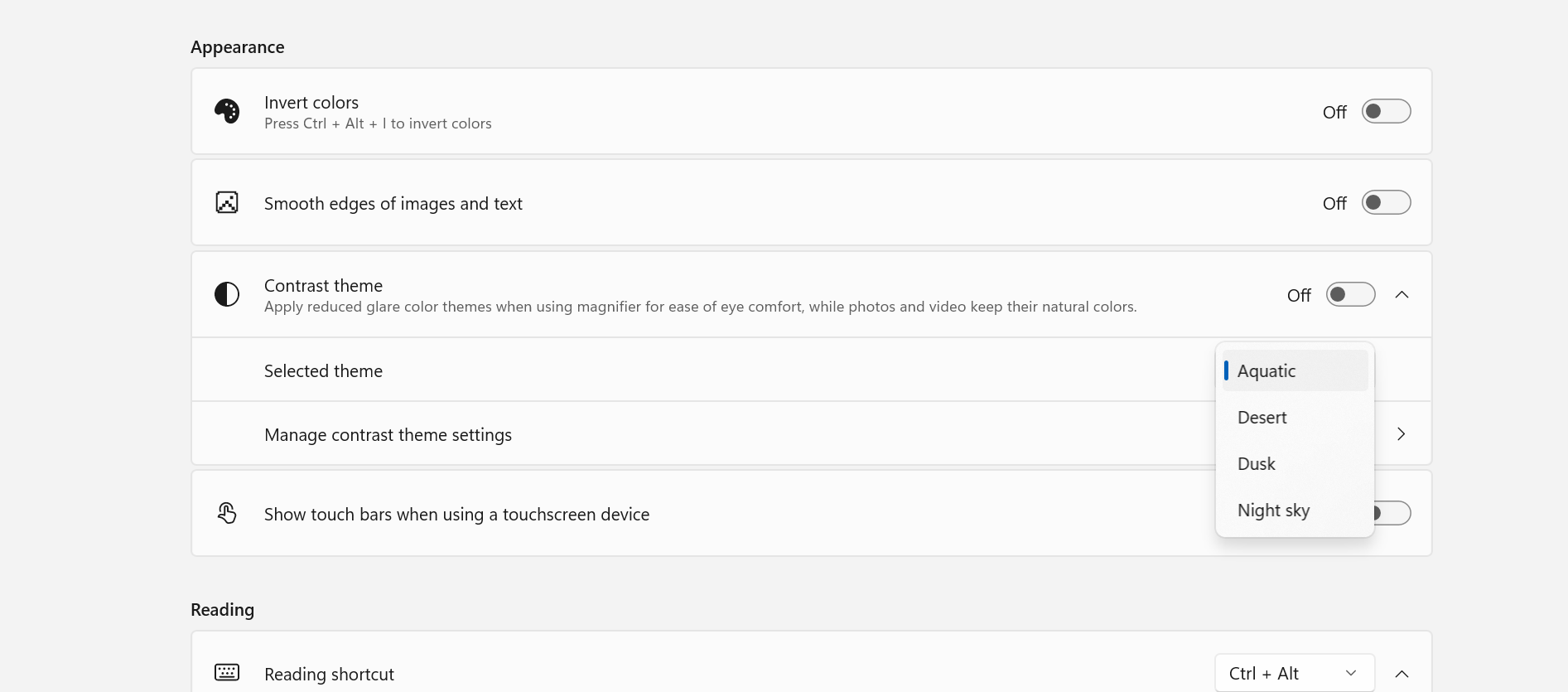
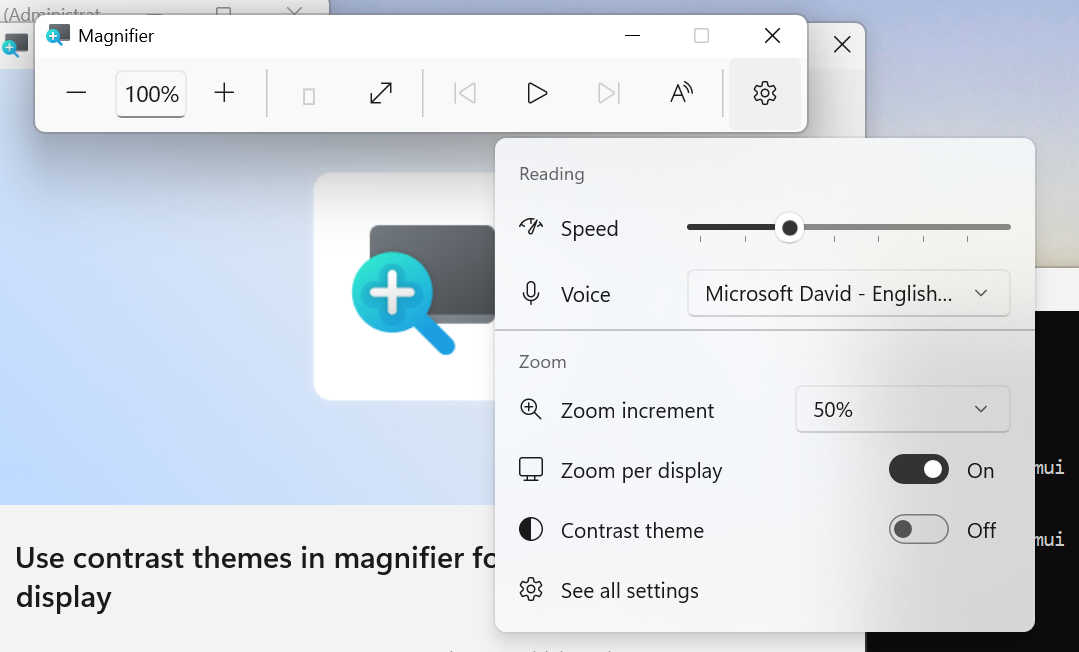
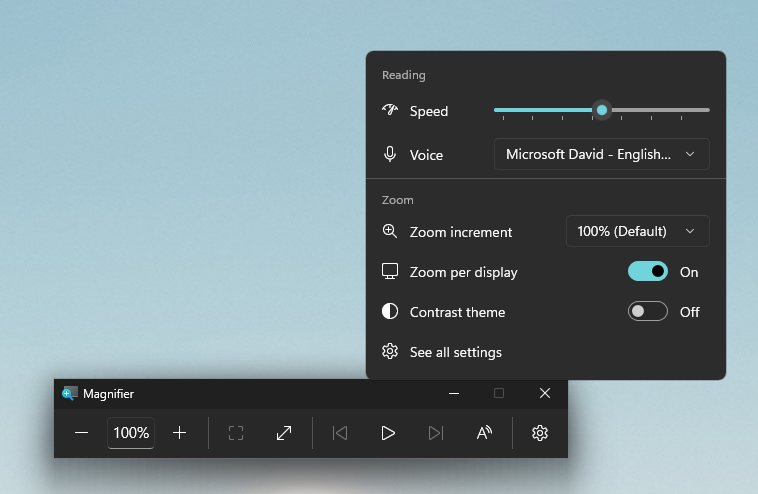
Image credit: Microsoft
File Explorer gets a useful PDF preview improvement
File Explorer is receiving another small but handy upgrade. PDF and non-HTML files downloaded from the web can now automatically appear in the Preview pane. This should make checking downloaded documents easier. Users won’t need to open every supported file just to inspect its contents. However, Microsoft has not provided additional details about supported file types or limitations.

Read our disclosure page to find out how can you help Windows Report sustain the editorial team. Read more


Improve this guide
User forum
0 messages