
Windows 11 Gets Automatic SSO for Managed Devices


 2 min. read
  Published on
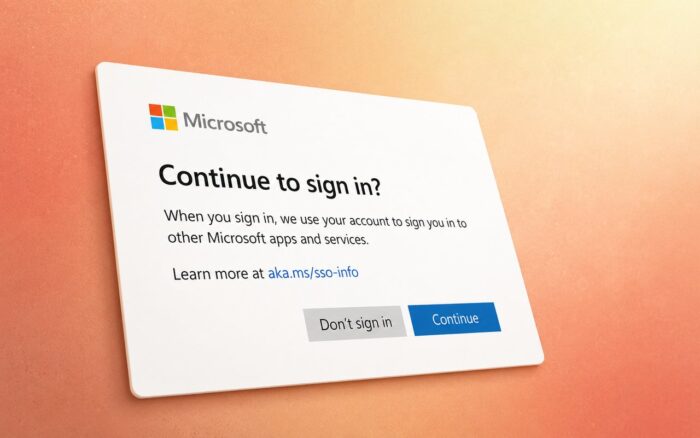
Microsoft has introduced a new Windows 11 policy that allows organizations to automatically approve single sign-on permission prompts on managed devices.
The policy arrived with the July 2026 Patch Tuesday updates. When administrators enable it, Windows can use credentials from a user’s Windows sign-in to access supported Microsoft apps and services without asking the employee to approve each request.
Automatic SSO Reduces Sign-In Prompts
The new setting targets business and organizational devices where a trust relationship already exists between the employee and the organization.
Employees can move between Windows and supported Microsoft services without repeatedly confirming that the operating system can use their account credentials. This can reduce interruptions while preserving administrative control over the sign-in experience.
IT departments can decide whether to enable automatic SSO acceptance across their managed device fleet.
Policy Addresses EEA Sign-In Changes
Microsoft recently changed the Windows sign-in experience in the European Economic Area to meet local regulatory requirements.
Windows users in the EEA no longer sign in automatically to Microsoft apps and services by default. The updated experience gives individuals more control over how Windows shares their account credentials.
However, repeated permission prompts can add unnecessary friction on managed workplace computers. The new policy gives organizations a way to restore automatic SSO on devices where administrators consider it appropriate.
How to Enable AutoAcceptSsoPermission
Administrators can configure the policy through the following registry location:
HKLM\SOFTWARE\Policies\Microsoft\Windows\AADThey must create or configure the AutoAcceptSsoPermission value.
Setting the value to 1 automatically accepts supported SSO permission prompts.
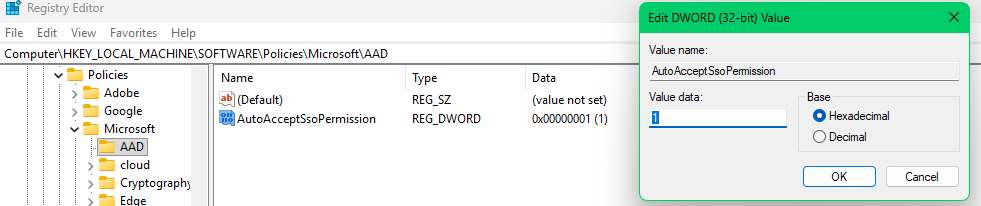
Organizations can deploy the setting through Group Policy Objects, Microsoft Intune, Microsoft Configuration Manager, or compatible mobile device management platforms.
Supported Windows 11 Versions
The policy requires a supported Windows 11 device with the July 2026 Patch Tuesday updates installed. Specifically, Windows 11 version 25H2 requires update KB5101650, while Windows 11 version 24H2 requires update KB5094126. Devices without the required update will not recognize or apply the registry policy.
Managed Entra ID Devices Only
The automatic SSO policy applies only to managed Windows devices that use Microsoft Entra ID accounts.
It does not support personal Microsoft accounts. The setting also remains unavailable on unmanaged Windows devices.
Microsoft’s approach allows organizations to reduce authentication prompts without reversing the broader account-control changes introduced for individual Windows users in the EEA.

Read our disclosure page to find out how can you help Windows Report sustain the editorial team. Read more



Improve this guide




User forum
0 messages