
Windows 11 Gets Screen Tint Setting & More With New Experimental (Dev) Build
Build 26300.8497 is out now for Windows 11 Experimental (Dev) channel insiders


 2 min. read
  Published on

In addition to Beta Build 26220.8491, Microsoft has also released the Build 26300.8497 for Windows 11 Insiders in the new Experimental channel. To remind you, all the changes and improvement in this build applies to Dev channel insiders too.
Windows 11 gets new screen tint, braille, and voice features
One of the standout additions here is a brand-new accessibility feature called Screen Tint. Unlike Night Light, which mainly reduces blue light, Screen Tint adds a customizable color overlay across the display to reduce eye strain and soften bright visuals during long sessions.

Users can pick preset colors, create custom tints, and adjust intensity levels directly from Accessibility settings. Microsoft is also improving Narrator support for refreshable braille displays. Windows 11 now supports HID-standard braille displays with simple plug-and-play functionality over USB or Bluetooth, removing the need for complicated setup processes. More importantly, these displays now work during the initial Windows setup process itself.
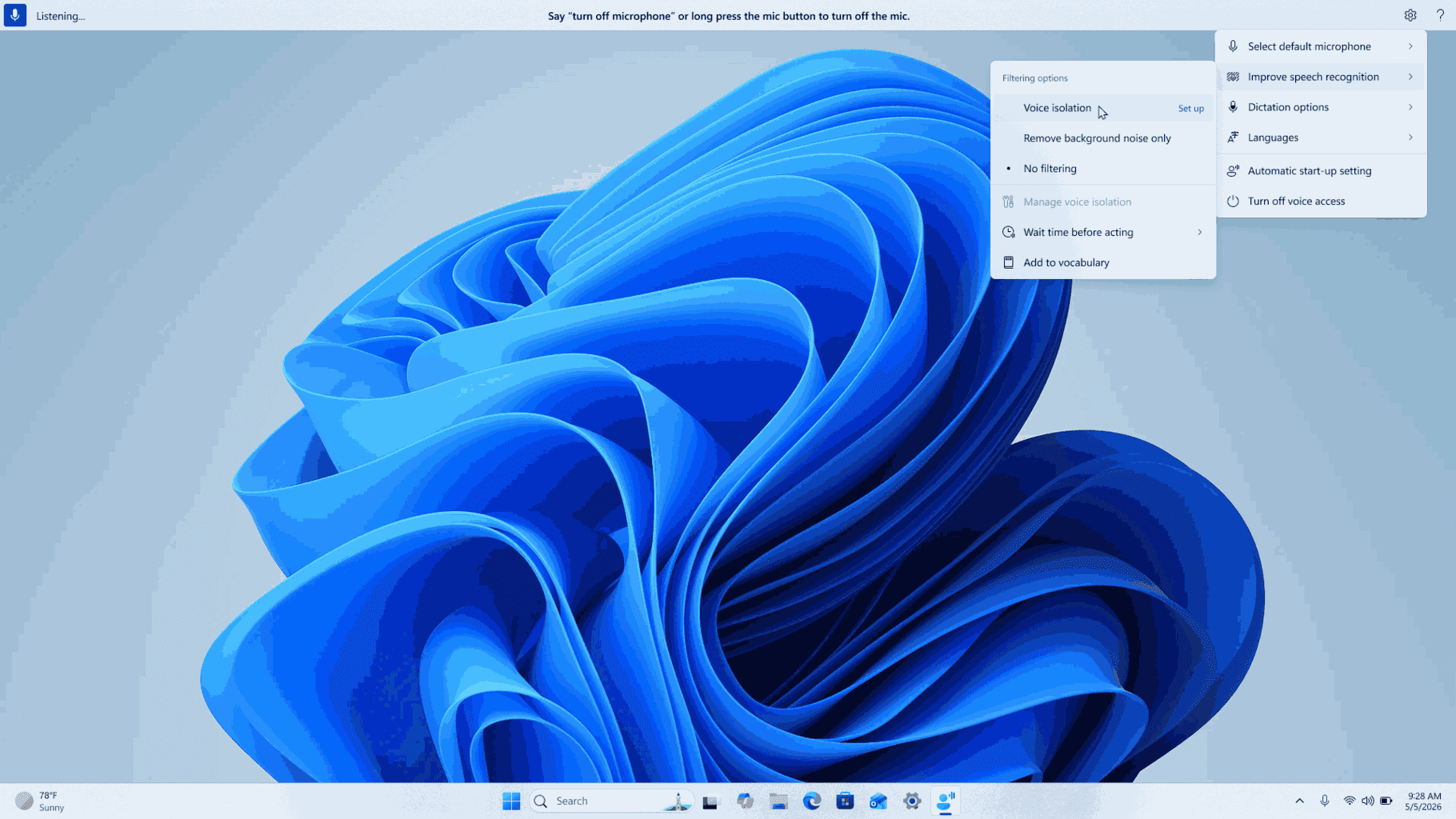
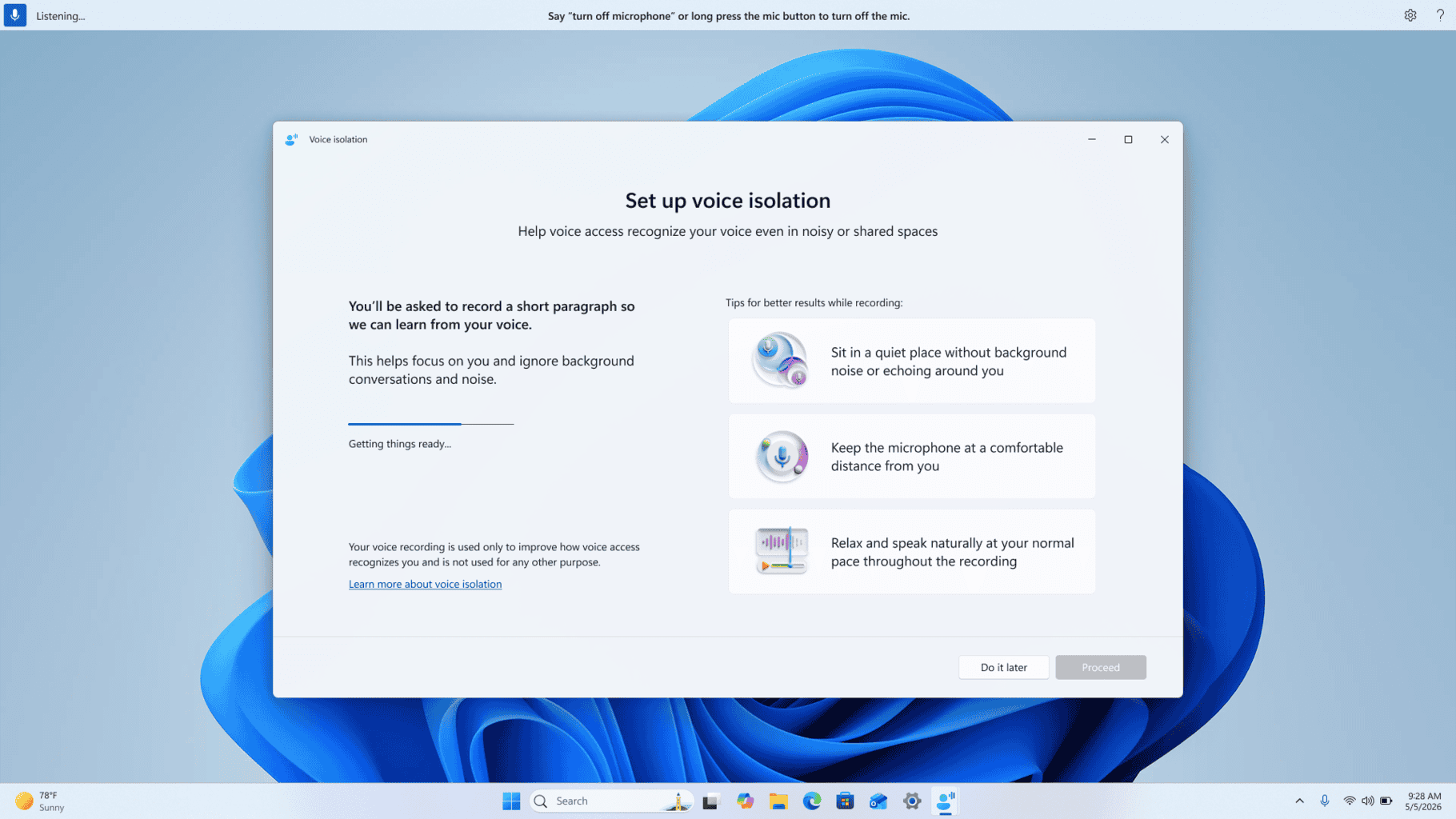
Voice Access is also getting a surprisingly useful upgrade called Voice Isolation. The feature helps Windows focus specifically on your voice even when multiple people are speaking nearby or background noise is present. Everything happens locally on device without sending voice data anywhere else.
Microsoft has additionally tweaked Magnifier behavior inside this preview build. Touch panning bars are now disabled by default, giving touchscreen users a cleaner and less distracting magnified view. Users can still manually turn the bars back on later through Accessibility settings if needed.

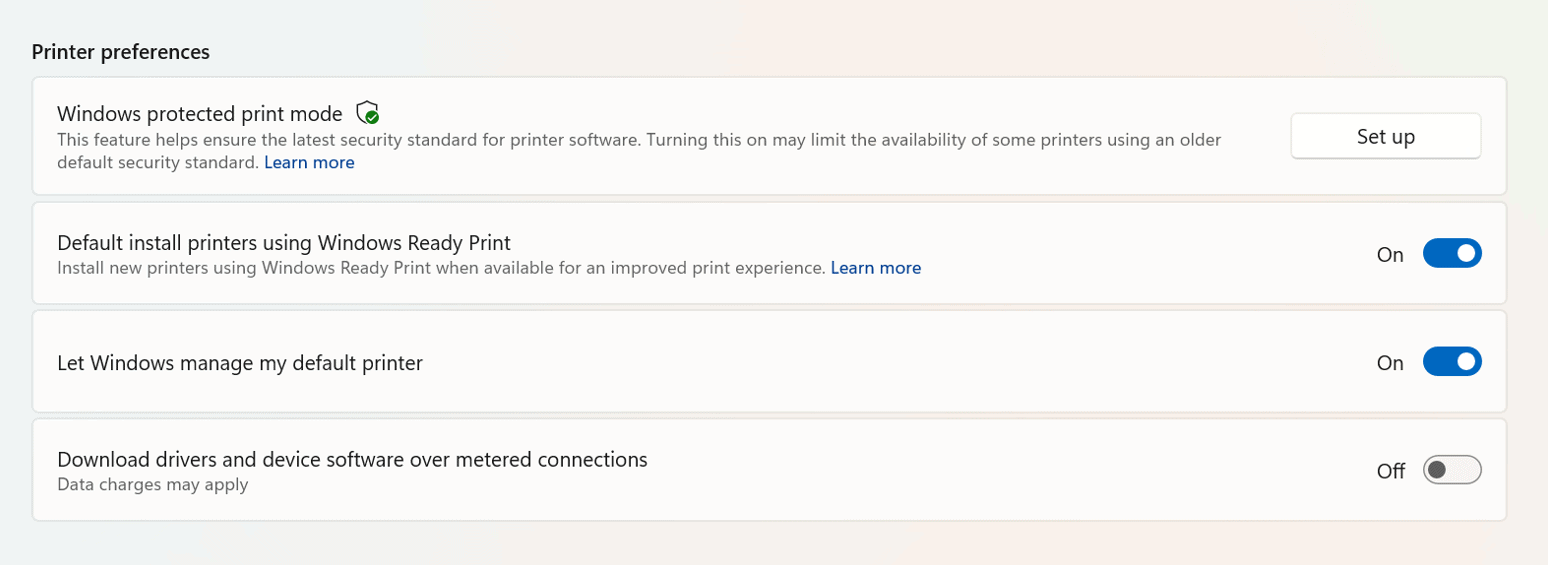
The company is also expanding its newer Windows Ready Print platform. Windows 11 now includes a dedicated toggle allowing users to decide whether compatible printers should automatically install using IPP by default. Microsoft says the goal is to simplify setup while improving printing reliability across devices.
Microsoft also fixes several annoying Windows 11 bugs
Not to forget, the Build 26220.8491 patches multiple issues reported in recent Insider flights. Microsoft fixed the explorer.exe crashing bug that caused taskbars and screens to repeatedly blink or refresh for some users. The company also resolved duplicated Energy Saver toggles, broken Win + X functionality, muted audio issues, and reliability problems tied to SSDP notifications and DISM restore commands.
As with Beta build, one issue remains in this build too. Microsoft confirms that Resetting a PC locally through “Reset this PC” may still get stuck unless users choose the cloud download option instead.

Read our disclosure page to find out how can you help Windows Report sustain the editorial team. Read more



Improve this guide


User forum
0 messages