
Windows 11 Insider Experimental (26H1) Gets a Modern Run Dialog and BitLocker Improvements


 2 min. read
 Published on
Microsoft has released Windows 11 Insider Experimental (26H1) Preview Build 28120.3542, introducing a modernized Run dialog and improvements to BitLocker.
The update also includes general fixes and reliability improvements. Microsoft is rolling out the new features gradually, so some Insiders may not see them immediately.
Windows 11 gets a modern Run dialog
Microsoft is introducing a redesigned Run dialog with a cleaner interface and a more modern appearance that better matches Windows 11.
The new experience is optional, allowing users to switch between the existing and redesigned versions.
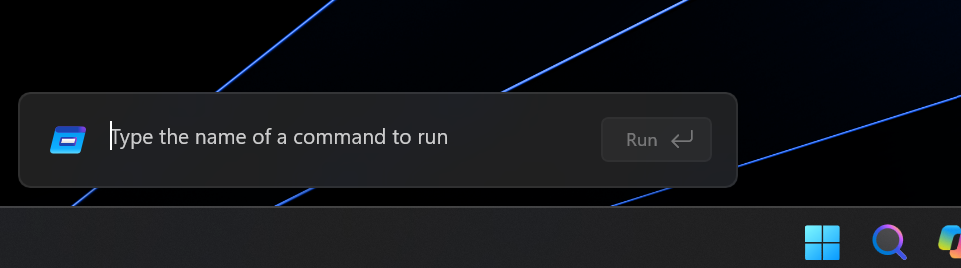
To enable the modern Run dialog, open Settings, navigate to System > Advanced, and turn on the new Run dialog option.
Microsoft has also introduced new controls in Settings to manage the feature. The company shared additional information in its Run dialog developer announcement.
BitLocker now lets standard users configure preboot PINs
The update also introduces the BitLocker improvements previously released in Beta Build 28020.3532.
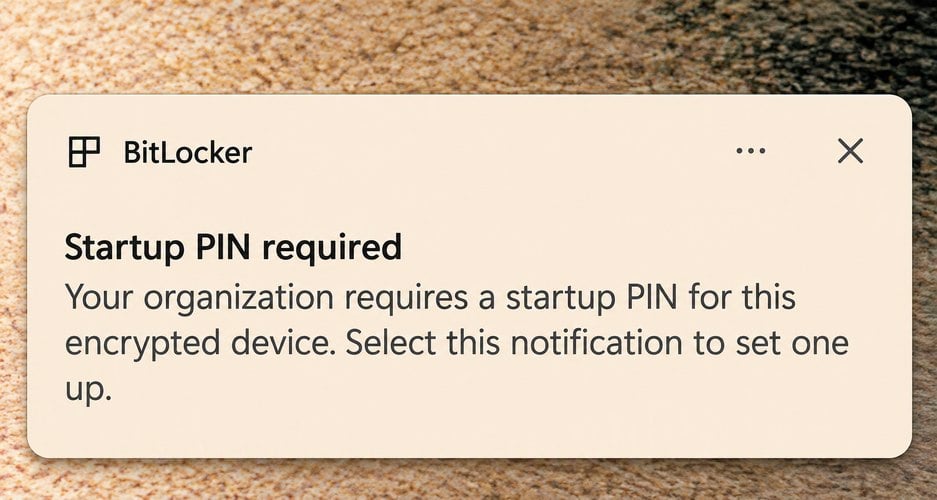
With this change, standard users without administrator privileges can configure BitLocker preboot PINs on managed Windows 11 devices.
Previously, adding a TPM+PIN protector required administrator privileges. The new feature removes that requirement when administrators configure the appropriate security policies.
Once administrators enable the required policies, Windows displays a notification prompting users to configure their preboot PIN through a dedicated setup window.
IT administrators must configure these policies through Microsoft Intune or another device management solution.
Microsoft warns administrators to apply the policies only to Insider test groups that support the feature. Applying them to unsupported devices could cause encryption failures or compliance issues.
Microsoft is rolling out the improvements gradually
Both changes are reaching Windows 11 Experimental channel users in stages. Microsoft has not announced when the redesigned Run dialog or the BitLocker improvements will become generally available.
The release follows other Windows 11 Insider updates, including KB5132265, which introduced Cloud Rebuild and a customizable right-click menu.
Microsoft also recently introduced the BitLocker PIN changes in the Insider Beta channel and released KB5132057 with additional improvements and fixes.

Read our disclosure page to find out how can you help Windows Report sustain the editorial team. Read more


Improve this guide


User forum
0 messages