
Windows 11 Insider Experimental Build Adds Smarter Accessibility and Cloud Rebuild


 3 min. read
  Published on
Microsoft has released Windows 11 Insider Experimental Preview Build 26340.9502, bringing accessibility improvements, new Cloud rebuild options, and fixes for Hyper-V and File History.
The update also improves Live Captions and gives users more control over the Mouse indicator and Magnifier.
Mouse indicator gets a new animation
Microsoft is introducing a sleeker animation for the accessibility Mouse indicator in Windows 11.
Users can also configure the Mouse indicator to remain visible until they press Esc. Previously, Windows automatically dismissed the indicator after a period of time.
Magnifier gets a new lower-glare contrast option
Magnifier now includes a new contrast theme toggle designed to reduce screen glare without fully inverting colors.
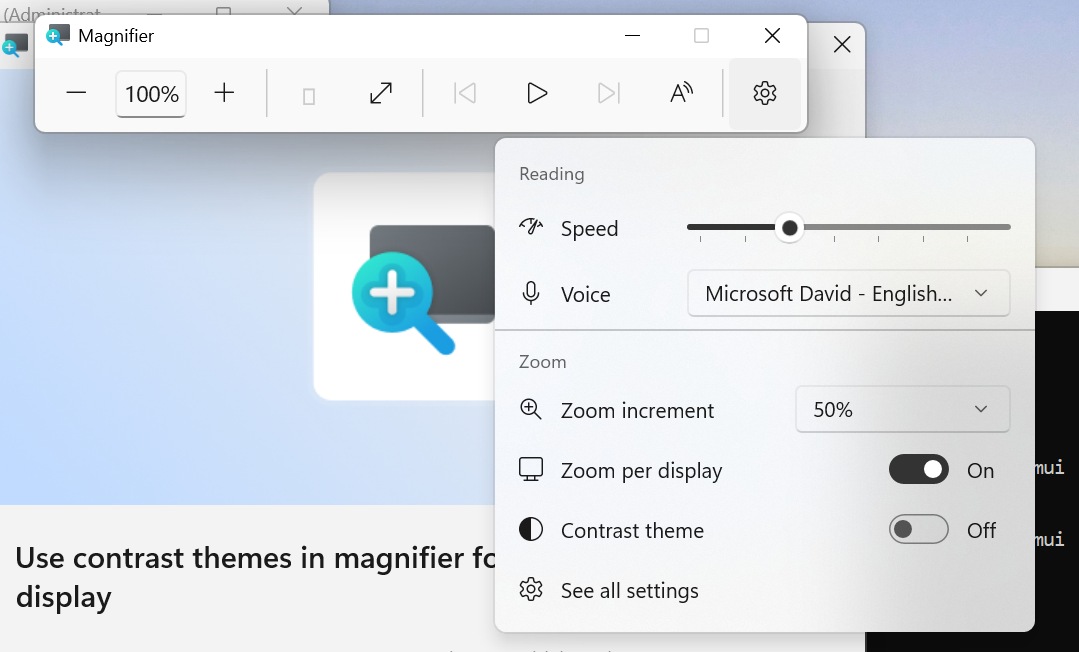
Unlike the existing color inversion feature, the contrast theme keeps photos, videos, and charts in their original colors while changing the surrounding interface.
Microsoft enables the dark contrast theme by default, although users can select another theme under Settings > Accessibility > Magnifier.
The existing color inversion option remains available separately.
Cloud rebuild can now sanitize storage drives
Microsoft is also expanding its Cloud rebuild recovery feature with an option to securely erase storage before reinstalling Windows.
Users keeping the PC can select Remove files, while those recycling, returning, or reassigning a device can choose Remove & sanitize files.
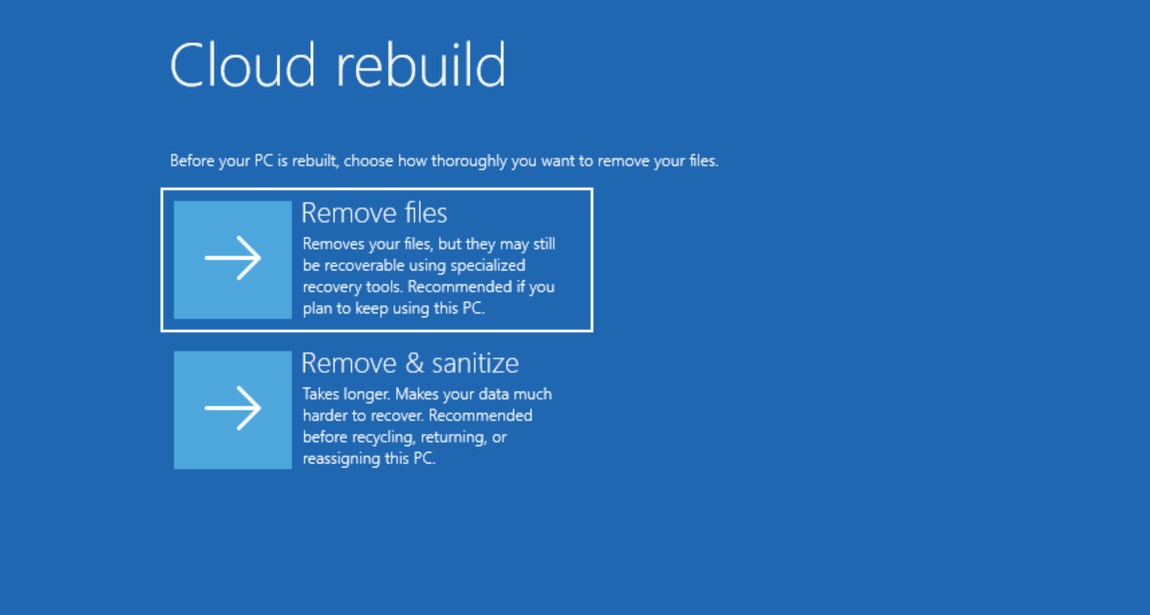
The latter uses the storage hardware’s erase functionality to sanitize the drive, and Microsoft warns that the process cannot be reversed.
IT administrators can also remotely configure and start Cloud rebuild through the Recovery CSP. Administrators can reinstall the currently installed Windows build or specify a target build.
Live Captions can ignore screen reader audio
Live Captions now includes an Include Screen Reader audio setting.
When disabled, Live Captions won’t transcribe speech generated by accessibility tools such as Narrator, JAWS, and NVDA.
Microsoft disables the option by default, allowing Live Captions to focus on microphone and system audio instead.
Microsoft fixes Hyper-V Plan9 folder sharing
The Experimental build also fixes an issue affecting applications that use HCS-managed virtual machines.
Windows host folders shared with Linux virtual machines through Plan9 could previously fail to appear or remain inaccessible inside the Linux guest.
Microsoft says the issue is now fixed.
File History backup failures are fixed
Microsoft has also addressed a File History problem that could prevent users from creating backups.
Affected systems could display a “No usable drives found” error even when an appropriate backup drive was available.
That’s not all from Microsoft this week. The company has also released a new Windows 11 Insider Beta Build with similar Live Captions and File History improvements.
Microsoft also recently fixed a Windows bug that falsely warned users that Defender was disabled, even though antivirus protection remained active.

Read our disclosure page to find out how can you help Windows Report sustain the editorial team. Read more



Improve this guide




User forum
0 messages