
Windows 11 Insider Experimental Build Adds WinUI 3 Search and New Actions


 3 min. read
  Published on
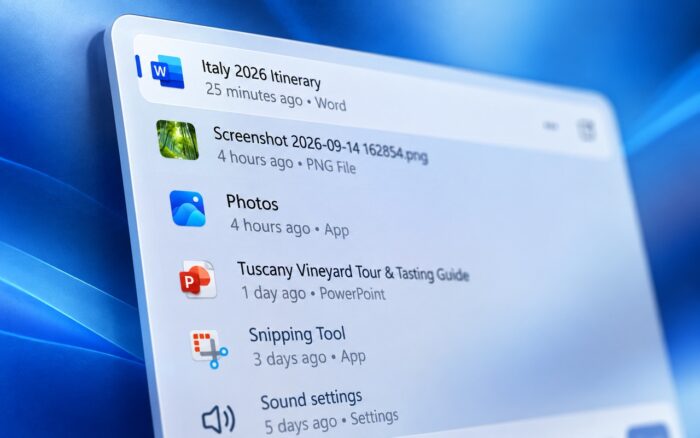
The new Windows Search experience is rolling out to Windows 11 Insiders with a WinUI 3 redesign, inline actions, better typo handling, and faster performance.
Microsoft introduced the changes in Windows 11 Experimental Build 26340.9616, alongside a new Battery Status widget, Kerberos improvements, Task Manager changes, and several fixes.
Windows Search gets inline actions
Microsoft is rolling out the new Windows Search experience built on WinUI 3.
The redesigned interface aims to make Search faster and more streamlined while also allowing users to perform actions directly from search results.
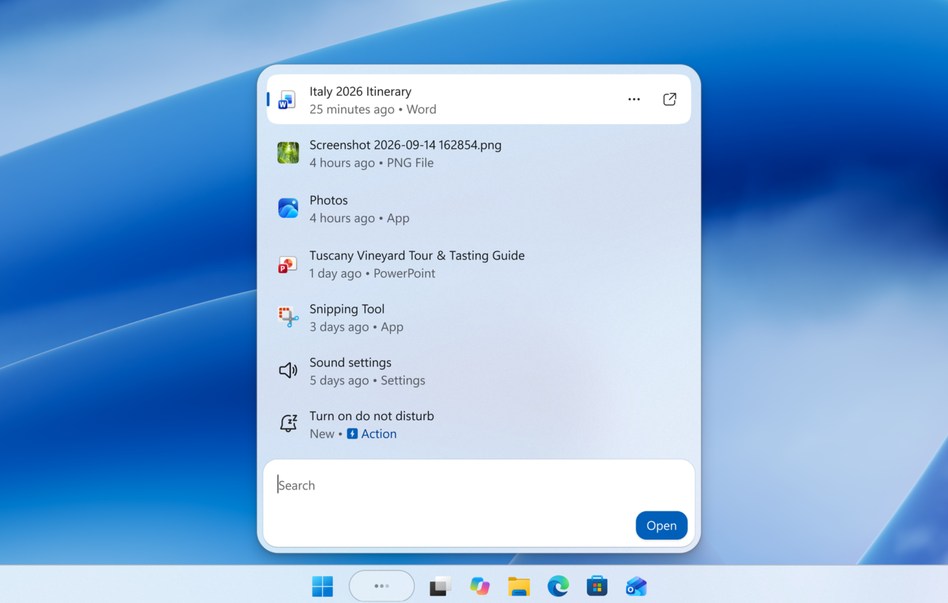
For example, users can turn on dark mode or Bluetooth, adjust screen brightness, mute their device, and arrange open windows without navigating through Settings.
Microsoft is also improving how Search handles typos and synonyms, which should help users find relevant results even when they do not enter an exact phrase.
The new experience initially supports English only. After installing the build, Insiders need to restart their PC before the New Windows Search Experience feature flag appears.
Battery Status widget shows PC and peripheral levels
Microsoft is also introducing a new Battery Status widget for the Windows 11 Widgets board.
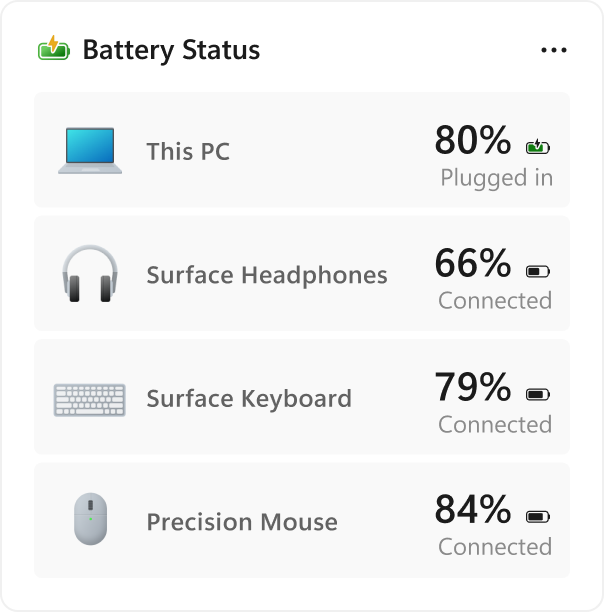
The widget shows the battery level of the PC alongside supported connected peripheral devices, giving users a single place to check their remaining charge.
Users can enable it by opening the Widgets board and selecting Add widgets > Battery Status.
IAKerb now comes enabled by default
Microsoft has enabled IAKerb by default on Windows clients.
IAKerb allows Kerberos authentication to work when a device cannot establish a direct connection to a domain controller.
Microsoft says the change should reduce dependence on NTLM while improving support for modern authentication scenarios.
Task Manager gets improved process grouping
Task Manager is gaining a new way for applications to group their background processes.
Instead of relying entirely on traditional parent-child process trees, apps can combine related processes into one unified category.
This should make it easier to understand the total CPU, memory, and other resources consumed by an application.
Microsoft Defender is the first app to support the new grouping capability.
File Explorer adds font controls
Microsoft is also adding font preview and installation controls to File Explorer and desktop context menus.
The change gives users quicker access to font-related actions without requiring them to open a separate settings page.
Microsoft fixes Windows Sandbox update error
The build also includes several fixes.
Microsoft resolved error 0x80073712, which prevented some Insiders with Windows Sandbox enabled from installing recent Windows updates.
The company also fixed an issue that caused taskbar window previews to become progressively slower and more laggy over time.
Another fix addresses the msmpeg2ac3dec.dll issue that caused some apps and games to crash. Microsoft previously fixed the same problem in the Beta channel.
The security key PIN interface has also been updated, with Microsoft removing the “other user” icon.
Microsoft additionally removed the backplate from the Settings icon when User Account Control appears after an action initiated from Settings.
That’s not the only Windows Insider change this week, as Windows 11 Insider Beta Build puts Weather first on the lock screen.

Read our disclosure page to find out how can you help Windows Report sustain the editorial team. Read more



Improve this guide


User forum
0 messages