
Copilot Blunder Shows Two Start Menus in an Official Windows Guide


 2 min. read
  Published on
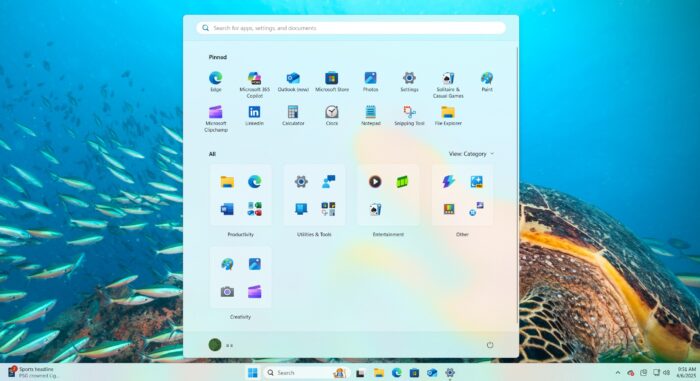
Microsoft recently published official instructional guides in its Windows Learning Center using AI-generated images instead of standard product screenshots. While the visuals look fairly polished at a glance, they contain some very obvious technical mistakes.
As per the folks over at Windows Latest, the images generated by the company’s own Copilot chatbot display a Windows 11 taskbar with two separate Start menus, creating a confusing situation for users seeking accurate help.
A confusing experience for users
The inclusion of these flawed images could easily mislead people who visit the Windows Learning Center for troubleshooting. If someone sees an official Microsoft guide showing two Start buttons, they might assume something is broken on their own computer. The company clearly labeled the visuals as AI art created by Copilot.
Still, placing them in basic support documentation remains a questionable choice when real screenshots are so readily available.
AI reliability remains a challenge
This incident highlights the ongoing reliability issues surrounding generative AI tools. Microsoft regularly warns users that Copilot can make factual and visual mistakes, yet the tech giant still relies on the chatbot for its own technical materials. The blunder comes just as Microsoft is trying to improve overall user sentiment around Windows 11.
Recent efforts include acting on community feedback and scaling back plans to force AI features into core system menus.
Via Windows Central


Read our disclosure page to find out how can you help Windows Report sustain the editorial team. Read more



Improve this guide

User forum
0 messages