
Windows Might Fail to Start After June 11 Update: Here's What to Do


 3 min. read
 Published on

Installed the June 2025 Windows update and now your PC won’t boot? Microsoft has confirmed a startup failure issue caused by June cumulative patches (especially KB5060533/K5060531 series) on certain devices – including PCs running Windows 10/11 and Surface Hub v1.
This guide explains exactly what’s going on, how to fix it quickly, and how to prevent it going forward.
Table of contents
✅ Step 1: Understand the Boot-Failure Issue
Problem or Scenario
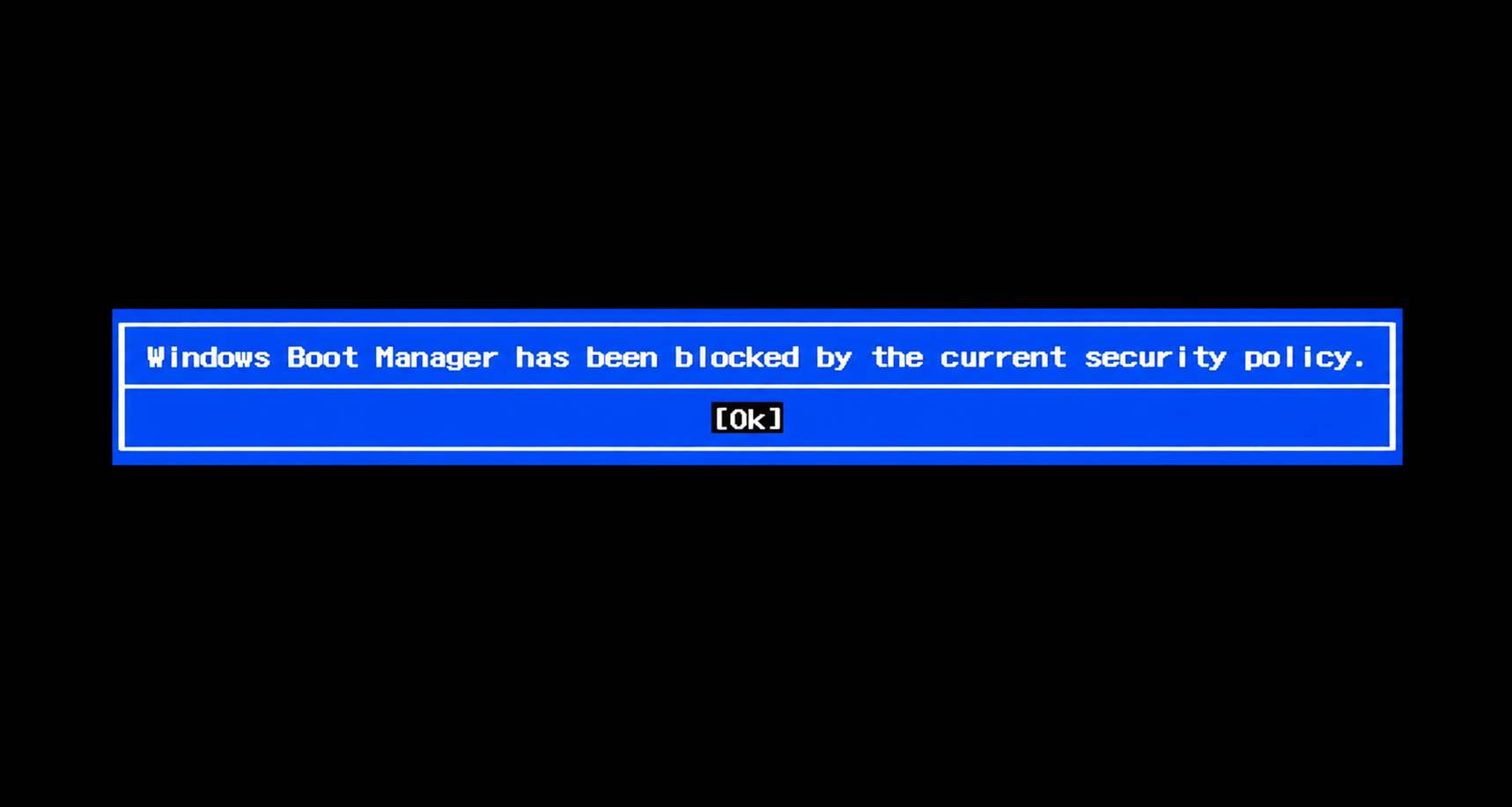
After installing the June 10/11, 2025 security updates, affected devices may show a boot error, such as “Secure Boot Violation” or hang before starting Windows.
- Surface Hub v1 devices with KB5060533 can’t boot due to Secure Boot signing issues
- Windows 11 24H2 installs of KB5060842 were temporarily paused by Microsoft for some PCs due to unspecified compatibility problems
✅ Step 2: Install Revised or Replacement Update
Solution Steps
- Run Settings → Windows Update, enable Get the latest updates, then check again.
- Microsoft is rolling out KB5062324 config update to fix failed scans
- A revised version of KB5060842 is available; if you’re blocked, uninstall any previous KB and retry once available.
Why It Works
Microsoft throttles and replaces problematic updates with fixed versions to restore normal boot functionality
✅ Step 3: Surface Hub v1 – Install Hotfix KB5063159
Problem or Scenario
Surface Hub v1 devices hit the Secure Boot Violation error after KB5060533.
Solution Steps
- Don’t install KB5060533.
- Instead, Microsoft released KB5063159 specifically to resolve the Secure Boot failure en.wikipedia.org+14neowin.net+14bleepingcomputer.com+14pcworld.com.
- Install via Settings or the Microsoft Update Catalog.
Why It Works
This hotfix restores proper Secure Boot signatures and prevents the error from recurring.
✅ Step 4: Uninstall Problematic Update (Temporarily)
Solution Steps
- Navigate to Settings → Windows Update → Update History → Uninstall Updates
- Remove the June update (e.g., KB5060533 or KB5060842)
- Reboot to restore functionality temporarily
- Reinstall the fixed update once re-released
Why It Works
Rolling back removes the source of the boot issue until a corrected patch is made available.
✅ Step 5: Watch for Configuration and OOB Updates
Solution Steps
- Keep Windows Update set to auto-check
- Watch for KB5062324 and KB5063060 OOB (out-of-band) patches
- Reddit users confirm revised updates are now being pushed bleepingcomputer.com+6learn.microsoft.com+6neowin.net+6pcworld.combleepingcomputer.com
Why It Works
OOB updates are released off-cycle to patch critical issues like installation or boot failures quickly.
🧩 Summary Table
| Issue | Fix |
|---|---|
| PC won’t boot after June update | Uninstall update → check Windows Update for revised patch |
| Surface Hub v1 device won’t start | Skip KB5060533 → install KB5063159 hotfix |
| Windows 11 Update scan fails | Install KB5062324 config fix via Windows Update |
| Still stuck | Manually uninstall bad KB, then install repair version after reboot |

Read our disclosure page to find out how can you help Windows Report sustain the editorial team. Read more


Improve this guide


User forum
0 messages