
Windows 11 KB5074105 Changes Storage Cleanup, Windows Update Files no Longer Listed


 2 min. read
  Published on
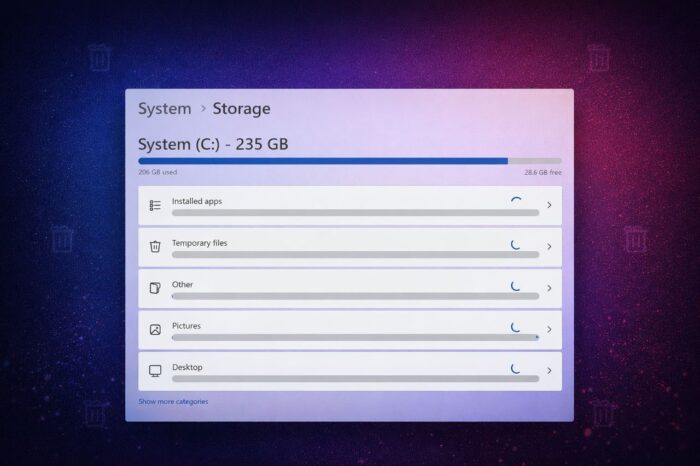
Microsoft has introduced a notable security change in the latest optional Windows 11 update. The KB5074105 release adds a new administrator requirement when users open Storage settings, triggering a User Account Control prompt by design.
Storage settings now require admin approval after KB5074105
According to WindowsLatest, with KB5074105 installed, opening the Storage page in Settings now asks for administrator approval on standard user accounts. According to Microsoft, the change ensures that only administrators can access protected storage locations and system-level files.
Microsoft says the goal is to reduce the risk of unauthorized users or background processes deleting critical data or system components. The prompt appears before the Storage settings page loads, rather than when users attempt specific actions.
Temporary files cleanup shows fewer options
The update also changes how cleanup tools appear inside Settings. After installing KB5074105, the Temporary files section no longer lists certain categories, including some Windows Update-related cleanup items.
Those options have not been removed entirely. Users can still access them by launching Disk Cleanup with elevated or system permissions, which continues to expose cleanup areas no longer visible in the Settings app.
Beyond the security-related change, KB5074105 includes several fixes and improvements for Windows 11, including a solution for File Explorer freezing during startup.
The update also removes Smart App Control limitations, making it easier for users to turn the feature on or off. At the same time, some users report new issues after installing the update, including camera malfunctions and lock screen problems.
Because KB5074105 is an optional preview update, it does not install automatically. Users can choose to skip it entirely if they want to avoid the new admin prompt or potential issues, and wait for changes to roll into a future mandatory Patch Tuesday release instead.

Read our disclosure page to find out how can you help Windows Report sustain the editorial team. Read more



Improve this guide



User forum
0 messages